TikTok Content Approval Workflow: The Gate Before Scheduling
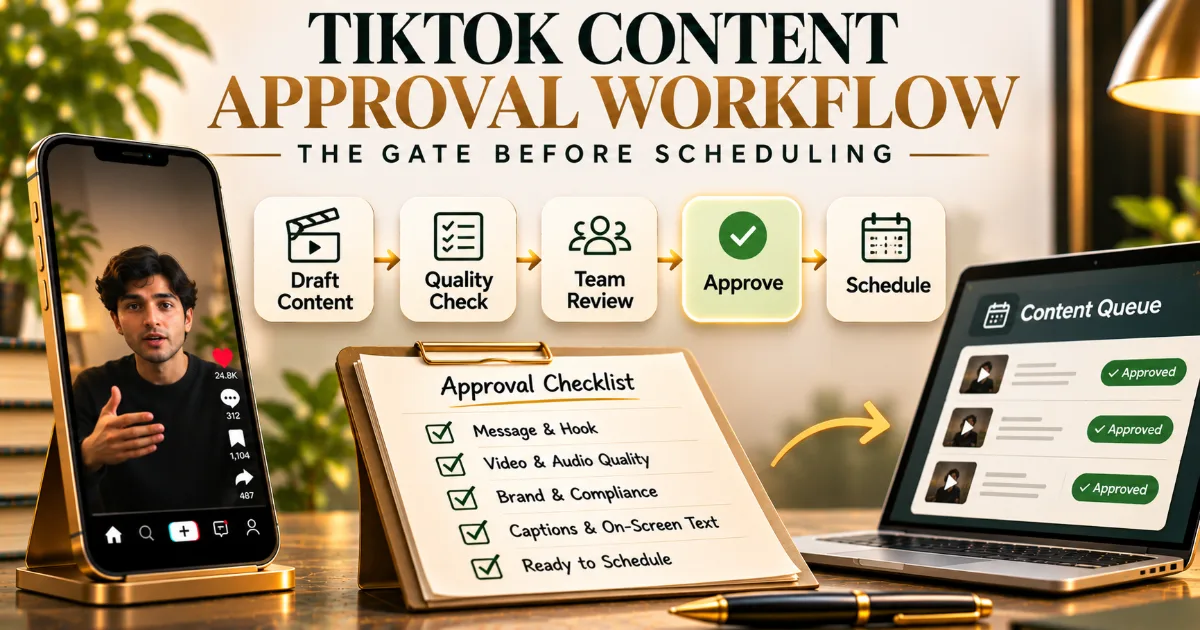
A TikTok content approval workflow is the gate a clip passes before it is scheduled, and on TikTok that gate has to check more than the words. It confirms the claim and captions, as any approval does, and then the things only TikTok asks: which account the clip goes to, who can watch it, whether it needs a commercial disclosure, whether its music is licensed for business use, whether it needs an AI label, and whether the approved file is the one being posted. This post lists each check, who owns it, and how a two-person team runs the gate.
Who owns each TikTok check before a clip is scheduled
- 01SpeakerApprove the contentthe claim and the words on screen
- 02EditorClear the musicthe rights record and any AI label
- 03MarketingSet disclosureown brand, branded content or none
- 04PosterConfirm and schedulethe account, the audience and the file
- TikTok content approval workflow: one gate, two kinds of check
- Checks on what the clip says
- Check 1: the right account and a deliberate audience
- Check 2: commercial disclosure, when the clip promotes something
- Check 3: music a business is allowed to use
- Check 4: an AI label when one is required
- Check 5: the approved file is the file being posted
- Running the gate with a small team
- A worked example: a fitness studio's two-person team
- What the gate costs, and what it prevents
- Frequently asked questions
- Where to start
TikTok content approval workflow: one gate, two kinds of check
The gate has two halves. The first half checks what the clip says: the claim, the captions, the description and anything shown on screen, against what the speaker approved. The second half checks how the clip will be posted on TikTok: the account, the audience setting, the disclosure, the music, any AI label and the file itself. A clip passes only when both halves pass, and it is scheduled only from the gate. The on-screen text is checked in the first half, against the house style that TikTok on-screen text SEO sets for wording, contrast and placement. A publication's written equivalent of that first half is the evidence section of a Medium publication style guide, which our guide lays out on one page. A written article moves through a similar set of gates in our guide to Medium publishing workflow automation.
The two halves of the gate, and what passes
Says it right · posted wrong
back to the posterright words, wrong account or setting
Says it right · posted right
schedule itboth halves pass
Says it wrong · posted wrong
back to the startneither half passes
Says it wrong · posted right
back to the editora tidy post of the wrong words
Left column: the TikTok posting checks fail
Right column: the TikTok posting checks pass
Most approval processes cover the first half well and the second half not at all, because the second half looks like admin. It is not. A clip with a perfect script posted to the wrong account, without a disclosure it needed, or with a song a business may not use, is a worse problem than a clip with a clumsy sentence. Our guide to designing human approval gates sets out the general shape of a gate; this post fills in what a TikTok gate in particular has to hold.
The gate sits at the end of a longer queue. By the time a clip reaches it, it has been selected, briefed, rebuilt where needed and captioned; our guide to TikTok clips from YouTube videos describes that queue status by status. The gate does not redo that work. It confirms that it was done, on this exact file, and adds the checks that only make sense at the moment of posting. When the gate keeps finding the same missing record, the cause is upstream, and how to audit a TikTok content workflow shows how to trace it to the stage that leaves it out.
Think of the TikTok posting checks as the questions the app will ask the person posting, answered in advance by the people who know. The person who posts is often the least well placed to answer them: they may not know whether a song came from the right library, whether a scene was generated, or whether the studio was paid to feature a product. Moving each question to its owner, and recording the answer before the clip reaches the person posting, is the whole idea. The poster then confirms rather than decides. The time that takes is real and belongs on the sheet; the TikTok content production cost model calls review the stage most often left off it.
Checks on what the clip says
The first half of the gate confirms four things about the content: the claim matches what the speaker approved, the captions match the audio, the description adds no claim, and any text on screen states only what the clip supports. Each of these was checked earlier; the gate's job is to confirm that the checks were done on the version now in front of it. For a founder's clip, one of those earlier checks is the sign-off sheet from the TikTok founder content workflow, which pairs each script line with the transcript line behind it.
The content checks the gate confirms, from the claim up
- 01The claim
matches what the speaker approved
- 02The captions
match the audio, checked and recorded
- 03The description
adds no claim of its own
- 04On-screen text
states only what the clip supports
- 05Sensitive-field lines
no promised result in a set time
The claim is the anchor. If the clip's opening was rebuilt, the locked claim from our TikTok hook rewrite workflow should be in the clip record, and the gate compares the final opening with it. If the captions were verified, the record should show who verified them and against which audio; our guide to TikTok caption automation covers that check. If either is missing, the clip goes back, because the gate is the last place anyone will look. A client story adds one more record to check, the consent, and TikTok case study video ideas sets out what that record should hold.
A business in a regulated or sensitive field adds its own content checks here. A fitness business checks that no clip promises a particular result in a particular time; a health or finance business checks the statements its rules require. Those lines belong in the clip's brief from the start, as our TikTok video brief template describes, so the gate is confirming them rather than discovering them.
The content half of the gate is also where the business decides whether a clip should go out at all this week. A clip can pass every check and still be wrong for the moment: it repeats something posted days ago, it touches a subject the business is handling carefully, or the person in it has asked for a delay. The gate is the natural place to ask, because it is the last point at which saying no costs nothing. A short "anything else?" question for the approver, with a free-text answer, catches these better than any list of rules.
Check 1: the right account and a deliberate audience
The first TikTok check is the simplest and the easiest to get wrong: the clip is going to the right account, with an audience setting someone chose on purpose. A business with a main account and a founder's account, or an agency posting for several clients, can post the right clip to the wrong place in one tap, and once a clip is public on the wrong account the damage is done. An agency that wants this account check in every client’s flow, beside a client approval stage, can have it built into a content system for marketing agencies.
What the clip record says about where and to whom a clip goes
- Account
- the studio’s main account, not the founder’s
- Audience
- chosen on purpose, never left on a default
- Shown at posting
- the account nickname and privacy options
- Compared
- the record against the screen, by the poster
- The account check
- right place, deliberate audience, confirmed on screen
TikTok builds this check into its own rules for apps. Its content sharing guidelines say an app's upload page "must display the creator's nickname, so users are aware of which TikTok account the content will be uploaded to." The developer reference for querying creator info says an app must use the latest creator information to display the account's available privacy options. If TikTok requires apps to show the account and the audience choices before posting, a business's own gate should require a person to confirm both.
Write the intended account and audience into the clip record when the clip is briefed, and have the gate compare them with what is on screen at the moment of posting. "Everyone" is a decision, not a default. Some clips are better posted to followers first, and a clip featuring a customer may need a narrower audience than the business's usual setting. The account itself needs protecting before any of this matters, and TikTok's help page on account safety covers turning on 2-step verification for an account several people can reach.
Check 2: commercial disclosure, when the clip promotes something
A clip that promotes a brand, product or service needs TikTok's commercial content disclosure turned on, and the gate checks whether it applies and, if so, which option. TikTok's guide on turning on the commercial content disclosure setting says that when posting content that promotes a brand, product or service, "you must turn on" the setting, and that the poster selects whether they are promoting "Your brand" or "Branded content."
Which disclosure a business clip needs on TikTok
an educational clip
- no setting needed
the business’s own offer
- setting on
- Your brand
a third party, for payment or reward
- setting on
- partner tagged
For a business posting about its own services, the relevant choice is usually its own brand. Branded content is different: TikTok's Branded Content Policy defines it as content that promotes or reviews a third-party brand or its products in exchange for payment or another incentive. A business that pays a creator, or a creator paid by a business, is in that category, and the gate should know which side of the line each clip is on.
The judgement is not always obvious. A studio clip explaining a training principle is education; the same clip ending on this month's membership offer is promotion. TikTok's policy on regulated commercial activities says commercial content that is not properly disclosed may have its visibility reduced, so when in doubt the gate should ask the question explicitly rather than leave it to whoever posts. A newsletter faces the same line between an issue and an offer, drawn in Substack newsletter vs promotional email.
Check 3: music a business is allowed to use
If the clip has music, the gate checks that it is music the business may use commercially, which on TikTok usually means the Commercial Music Library. TikTok's page about the Commercial Music Library says it is pre-cleared for business use and that businesses "cannot use the general music library for commercial usage." A trending song a personal account can use freely may be off-limits to a business account.
Which sounds survive the music check on a business account
- Every sound on TikTok the whole library
- Cleared or owned library or own audio
- Passed the copyright check checked in TikTok Studio
- Posted with the clip a usable sound
The same page notes that original sounds from other users or other licensed sounds need a proper licence, and suggests consulting a legal team. For most small businesses the practical rule is simple: use the Commercial Music Library, the business's own audio, or no music. Our TikTok video rights checklist goes further into music, footage and customer appearances, and the gate should simply confirm the rights record exists. An Instagram Reel faces the same question with its own audio library, and the Content Operating System for Instagram records the audio source against each cut. Licensed footage needs the same care as licensed sound, and our guide to Higgsfield AI vs stock footage covers reading a clip's licence before it goes in.
TikTok also offers a check of its own. Its guide to creator tools on TikTok describes an option to run a copyright check on a video's sounds when uploading in TikTok Studio, so infringements can be found and edited before the post goes up. It is a useful last net, not a substitute for knowing where the music came from.
Check 4: an AI label when one is required
The gate asks whether the clip contains AI-generated or significantly AI-edited realistic images, audio or video, and if so, whether it carries TikTok's AI label. TikTok's page on AI-generated content says it requires creators "to label all AI-generated content that contains realistic images, audio, and video." For most business clips the answer is no, but the gate should ask every time, because generated footage is easy to add late in an edit. A product demo is where that happens most often, and the TikTok product demo content workflow labels any simulated or generated scene before the clip reaches this gate.
Which uses of AI in a business clip need TikTok’s label
Captions drafted by a tool
A coach filmed for real
A generated background
A voiceover produced with a tool
Across: how realistic what the viewer sees and hears is
Up: how much of it AI generated or significantly edited
A clip that shows a real person speaking words they never said should never reach the gate at all. That is a rule for the rebuild stage, not a labelling question, and our hook rewrite post explains why. The gate's AI question is for honest uses: a generated background, an illustrative scene, a voiceover produced with a tool. Each of those may need a label, and the gate records whether one was applied.
Captions, transcription and drafting tools do not usually make a clip AI-generated in this sense, because the footage and the speaker are real. The test is what a viewer sees and hears, not which tools were used behind the scenes. Write the answer into the clip record with a short reason, so the decision can be checked later. A one-line note such as "real footage, captions drafted with a tool" is enough. TikTok can also label a clip without being asked: its newsroom post on AI transparency and literacy explains that it reads Content Credentials attached to content from some other platforms and labels that content automatically.
| Check | The question | Who usually owns it |
|---|---|---|
| Claim and captions | Does the final file say what the speaker approved? | The editor, against the record |
| Account and audience | Is this the right account, with a chosen audience? | The person who posts |
| Disclosure | Does it promote something, and which option applies? | Whoever owns marketing |
| Music | Is it cleared for business use? | The editor, with the rights record |
| AI label | Does it contain realistic generated content? | The editor |
| The file | Is this the exact version that was approved? | The person who posts |
Check 5: the approved file is the file being posted
The last check is that the file being scheduled is the exact file that was approved, not a re-export, a trimmed copy or last week's version with the same name. An approval belongs to a version. If anything changed after approval, however small, the clip goes back through the parts of the gate the change could affect. When the approved file goes out through TikTok's API, it also has to meet the Media Transfer Guide: up to 4 GB, 23 to 60 frames a second, and MP4 with H.264 recommended.
What happens when a clip changes after it was approved
the speaker signs, the file’s identifier is recorded
a re-export, a trim or a swapped track
the scheduled file against the approved identifier
A checksum or version number in the clip record makes this a comparison rather than a memory test. Record the approved file's identifier when the speaker signs off, and compare it with the file being posted. The check takes seconds and catches the most common failure of a busy week: the right clip, edited once more after approval, posted without anyone seeing the change.
This check can be enforced rather than remembered. Claude Code's guide to automating actions with hooks describes hooks as commands that run at set points so that certain actions always happen. A hook that refuses to mark a clip as ready unless its file matches the approved identifier puts the rule into the workflow, which is far more reliable than putting it into a checklist someone has to read.
Running the gate with a small team
A small team runs the gate as one short list, in one place, checked by one named person for each clip, with the speaker's approval already recorded. It does not need a meeting or a committee. It needs the clip record to hold the answers, and the person who posts to confirm them before scheduling.
How a small team’s gate runs from one record
Clip row one column per check
Owners a named person for each answer
Slack message the checks sent to the team
Waiting step paused until an approver responds
Ready to post | every answer recorded, handed to the poster
The approval itself can travel to wherever the team already talks. In n8n, the Slack node has a send-and-wait operation, so a workflow can post a clip's checks to a channel and pause until an approver responds. Where a model is drafting parts of the record, n8n's guide to human-in-the-loop for tools describes requiring a person to approve or deny before a tool runs, which keeps any posting step behind a human decision.
The gate also produces the hand-off. Once every check is recorded, the clip is ready for the posting step, which on TikTok usually ends with a person finishing the post in the app; our TikTok draft publishing workflow covers that step. And because the gate records each answer, it doubles as the record the business would want if anyone later asked why a clip was posted the way it was.
A worked example: a fitness studio's two-person team
Take an illustration, not a client: a fitness studio's marketing is run by two people, one who films and edits and one who handles bookings and posting. The studio wants three clips a week on TikTok without either of them checking everything twice. They put the gate in a shared table: one row per clip, a column per check, and a column for the approved file's identifier.
One week of the fitness studio’s three clips through the gate
Clip one
Warm-up — passedown account, no promotion, no track
Clip two
Timetable — disclosedown-brand setting turned on
Clip three
Song — swappednot from the music library
Clip three
File — failed then fixedre-exported, the coach approved again
Posting
Poster — confirmed on the phoneaccount and audience checked
In a typical week, the first clip, a coach explaining a warm-up, passes every check: the account is the studio's, the audience is everyone, there is no promotion, the music is the coach's own voice with no track, and nothing is generated. The second clip ends on the new class timetable, so the disclosure check is answered "Your brand" and the setting is turned on. The third has a popular song under it; the gate catches that it is not from the Commercial Music Library, and the editor swaps it for a library track.
The same third clip then fails the file check: after the music swap, the editor re-exported it, so the file no longer matches the one the coach approved. Because the change was music only, it goes back through the music and file checks, the coach glances at the new version, and the new identifier is recorded. The person posting confirms the account and audience on the phone and posts. Each row now shows what was checked, by whom and on which file.
What the gate costs, and what it prevents
The gate costs a few minutes per clip once the record is set up, and most of that is the person who posts confirming answers that were already filled in. It prevents the failures that are hardest to fix after posting: the wrong account, a missing disclosure, unlicensed music, an unlabelled generated scene and an unapproved edit. None of those can be undone by deleting the clip, because someone has usually seen it.
The set-up cost is the table, the questions and agreement on who owns which check. For a two-person team that is an afternoon. The harder part is keeping the rule that nothing is scheduled except from the gate, including on the day when a clip seems obviously fine and the person posting is in a hurry.
The failure to watch for is the gate that becomes a box to tick. If every answer in every row is the same for months, check that people are still reading the questions rather than copying the last row. Every clip crosses this gate between the edit and the schedule in what our TikTok content automation page calls the short-form pipeline; our content automation guides apply the same idea to written content, and the work done before and after the gate is explained post by post in our TikTok content guides.
Frequently asked questions
What should a TikTok content approval workflow check?
Two kinds of thing. First, what the clip says: the claim, captions, description and on-screen text against what the speaker approved. Second, how it will be posted on TikTok: the right account, a deliberate audience setting, commercial disclosure if it promotes something, music licensed for business use, an AI label where required, and that the approved file is the one being posted.
When does a business need TikTok's commercial content disclosure?
TikTok says the setting must be turned on when posting content that promotes a brand, product or service, and the poster chooses between promoting their own brand and branded content for a third party. A clip that is purely educational may not need it, but one that ends on an offer or a product usually does, so ask the question for every clip.
Can a business use trending songs on TikTok?
Not freely. TikTok says businesses cannot use the general music library for commercial use and should use the Commercial Music Library, which is pre-cleared for business. Other sounds need a proper licence. For most small businesses the safe choices are the Commercial Music Library, their own audio, or no music.
Does a business clip need TikTok's AI label?
Only if it contains AI-generated or significantly AI-edited realistic images, audio or video. TikTok requires creators to label that kind of content. Using AI for captions, transcription or drafting does not usually make the footage AI-generated, because the speaker and footage are real; record the decision and the reason in the clip record.
Who should approve TikTok clips in a small team?
The speaker approves what the clip says, and one named person confirms the posting checks for each clip, usually whoever posts. The record should hold every answer so the check takes minutes, and nothing should be scheduled except through the gate, including clips that look obviously fine.
What if a clip is edited after it has been approved?
It goes back through the checks the change could affect, and the approval is recorded again for the new version. Recording the approved file's identifier and comparing it with the file being posted makes this a quick comparison rather than relying on anyone's memory.
Where to start
Write the six posting questions from this post into the place your team already tracks clips, one column each, and fill them in for the next three clips before they are scheduled. If any answer is "nobody knows", that is the check to assign first. If the clips themselves still need too much fixing at the gate, the problem is earlier in the queue, and our TikTok clip quality checklist and our post on automated content checks show which checks to move earlier. How this approval gate stays quick when trends move fast, with a shorter named route for reactive TikTok clips, is set out in a Content Operating System for TikTok.
Disclosure
This post was written by Shreyas Dave, founder of Paper Eagle AI. We sell content automation services, which is the category this article is about, so we have a commercial interest in you concluding that a system beats ad-hoc effort — read it knowing that. No tool vendor was involved in writing it, nobody paid for a mention, and there are no affiliate links anywhere on this site. Where a third-party figure appears, it’s attributed to the publisher it came from; anything we couldn’t source is written as a direction rather than a number.
Paper Eagle AI builds Content Operating Systems that turn a business’s knowledge and expertise into consistent, multi-platform content, and we deliver them as content automation services. Working as a content automation specialist, we capture what a business knows and how it sounds, set the strategy, and build the workflows that research, draft, repurpose and publish — with a named person approving every piece before it goes out. Every build runs through discovery, design, build and handoff. The system lives in the client’s own accounts, it is documented, the team is trained to run it, and the business owns it outright. We don’t write content on a retainer, and we don’t build lead generation, CRM or sales automation.
One source of thinking becomes native content for every platform a business publishes on: the founder’s LinkedIn and the company page, YouTube and Shorts, Instagram and Reels, TikTok, Reddit, Medium, newsletters, and the company’s own website, written to be found in Google and understood by AI search. Our multi-platform content automation page shows how they share one source, and our case studies document the systems behind our own publishing, file by file. You can follow the work on the company’s own channels: Paper Eagle AI on Instagram, Paper Eagle AI on YouTube, the Paper Eagle AI company page on LinkedIn, Paper Eagle AI on Substack, Paper Eagle AI on Reddit and Paper Eagle AI on Medium. Paper Eagle AI is also listed where clients can review its work: Paper Eagle AI on Clutch, Paper Eagle AI on GoodFirms and the Paper Eagle AI Google Business Profile.
Keep reading
- How to design human approval gates — the general shape of a gate, of which this is the TikTok version.
- TikTok clips from YouTube videos — the queue a clip moves through before it reaches the gate.
- TikTok caption automation — how the captions the gate confirms are verified first.