TikTok Hook Rewrite Workflow: New First Seconds, Same Point
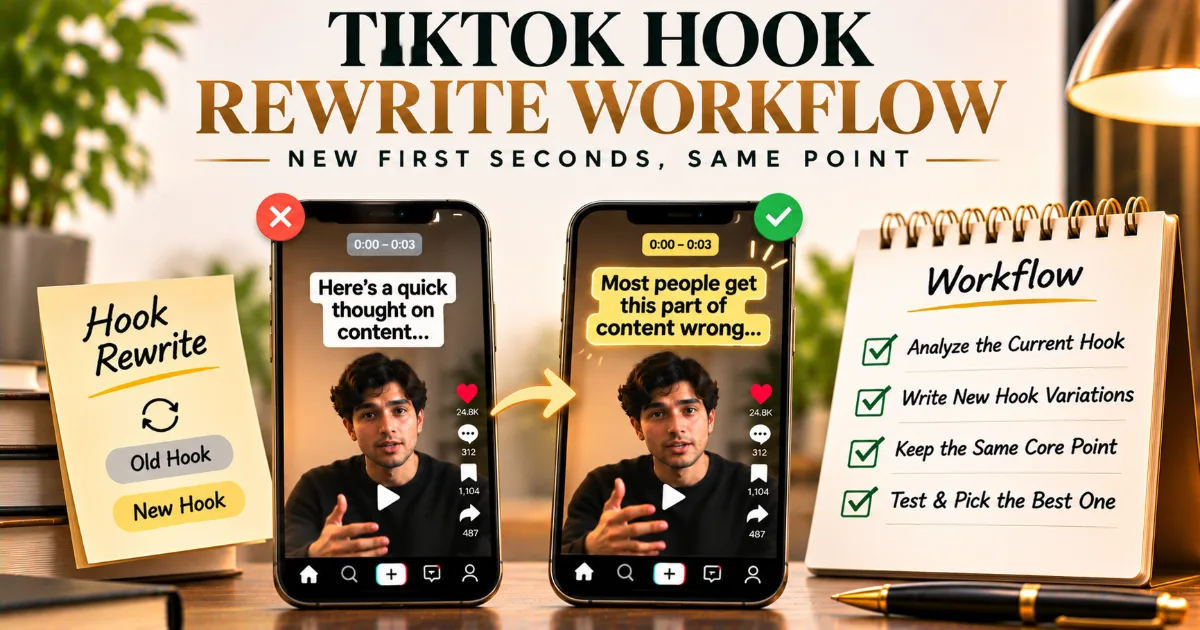
A TikTok hook rewrite workflow changes how a clip opens and nothing about what it says. The claim is written down from the transcript first and locked; then the opening is rebuilt by one of three moves, starting at the strongest line already in the clip, putting the missing context on screen, or having the speaker record a new first sentence; and finally the new opening is checked word for word against the source. This post walks through each step, explains why rewritten openings drift away from what the speaker meant, and shows one clip before and after.
Four steps from a late opening to a checked one, with the claim fixed first
- 01EditorLock the claimthe point copied from the transcript as one sentence
- 02EditorPick the movereorder, context on screen, or a new spoken line
- 03CheckerCompare to sourceevery difference from the transcript flagged
- 04SpeakerSign the openingapproves any word they did not say
- TikTok hook rewrite workflow: change the opening, lock the claim
- Why rewritten openings drift away from what was said
- Step 1: write the claim down before you touch the opening
- Step 2: rebuild the opening with one of three moves
- Step 3: never put new words in the speaker's mouth with AI
- Step 4: check the new opening against the transcript
- What the workflow drafts, and what the speaker signs
- A worked example: one adviser's clip, before and after
- What a checked rewrite costs, clip by clip
- Frequently asked questions
- Where to start
TikTok hook rewrite workflow: change the opening, lock the claim
A hook rewrite is allowed to change three things about a clip: the order in which its words arrive, the framing a viewer sees on screen, and, with the speaker's agreement, the first sentence they say. It is not allowed to change the claim, the evidence or the conclusion. That rule sounds obvious and is broken constantly, because the fastest way to make an opening grab attention is to make it promise more than the clip delivers.
What a hook rewrite may change, and what it may not
- May change the order words arrive, the on-screen framing, an agreed first line
- Must not change the claim, the evidence, the conclusion
The shape of the problem, not a measurement
The reason openings matter so much is that short-form platforms judge a clip before most viewers have heard its point. Instagram's own creator team, in its post on helping creators of all sizes break through, tells creators to "start with a compelling hook in the first 3 seconds" and to make reels that "make sense to those who may not know you." TikTok's feed works on the same principle, and a clip cut from a long recording almost never opens that way, because the speaker was warming up when the cut began. Where viewers actually leave is the evidence, and a TikTok content performance review reads retention to see whether openings like these are the problem across several clips.
This post assumes the moment has already been chosen and passed the tests in our guide to TikTok clips from YouTube videos, interviews and webinars. A rewrite cannot rescue a moment that does not stand alone; it can only make a moment that does stand alone reach its point sooner. If the opening is fine and the problem is the words on screen, our post on TikTok on-screen text covers that layer separately.
Why rewritten openings drift away from what was said
Rewritten openings drift because a rewrite is a summary of the speaker's point, and summaries, especially machine-written ones, add things that were never in the source. The pressure on an opening makes it worse. An editor asked for something punchier reaches for a stronger verb, a bigger number, a more certain tone, and each of those is a small change in what the clip claims. Stack three of them and the founder is saying something on TikTok they never said in the interview, which is the same slow loss of voice we describe in how to automate LinkedIn content. Trying a different framing on purpose, with a record of what changed, is the written-story practice in our guide to Medium content angle testing. The same risk in essays is why our guide to Medium founder thought leadership never adds an opinion, story or number the founder did not give.
How a punchier opening slowly stops saying what the speaker said
A stronger verb
first editA bigger number
second editA more certain tone
model summaryThe limit is gone
on shipping
This is a measured problem, not a hunch. The study by Joshua Maynez and colleagues, on faithfulness and factuality in abstractive summarization, found that the summarization models it tested were "highly prone to hallucinate content that is unfaithful to the input document." Models have improved since 2020, but the shape of the risk has not changed: a model asked to compress and sharpen will sometimes sharpen past the truth, and the opening is where it has the most licence to try.
The commercial version of the same risk is overclaiming. TikTok's business help centre lists its rules on misleading and false content in ads, including promises of results a product cannot deliver. An organic clip is not an ad, but the standard is a sensible one to borrow: if an opening would be refused as an ad because it promises too much, it should not go out under a founder's name either.
Step 1: write the claim down before you touch the opening
Before any rewrite, copy the clip's claim out of the transcript as one sentence, in the speaker's own words where possible, and treat that sentence as fixed for everything that follows. This is the claim lock. It takes a minute, and it turns every later question from a matter of taste into a comparison: does the new opening say this, or something else? Without it, an editor and a model can both drift and neither will notice, because each new version is compared only with the one before. The source has to be good enough to lock from, and the W3C's guidance on transcripts sets the bar: everything said, and any sound needed to follow it, written out as text. If the opening will be generated footage, its first frame is chosen against the same locked claim, as our storyboard workflow for Higgsfield explains. The same lock works for pictures: our guide to content variations in Higgsfield copies the claim into every version before changing a single visual lever.
The three parts of a locked claim, written before any rewrite
- What is asserted
- the point in the speaker’s own words, one sentence
- What it rests on
- the reason or experience the speaker gave
- Any limit
- words like “for most small firms” that bound the claim
- The claim lock
- a fixed sentence every new opening is compared with
The locked claim has three parts: what is asserted, what the assertion rests on, and any limit the speaker put on it. A founder who said "for most small firms, the first hire should be operations, not sales" made a claim with a limit, "for most small firms", and an opening that drops the limit has changed the claim. Write the limit down with the rest, because limits are the first thing a punchier opening deletes.
When a model drafts the rewrite, the locked claim and the transcript go to it as clearly separated inputs, with the reason the claim is locked stated plainly. Anthropic's prompting best practices for Claude recommend giving the model the motivation behind an instruction and using tags to keep instructions, context and inputs apart. In practice that means the transcript, the locked claim and the rewrite request sit in separate, labelled blocks, and the request says the claim may not change, and why. Any prompt that reliably produces a good rewrite is worth keeping with its inputs and version, the record our prompt library guide sets out for image prompts.
Step 2: rebuild the opening with one of three moves
Every honest rewrite uses one of three moves: start the clip at the strongest line it already contains, put the missing context on screen as text, or have the speaker record a new first sentence. They are listed in order of preference, because each one changes less than the next. Most clips need only the first; some need the second as well; only a few need the third, and those are the ones where the speaker's own delivery has to carry the new opening, a habit our TikTok founder content workflow builds into recording days.
The three honest moves, from the one that changes least to the most
- 01Strongest line firstevery word is still the speaker’s, in the same sense
- 02Context on screenthe question or the name as text, never a stronger answer
- 03New spoken linea short re-record the speaker reads and owns
Relative, not measured
| Move | When it is the right one | What it risks |
|---|---|---|
| Start at the strongest line | The point is stated clearly somewhere inside the clip, just not first | Cutting a limit the speaker put on the claim before the strong line |
| Context on screen | The clip only works with the question it answers, or a name it assumes | Text that states more than the speaker said |
| A new spoken first sentence | Neither the order nor the text can make the point arrive early enough | A line written for the speaker that they would not say |
Moving the strongest line forward is the cleanest move, because every word is still the speaker's and in the same sense they meant it. Putting context on screen uses the editor's text tool; TikTok's help page on editing, posting and deleting videos shows how text is added and placed after recording. The text should carry the question or the name, never a stronger version of the answer. A new spoken first sentence is a short re-record, and it belongs to the speaker: they read it, change it until it sounds like them, and record it themselves.
When the third move is needed, write the new line in the speaker's own syntax rather than in the editor's. Take the words from elsewhere in the same recording where you can, because the speaker has already said them once and will say them naturally. Keep it to one sentence that states the subject and leaves the claim to the clip, so the new line opens the door and the original words still walk through it. Record a few takes in the same place and light as the source, or the cut from new line to old footage will be visible, and a visible seam makes viewers wonder what was changed. If the speaker cannot say the line without it sounding read, that is the sign the line is the editor's, not theirs, and it should be rewritten again or replaced by text on screen.
Step 3: never put new words in the speaker's mouth with AI
A rewritten opening must never be generated in the speaker's voice, because a clip of a real person saying something they did not say is exactly what TikTok asks creators to label as AI-generated, and it misrepresents the person even if it is labelled. The tools to clone a voice are cheap and fast, and the temptation in a busy week is real. The rule has to be written down before that week arrives. The same discipline applies to the words on screen. A rebuilt opening uses the words a viewer would type, and TikTok's Creator Search Insights shows topics people search for in the app, so the phrasing can be checked rather than guessed. The standard is shorter and plainer than the original, never cleverer or more certain. Those search terms are a research signal too, and the TikTok content research workflow counts one only when another signal agrees with it.
Which ways of fixing an opening keep the speaker’s own words
- Reorder the speaker’s real words every word is theirs, in the sense they meant
- Show the context as text the question or name, approved by the speaker
- Ask the speaker to record the line their voice, their delivery
- Generate the line in a cloned voice a real person saying what they did not say
TikTok's support page on how AI-generated content is labelled describes significantly edited content as including video where "the primary subjects are portrayed saying something they didn't say, for example, AI-generated speech." It also notes that once TikTok applies its automatic label, the creator "won't be able to remove the label from your post." A founder's clip permanently labelled as AI-generated speech is a worse outcome than a weaker opening. The same care applies to a product shown on camera, which is why the TikTok product demo content workflow shows only what the product really does on screen and labels anything simulated.
TikTok can find such content even when nobody declares it. Its newsroom post on partnering with the industry to advance AI transparency explains that it reads Content Credentials, metadata from the Coalition for Content Provenance and Authenticity, to label AI-generated content uploaded from other platforms. The honest alternatives are already on the table: reorder the speaker's real words, show the context as text, or ask the speaker to record the line. Generated video has its place, and our post on content creation with Claude Code and Higgsfield covers where; a founder's own claim is not one of them. YouTube draws a similar line, asking for disclosure of realistic altered footage but not of an AI-assisted script, and a Content Operating System for YouTube records that answer for every upload.
Step 4: check the new opening against the transcript
Check every rewritten opening against the locked claim and the source transcript before it goes any further, and record what changed, because a rewrite that has not been compared with its source is an untested edit to what someone said in public. The check asks four questions: is every spoken word in the new opening either the speaker's original or a line they recorded themselves, does the on-screen text state only what the clip supports, is the locked claim's limit still present, and does the clip still end on the same conclusion. Anthropic's guide to defining success criteria and building evaluations notes that rule-based checks are fastest but lack nuance for complex judgements, which is why every flag the checker raises goes to a person.
How the original and the rewritten clip record are compared
Transcript the passage as spoken
Locked claim the fixed sentence
New opening words and on-screen text
Checker a separate session
Compare Datasets | only the differences reach the editor
A model can do the first pass, as long as the checker is not the same session that wrote the rewrite. Claude Code's documentation on subagents describes specialised assistants that each run "in its own context window with a custom system prompt," which is what a checker needs: it sees the transcript, the locked claim and the new opening, and nothing of the reasoning that produced the rewrite. A checker that shares the writer's context tends to agree with the writer, which is why our post on automated content checks keeps checking and writing apart.
The record of what changed can be produced mechanically. In n8n, the Compare Datasets node compares two inputs field by field and separates what is the same from what is different, so the original clip record and the rewritten one can be laid side by side automatically. Keep that record with the clip after it is posted. When a viewer asks what the speaker actually said, or the speaker wants to know why a clip reads the way it does months later, the original passage, the locked claim and every change are in one place. The editor then reads only the differences, which is where any drift will be, and the same rebuilt opening can then be prepared for YouTube Shorts and Instagram Reels without being checked twice.
What the workflow drafts, and what the speaker signs
The workflow can lock the claim, propose the strongest existing line, draft on-screen text and a candidate first sentence, and flag every difference from the source; the speaker signs off the opening, because it is their claim that strangers will hear first. The editor chooses which of the three moves to use and whether the clip is ready. The speaker approves anything that adds a word they did not say, which in practice means every on-screen line and every re-recorded sentence. Whether the new opening worked is read afterwards in TikTok's own analytics, which its help page on TikTok Studio describes as including metrics for each post.
What the workflow drafts at each stage, and what people decide
The workflowThe editor and speaker
Claim
copies the claim out of the transcript
the editor confirms the limit
Opening
proposes the strongest line and draft text
the editor chooses the move
Check
flags every difference from the source
the editor reads the differences
Sign-off
sends the changes to the speaker
the speaker approves every new word
That sign-off matters more for openings than for any other part of a clip. Nielsen Norman Group's guidance on writing headlines and other microcontent notes that people "form opinions based on headlines and summaries, without putting in the effort to dig deeper." A clip's first seconds are its headline. Many viewers will hear only that, so if the opening overstates the claim, the overstatement is what they take away.
The same division appears whenever we automate a step that speaks for someone. Our guide to designing human approval gates explains why the approval is tied to the exact version a person read, and at the TikTok content approval workflow the final opening is compared with the claim locked in the clip record.
A worked example: one adviser's clip, before and after
Take an illustration, not a client: an employment-law adviser records a long session answering employers' questions, and one passage makes a clear, useful point that arrives far too late. The transcript of the passage runs roughly like this: the adviser says that what they always tell clients, and what they see a lot, is that people think dismissals go wrong at the end, but in their experience, for most small employers, the ones that go wrong went wrong at the first meeting, because nobody wrote down what was said.
One employment-law adviser’s clip, step by step
Step 1
Lock — the limit keptfor most small employers, written down
Step 2
Reorder — warm-up cutthe clip starts at the first meeting line
Step 2
Text — the question shownwhen does a dismissal go wrong
Step 4
Check — one flag“every” added, limit dropped, changed back
Sign-off
Adviser — no re-recordthe reordered opening approved
Step 1 locks the claim: for most small employers, dismissals that go wrong usually went wrong at the first meeting, because nobody recorded what was said. The limit is "for most small employers", and the evidence is the adviser's own experience. Step 2 picks the first move: the clip now starts at "the ones that go wrong went wrong at the first meeting", and the warm-up is cut. The question the adviser was answering goes on screen as text, "Employers: when does a dismissal go wrong?", because without it the first line has no subject.
The rewrite request came from a Claude Code project that holds the adviser's transcripts, and a checker subagent compared the result with the locked claim. It flagged one problem: the first draft of the on-screen text read "Why every dismissal fails at meeting one", which dropped the limit and added "every". The editor changed it back to the question. An n8n workflow wrote both versions to the clip record and sent the adviser the differences; the adviser approved the reordered opening and the question text, and no line was re-recorded. Our guide to TikTok caption automation picks up the same clip at the next step. That checker arrangement is one piece of a larger setup, and our explainer on Claude Code content systems describes the rest of the folder and who approves each piece.
What a checked rewrite costs, clip by clip
A checked rewrite costs the editor a few minutes per clip and the speaker a short review of the differences, and it saves the much larger cost of a clip that says something the speaker has to retract. Most clips need only the reorder and take very little time. The ones with on-screen context take a little longer because the text has to be agreed, and the rare re-record is a small piece of recording the speaker can batch with others. Those minutes belong on the editing row of the TikTok content production cost model, where they repeat with every clip that needs a new opening.
How loud approved openings get, with and without a scheduled review
month two, when the house style starts to creep
Left to right: the weeks after the workflow starts
Bottom to top: how far the openings' framing moves from the claims
- openings reviewed against their locked claims
- openings with no review creep louder
The set-up cost is the claim-lock habit and the checker. The habit is the harder part: it feels slower in the first weeks to write a sentence down before editing, and editors skip it when they are busy. Make the claim a required field in the clip record so the rewrite step cannot start without it. The checker is a written instruction and a comparison, and it improves each time it flags a change the editor agrees was drift.
The failure that arrives in month two is the opening that slowly gets louder. Each rewrite is checked against its own source, but the house style creeps towards stronger verbs and bigger framing because the louder openings seemed to do better. Review a sample of approved openings on a schedule against their locked claims, and if the style has moved, move it back. Rebuilding the opening is the second job in our TikTok content automation, done once a moment is chosen and ahead of captions, and the posts on the jobs either side of it sit in our TikTok content guides.
Frequently asked questions
What is a TikTok hook rewrite?
It is a change to how a clip opens so that its point reaches a new viewer in the first seconds. An honest rewrite changes only the order of the speaker's words, the context shown on screen, or, with the speaker's agreement, a first sentence they record themselves. It never changes the claim, the evidence or the conclusion of the clip.
How do you keep a rewritten opening faithful to what the speaker said?
Lock the claim first: copy it from the transcript as one sentence, including any limit the speaker put on it. Then compare every rewrite against that sentence and the source transcript, ideally with a checker that did not write the rewrite, and have the speaker approve any word on screen or on camera that they did not originally say.
Can AI write a new opening in the founder's voice?
It can draft text for the founder to read and record, but it should not generate the founder's voice saying it. TikTok describes video of a person saying something they did not say, such as AI-generated speech, as content to be labelled as AI-generated, and an automatic label cannot be removed. Reordering real words or showing context as text are honest alternatives.
Should the opening repeat the question the speaker was answering?
Often, yes, as on-screen text. A clip that answers a question nobody asked on screen leaves a new viewer guessing what the subject is. Showing the question as text gives the first line its subject without changing a single spoken word, as long as the text states the question and not a stronger version of the answer.
What should a hook never do?
It should never promise more than the clip delivers. Dropping the limit a speaker put on a claim, adding words like every or always, or quoting a bigger result than the clip supports all change what the clip says. If an opening would be refused as an ad for overpromising, it should not go out under a founder's name.
Who approves the new opening?
The speaker approves anything that adds a word they did not say, which covers every on-screen line and every re-recorded sentence, and the editor decides which rewrite move to use and whether the clip is ready. The workflow drafts and checks, but the opening is the speaker's claim in front of strangers, so it is theirs to sign.
Where to start
Pick three clips you have already posted and write each one's claim down as a single sentence from the original recording, limits included. Then read each clip's opening against its sentence. If any opening promises more than its sentence, you have found the drift this workflow exists to stop, and the claim lock is the first habit to add. For a clip that also needs a fresh brief before anyone edits it, our TikTok video brief template is the step that comes before the rewrite. If the same drift shows up across several clips, audit the TikTok content workflow as a whole rather than fixing openings one at a time.
Disclosure
This post was written by Shreyas Dave, founder of Paper Eagle AI. We sell content automation services, which is the category this article is about, so we have a commercial interest in you concluding that a system beats ad-hoc effort — read it knowing that. No tool vendor was involved in writing it, nobody paid for a mention, and there are no affiliate links anywhere on this site. Where a third-party figure appears, it’s attributed to the publisher it came from; anything we couldn’t source is written as a direction rather than a number.
Paper Eagle AI builds Content Operating Systems that turn a business’s knowledge and expertise into consistent, multi-platform content, and we deliver them as content automation services. Working as a content automation specialist, we capture what a business knows and how it sounds, set the strategy, and build the workflows that research, draft, repurpose and publish — with a named person approving every piece before it goes out. Every build runs through discovery, design, build and handoff. The system lives in the client’s own accounts, it is documented, the team is trained to run it, and the business owns it outright. We don’t write content on a retainer, and we don’t build lead generation, CRM or sales automation.
One source of thinking becomes native content for every platform a business publishes on: the founder’s LinkedIn and the company page, YouTube and Shorts, Instagram and Reels, TikTok, Reddit, Medium, newsletters, and the company’s own website, written to be found in Google and understood by AI search. Our multi-platform content automation page shows how they share one source, and our case studies document the systems behind our own publishing, file by file. You can follow the work on the company’s own channels: Paper Eagle AI on Instagram, Paper Eagle AI on YouTube, the Paper Eagle AI company page on LinkedIn, Paper Eagle AI on Substack, Paper Eagle AI on Reddit and Paper Eagle AI on Medium. Paper Eagle AI is also listed where clients can review its work: Paper Eagle AI on Clutch, Paper Eagle AI on GoodFirms and the Paper Eagle AI Google Business Profile.
Keep reading
- TikTok clips from YouTube videos, interviews and webinars — the step before this one: choosing which moments are worth rebuilding.
- How to design human approval gates — why an approval covers the exact version the speaker read.
- How to automate LinkedIn content — the same voice problem in text, on a different platform.