TikTok On-Screen Text SEO: Words to Read, Not Keywords
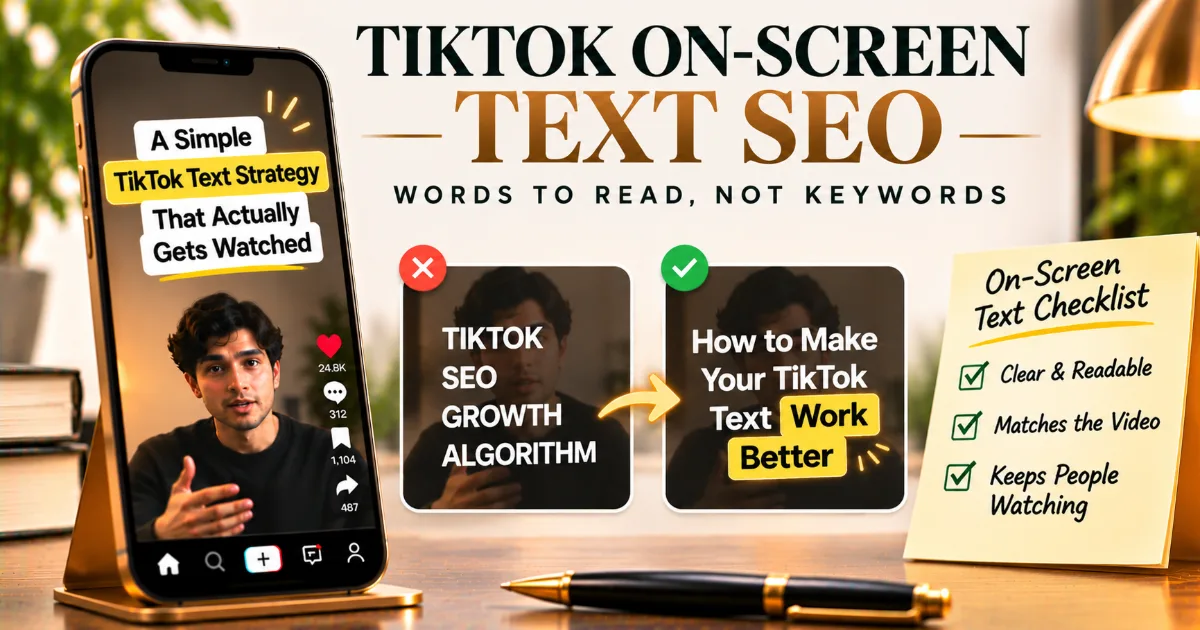
TikTok on-screen text SEO works when the text on screen is written for a viewer to read in a second, and it happens to use the words people search for because it names their question plainly. TikTok says search results weigh how well content matches the term entered, so the wording matters; but a frame stacked with keywords is harder to read, looks like spam and helps nobody. This post sets out what on-screen text is for, how to choose its words, the readability and placement checks it must pass, and three versions of one car-repair garage's frame.
What the first frame’s text has to be at the same time
The question
- 01Readablea few words a viewer takes in at a glance
- 02Their wordsthe question as customers ask it
- 03Trueanswered by what the speaker actually says
one honest line on the frame
- TikTok on-screen text SEO: words to read, not keyword space
- What on-screen text is for
- Choosing the words: the question, as people ask it
- Why keyword lists on screen backfire
- On-screen text must never say more than the speaker
- The readability checks: size, contrast and time on screen
- Placement: keep text where TikTok does not draw
- Writing and checking on-screen text in a workflow
- A worked example: three versions of one garage's frame
- What good on-screen text costs
- Frequently asked questions
- Where to start
TikTok on-screen text SEO: words to read, not keyword space
On-screen text is the line or two written over the video: a question, a label, a short heading. Its job is to tell a viewer what the clip is about before they have heard enough to know, and to keep them oriented if they are watching with the sound off. When it does that job well, it also tends to match what people search for, because people search in the same plain words they would use to ask the question out loud.
The layers of words in a clip, with what was said at the bottom
That is the honest version of on-screen text SEO, and it is the only one worth doing. TikTok's page on how TikTok recommends content says that in search, content information, which "may include how well the content matches the specific term entered," is generally weighted more heavily than other factors for most users. Matching the term a viewer typed is useful. Cramming every possible term onto the frame is not matching anything; it is noise.
This post is about the words written onto the video. The captions, which transcribe what is said, are a different layer with a different rule, set out in our guide to TikTok caption automation. The opening of the clip, which the on-screen text often supports, is covered in our TikTok hook rewrite workflow. On-screen text sits between the two: written, not transcribed, and never a stronger version of what the speaker says.
None of this guarantees that a clip is found. Search on any platform depends on many things a business cannot see or control, and on-screen text is one small, honest part of it. What it can guarantee is that a viewer who does find the clip knows within a second whether it answers their question, which is the part that decides whether they stay.
What on-screen text is for
On-screen text does three jobs: it names the subject in the first seconds, it gives a viewer with the sound off a way in, and it labels the parts of a clip that has more than one step. Each job asks for very few words. A question in five or six words, a label of two or three, a step number and a short name. Anything longer starts to compete with the person speaking.
The three jobs on-screen text does in a business clip
- 01Name the subjectthe question in the first seconds
- 02Sound-off entrythe point for a viewer who cannot hear
- 03Label the stepsa number and a short name for each
Relative, not measured
People do not read text on a screen word by word; they scan it. Nielsen Norman Group's research on how users read on the web found that people "rarely read Web pages word by word; instead, they scan the page, picking out individual words and sentences." On a phone held at arm's length, over a moving image, with a voice talking at the same time, scanning is the only reading that happens. The text has to survive being glanced at.
The text also has to agree with everything else about the clip. Google's guidance on video SEO best practices asks that information provided about a video be "consistent with the actual video content." That is good advice for any platform: if the frame says the clip answers one question and the speaker answers a different one, the viewer leaves and the mismatch is the reason. Agreement starts earlier for generated clips: our Higgsfield AI storyboard workflow keeps captions out of the frames so they can be set from the script. An explainer made from a diagram is the clearest case, and our guide to an explainer storyboard built from a blog diagram keeps every label as real text checked against the diagram.
Choosing the words: the question, as people ask it
The best on-screen text is usually the viewer's question in the words they would use, which is also the most likely search term. The business's own vocabulary is the trap: a garage might call it "brake system diagnostics" while the person with the problem types "why are my brakes squealing". The second is what belongs on the frame, because it is what the viewer recognises as their own problem. The same words often make the best line on a YouTube thumbnail, which our guide to Higgsfield AI YouTube thumbnail concepts sets large enough to read at phone size.
Where one question’s wording goes, and the rule in each place
- On the frame
- the question, readable in a glance
- First line
- the subject, said naturally by the speaker
- Post caption
- the same question, written from the transcript
- Other phrasings
- saved for other clips
- One phrasing
- the viewer’s question, said the same way everywhere
The words come from the same research that chose the topic. Our TikTok content research workflow keeps real phrasings beside every topic, from enquiries, site search and search tools. TikTok's help page on Creator Search Insights describes information on "topics people are searching for on TikTok," which is a useful check that the wording customers use elsewhere is also how people search in the app.
Pick one phrasing per clip and use it consistently: on the frame, in the post caption and, where it fits, spoken in the first line. One question, said the same way in each place, is a stronger match than five variations spread across the frame. The variations can go to other clips, which is better for the viewer as well, because each clip then answers one question clearly.
| Where the words go | What it carries | The rule |
|---|---|---|
| On-screen text | The question or a short label | Readable in a glance, never a list of terms |
| Spoken first line | The question or the subject, in the speaker's words | Said naturally, never recited for search |
| Captions | Exactly what was said | A transcript, never edited for keywords |
| Post caption | The question, the answer's shape, hashtags | Written from the transcript, adds no claim |
Why keyword lists on screen backfire
Keyword lists on screen backfire because they make the clip harder to read, they look like spam to viewers, and the platforms treat attempts to manipulate their systems as a problem rather than a strategy. A frame that reads "brake repair brake pads brake discs squealing brakes near me" tells a viewer nothing except that someone was trying to be found.
What a keyword-stacked frame does, and what the question does instead
A keyword listOne question
Brake repair, pads, discs, near me
why are my brakes squealing
Reads as an advert to the viewer
reads as the viewer’s own problem
Every term matched a little
one search matched well
Google's spam policies describe keyword stuffing as filling a page with keywords "in an attempt to manipulate rankings," often appearing "in a list or group, unnaturally, or out of context." The same pattern on a video frame is easy to recognise for the same reasons. TikTok's rules on integrity and authenticity say it does not allow accounts that "try to manipulate our platform" or trick the recommendation system, which is a broader rule but points the same way.
The practical cost is simpler than any policy. A viewer who sees a keyword list knows they are being marketed to and swipes. The one or two words that might have matched a search are lost among the rest, and the clip's real answer never gets heard. Our guide to automating SEO content without spam makes the same argument for written pages: the content that works is the content written for the person, not for the engine.
On-screen text must never say more than the speaker
The text on screen is read as the business's own claim, often before the speaker has finished a sentence, so it must never be stronger than what the speaker says. A frame reading "This fixes squealing brakes" over a clip in which the mechanic says it often helps has changed the claim. Viewers who only glance at the frame take the stronger version away with them, and the business has said something in public that its expert did not. In an ad that would be a policy question as well: TikTok's policy on deceptive practices rules out creating unrealistic expectations about how well something works, which is what a frame promising more than the speaker does.
The inflations to look for when on-screen text meets the transcript
- “Always” where the speaker said “often” the claim has grown
- A result with its condition removed the limit is gone
- A “best” with nothing behind it an empty superlative
- A question the speaker answers a question promises nothing
Overclaiming on the frame is tempting for the same reason keyword lists are: it seems to make the clip more clickable. TikTok's business rules on misleading and false content in ads are a useful standard to borrow even for organic clips, because they describe exactly the promises a frame should not make. If a line would be refused in an advert for overstating what the product or service does, it should not sit over the expert's face either.
The check is mechanical. Compare every word of on-screen text with the transcript and the clip's locked claim, and look for the usual inflations: "always" where the speaker said "often", a result with no condition, a "best" with no basis. Where the text is a question, it is almost always safe, because a question promises nothing. That is one more reason the question form works so well on the first frame.
An outcome needs the most care of all, which is why the outcome clip in TikTok case study video ideas puts the client's own agreed sentence on screen rather than a headline figure. A written case study faces the same inflations, and our guide to writing a content automation case study for Medium handles them by stating each outcome with its scope and its limits. The long written form of a client result, with its conditions kept, is our guide to the Medium case study article.
The readability checks: size, contrast and time on screen
On-screen text has to be large enough to read on a phone, in a colour that stands out from what is behind it, and on screen long enough to be read. Those three checks decide whether the text exists for the viewer at all. Text that fails them is decoration, however good the words are. Nielsen Norman Group's guidance on video usability makes the underlying point: video helps only when viewers understand what it contains, and a line they cannot read tells them nothing.
How much the readability checks matter on a phone
Contrast text over moving footage needs a band or outline
Time on screen long enough to be read twice
Size large enough at arm’s length
Font style a plain, bold face
A judgment, not a score
Contrast is the one most often missed, because a frame that looks fine on an editor's large monitor can be unreadable on a phone over a bright background. The W3C's explanation of the contrast minimum sets a ratio of at least 4.5 to 1 for text on websites, lower for large text, because larger, bolder text is easier to read at lower contrast. A video frame is not a web page, but the reasoning carries over directly: text over a moving image needs a solid background, an outline or a shadow if the footage behind it changes.
Time on screen is the other easy mistake. A line that appears for a second and a half before the cut is unreadable to most viewers. Keep each line up long enough to be read twice, and if the text changes with each step of a clip, make each change at a natural pause in the speech. The W3C's guide to captions and subtitles makes the same point about caption timing, and the same reader is reading both.
Placement: keep text where TikTok does not draw
TikTok draws its own buttons, account name and post caption over the bottom and right of the frame, so on-screen text has to sit where those do not cover it. Text in the bottom third of a vertical frame is the most common casualty. The rule of thumb is to keep text in the upper and middle part of the frame, away from the right edge, and to check every clip on a phone before it is posted. That phone check is one of the last steps the TikTok draft publishing workflow leaves to the person who posts.
Where on a vertical frame on-screen text stays readable on TikTok
Upper middle
Centre of the frame
Bottom third
Right-hand edge
Across: how close the text sits to TikTok’s side buttons
Up: how far the text sits above TikTok’s caption and account name
Placement is also where a clip prepared for several platforms goes wrong, because each draws its overlays in slightly different places. Our comparison of TikTok, Reels and Shorts explains why text should be placed per platform rather than burned into a single master file. For TikTok, place the text after the final cut and check it in TikTok's own preview, which is the only view that shows the app's overlays.
If the clip is checked by a model as well as a person, give it the frames and ask what it can read. Anthropic's documentation on vision notes that important text in an image should be "legible and not too small," and that the model can make mistakes with very small or low-quality images. A frame whose text a model struggles to read is a frame worth looking at again, though the final check is a person holding a phone.
Writing and checking on-screen text in a workflow
In a workflow, the on-screen text is written once in the clip's brief, checked against the transcript, placed after the final cut and checked on a phone. Writing it early means it is chosen from the research phrasing and the brief's opening, rather than invented in the edit. Checking it against the transcript means it never says more than the speaker does. A line added by hand in the app is placed with the editor's text tool, which TikTok's help page on editing, posting and deleting videos walks through for text added after recording.
How on-screen text moves through the workflow
- 01In the brieffrom the research phrasing
- 02Checkedagainst the transcript
- 03Placedafter the final cut
- 04Proof framea still with the line on it
- 05Approvedby the speaker, on a phone
The brief holds the text as a field: the exact words, where they appear, and how long they stay. Our TikTok video brief template includes the opening, and the on-screen line is part of it. The checker then asks three questions: is it the viewer's wording, is it supported by what is said, and does it pass the size, contrast and timing checks. Whether the wording really matched how people search shows up later, in the search terms the TikTok content performance review reads each month. A newsletter brief does the same job for an email issue, holding the settings Substack will ask for, as the Substack newsletter brief template shows.
A proof frame helps the speaker approve the text without watching the whole clip. In n8n, the Edit Image node can add text to an image, so a workflow can write the planned line onto a still from the clip and send it with the approval request. That node changes in n8n 3.0, which removes versions 1 and 1.1 of Edit Image. Our story on checking content workflows before n8n 3.0 suggests comparing a few frames before and after the move, because a changed image can look the same. The speaker sees exactly what a viewer will see in the first seconds, which is where any problem with the text will be most obvious.
A worked example: three versions of one garage's frame
Take an illustration, not a client: a car-repair garage records its lead mechanic explaining why brakes squeal and when it means the pads need replacing. The clip is good; the question is what goes on screen in the first seconds. The garage's enquiries and site search both show customers asking about squealing brakes in almost exactly those words.
Three versions of the garage’s first frame, and how each holds a viewer
read as an advert, so viewers swipe
the mechanic’s milder answer contradicts it
answered from the first line
Three shapes, not three measurements
The first version stacks terms across the frame: brake repair, brake pads, brake discs, squealing brakes, near me. It fails every check: it is not readable in a glance, it does not name a question, and it reads as an advert. The second version is a full sentence the mechanic did not quite say, explaining that squealing always means new pads; it fails the transcript check, because the mechanic said squealing often means worn pads and sometimes means something simpler. The third version is the question customers ask: "Why are my brakes squealing?"
The third version passes. It is the viewer's wording, the mechanic answers exactly that question, and it matches the post caption's first line. It is placed in the upper middle of the frame on a solid band, stays up through the mechanic's first two sentences, and is checked on a phone in TikTok's preview, where the first placement turned out to sit under the account name and had to move up. The mechanic approves the proof frame, and the same question is used in the clip's description.
The garage then reuses the pattern. Each new clip gets its on-screen line from the research phrasing, the line is checked against the transcript and the house style, and the proof frame goes to the mechanic with the approval request. A few weeks in, the same question appears in TikTok search suggestions for the garage's area, which is a sign the wording matches how people ask. The garage does not read that as a ranking, only as confirmation that the phrasing is the customers' own. The customers' own phrasing is easiest to find in the comments, which the TikTok comment research workflow collects each week.
What good on-screen text costs
Good on-screen text costs a few minutes per clip: choosing one phrasing from the research, checking it against the transcript, and checking size, contrast, timing and placement on a phone. The words take seconds once the research exists. The checks take longer the first few times and become habit quickly, because the same few mistakes recur.
The set-up cost is a house style for on-screen text: the font, the size, the background treatment and the safe area of the frame, agreed once so every clip follows it. The TikTok clip quality checklist fails text on screen too faint to read on the finished clip, which turns the house style into a check rather than a memory. That set-up is a fixed cost, paid once, which the TikTok content production cost model keeps apart from the hours each clip repeats. The pictures behind that text need a house style too, and our campaign style brief for generated visuals keeps the space for it clear in every frame.
The failure to watch for is creep: over time, a line of text becomes two, then three, then a list, because each addition seemed to help a clip. Review a sample of frames on a schedule against the house style. For the search side of this work across platforms, see our comparison of SEO, AEO and GEO for automated content and our SEO and AI search guides. On TikTok itself, keywording comes last in our TikTok content automation, once each moment is selected, rebuilt and captioned.
Frequently asked questions
Does on-screen text help TikTok SEO?
It can, when it names the viewer's question in the words they would search for. TikTok says search results weigh how well content matches the term entered. The useful version is one clear line a viewer can read in a glance; a list of keywords on the frame is harder to read, looks like spam and does not help the clip.
What should on-screen text on TikTok say?
Usually the question the clip answers, in the viewer's words, or a short label for each step. Keep it to a few words, make sure the speaker actually answers it, and use the same phrasing in the post caption so the clip says one thing consistently.
Should I put keywords on my TikTok videos?
Put the words a viewer would use for their question, once, where it reads naturally. Do not put lists of keywords on screen. Search engines describe keyword stuffing as a manipulation tactic, and viewers recognise a frame full of terms as advertising and swipe away.
Where should text go on a TikTok video?
In the upper and middle part of the vertical frame, away from the bottom and the right edge, where TikTok draws its buttons, account name and caption. Check every clip in TikTok's own preview on a phone, because an editor's preview does not show the app's overlays.
How long should on-screen text stay up?
Long enough to be read twice. A line that flashes up for a moment before a cut is unreadable to most viewers. If the text changes during a clip, change it at a natural pause in the speech so the viewer is not reading and listening to different things.
Is on-screen text the same as captions?
No. Captions transcribe exactly what is said and should never be edited for search. On-screen text is written, usually a question or a label, and it should never say more than the speaker does. Both need to be readable, and both should agree with what the clip actually covers.
Where to start
Take your last five clips and write down the on-screen text from each first frame. If any is a list of terms, replace it with the one question the clip answers, in a customer's words. If any is a sentence the speaker did not say, check it against the transcript. Then look at each on a phone in TikTok's preview. For clips that need more than words on screen to make their point, our TikTok B-roll planning workflow covers the footage that sits under the text, and our TikTok product demo content workflow shows on-screen labels used for each step of a demonstration.
Disclosure
This post was written by Shreyas Dave, founder of Paper Eagle AI. We sell content automation services, which is the category this article is about, so we have a commercial interest in you concluding that a system beats ad-hoc effort — read it knowing that. No tool vendor was involved in writing it, nobody paid for a mention, and there are no affiliate links anywhere on this site. Where a third-party figure appears, it’s attributed to the publisher it came from; anything we couldn’t source is written as a direction rather than a number.
Paper Eagle AI builds Content Operating Systems that turn a business’s knowledge and expertise into consistent, multi-platform content, and we deliver them as content automation services. Working as a content automation specialist, we capture what a business knows and how it sounds, set the strategy, and build the workflows that research, draft, repurpose and publish — with a named person approving every piece before it goes out. Every build runs through discovery, design, build and handoff. The system lives in the client’s own accounts, it is documented, the team is trained to run it, and the business owns it outright. We don’t write content on a retainer, and we don’t build lead generation, CRM or sales automation.
One source of thinking becomes native content for every platform a business publishes on: the founder’s LinkedIn and the company page, YouTube and Shorts, Instagram and Reels, TikTok, Reddit, Medium, newsletters, and the company’s own website, written to be found in Google and understood by AI search. Our multi-platform content automation page shows how they share one source, and our case studies document the systems behind our own publishing, file by file. You can follow the work on the company’s own channels: Paper Eagle AI on Instagram, Paper Eagle AI on YouTube, the Paper Eagle AI company page on LinkedIn, Paper Eagle AI on Substack, Paper Eagle AI on Reddit and Paper Eagle AI on Medium. Paper Eagle AI is also listed where clients can review its work: Paper Eagle AI on Clutch, Paper Eagle AI on GoodFirms and the Paper Eagle AI Google Business Profile.
Keep reading
- How to automate SEO content without spam — the same argument for written pages.
- TikTok caption automation — the layer under the on-screen text: what was said, verified.
- How to build content Google and AI search can both understand — why plain, consistent wording helps every kind of search.