TikTok Draft Publishing Workflow: When the Last Step Stays Manual
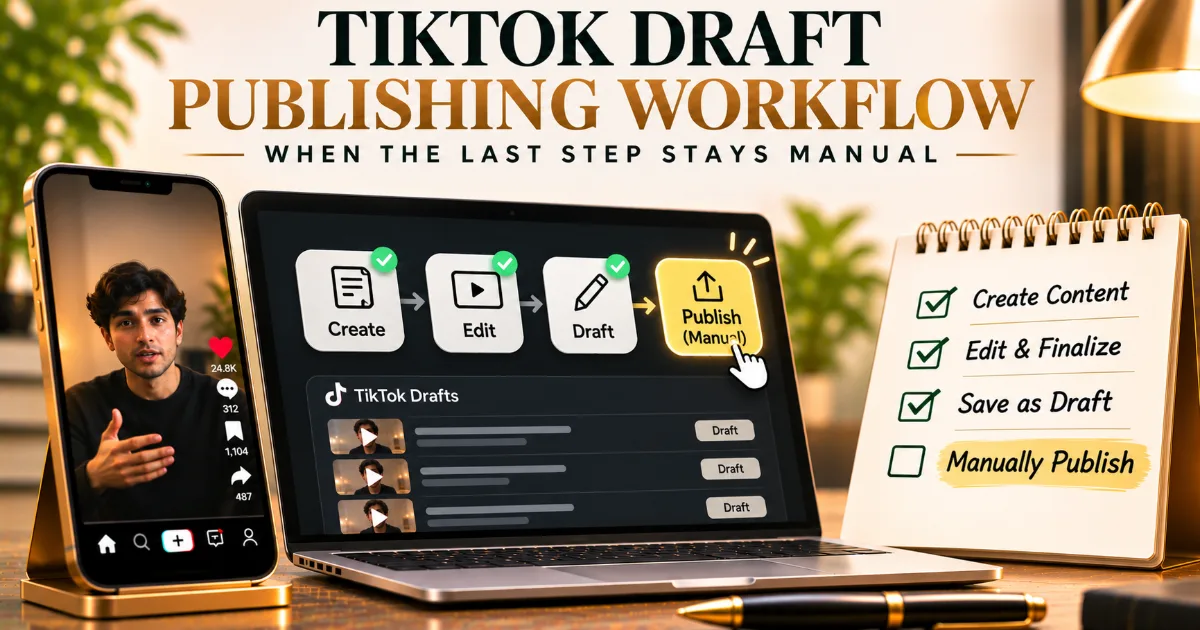
A TikTok draft publishing workflow is what a business builds when it cannot, or should not, let software press post. TikTok's developer rules limit what an app may do on a creator's behalf: an app that has not passed TikTok's audit posts only privately, the platform does not intend its posting API for internal tools, and a person must choose the privacy setting with no default. So the useful automation stops one step short. It assembles everything a post needs into one package, delivers it as a draft or a handover, and leaves the final choices to the person whose account it is. This post sets out what an app may automate, what the package holds, the steps that stay manual, and one agency's internal upload tool.
From an approved clip to a post the account holder chose
- 01Approved clipchecked against the brief and approval record
- 02Post packagefile, caption, cover, notes in one folder
- 03Draft or handoverthrough an approved tool, or as files
- 04The account holderchooses privacy, confirms disclosures, posts
- TikTok draft publishing workflow: automate the handover, not the post
- What TikTok lets an app automate, and what it does not
- The post package: everything a post needs, in one place
- Delivering the package as a draft, or as a handover
- The steps that stay with a person, and how to make them quick
- Timing the handover so posts still go out on time
- Recording what was posted, and what was changed at the last step
- A worked example: an agency's internal upload tool
- What the draft workflow costs, and what it protects
- Frequently asked questions
- Where to start
TikTok draft publishing workflow: automate the handover, not the post
Most posting automation is built on one assumption: that the last step, publishing, is the one worth automating. On TikTok that assumption breaks. The platform's developer documentation sets rules about who may post through an app, how visible those posts are, and which choices the account holder must make themselves. A workflow that tries to remove the person at the end runs into those rules; a workflow that hands the person a complete, checked package works with them. The person's minutes at the end are few but they recur with every clip, which is why the TikTok content production cost model keeps some for them in the publishing row.
Automating the post, and automating the handover
Route A · a script presses post
- The person at the end is removed
- Privacy and disclosures are set on someone’s behalf
- Nobody is accountable for the choices on the post
Route B · a person posts it
- The package arrives complete and checked
- The account holder makes each declaration
- The final act on the account stays with them
The draft publishing workflow therefore has two halves. The first half is automated: the approved clip, its caption, its cover frame, its disclosure settings and its notes are assembled into one post package, checked against the brief and the approval record, and delivered. The second half is a short, deliberate set of steps a named person completes inside TikTok: opening the draft, choosing who can watch, confirming the disclosures and pressing post. A Substack newsletter has the same two halves, with the second half written down in a Substack publishing approval workflow.
| Step | Who does it | Why |
|---|---|---|
| Assemble the post package | The workflow | Repetitive, and easy to check against the approval record |
| Deliver it as a draft or a handover | The workflow, or a person uploading from the package | Depends on whether an approved app is available |
| Choose who can watch | The account holder | TikTok requires a manual choice with no default |
| Confirm disclosures and interactions | The account holder | Commercial and interaction settings are the poster's declaration |
| Press post | The account holder | The final act on the account stays with the person responsible for it |
The split is not a workaround. The steps that stay manual are the ones that say something about the account holder: who they want to see the post, whether it promotes their business or someone else's, and whether they are ready to publish it. Those are declarations, and a declaration made by a script on someone's behalf is not much of a declaration.
What TikTok lets an app automate, and what it does not
TikTok's Content Posting API offers two routes: posting directly to a creator's profile, and uploading content to the creator's inbox as a draft for them to finish. TikTok's reference for uploading a video as a draft tells developers to inform users that they must click on inbox notifications to continue the editing flow in TikTok and complete the post. The upload route is the API's own draft publishing workflow.
What an app needs before its TikTok posts can be public
Public posting
- 01Auditedunaudited clients post privately
- 02A wide audiencenot limited to internal groups
- 03The user choosesprivacy picked with no default
only an app meeting all three
Visibility is limited until an app is audited. TikTok's developer documentation states that content posted by unaudited API clients is restricted to private viewing until the client passes an audit for compliance with its terms. A business that builds its own posting integration and skips the audit will find every post it makes visible only to the account holder. TikTok's Direct Post reference even names the error such an app receives when it asks for a public post: unaudited_client_can_only_post_to_private_accounts.
The audit has expectations of its own. TikTok's content sharing guidelines say API clients should be intended for a wide audience and not limited to internal groups or private use. They also say users must manually select the privacy status from a dropdown with no default value, must manually turn on interaction settings with none checked by default, and must see a declaration about TikTok's Music Usage Confirmation before the publish button. An internal tool built for one team does not fit those expectations, which is why the draft handover is often the honest design rather than a fallback.
Other platforms draw the line elsewhere, which is worth knowing before copying a workflow across. Meta's documentation on Instagram content publishing describes publishing images, videos, reels and carousels to Instagram professional accounts through its API. Google's reference for the YouTube Data API's videos.insert method notes that if no privacy status is specified, an uploaded video defaults to public. TikTok, by contrast, makes the privacy choice the person's to make every time. Our comparison of TikTok, Reels and Shorts covers how one approved clip is prepared for each feed, and the posting step is one more place where the three differ.
The post package: everything a post needs, in one place
The post package is the unit the workflow hands over. It holds the final video file, exported once from the approved master; the caption, taken from the approved script and checked against the transcript; the cover frame, chosen at review; the on-screen text, already burned in; the sound note, saying whether the clip uses original audio or a sound from TikTok's library and under what terms; and the disclosure notes, saying whether the post promotes the business's own brand, a third party, or neither, and whether any part is AI-generated. For an FAQ clip the TikTok FAQ video workflow adds one more item that travels with it: the reference to the approved answer the script came from. For a clip made from generated frames, the approved storyboard belongs in the package too, the record our Higgsfield storyboard workflow files with each short. For a generated clip, the signed QA form from our Higgsfield AI video approval workflow is part of the package.
One post package, as the folder the account holder receives
- post-014/ one approved clip, ready to post
- final.mp4 exported once from the approved master
- caption.txt the approved caption, checked against the transcript
- cover.jpg the cover frame chosen at review
- notes.md sound note, disclosure note, recommended settings
The recommendation is advice, never a default; the person makes the choice.
It also holds a recommendation for the settings the person will choose, written as advice rather than a default: who the clip is meant for, whether comments should be open, whether Duet and Stitch suit it. The person reads the recommendation and makes the choice. Recording the recommendation means the choice is informed; leaving the choice to the person means it is theirs.
A package that is complete makes the manual steps fast. A package that is missing the cover, or unclear about the sound, sends the person back to ask, and the handover stops being a handover. Everything in the package has already cleared the TikTok content approval workflow, so nothing in it is still open for debate when it is delivered.
Delivering the package as a draft, or as a handover
There are two ways to get the package to the account holder, and the choice depends on whether an app that TikTok has approved for this kind of use is available. If the business uses a publishing tool whose integration has passed TikTok's audit, the package can be uploaded through it as a draft, and the account holder finishes the post from their TikTok inbox. If not, the package is delivered as files and notes, and the account holder uploads it themselves from TikTok Studio or the app. The export is worth checking against TikTok's guide to TikTok Studio, which sets 720 by 1,280 pixels as the minimum for an uploaded video.
The two delivery routes, as a two-branch board
Upload as draft sent to the TikTok inbox
Inbox notification the holder opens it
Send the folder one message with the link
Upload by hand from TikTok Studio or the app
Both routes end with the account holder finishing the post in TikTok, where drafts stay visible only to them
Either way, the package arrives in one place with one notification. A folder per post, with the file, a text file holding the caption, and a short notes file for the settings and disclosures, is enough. In n8n, the Read/Write Files from Disk node reads and writes files on the machine where n8n is running, which suits assembling a package folder from the approved assets on a schedule.
Drafts in TikTok itself are private to the account. TikTok's help page on making a post explains that a post can be saved to Drafts instead of posted, and that drafts are visible only to the account holder on their profile. That makes a draft a safe staging area: the clip is on the account, ready, and nobody else sees it until the person posts.
The steps that stay with a person, and how to make them quick
The manual steps are few and should stay few. The account holder opens the draft or uploads the package, checks the video plays and the caption matches the package, chooses who can watch, sets comments, Duet and Stitch, confirms the commercial disclosure and any AI-generated content label, and posts. With a complete package and the recommendation in front of them, that is a matter of a couple of minutes per post. The privacy choice in particular is TikTok's requirement, not ours: its reference for querying creator info tells apps to use the latest creator information when showing an account's available privacy options.
The account holder’s posting checklist, one package at a time
- Video and caption the clip plays and the caption matches the package
- Who can watch chosen from the dropdown, no default
- Interactions comments set, Duet and Stitch still to decide
- Disclosure branded content toggle not yet confirmed
- Post pressed, and the time sent back
The disclosure step is the one not to rush. TikTok's help page on branded content explains that the branded content toggle helps communicate clearly when a commercial relationship exists between the poster and a business, and TikTok's Branded Content Policy sets out the rules that apply. The package says which disclosure applies and why; the person confirms it, because the disclosure is their statement to their audience.
The steps are written down once, as a short posting checklist the person follows every time, and kept beside the package template. Our guide to process documentation covers how a short, tested procedure like this is written so anyone covering for the usual poster can follow it. A checklist that takes longer to read than the steps take to do has too much in it. It should also name a stand-in. When the usual poster is away, someone else with access to the account follows the same checklist with the same package, so a holiday does not become a gap in the plan or a reason to hand the account to a script.
Timing the handover so posts still go out on time
The usual worry about a manual last step is timing. If a person has to press post, will the post go up when it should? The answer is to schedule the handover rather than the post. The workflow delivers each package a set time before the clip is due, with the due time written at the top of the notes, and the account holder posts in a window rather than at a second. For most businesses a window of a few hours is as good as an exact time, and far better than a missed day.
How one package moves through its posting window
Before the due time
Package deliveredthe due time written at the top of the notes
The posting window
The holder postsa window of hours, not a second
End of the window
One reminderto the holder, and a note to the plan’s manager
The next one
Held backuntil the record shows this one is live
A series makes timing matter more. When clips build on each other, they need to go up in order, and a package that arrives late holds up the ones behind it. The workflow numbers each package in its series and will not deliver the next one until the record shows the previous one is live. Our guide to TikTok content series planning covers how a series is ordered in the first place, so the handover only has to keep that order.
Reminders do the rest. If a package has been delivered and the record shows no post by the end of its window, the workflow sends one reminder to the account holder and one note to whoever manages the plan. It does not post anyway. A missed post is a scheduling problem to discuss; a post published without the account holder's choices is the problem the workflow exists to prevent. A Substack newsletter runs on the same kind of reminder, built in the Substack n8n newsletter workflow, under the same rule that a person does the publishing.
Timing also depends on what goes into the package early. A caption that is still being argued about the day before posting turns the handover into a deadline. When captions come out of TikTok caption automation and are approved alongside the clip, the package can be finished days before it is due rather than hours.
For an agency, the handover is also where the client relationship is most visible. A client who receives a complete package on time, with a clear checklist, sees the system working; a client chased for decisions at the last minute sees chaos. Our guide to content automation for agencies covers how an agency builds systems clients can rely on, and our guide to choosing a content automation agency covers the questions a client should ask about who presses post. You can see how we post on our own accounts from our socials page.
Recording what was posted, and what was changed at the last step
The workflow should know what happened after the handover. Did the post go up, when, with which settings, and did the person change anything in the package? A short record per post, completed by the person or confirmed by the workflow, answers those questions. Without it, the business has an approved clip in one system and a live post in another and no link between them.
The record each post sends back after the handover
- Posted
- whether it went up, and when
- Settings
- who can watch, interactions, disclosure
- Changed
- anything edited from the package at the last step
- Run
- the packaging run that produced it
- The link
- each live post traced back to its brief
The record catches drift. If the person regularly edits the caption at the last step, the caption step upstream needs attention. If they regularly change the recommended settings, the recommendation is wrong. In n8n, the Execution Data node saves metadata for a workflow's runs so those runs can be searched later, which suits tagging each packaging run with the post it produced. Our TikTok content performance review reads the live posts afterwards; the record is what lets it trace each one back to its brief. A YouTube channel keeps the same record for each upload and adds the checked transcript, as part of a Content Operating System for YouTube.
The same pattern applies beyond TikTok. On Reddit the last step belongs to a person by design: our Reddit content strategy drafts answers to real questions in threads and lets a person post them openly. On Medium the order matters instead, and our Medium content guides keep your own site first, with a canonical link from the Medium copy back to it. On Medium the record is tested after the fact, and how to audit a Medium publishing workflow is our guide to scoring what actually arrived.
A worked example: an agency's internal upload tool
Take an illustration, not a client: a small agency manages TikTok for three clients and starts building an internal tool to post approved clips directly to each client's account. Reading TikTok's developer documentation before going further, the team finds three problems. An unaudited integration posts privately. The content sharing guidelines say API clients should serve a wide audience, not internal groups. And the guidelines require the account holder to choose privacy with no default, which the agency had planned to set automatically. Where a platform will not let a workflow publish, the agency content system we build prepares the post and leaves publishing to a person, which is where this agency ended up.
What the agency planned, and what it built instead
The internal posting toolThe packaging workflow
Post approved clips straight to clients' accounts
send each client’s poster one package and a checklist
Set privacy automatically
recommend settings in the notes
One tool for every account
a draft through an approved tool where a client has one
The agency turns the tool into a packaging workflow. For each approved clip it assembles the file, the caption, the cover, the sound note, the disclosure note and the recommended settings into a folder, and sends the client's named poster one message with the link. Where a client already uses a publishing tool with an approved TikTok integration, the agency's workflow passes the package to it as a draft instead.
Each client's poster follows a short checklist: open the draft or upload the files, check the caption, choose who can watch, set interactions, confirm the disclosure, post, and reply with the time. One client's poster changes the recommended comment setting on most clips, so the agency asks why and learns the client prefers comments closed on clips about pricing questions. The recommendation is updated, and the change log records it. Nothing is posted that the account holder did not see and choose, and the agency spends its time on the parts of the job that are its job.
What the draft workflow costs, and what it protects
The cost is a few minutes of a person's time per post, and the discipline to keep the package complete. Against that, the workflow removes the slowest parts of posting, finding the right file, rewriting the caption, remembering the settings, and keeps the account holder in control of the only steps that are really theirs. For a business posting a few clips a week, the manual minutes are a small price.
Where a post’s preparation time goes, and what is left for the person
- 01Preparing one postthe job between approval and a live post
- 02Finding the filethe workflow exports it
- 03Rewriting the captiontaken from the approved script
- 04Remembering settingswritten as a recommendation
- 05The choiceswhat stays with the account holder
Relative, not measured
What it protects is harder to price. A post made by a script on a client's account, with settings nobody chose, is a post nobody is accountable for. If a disclosure is wrong or a clip should not have gone public, the draft workflow makes it clear who decided, and gives that person the information to decide well. In Claude Code, the package template, the posting checklist and the change log can live in one project; Anthropic's guide to common workflows describes resuming earlier conversations so a task can span several sittings, which suits a workflow that is refined a little after each month's posts.
The mistake to avoid is treating the manual steps as a temporary inconvenience to engineer away. They are where the account holder's judgement enters, and TikTok's rules are built around keeping it there. The post package is the last stage of the TikTok content automation we build, and it stops one step short of posting on purpose; the stages that fill it, from captions to approval, are among our TikTok content guides.
Frequently asked questions
What is a TikTok draft publishing workflow?
It is a workflow that automates everything up to the last step and hands a complete post package to a person, who finishes the post inside TikTok. The package holds the final file, caption, cover, sound note, disclosure note and recommended settings; the person chooses privacy, confirms disclosures and posts.
Can an app post to TikTok automatically?
TikTok's Content Posting API offers direct posting and uploading drafts to a creator's inbox, but content posted by unaudited API clients is restricted to private viewing until the client passes TikTok's audit. TikTok's content sharing guidelines also say API clients should serve a wide audience, not internal groups.
Can my internal tool post to my clients' TikTok accounts?
Usually not as a direct posting tool. TikTok's content sharing guidelines say API clients should be intended for a wide audience and not limited to internal or private use, and unaudited clients post privately. An internal tool is better built to assemble the post package and hand it over as a draft or as files.
Can the privacy setting be chosen automatically?
Not in an app that follows TikTok's content sharing guidelines. Users must manually select the privacy status from a dropdown with no default value, and interaction settings must be turned on manually. A workflow can recommend a setting in the package, but the account holder makes the choice.
What should a TikTok post package include?
The final video file, the approved caption, the chosen cover frame, a note on the sound and its terms, a note on which disclosure applies and whether anything is AI-generated, and a recommendation for privacy and interaction settings. A complete package makes the manual steps a matter of minutes.
How do I know what happened after the handover?
Keep a short record per post: whether it went up, when, with which settings, and whether anything in the package was changed at the last step. Regular last-minute edits point to a step upstream that needs attention, and the record links each live post back to its brief.
Where to start
List every step between an approved clip and a live post, and mark each one as either assembling information or making a choice. Automate the assembling into one post package, write the choices into a short checklist for the account holder, and keep a record of what happened after each handover. When the package carries a founder's clip, the TikTok founder content workflow has already traced each line to a recording, so the account holder posts words the founder actually said. Listing the steps between approval and a live post is also the opening move of a full TikTok content workflow audit, which gives every stage a score and names the evidence behind it. Choosing between this draft route and an approved scheduler, inside TikTok's posting rules, is weighed in our Content Operating System for TikTok.
Disclosure
This post was written by Shreyas Dave, founder of Paper Eagle AI. We sell content automation services, which is the category this article is about, so we have a commercial interest in you concluding that a system beats ad-hoc effort — read it knowing that. No tool vendor was involved in writing it, nobody paid for a mention, and there are no affiliate links anywhere on this site. Where a third-party figure appears, it’s attributed to the publisher it came from; anything we couldn’t source is written as a direction rather than a number.
Paper Eagle AI builds Content Operating Systems that turn a business’s knowledge and expertise into consistent, multi-platform content, and we deliver them as content automation services. Working as a content automation specialist, we capture what a business knows and how it sounds, set the strategy, and build the workflows that research, draft, repurpose and publish — with a named person approving every piece before it goes out. Every build runs through discovery, design, build and handoff. The system lives in the client’s own accounts, it is documented, the team is trained to run it, and the business owns it outright. We don’t write content on a retainer, and we don’t build lead generation, CRM or sales automation.
One source of thinking becomes native content for every platform a business publishes on: the founder’s LinkedIn and the company page, YouTube and Shorts, Instagram and Reels, TikTok, Reddit, Medium, newsletters, and the company’s own website, written to be found in Google and understood by AI search. Our multi-platform content automation page shows how they share one source, and our case studies document the systems behind our own publishing, file by file. You can follow the work on the company’s own channels: Paper Eagle AI on Instagram, Paper Eagle AI on YouTube, the Paper Eagle AI company page on LinkedIn, Paper Eagle AI on Substack, Paper Eagle AI on Reddit and Paper Eagle AI on Medium. Paper Eagle AI is also listed where clients can review its work: Paper Eagle AI on Clutch, Paper Eagle AI on GoodFirms and the Paper Eagle AI Google Business Profile.
Keep reading
- TikTok content approval workflow — the checks a clip passes before it is packaged.
- Process documentation — how a short posting checklist is written so anyone can follow it.
- TikTok content performance review — how live posts are read afterwards and traced to their briefs.