Medium Publishing Workflow Automation for a Small Team: Draft to Import
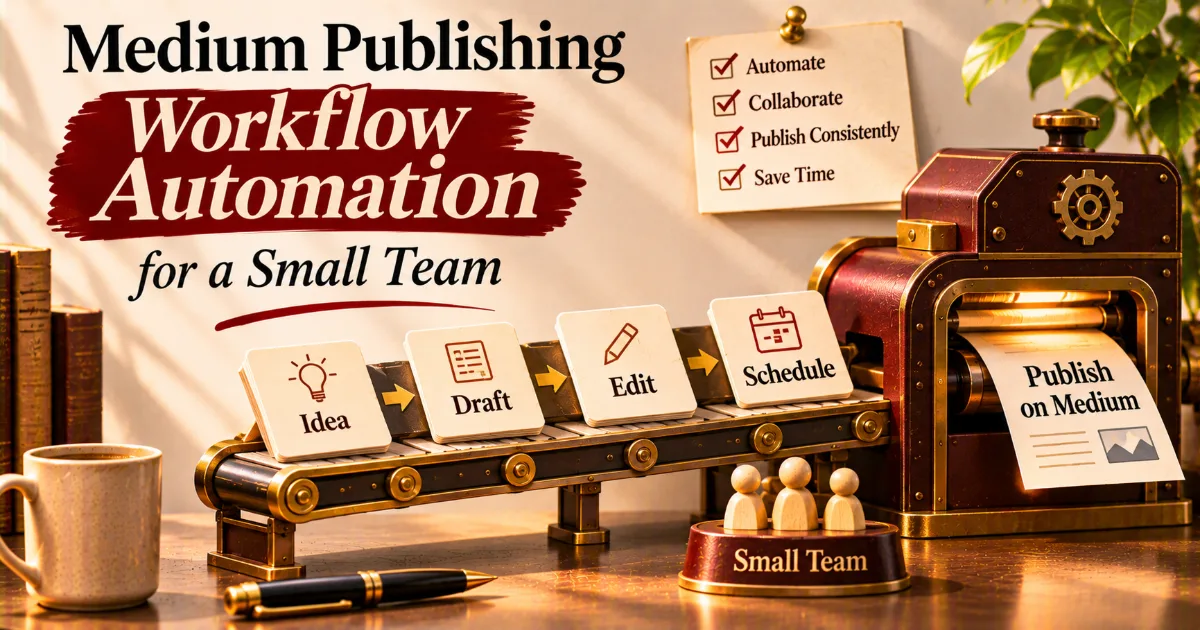
Medium publishing workflow automation for a small team is a fixed chain of six stages, brief, draft, review, SEO check, import and link verification, where each stage has one named owner, one status that shows the piece has passed it, and an automated handoff to the next person. The automation moves the work and the reminders; it cannot publish, because Medium no longer issues new API tokens and a signed-in person runs every import. The result is that a team of two or three always knows where each article is and whose turn it is, which is the thing small teams most often lose. This post maps the six stages, the statuses, the handoffs, the tools that can run them, and a three-person research consultancy's first month on the workflow.
One article’s path from a brief to a verified Medium story
- 01Briefthe reader question and sources written down
- 02Draftcomplete against its brief
- 03Reviewa second person checks claims and voice
- 04SEO checkboth versions ready, the website live
- 05Importthe account holder imports and publishes
- 06Verifiedcanonical and links checked on the live story
- Medium publishing workflow automation: six stages, one owner each
- What Medium lets a workflow automate, and what it does not
- The brief and draft stages: starting from a written question
- The review stage: one second person, one checklist
- The SEO check: getting both versions ready for search
- The import and link verification stages
- What the workflow runs, and what the team decides
- A worked example: a three-person research consultancy
- What the workflow costs to run, and where small teams trip
- Frequently asked questions
- Where to start
Medium publishing workflow automation: six stages, one owner each
Medium publishing workflow automation means turning an informal process, someone writes, someone glances at it, someone eventually puts it on Medium, into a chain with six named stages. Each stage has one owner, a definition of done and a status the whole team can see. When a stage is done, the workflow moves the piece to the next stage and tells the next owner, so nothing waits on someone remembering to pass it along.
What every stage of the chain carries
- Stage
- brief, draft, review, SEO check, import or verification
- Owner
- one named person, never two
- Done when
- one sentence anyone can check
- Status
- set only when the condition is met
- The table
- the status column is the workflow
Small teams need this more than large ones, not less. In a team of ten, someone's job is usually to chase articles through the process. In a team of three, everyone is doing something else as well, and the article that needed one more look sits in a shared folder for a month. The chain replaces the chasing. It is the core of what our Medium content automation setup does for a business, and for a small team it is often the whole of it.
| Stage | Owner | Done when | Status after |
|---|---|---|---|
| Brief | Whoever proposes the piece | Question, reader, angle and sources are written down | Briefed |
| Draft | The writer | A complete draft exists against the brief | Drafted |
| Review | A second person | Claims checked, voice approved, changes made | Approved |
| SEO check | The writer or the editor | Title, opening and topics are set for Medium; the website version is live | Ready to import |
| Import | The Medium account holder | The story is imported, fixed and published | Published |
| Link verification | The workflow, then a person if it fails | Canonical and links checked on the live story | Verified |
The table is the workflow. Everything else, the tools, the reminders, the dashboards, exists to keep the status column true. If a piece's status says "Approved", it has been reviewed; if it says "Published", it is live on Medium. A status that can be wrong is worse than no status, because the team stops looking.
What Medium lets a workflow automate, and what it does not
Medium lets a workflow do everything except publish. Its help page on API and importing says Medium will not issue new integration tokens for its API or allow new integrations, and that you need to sign in to your account to publish, or import an existing web page. So the import stage is always a person, signed in, using Medium's own import tool. A workflow built today cannot replace that step, and should not pretend to.
Where a Medium workflow’s automation ends
- Automated brief, notifications, preparation, reminders and checks
- A signed-in person the import and the publish
The shape of the problem, not a measurement
What a workflow can do is everything around it. It can create the brief, start the draft, notify the reviewer, record the decision, prepare the Medium title and topics, remind the account holder when a piece is ready to import, and check the live story afterwards. On the Medium side, the account holder can also share a draft with a reviewer before publishing: Medium's page on sharing drafts and getting feedback explains that a draft link can be shared with anyone signed in to Medium, who can leave private notes, while only the author can edit. YouTube works the same way around a recording session that no tool can run, which is how a Content Operating System for YouTube is designed.
That makes the human step small but real. The account holder's part is opening the import, checking the imported draft looks right, pressing publish and recording the URL. With everything else prepared, it is a few minutes per article. Our guide to the Medium article republishing workflow covers that import step in detail; this post is about the chain that delivers the article to it ready.
The brief and draft stages: starting from a written question
The chain starts with a brief, because a piece with no brief has no definition of done for anyone after it. The brief is short: the reader question the piece answers, who the reader is, the angle that makes it the business's own, the sources it will rely on, and whether it will live on the website first. When the brief is written and agreed, the status moves to Briefed and the writer is notified.
What a brief settles before anyone drafts
- The reader questionwhat the piece answers
- Reader and anglewho it is for and why it is ours
- The sourceswhat the piece will rely on
- The AI decisionwhether a model drafts, and so what review checks
The draft stage ends when the writer marks it complete against the brief, not when they stop typing. A draft that answers a different question from its brief goes back to the brief stage, because the reviewer will otherwise review the wrong thing. If part of the draft is written with AI assistance, the writer notes that in the record, because it changes what the reviewer checks and whether the Medium story needs a disclosure.
A brief also protects the team from the commonest small-team problem: three half-written articles that nobody finishes. The chain allows each person a limited number of pieces in the draft stage at once, so the next brief waits until a draft moves on. Our guide to how you document a content automation system covers writing limits like that down so the next person keeps them. A story that will carry a generated image needs a second, smaller brief once the article is finished, for the picture alone, as our visual brief workflow for Higgsfield explains.
The brief is also where the decision about AI assistance is made, rather than being discovered later. If the brief says a model will produce a first draft from the founder's notes, the reviewer knows to check every claim, and the Medium story will need a line near the top saying AI assisted. If the brief says the writer drafts it themselves, the review is lighter on facts and heavier on whether the argument holds. Either way the decision is written down before anyone starts, which is the only point at which it costs nothing to change.
A team that leaves it implicit tends to find out at review that half a draft came from a model, and then spends the review arguing about the process rather than the piece. When the starting material is a recording instead of an article, the brief comes from an argument map, as in our guide to Medium webinar repurposing. How a founder's spoken views become that draft without anything being invented is the subject of our guide to Medium founder thought leadership.
The review stage: one second person, one checklist
The review stage has one owner who is not the writer, and one checklist. The reviewer checks the claims against their sources, confirms the voice is the business's, and confirms the piece answers its brief. The changes are made, the reviewer approves, and the status moves to Approved. Two reviewers is usually one too many for a small team; it doubles the waiting and halves each person's sense of responsibility. The review also decides the disclosure, because Medium's AI content policy requires any story incorporating AI assistance to be clearly labelled; the five checks a draft passes before import are set out in our Medium AI editorial workflow.
What the review stage guards, and how firmly
Claims checked against sources every one gets a verdict
Voice confirmed as the business’s read by the reviewer
Answers its brief or goes back to the brief
Deadline kept one reminder, then the plan’s manager
A judgment, not a score
The review checklist is where the fact check lives. Every number, study and claim about the business gets a verdict before the piece is approved, and our guide to Medium AI article fact checking sets out that table in full. The reviewer can use Medium's private notes on a shared draft link, or comments in the team's own document; what matters is that the decision is recorded in one place.
Review is the stage most likely to stall, so it gets a deadline. If a piece sits in review past its deadline, the workflow reminds the reviewer once and then tells the person who manages the plan. It never approves anything on the reviewer's behalf. A late review is a scheduling conversation; an automatic approval is a quality problem disguised as speed.
The SEO check: getting both versions ready for search
The SEO check makes sure each version of the article is ready for the readers who will find it. On the website, the article is published at its final URL with its title, description and internal links set. For Medium, the display title, subtitle, opening and topics are chosen for Medium's readers. Both are part of the same stage because the Medium import copies the live website page, so the website version has to be finished first. One setting cannot wait until afterwards: Medium's help on setting a custom link says a story's link can only be customised before it is published, so the words come from the research described in our Medium SEO content research guide. On the Medium side the first paragraphs are usually redone, following our guide to a Medium article introduction rewrite.
What has to be true before the import
Ready to import
- 01Website livethe page published at a frozen URL
- 02Medium fields setdisplay title, subtitle, opening and topics
- 03Links absoluteevery link a full address
one message to the account holder
The check is short and specific. Google's link best practices describe crawlable links and descriptive anchor text, which is worth a glance on the website version before it becomes the source of a Medium copy. Every internal link in the article should be a full address so it still works once the article is on Medium; a relative link is resolved against the page it sits on, as the URI standard, RFC 3986, defines, so on Medium it points somewhere on Medium. And the piece's Medium topics are chosen from what it is about, not from a list of popular tags.
One detail decides whether the import goes smoothly: the website page has to be live and stable before the account holder starts. An import copies the page as it is at that moment, so a page still being tweaked produces a Medium copy of a half-finished version, and nobody notices until a reader does. The SEO check therefore ends with the website page published and its URL frozen, not merely approved.
When both versions are ready, the status moves to Ready to import and the account holder is notified with everything in one message: the website URL, the Medium title and subtitle, the topics and any disclosure line. The whole SEO side of a content system is a bigger subject, covered on our SEO content automation page; here the check is only what this one article needs. When it goes out is set by the Medium editorial calendar, not by when the draft happened to be finished.
The import and link verification stages
The import stage belongs to the Medium account holder, who imports the website URL, fixes anything the import carried badly, publishes, and records the Medium URL. Medium's scheduling option lets the story go out at a set time instead of at once, and the account holder can use it to keep a steady rhythm without being at the desk when the story goes live. Once the URL is recorded, the status moves to Published. After import, the canonical is confirmed the way Medium's help on setting a canonical link describes, in the published story's page source, and that check is one row of the sheet in our guide on how to audit a Medium publishing workflow. Whether that account is a person's profile or a publication is the choice in our guide to Medium publication vs profile.
The import and the check that follows it
Import the URL Medium’s own import tool
Fix and publish or schedule for later
Read the story its canonical and links
Fetch each link report any failure
Verified, or a needs-fixing status that names the broken link for the account holder
Link verification is the last stage and the easiest to automate. The workflow reads the published Medium story, confirms its canonical points at the website page, and checks that every link in it returns a working page. In n8n, the HTTP Request node can fetch each link and report its status, and Google's explanation of how HTTP status codes affect its crawlers is a useful reminder of what a 404 or a long redirect chain means for the website pages being linked. Deciding which website page the story links back to happens earlier, by the rules of our Medium referral linking workflow.
A failed check does not unpublish anything. It moves the piece to a "needs fixing" status and tells the account holder exactly which link or setting failed, and the fix is a quick edit to the live story. When the check passes, the status moves to Verified, and the piece is finished. A few weeks later, Search Console's URL Inspection tool on the website page shows whether Google kept it as the canonical. Our guide on how you automate internal linking covers keeping the website's own links healthy, which keeps the Medium copies' links healthy too.
What the workflow runs, and what the team decides
The workflow runs the handoffs, the statuses, the reminders and the checks. Each time a stage is marked done, it moves the piece, notifies the next owner and records the time. In n8n, a Slack node can send each notification to the right person. Teams on Zapier can space reminders out with Zapier's delays, and teams on Make can run the daily status check with Make's scenario scheduling.
Handoffs for the workflow, decisions for the team
The workflowThe team
Brief
creates the record and notifies the writer
decides what to write
Draft
records the time and moves the piece on
writes against the brief
Review
reminds the reviewer once
decides what changes
Import
prepares the message with every field
decides whether to publish
The team decides what to write, what the brief says, whether the draft is good enough, what the review changes and whether to publish. Those decisions are what the stages exist to protect, and none of them is automated. The workflow can tell the reviewer it is their turn; it cannot tell them the piece is ready. Our guide to structuring n8n workflows covers how to structure each n8n workflow so its parts stay separate and the decisions stay visible, and our page of n8n guides covers the rest of the build.
Drafting help is optional and sits inside the draft stage. In Claude Code, a reusable instruction for preparing the Medium title, subtitle and topics can be kept as a skill; Anthropic's page on extending Claude with skills describes packaging a procedure so it is applied the same way each time. Whatever drafts, a person in the review stage approves.
A worked example: a three-person research consultancy
Take an illustration, not a client: a three-person market-research consultancy wants to publish one article a fortnight on its website and on Medium. Until now its process has been the founder writing when she has time and the analyst putting the occasional piece on Medium by copying and pasting. In the past year, four articles were started and one was published. A newsletter can take the same approved articles a step further, writing each into a new issue, as the Substack article to newsletter workflow sets out.
The consultancy’s process before and after the six stages
BeforeWith the chain
Writing whenever there is time
one brief owner per kind of piece
An occasional copy and paste to Medium
the analyst imports with the canonical
No second reader
the delivery lead reviews both kinds
Asking where things are
a table with a status for each piece
The team sets up the six stages in a shared table. The founder owns briefs and drafts for the opinion pieces; the analyst owns briefs and drafts for the method pieces; the third person, who handles client delivery, is the reviewer for both. The analyst holds the Medium account and owns import. The workflow sends each notification to the team's chat, and a reminder goes out if any piece sits in one stage longer than its agreed time. A Substack newsletter can run on the same shared table, with the reminders carried by a Substack n8n newsletter workflow.
In the first month, two articles go through the whole chain. The first stalls in review for a week while a client project runs late; the reminder goes out, the plan is moved back by a fortnight, and nothing is approved without being read. The second passes review with three claims rewritten. Both reach Ready to import with their Medium titles and topics prepared, and the analyst imports each in a few minutes. The link check on the first finds one internal link that pointed at a page the website had renamed; the analyst fixes it on the live story the same day.
By the end of the month, the team can see at a glance that one piece is in draft, one is in review and two are verified. Nobody has had to ask where anything is. The founder still writes when she has time, but now what she writes gets finished.
What the workflow costs to run, and where small teams trip
The running cost is the team's own time on each stage, which the workflow does not reduce, plus a few minutes of the account holder's time per import. What it removes is the hidden cost of chasing, forgetting and restarting. For a team that has been starting more articles than it finishes, that hidden cost is most of what it was spending. For a team that wants the five stages and their statuses running without building them, Medium content automation pricing describes the setup and its scope.
A small team’s chain, kept loose and kept strict
- 01Clear ownership
- 02A second reader
- 03Status trust
- 04Pieces finished
- 05Chasing needed
- Loose: shared stages, drifting statuses
- Strict: one owner, one reviewer, real statuses
A judgment, not a score
Small teams trip in three places. They give one stage two owners, and each assumes the other has it. They let the reviewer be the writer when someone is busy, which removes the only second pair of eyes. Or they let statuses drift, marking a piece Published before the link check has run, until nobody trusts the table. Each of these turns the chain back into the informal process it replaced.
The cure is boring and effective: one owner per stage, a reviewer who is never the writer, and a status that only the workflow can set once its condition is met. Our Medium case study article guide shows the same discipline on a single client story, and the Medium topic series guide covers how the briefs themselves are planned. Every other Medium guide is collected on our page of Medium content guides.
Frequently asked questions
What is Medium publishing workflow automation?
It is a fixed chain of stages, typically brief, draft, review, SEO check, import and link verification, where each stage has one named owner and a status, and the workflow moves each article to the next stage and notifies the next person. The import itself is done by a signed-in person.
Can a workflow publish to Medium automatically?
No. Medium stopped accepting new API integrations, so nothing set up now can press publish. A person signed in to the account runs the import; the workflow prepares everything before that moment and checks the live story after it.
How many reviewers does a small team need?
One, who is not the writer. Two reviewers usually doubles the waiting and halves each person's sense of responsibility. What matters is that the reviewer has a checklist, a deadline and the right to send the piece back.
What does the link verification stage check?
That the published Medium story's canonical link points at the website page, and that every link in the story returns a working page. A failed check moves the piece to a needs-fixing status and names the problem, so the account holder can edit the live story.
How do statuses help a small team?
They show at a glance where every article is and whose turn it is, which removes the chasing that small teams usually rely on. A status should only change when its stage's condition is met, so the table can be trusted without anyone checking behind it.
Can I share a Medium draft with a reviewer?
Yes. Medium lets you share a draft link with anyone signed in to Medium, who can leave private notes on it, while only the author can edit. The team can use that for review, or review in its own documents, as long as the decision is recorded in one place.
Where to start
List the articles your team has started in the last six months and mark where each one stopped. Then write the six stages on one page, put a single name beside each, and agree what "done" means for each stage in one sentence. Run the next article through the stages by hand before automating anything. When you can say where every piece is without asking anyone, the workflow is ready to be built.
Disclosure
This post was written by Shreyas Dave, founder of Paper Eagle AI. We sell content automation services, which is the category this article is about, so we have a commercial interest in you concluding that a system beats ad-hoc effort — read it knowing that. No tool vendor was involved in writing it, nobody paid for a mention, and there are no affiliate links anywhere on this site. Where a third-party figure appears, it’s attributed to the publisher it came from; anything we couldn’t source is written as a direction rather than a number.
Paper Eagle AI builds Content Operating Systems that turn a business’s knowledge and expertise into consistent, multi-platform content, and we deliver them as content automation services. Working as a content automation specialist, we capture what a business knows and how it sounds, set the strategy, and build the workflows that research, draft, repurpose and publish — with a named person approving every piece before it goes out. Every build runs through discovery, design, build and handoff. The system lives in the client’s own accounts, it is documented, the team is trained to run it, and the business owns it outright. We don’t write content on a retainer, and we don’t build lead generation, CRM or sales automation.
One source of thinking becomes native content for every platform a business publishes on: the founder’s LinkedIn and the company page, YouTube and Shorts, Instagram and Reels, TikTok, Reddit, Medium, newsletters, and the company’s own website, written to be found in Google and understood by AI search. Our multi-platform content automation page shows how they share one source, and our case studies document the systems behind our own publishing, file by file. You can follow the work on the company’s own channels: Paper Eagle AI on Instagram, Paper Eagle AI on YouTube, the Paper Eagle AI company page on LinkedIn, Paper Eagle AI on Substack, Paper Eagle AI on Reddit and Paper Eagle AI on Medium. Paper Eagle AI is also listed where clients can review its work: Paper Eagle AI on Clutch, Paper Eagle AI on GoodFirms and the Paper Eagle AI Google Business Profile.
Keep reading
- Medium AI article fact checking — the source checklist that sits inside this workflow's review stage.
- How to document a content automation system — how a workflow like this is written down so anyone can run it.
- TikTok content approval workflow — the same idea of a gate before publishing, built for another platform's rules.