TikTok Caption Automation: Captions That Match What Was Said
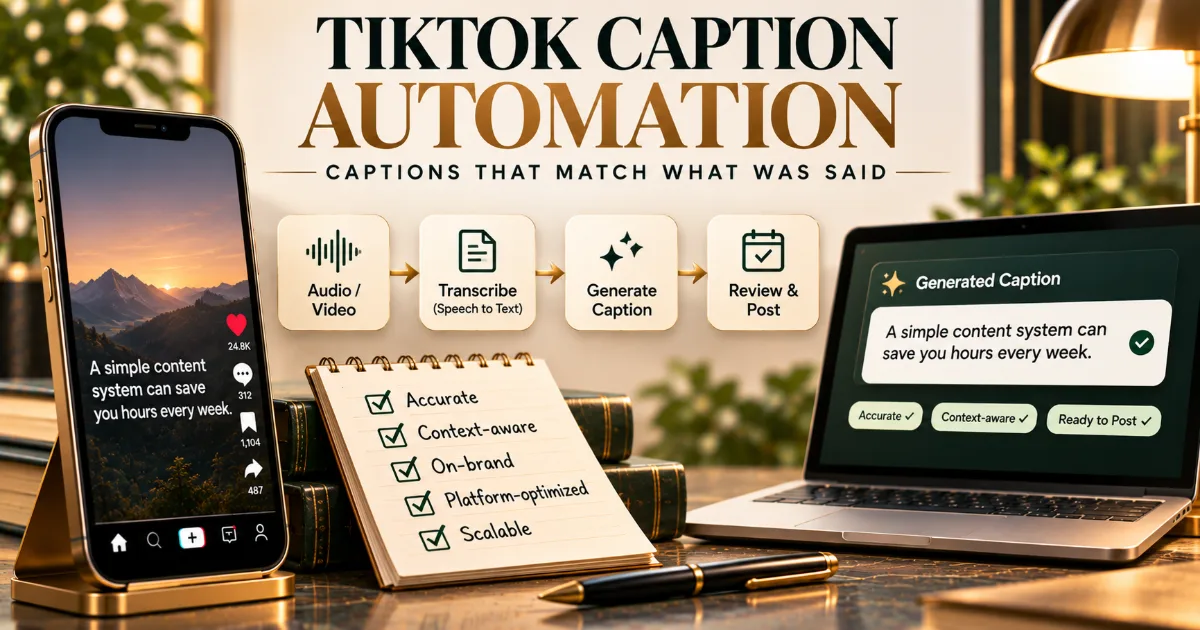
TikTok caption automation works when captions are treated as a verified transcript first and a style second. A glossary of the names and terms the speaker uses goes to the transcription step; the transcript is checked against the audio and every correction is logged; only then are line length, timing and speaker labels set; and the correction log feeds the glossary for the next clip. This post walks through each step, explains why automatic captions fail on exactly the words a specialist business cares about, and follows one dental practice's clip from audio to approved captions.
The caption workflow, from a glossary to a verified file and back again
the speaker’s names and terms go to transcription
the audio becomes a draft transcript
a person checks it against the audio and logs changes
line breaks, timing and speaker labels set last
- TikTok caption automation: a verified transcript first, a style second
- The two things TikTok calls a caption
- Why automatic captions get specialist words wrong
- Step 1: give the transcriber a glossary before it listens
- Step 2: check the transcript against the audio, and log every change
- Step 3: set line length, timing and speaker labels last
- Step 4: feed the correction log back into the glossary
- What the workflow does, and what a person confirms
- A worked example: one dental practice's clip
- What verified captions cost, and how the cost falls
- Frequently asked questions
- Where to start
TikTok caption automation: a verified transcript first, a style second
Captions are a text version of what the speaker said, so the order of work is fixed: get the words right, then make them readable, then make them look good. Most caption tools invert that order, because styling is the part a viewer notices and accuracy is the part nobody notices until it fails. A clip with animated, perfectly timed captions that misspell the product the business sells has spent its effort in the wrong place. For a clip built from generated frames, that order means keeping words out of the frames altogether, the rule our Higgsfield AI storyboard workflow sets before any render. Words printed on a product follow a similar rule in generated scenes, taken from the real photo rather than redrawn, as our guide to Higgsfield AI product visual accuracy explains. In a diagram explainer the captions carry the full statement each short on-screen label leaves out, as our guide to a Higgsfield AI explainer from a diagram describes.
The order of caption work, with the words at the bottom
The World Wide Web Consortium's accessibility guide to captions and subtitles defines captions as "a text version of the speech and non-speech audio information needed to understand the content," synchronised with the audio. That definition is the job description for any caption workflow. A caption that changes a word has stopped being a caption and become a rewrite, and a rewrite needs the kind of check we describe in our TikTok hook rewrite workflow.
This post assumes the clip has already been chosen and its opening settled. It covers the captions burned into or attached to the video. The words that sit on screen as headlines and labels, which are written rather than transcribed, are a separate layer covered in our post on TikTok on-screen text. It also assumes the clip's rights are settled; for generated clips, our Higgsfield AI media rights checklist covers consent and the AI label. LinkedIn handles captions differently, with an SRT file or reviewed auto captions on a Page, as our post on Higgsfield clips for a LinkedIn company page explains.
The two things TikTok calls a caption
On TikTok the word caption names two different pieces of text, and a workflow that does not separate them ends up writing one well and the other badly. The first is the post caption: the description that sits under the video, carries hashtags and mentions, and is typed rather than transcribed. The second is the captions of what is said in the video, which follow the audio line by line. They are produced differently, checked differently and owned by different people. Checking captions word for word against the script is also the legibility part of the form in our Higgsfield AI video approval workflow. Both texts must also agree with the source when a clip was regenerated from real footage, which our clip vs source video audit checks. A generated clip adds a third risk, words the model draws into the frame itself, which our guide to Higgsfield text in generated video keeps out.
The two pieces of text TikTok calls a caption
The post caption
- Typed under the video
- Carries hashtags and mentions
- A published length limit to check
- Owned by whoever writes the post
The spoken captions
- Transcribed from the audio
- Follows the speaker line by line
- Checked by listening to the audio
- Confirmed by whoever heard it
The post caption has hard limits that a tool can enforce. TikTok's developer reference for direct posting through the Content Posting API describes the caption as the field in which hashtags and mentions are matched, with a maximum length of 2,200 UTF-16 characters. That is a check a workflow can run before anything is uploaded. The spoken captions have no such single rule; their test is whether they match the audio, which only a comparison with the audio can answer. Both kinds then travel in the package the TikTok draft publishing workflow hands to the person who posts.
Both still appear in the same place when a person uploads. TikTok's guide to creator tools on TikTok lists the options available after a video is uploaded in TikTok Studio, among them adding a caption and choosing a cover. In the workflow below, the spoken captions are finished and approved before that screen opens, and the post caption is drafted from the verified transcript rather than written from memory, so the two cannot drift apart.
The spoken captions are often burned into the picture, and the tool that burns them in should add nothing else. TikTok's Content Sharing Guidelines say an app should not superimpose any brand name, logo, watermark, link or promotional text on content it shares to TikTok, and warn that this may lead to deleted content or disabled accounts. A captioning tool that stamps its own name in the corner, or a pipeline that adds the same logo and "link in bio" line to every export automatically, is the overlay that rule describes. The caption step burns in the spoken words; anything else on screen is a decision made in the edit, by a person.
Why automatic captions get specialist words wrong
Automatic captions fail most often on the words a specialist business most needs them to get right: product names, technical terms, client names and numbers. A speech model is trained on how people usually talk, and a dentist, an engineer or a tax adviser does not talk the way people usually talk. The common words come out right and the words that carry the expertise come out as near-misses that look like English.
Where automatic captions go wrong on specialist speech
Technical terms heard as everyday words
Names spelled as they sound
Numbers a range collapsed into one figure
Negations “should not” heard as “should know”
Speakers a question given to the wrong voice
A judgment, not a score
The same W3C guide is blunt about the limits. It says automatically generated captions "do not meet user needs or accessibility requirements, unless they are confirmed to be fully accurate," and that they usually need significant editing. Its example is a cooking instruction in which "4 to 5 minutes" becomes "45 minutes" and "should not preheat" becomes "should know to preheat." One misheard word reversed the meaning, and nothing about the caption looked wrong.
Modern speech models are much better than the ones that guide was written against, which is part of why the problem is easy to miss. The Whisper paper, Robust Speech Recognition via Large-Scale Weak Supervision, reports models trained on 680,000 hours of audio that "approach" human accuracy and robustness on standard benchmarks. Standard benchmarks are general speech. A clip full of procedure names is the opposite of general speech, and the better a model is on everyday words, the more its rare mistakes look plausible.
| Kind of error | What it looks like | What catches it |
|---|---|---|
| A term heard as everyday words | A procedure name split into two common words | The glossary, before transcription |
| A number misheard | A range collapsed into one figure | Reading every number against the audio |
| A negation lost | "Should not" becoming "should know" | Reading every sentence that gives an instruction |
| A name misspelled | A client or colleague spelled as it sounds | The glossary and the speaker's review |
| The wrong speaker | A host's question captioned as the guest's answer | Speaker labels checked at every change of voice |
Step 1: give the transcriber a glossary before it listens
The cheapest place to fix a specialist word is before it is transcribed, by handing the transcription step a glossary of the names and terms the speaker uses. A correction made after transcription has to be found, typed and checked on every clip. A term the model was told to expect is usually right the first time, and the clips that follow inherit the fix for free.
The glossary the transcription step reads before it listens
The speaker’s glossary, kept in the project
- 01This recording is a specialist explaining their work to customers
- 02Spell these names and terms exactly as written here
- 03Never expand or change the words in the protected list
- 04Include only words this speaker actually uses
OpenAI's guide to speech to text describes exactly this: a prompt for "unstructured context about the recording" and keywords "for literal terms you expect to hear," used to improve recognition of names, acronyms and recording-specific vocabulary. It also warns that keywords are hints, and that you should check whether they help "without causing unspoken terms to appear." That warning matters. A glossary that is too long can make the model hear a term the speaker never said, so the glossary should hold only the words this speaker actually uses.
Keep the glossary where every step of the workflow can read it. In a Claude Code project, the natural home is the project's instructions file; Claude Code's documentation on how Claude remembers your project explains that each session starts with a fresh context and that CLAUDE.md files carry persistent instructions across sessions. Our guide to writing a CLAUDE.md file shows the shape: one section for the speaker's terms, spelled as they should appear, and one for words that must never be expanded or changed.
Step 2: check the transcript against the audio, and log every change
Before any styling, a person reads the transcript against the audio and corrects it, and every correction goes into a log with the wrong version, the right version and the time in the clip. The log is what turns a one-off fix into a better workflow. Without it, the same term is corrected by hand in every clip and nobody notices that the glossary is missing a word.
A transcript checked against the audio before any styling
- >Flag any line you are unsure of, quote it and say why
- ·Flagged one line: unsure whether the speaker said a range or one figure
- >Listened at the flagged time and confirmed the line as spoken
- ·Read every number, name and instruction back for checking
- >Corrected one surname and one term that came out as everyday words
- +correction-log row: clip, time, what the transcript said, what was said
- A verified transcript and a correction log, before any style is applied
Not every line needs the same attention. Every number, every name, every instruction and every negation is read against the audio, because those are where a caption error changes the meaning. Ordinary connecting speech can be checked more quickly. If a model does a first pass to flag likely errors, Anthropic's guide to reducing hallucinations recommends allowing the model to say it does not know and grounding its answers in direct quotes. For captions that means a flagging step that quotes the line it doubts and says why, rather than one that quietly rewrites it.
The model never gets the last word on what was said, because it did not hear the speaker and the person checking did. Its flags are a reading order, not a verdict. The person listens to each flagged line, confirms or corrects it, and logs the result, and a flag that turns out to be right is just as useful to the log as one that turns out to be wrong, because both teach the workflow where its weak spots are. The same principle runs through our post on automated content checks: a machine can enforce a rule, but only a person can confirm what a recording actually contains.
A correction log does not need special software. A shared sheet with four columns is enough: the clip, the time, what the transcript said, and what the speaker said. What matters is that it is written at the moment of correction, by the person who made it, because that is the only time the reason is fresh. A log assembled at the end of the week from memory records the corrections people remember, which are rarely the useful ones.
Step 3: set line length, timing and speaker labels last
Once the words are verified, the caption style can be set without risk, because nothing done to the style can change what the captions say. Style means line breaks, how long each line stays on screen, where the captions sit, and who is speaking. Those choices make captions readable on a small vertical screen, but they come after the words, never before.
The caption style, set only after the words are verified
- Line breaks
- where the speaker pauses or a phrase ends
- Never broken
- the middle of a name or a number
- Time on screen
- long enough to read each line twice
- Placement
- clear of the areas where TikTok draws its buttons
- Speakers
- a labelled voice for each person in a WebVTT file
- The style step
- changes how captions read, never what they say
The format that carries all of this is usually WebVTT. The W3C's WebVTT specification defines timed cues, each with a start and end time, and a voice span that names who is speaking, so a caption file can say that a line belongs to the host rather than the guest. That matters for interviews and panels, where captions that run two voices together leave a viewer unsure who made a claim. A caption file with labelled voices is also a far better record of the clip than burned-in text, because it can be searched, corrected and reused.
Break lines where the speaker pauses or where a phrase ends, never in the middle of a name or a number. Keep each line on screen long enough to be read twice, and keep captions clear of the areas where TikTok draws its own buttons and text. Where the same clip is also going to YouTube, the verified file can travel with it: YouTube's help page on how to add subtitles and captions lets a creator upload a caption file in YouTube Studio rather than relying on automatic captions, so the same corrections reach the long-form video the clip came from.
Step 4: feed the correction log back into the glossary
Once a week, read the correction log and move every term that was corrected more than once into the glossary, so the transcription step stops making that mistake. This is the step that makes the workflow get cheaper over time. In the first weeks the log is long; as the glossary absorbs the speaker's real vocabulary, the log shrinks to genuinely new words and one-off mishearings. That falling curve is why the TikTok content production cost model asks for real hours, measured as the work is done, rather than a guess from the first clip.
What the correction log feeds once a week
every fix with the time and both versions
terms corrected more than once
no term added automatically
fewer repeats of the same mistake
a verified transcript to attach
The log can collect itself. In n8n, the n8n Form trigger starts a workflow when someone submits a form, and the node builds the form page itself, so the person checking a transcript can log a correction from a short form rather than editing a sheet by hand. The workflow writes each submission to the log and, once a week, lists the terms that appear more than once for someone to approve into the glossary. A term is never added to the glossary automatically, because a mishearing that happened twice is not always a word the speaker uses.
The verified transcript earns its keep beyond the clip. A business that posts the same material on its own site can publish the transcript on the video's page, so a reader and a search engine can read what was said rather than guess from the title. That is the same reason our post on automating SEO content without spam treats a business's own words as its most valuable source: they are already true. The article a clip was cut from is the other half, and the TikTok to blog content workflow makes sure that article links back to the clip.
What the workflow does, and what a person confirms
The workflow transcribes with the glossary, flags lines it doubts, applies the caption style, collects corrections and proposes glossary additions; a person confirms the words against the audio, and the speaker approves any term the person is unsure of. That division follows the risk. The machine is fast and consistent at everything that does not depend on knowing what the speaker meant. The person is the only one who heard it.
What the workflow does at each stage, and what a person confirms
The workflowThe checker and speaker
Transcribe
runs the audio with the glossary
nothing to do yet
Flag
quotes the lines it doubts
listens to each flagged line
Correct
collects corrections from a form
confirms numbers, names and instructions
Glossary
proposes repeated terms
approves every addition
Two decisions stay human by design. The first is any correction to a number, a name or an instruction, which is confirmed by listening rather than by reading. The second is any addition to the glossary, because the glossary changes every future transcript and a wrong entry spreads quietly. Both are small and quick, and both are where an error would cost the most.
Getting the finished caption onto TikTok is the one step this workflow hands over rather than does. An app that has not passed TikTok's audit can only post privately, under TikTok's Direct Post rules, and TikTok's Upload route sends the video to the creator's inbox as a draft for the creator to finish in the app.
The automation tools do not close that gap: n8n has no built-in TikTok node, Zapier's TikTok Conversions app sends ad lead events, and Make's TikTok Campaign Management app manages ad campaigns. So the verified post caption travels with the clip, as text to paste, to whoever or whatever posts it.
The captions then join the rest of the clip at review. In the TikTok content approval workflow the captions are read against what the speaker approved, in the same pass as the claim and the on-screen text, and the TikTok clip quality checklist runs on the finished clip only after the captions are verified. Both assume the words were verified first, which is the point of this workflow. The TikTok video rights checklist runs at the same review, on the people, footage and music in the clip rather than on its words.
A worked example: one dental practice's clip
Take an illustration, not a client: a dental practice records its lead dentist explaining when a patient needs crown lengthening rather than a new crown, and wants the clip on TikTok with accurate captions. The clip is full of terms an everyday speech model rarely hears together: crown lengthening, periodontitis, the gum margin, and the name of the practice's hygienist, who is mentioned once. The practice also wants the post caption written from what the dentist actually said.
One dental practice’s clip, from audio to approved captions
Before
Glossary — procedures and staffread from the project’s instructions
Transcribe
Terms right — one line flaggeda few weeks or two weeks of healing
Verify
Confirmed — two corrections loggeda surname and the gum margin
That week
Proposals — both approvedthe practice manager says yes
Sign-off
Dentist — captions and post captionthe 2,200-character limit checked
Before transcription, the practice's Claude Code project already holds a glossary in its instructions file: the procedures the practice offers, spelled the way the practice writes them, plus the staff names. Those terms go to the transcription step as keywords, and a short prompt says the recording is a dentist explaining a treatment choice to patients. The transcript comes back with the procedure names correct. One line is flagged: the model quotes it and says it is unsure whether the dentist said "a few weeks" or "two weeks" of healing.
The person checking listens to that line, confirms the dentist said "a few weeks", and logs it as confirmed rather than corrected. Two other corrections go into the log through the n8n form: the hygienist's surname was spelled as it sounds, and "the gum margin" came out as "the gun margin". Both are added to the next week's glossary proposals, and the practice manager approves the surname and the term. The style step then breaks the captions at the dentist's pauses and labels nothing, because only one person speaks. The post caption is drafted from the verified transcript, checked against the 2,200-character limit, and the dentist approves both.
What verified captions cost, and how the cost falls
Verified captions cost a person's careful listen to each clip's numbers, names and instructions, plus a few minutes logging corrections; the cost falls as the glossary absorbs the speaker's vocabulary. In the first weeks the log is long and the listen is slow, because every specialist term is new. Later, most clips need only the confirmation pass, and the log holds the occasional new name.
The set-up cost is the glossary and the habit of logging. The glossary takes an hour or two to start: the practice's services, its staff, its locations and the terms its people use every day. The habit is harder, because logging feels slower than just fixing the line. Make the log the only place a correction can be made, so a fix that is not logged does not reach the caption file, and the habit takes care of itself.
The failure to watch for is the glossary that grows until it misleads. Every term added is a term the model is more likely to hear, including in clips where nobody said it. Review the glossary on a schedule, remove anything that has not appeared in recent clips, and keep it to the words this speaker really uses. Captions come third in our TikTok content automation process: a moment is picked, its opening rebuilt, and only then are the words checked and written out. Each of the other steps is explained in one of our TikTok content guides, and a clip cut again for YouTube Shorts or Instagram Reels, covered in our Shorts and Reels guides, can carry the same checked caption file.
Frequently asked questions
What is TikTok caption automation?
It is a workflow that turns a clip's audio into accurate captions with as little manual work as possible. Done well, it treats captions as a verified transcript first: the transcription step gets a glossary of the speaker's terms, a person checks the transcript against the audio and logs corrections, and only then are line breaks, timing and speaker labels set.
Are TikTok's automatic captions accurate enough on their own?
For general speech they are often close, but they are weakest on product names, technical terms, client names and numbers, which are the words a specialist business most needs right. The W3C's accessibility guidance says automatic captions do not meet accessibility needs unless confirmed to be fully accurate, so treat them as a starting point to check, not a finished file.
What is a caption glossary?
It is a short list of the names and terms a speaker actually uses, spelled the way they should appear, that is given to the transcription step as context. It fixes recurring errors before they happen. Keep it to real vocabulary, because speech-to-text guidance warns that unnecessary keywords can make a model hear terms the speaker never said.
Why keep a correction log?
Because a correction that is only made in the caption file is made again on the next clip. A log of what the transcript said, what the speaker said and when shows which terms keep going wrong, and those terms can then be moved into the glossary so the transcription step stops making the mistake.
What is the difference between the post caption and the video's captions on TikTok?
The post caption is the description under the video, typed rather than transcribed, with hashtags and mentions and a length limit TikTok publishes for developers. The video's captions follow the audio line by line. A good workflow drafts the post caption from the verified transcript so the two say the same thing.
Who should approve the captions?
A person who listened to the audio confirms the words, especially every number, name and instruction, and the speaker approves any term the checker is unsure of and the post caption written in their name. The workflow can transcribe, flag and style, but it did not hear the speaker, so it never has the final say on what was said.
Where to start
Take the last three clips you captioned and list every word you had to correct. If the same names and terms appear more than once, you have the first draft of a glossary, and the correction log is the habit that keeps it current. If the captions were fine and the problem is getting the clips cut in the first place, our guide to TikTok clips from YouTube videos, interviews and webinars starts the workflow one step earlier, and the ChatGPT guides collect what we have written about using a general assistant in the same work. The glossary belongs in the knowledge base that every TikTok review checks against, the foundation of a Content Operating System for TikTok.
Disclosure
This post was written by Shreyas Dave, founder of Paper Eagle AI. We sell content automation services, which is the category this article is about, so we have a commercial interest in you concluding that a system beats ad-hoc effort — read it knowing that. No tool vendor was involved in writing it, nobody paid for a mention, and there are no affiliate links anywhere on this site. Where a third-party figure appears, it’s attributed to the publisher it came from; anything we couldn’t source is written as a direction rather than a number.
Paper Eagle AI builds Content Operating Systems that turn a business’s knowledge and expertise into consistent, multi-platform content, and we deliver them as content automation services. Working as a content automation specialist, we capture what a business knows and how it sounds, set the strategy, and build the workflows that research, draft, repurpose and publish — with a named person approving every piece before it goes out. Every build runs through discovery, design, build and handoff. The system lives in the client’s own accounts, it is documented, the team is trained to run it, and the business owns it outright. We don’t write content on a retainer, and we don’t build lead generation, CRM or sales automation.
One source of thinking becomes native content for every platform a business publishes on: the founder’s LinkedIn and the company page, YouTube and Shorts, Instagram and Reels, TikTok, Reddit, Medium, newsletters, and the company’s own website, written to be found in Google and understood by AI search. Our multi-platform content automation page shows how they share one source, and our case studies document the systems behind our own publishing, file by file. You can follow the work on the company’s own channels: Paper Eagle AI on Instagram, Paper Eagle AI on YouTube, the Paper Eagle AI company page on LinkedIn, Paper Eagle AI on Substack, Paper Eagle AI on Reddit and Paper Eagle AI on Medium. Paper Eagle AI is also listed where clients can review its work: Paper Eagle AI on Clutch, Paper Eagle AI on GoodFirms and the Paper Eagle AI Google Business Profile.
Keep reading
- TikTok hook rewrite workflow — the step before captions: settling how the clip opens without changing what it says.
- Automated content checks — which checks a machine can enforce and which need a person.
- How to write a CLAUDE.md file — where a speaker's glossary lives so every session reads it.