Higgsfield content guides.
Higgsfield is an AI image and video generation platform, and in a content system it supplies the one thing a text-only workflow cannot make: a strong image on every frame. These guides show it connected to Claude Code, so the session that writes a carousel also generates its pictures.
Pictures for a workflow that writes.
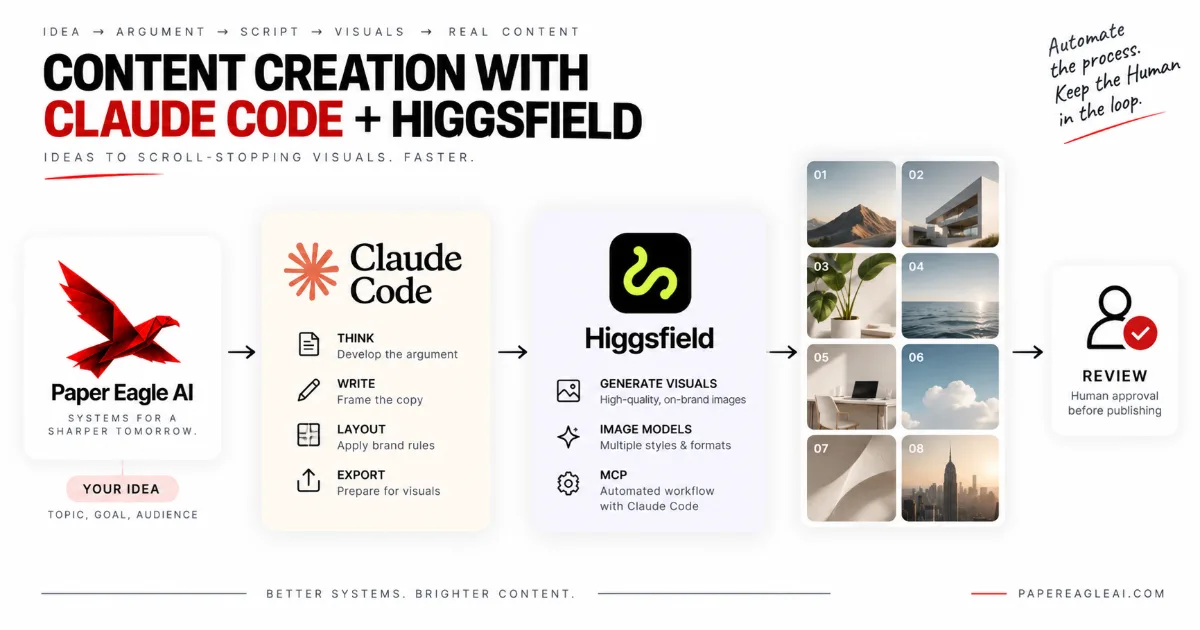
Content creation with Claude Code and Higgsfield sets out the division of work. Claude Code does the thinking and the layout — the argument, the words on each slide, your brand rules and the export — and Higgsfield, reached through its MCP server, generates the images those slides need. The result is a carousel that holds its own in a visual feed, made without filming any video.
It is written for carousel-first accounts: founders, consultants and small teams who explain things well and publish mostly in slides. Its side-by-side comparison is honest about when the extra setup is not worth it: for a framework, a checklist or a comparison, type alone often reads as more serious. This page collects every guide on the blog that covers Higgsfield, and the section below sets out the rest.
Higgsfield in a content system, in detail.
How the connection works
Higgsfield runs a hosted MCP server, and Claude Code is an MCP client. The Model Context Protocol is the open standard that defines how an AI client discovers what a server can do and calls it. Once the two are introduced, Claude Code sees Higgsfield's tools, passes one a prompt, a model and an aspect ratio, and receives the generated file. You sign in to your Higgsfield account once through the browser; you never paste a key into a script. For a setup where a scheduled job in n8n does the generating, Higgsfield also publishes a command-line tool.
Keep every word out of the picture
One design rule makes or breaks the setup: ask Higgsfield for pictures with no words in them, and let Claude Code set every word as real type on top. Image models can still misspell, warp or invent lettering, and a headline baked into pixels cannot be corrected, translated or read by a screen reader. Real type over a generated image is sharper, cheaper to fix, and says exactly what you approved.
What a run looks like
Generation is asynchronous, so a carousel run requests every frame's image, waits for them, then assembles: draft the frames, write one image prompt per frame from a written visual style file, place type over each image, export, write the caption and alt text, and stop for review. Every image is then checked against what its frame claims. A generated picture that is subtly wrong is worse than no picture at all.
What it costs
Higgsfield bills in credits on its own plans and Claude Code has its own usage, and both change often enough that you should read their current pages rather than a figure in a blog post. The costs people underestimate are the first week spent turning taste into a style file, the review time on every carousel, and the regenerations when an image is nearly right. Check the plan's terms for commercial use, too. The platform side of the work is our Instagram content system.
Carousels with pictures, built for you.
We build carousel workflows like this for Instagram. These pages describe the work, and Instagram content automation pricing sets out what the setup costs.
Talk it through with us.
If something here describes a problem you have, a short conversation is the quickest way to find out whether a system would fix it, and what it would take to build. No pitch: if we can't help, we'll say so.
Start a Conversation