TikTok Clips From YouTube Videos, Interviews and Webinars
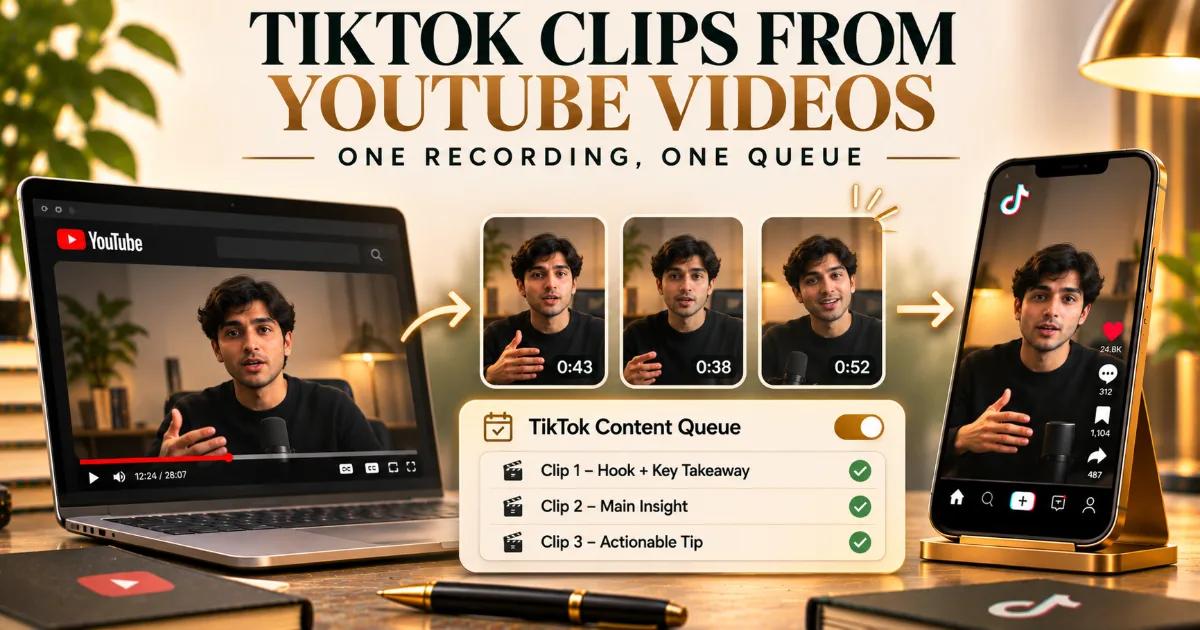
TikTok clips from YouTube videos, interviews and webinars come out best when one recording becomes a queue rather than a folder, and when the moments are chosen by test rather than by feel. A candidate moment has to pass four tests before it becomes a row, and every row moves from shortlisted to briefed, captioned, approved and handed off only when the step before it is finished and checked. A clip that stalls at any status stops there, visibly, instead of being posted half-done. This post sets out the four tests, what an interview or a webinar adds to them, what TikTok lets a tool do at the end, and follows one cycling coach's weekly video through the queue.
The five statuses a clip passes on its way from YouTube to TikTok
- 01Shortlistedtimestamps and one reason it stands alone
- 02Briefeda page for a viewer who never saw the video
- 03Captionedchecked against the audio, cut from the master
- 04Approvedthe speaker signs this exact file
- 05Handed offa draft in TikTok and a person to finish it
- TikTok clips from YouTube videos: a queue, not a folder
- Why clips from long videos stall or ship half-done
- Start from the original file, not a download
- Status 1: shortlisted, with timestamps and a reason
- Interviews and webinars: the moments that need more care
- Status 2: briefed, for a viewer who never saw the video
- Status 3: captioned from a verified transcript
- Status 4: approved by the speaker
- Status 5: handed off to TikTok, with a person finishing the post
- A worked example: one cycling coach's weekly video
- What the queue costs, and what it saves
- Frequently asked questions
- Where to start
TikTok clips from YouTube videos: a queue, not a folder
A folder of exported clips tells you what exists; a queue tells you what each clip still needs. That difference decides whether a weekly YouTube video turns into a steady run of TikTok posts or a pile of half-finished files that someone eventually posts in a hurry. The queue is one row per candidate clip, with the moment's timestamps, the clip's current status, the person who owns the next step, and a link to every file the clip has produced so far.
What a folder of clips shows, and what a queue shows
A folder of exports
- Which clips exist
- Files named after the video
- No sign of what is missing
- Nobody named for the next step
A queue of rows
- What each clip still needs
- One row per candidate clip
- The test each row has passed
- An owner for every next step
Five statuses carry a clip from the long video to TikTok: shortlisted, briefed, captioned, approved and handed off. Each has one test it must pass before the next can start, set out in the table below. A clip never skips a status, and a clip that fails a test goes back one step rather than forward with a note.
| Status | The test it must pass | Who owns the next step |
|---|---|---|
| Shortlisted | Timestamps and one sentence on why the moment stands alone | Whoever writes the brief |
| Briefed | A one-page brief for a viewer who never saw the video | Whoever checks the captions |
| Captioned | Captions checked against the audio, cut to vertical from the master | The speaker |
| Approved | The speaker has signed off this exact file | The person who posts |
| Handed off | In TikTok as a draft, with its post caption, and a named person to finish it | That person, in the app |
The owner column is the one most teams leave out, and it is the one that keeps rows moving. A status with nobody named against it is a status where clips wait, and even when one person owns several steps, the queue shows them which clips are waiting on them.
The queue also starts earlier than the cutting. Whether a moment deserves a row at all is a question about words, whether a stranger could follow it, so the first status carries four selection tests and the rest carry the checks that follow. The captions are written from a verified transcript at status 3, so no clip carries a line the speaker did not say. For where the long videos come from, our guide to automating YouTube content from your expertise starts one step earlier, at the recording itself. A recording that also feeds a newsletter and LinkedIn needs a release order, which our guide to automating a founder's content workflow sets.
Why clips from long videos stall or ship half-done
Clips from long videos stall because nobody owns the step between finishing one thing and starting the next. An editor cuts eight moments on Monday and moves on; captions wait for someone to check them; the speaker is never asked to approve; and on Friday someone posts the three that look finished. The other five sit in a folder named after the video until they are too old to matter. Nothing failed, exactly. Nothing was ever asked to move. That is effort failing quietly in miniature, one of the four slow failures listed in why systems beat effort every time.
How a week’s clips end up stalled or posted half-done
Eight cuts made
MondayCaptions never checked
midweekSpeaker never asked
all weekThree posted in a hurry
Friday
The opposite failure is the clip that ships before it is ready, because a finished-looking file is easy to mistake for a finished clip. A cut with automatic captions nobody checked, or an opening that still assumes the viewer watched the first ten minutes of the video, looks complete in a folder. It is only in a queue, where every row shows which test it has and has not passed, that the gap is obvious before the post goes live.
There is also a platform reason to finish every clip properly. TikTok's rules on integrity and authenticity say content is ineligible for the For You feed "if it includes unoriginal or reused material without anything new." A clip of your own video is your own content, but a raw cut lifted straight from a horizontal recording, with its YouTube framing and no new opening, is exactly the kind of clip that gives a viewer nothing new. The queue's later statuses are where the clip becomes something made for TikTok. Whether a video should be repurposed into more clips at all, or has been carried far enough, is weighed in content repurposing vs content creation.
Start from the original file, not a download
Cut TikTok clips from the original recording or the editor's master export, never from a copy downloaded back from YouTube. It is the least glamorous rule in the workflow and the one that most often decides whether a clip looks professional. A vertical clip cut from a horizontal frame uses only a slice of the picture, so it needs every pixel of the original to stay sharp.
What the queue keeps for each long video before any clip exists
- weekly-video/ one long YouTube recording
- master-export.mp4 the editor’s full-quality file, never a download
- camera-files/ the original footage for a sharp vertical crop
- transcript.json the words with timestamps
- chapters.txt where the separate topics start
A download comes back at 720p or 360p; the master keeps every pixel the crop needs.
YouTube's own help page on how to download videos you've uploaded says the files come in 720p or 360p depending on the video. A 720p horizontal frame cropped to vertical leaves a strip far narrower than the 720 by 1,280 pixels that TikTok's guide to TikTok Studio sets as the minimum for an uploaded video. The fix is not a better crop. It is keeping the master where the queue can find it.
So the first column of the queue, before any clip exists, is the location of the source: the camera files or the master export, the audio if it was recorded separately, and the transcript. If the long video has chapters, keep them too. YouTube's help page on video chapters describes them as timestamps and titles listed in the description, and a chaptered video is a map of where the separate topics are, which is the first place to look for clips that stand alone. Listing those parts before cutting anything, each labelled and tied to the line of the source it came from, is how atoms are extracted from one expert source.
The transcript needs two things a plain text file lacks: a timestamp on every segment, so a shortlisted line can be found in the recording again, and a label for every speaker, so a moment where the host or an attendee does the talking is not mistaken for the speaker's point. Check that the transcription tool offers both on the plan and model you actually use before the workflow depends on them. For a webinar, keep the slide deck beside the transcript, so a reader can see which slide was on screen when each line was said.
Status 1: shortlisted, with timestamps and a reason
A moment becomes a row in the queue only when it has passed the selection tests and has a start time, an end time and one sentence saying why it stands alone. That sentence is what the next person reads, and it is what lets the speaker disagree with the choice in seconds rather than by watching the clip. A row with no reason is a hunch, and hunches are what fill folders.
The record a moment needs before it becomes a row in the queue
- Start and end
- the timestamps in the long video
- Why it stands alone
- one sentence the next person reads
- Topic
- a few words, so rows sort by subject
- Source
- the master file and the transcript it came from
- A shortlisted row
- a moment the speaker can disagree with in seconds
The selection tests are four questions, asked in this order, and a candidate that fails one is not tested on the next: does it make one complete point, does it pay off inside its own length, can a stranger follow it with no setup, and does one voice carry it? A complete point is a claim with its reason, a story with its outcome, or an objection with its answer. A payoff means the passage ends on what a viewer stays for, not on a qualification or a handover back to the host. No setup means every person, product or earlier story it mentions is either named in the passage or does not matter to the point. The order saves time, because the first test removes most candidates and costs the least.
The tests exist because whoever picks clips by watching the recording back is the one person who cannot judge them: they remember the story the callback refers to, and they laughed at the end of the long tangent. A viewer on TikTok chose neither your account nor your video. Length is not a test either; a tidy thirty seconds between two pauses is easy to cut whether or not it holds a finished thought, and a clip is as long as its point.
The transcript is the fastest route to a shortlist, and YouTube already holds one. The YouTube Data API's reference for caption tracks describes a caption resource as a track associated with exactly one video, which a workflow can retrieve for a video you own. If your channel already has corrected captions, start from those; if it only has automatic ones, treat them as a draft to check, the same rule our captions post applies everywhere.
Give each row a few words on what the moment is about as well. Over a few months the queue becomes an index of everything the channel has said that works on its own, and three strong rows on one topic, from different videos, are the start of a planned TikTok content series rather than three unrelated posts. Where the topics behind those rows come from is the TikTok content research workflow, which builds a queue from customer language and treats no single signal as proof.
Interviews and webinars: the moments that need more care
An interview and a webinar go through the same queue as a solo YouTube video, but some of their moments need extra care, and most of it is about other people. In an interview, the founder's best answer often leans on the host's question; it passes the one-voice test if the question can go on screen as text, and fails if it cannot. Anything the founder said about a client, a colleague or a figure goes back to them before it is clipped, because an interview is a conversation and a clip is a publication. Our Instagram content case study went to the client to read and agree before it was published, and a client story in a clip deserves the same. TikTok case study video ideas starts from exactly that agreement: one consented client story, cut into separate clips for the problem, the process and the outcome.
A webinar adds the slides. A presenter who says "as you can see here, the second bar is twice the first" has made a point no clip can carry, so every line whose meaning lives on a slide is marked in its row, and most are dropped. The few worth keeping can be rebuilt as images rather than video. TikTok's photo post reference allows up to 35 images in one post, each a JPEG or WebP of at most 1080p and 20 MB. A title can run to 90 characters and a description to 4,000, so three or four redrawn slides can carry the argument the presenter made over the chart. Redraw them from the business's own figures, never by reading values off a screenshot.
The question session is usually the best material in a webinar and the hardest to use, because the questions belong to attendees who agreed to a recording, not to TikTok. Google Meet's help page on how to record a video meeting says an administrator may require every participant to give explicit consent before features such as recording and transcription run, and that the setting is off by default. Either way, that consent covers the meeting. The safe pattern separates the question from the questioner: rewrite it as on-screen text in neutral words that keep its meaning, check it against the original so it stays fair, and let the presenter's answer carry the clip.
Decide in each row, too, whether other people may reuse the clip. TikTok's page on Stitch explains that if you allow it, others can use a part of your video in their own, and the setting can be chosen for each post before it goes live. An objection the presenter answered well may be worth leaving open; a clip that names a client, or rests on a careful qualification, is one to close. Writing the choice in the row means it is made once, by the person who knows the clip, rather than at the moment of posting.
Status 2: briefed, for a viewer who never saw the video
A shortlisted clip is briefed when it has a one-page brief written for a viewer who has never seen the long video: the problem the viewer has, the opening that needs no context, the one thing they should take away, and what they might do next. The brief is where the clip stops being a piece of the YouTube video and starts being a TikTok post. Those four fields are the whole brief; anything more is a script. The TikTok video brief template lays those four fields out on a single page, with the reasoning behind each one.
The brief a model drafts for each shortlisted clip
The clip brief, in a fixed shape
- 01Write for a viewer who has never seen the long video
- 02Name the problem the viewer has
- 03Give an opening that needs no earlier context
- 04State the one thing the viewer should take away
- 05Say what the viewer might do next
- 06Flag any opening that needs a new spoken line
The brief also records what the clip needs rebuilt: an opening reordered, a question shown on screen, a reference to "what I said earlier" removed. Those changes follow one rule: a clip may change its order and framing but never its claim. A clip that needs a new spoken line is flagged here, so the speaker can record it in the same session as next week's video. Putting the platform's rules in the brief is the method in our guide to building a content repurposing workflow.
If a model drafts the briefs, have it return the four fields in a fixed shape rather than as free text, so a brief that is missing its takeaway goes back before anyone reads it.
Status 3: captioned from a verified transcript
A briefed clip is captioned when its captions have been checked against the audio, every number, name and instruction confirmed, and the caption file is attached to the row. Captions come after the brief because the brief decides where the clip starts and ends, and captions for the wrong cut have to be redone. The check itself is the same one the captions post describes in full.
The order of work once a clip’s cut is fixed
- 01The cut fixedwhere the clip starts and ends
- 02Captions checkedevery number, name and instruction
- 03Caption file kepta WebVTT file with voice labels
- 04Vertical cropfrom the master, captions placed clear of buttons
Keep the caption file as a file, not only as text burned into the video. The W3C's WebVTT format stores timed captions with a voice label for each speaker, which means the same verified captions can travel with the clip to every platform that accepts a file. A clip that only exists with burned-in text has to be captioned again the next time it is reused.
This is also the status at which the clip is cut to its final vertical frame, from the master file, with the captions placed clear of the areas TikTok uses for its own buttons and text, so the crop and the caption placement are decided together, against the same version. The words in that text matter as much as where they sit, and TikTok on-screen text SEO covers choosing words a viewer reads in a second that also match how people search.
Status 4: approved by the speaker
A captioned clip is approved when the speaker, or someone authorised to speak for them, has watched the final version and signed it off, and the approval is tied to that exact file. A clip that changes after approval goes back to captioned and is approved again. That rule feels strict in the first week and saves the awkward conversation in the fifth, when a clip goes out with a change the speaker never saw.
What happens to a clip at the approval gate
Unchanged · not signed
waitthe speaker has not watched this file yet
Unchanged · signed
hand offthe approval matches this exact file
Changed · not signed
back to captionedthe new version needs a fresh watch
Changed · signed earlier
back to captionedthe approval belongs to an older file
Left column: no approval recorded for this file
Right column: an approval recorded by the speaker
Approval is easier when the speaker sees only what changed. Put the original passage, the brief and the final clip side by side in the row, and highlight anything that was rebuilt: a reordered opening, text on screen, a new recorded line. Most approvals then take a minute. The speaker's attention goes to the few clips where something was genuinely changed, which is where it is needed.
The gate itself can be enforced rather than remembered. Claude Code's guide to automating actions with hooks describes hooks as shell commands that run at specific points so that "certain actions always happen rather than relying on the LLM to choose to run them." A hook that refuses to move a row to handed off unless an approval matching the file's checksum is recorded makes the rule part of the workflow. Our guide to designing human approval gates covers who signs off and what a gate like this checks. Our Claude Code guides show what else hooks can enforce.
Status 5: handed off to TikTok, with a person finishing the post
An approved clip is handed off when it is in TikTok as a draft or ready to upload, with its post caption written from the verified transcript, and a named person is responsible for posting it. Handed off is not the same as published. The final steps on TikTok, choosing who can watch, the commercial disclosure if one applies, and pressing post, are done by a person in the app or in TikTok Studio. Before a clip reaches that point, TikTok caption automation has checked its transcript against a glossary of names and terms, so the words on screen match the words spoken.
What the workflow does at hand-off, and what a person finishes in TikTok
The workflowThe person who posts
Deliver
sends the approved file to TikTok as a draft
opens the inbox notification
Caption
attaches the post caption from the transcript
reads it once more
Settings
records what the clip needs
chooses who can watch and any disclosure
Post
marks the row handed off
presses post in the app
That is partly a platform rule. TikTok's developer reference for uploading a video without posting it says users "must click on inbox notifications to continue the editing flow in TikTok and complete the post." A workflow can deliver the file and its caption to TikTok as a draft; a person completes it. Our page on TikTok content automation explains what TikTok lets an app automate and where that line falls.
Publishing straight to the profile is narrower than it sounds. TikTok's Direct Post reference says all content posted by unaudited clients is restricted to private viewing, and its creator info reference gives each account its own length ceiling: three minutes for every creator, five or ten for some, and never more than ten through an app. A webinar answer that runs past the account's ceiling becomes two clips, each with its own opening, long before it reaches this status.
The queue can still do the routing. In n8n, a Switch node sends a row down a different path for each status, so a briefed row goes to the caption step and an approved row goes to the person who posts, and the YouTube node can pick up a new video when it is published and open its rows, so the queue starts itself every week. n8n has no built-in TikTok node: the step that sends a file to TikTok is an HTTP Request node calling TikTok's own API, under the same audit and privacy rules as any other app.
The two other common tools stop earlier. Zapier's TikTok Conversions app sends lead events for ad delivery, and Make's TikTok Campaign Management app manages ads and campaigns; neither publishes a video. Either can still move rows, files and approvals around the queue. The last step into TikTok is the same everywhere: TikTok's own API, or a person in the app.
A worked example: one cycling coach's weekly video
Take
One cycling coach’s winter-training video, through the queue
- 01Six momentsshortlisted from the week’s video
- 02Dropped at briefneeded the chart, or repeated a clip
- 03Awaiting a linea new first sentence to record
- 04Back at approvalon-screen text promised too much
- 05Handed offtwo approved drafts for the assistant to post
Relative, not measured
The week's video on training through winter produces six shortlisted rows. Two are dropped at the brief stage: one only works if you saw the chart on screen in the long video, and one repeats a point from a clip posted the month before. Four are briefed. One of those needs a new first sentence, because the coach's best line about indoor sessions starts with "and that's why", so the coach records the new line at the start of the next week's session. Three move to captioned that week; the fourth waits for the recorded line.
At approval, the coach watches three clips with the changes highlighted and approves two. The third has on-screen text that makes a stronger promise about winter fitness than the coach made in the video, so it goes back to captioned with a note, is fixed, and is approved the next day. The two approved clips are handed off as drafts with their post captions, and the coach's assistant posts them on different days. The queue now shows exactly where each of the six moments is, including the two that were dropped and why. When one of those clips points to an article, the TikTok to blog content workflow adds it to a clip-to-page map so the link is built and checked like every other.
What the queue costs, and what it saves
The queue costs one person a short session each week to keep the rows moving, plus the speaker's few minutes of approval; it saves the evening of hunting through folders and the clips that ship half-done. Most of the cost falls in the first weeks, when the statuses feel like paperwork. Write the statuses and tests down once, as our guide to documenting a content automation system describes, so next month runs the same queue. More of what n8n does in a content workflow is in our n8n guides.
The set-up is a sheet with the columns, the source location for each video, a brief template, a caption check and an approval rule; none of it needs new software. The habit is the harder part, and the rule that makes it stick is that a clip may only be posted from the handed-off status, so the queue is the only route to TikTok.
Some recordings are not worth the queue at all. A webinar built around a live product walkthrough, where every point lives on screen, gives the four tests almost nothing to pass, and a planned demo suits TikTok far better, recorded for the phone rather than cut from a call. The walkthrough is still worth recording for a software company, because SaaS webinars and demos hold the product explained out loud, and feed articles and an FAQ even when no clip survives. A presenter who reads the slides aloud produces mostly rejections. After a few recordings the queue shows which kinds of moment survive, and the speaker can plan the next one with them in mind: ideas stated in one breath, doubts answered out loud.
The failure to watch for is a queue that fills faster than it empties. If shortlisted rows pile up week after week, the selection is too generous; cut the shortlist rather than the checks. For the rest of the system these clips feed, see the TikTok content system we build, the YouTube content system that produces the long videos, and our collected YouTube guides.
Frequently asked questions
How do you turn a YouTube video, an interview or a webinar into TikTok clips?
Start from the original recording and a timestamped transcript, not a download. Test every candidate moment on four questions: does it make one complete point, pay off inside its own length, need no setup, and rest on one voice? Each moment that passes becomes a row that moves through five statuses: shortlisted, briefed, captioned, approved by the speaker, and handed off to TikTok for a person to finish the post.
Can I cut TikTok clips from a video downloaded from YouTube?
You can, but the result is usually soft. YouTube's help page says downloads of your own videos come in 720p or 360p, and a vertical crop of a horizontal 720p frame is far below the minimum TikTok Studio sets for an upload. Keep the camera files or the master export where the workflow can find them.
Will TikTok treat clips from my own YouTube videos as reused content?
TikTok says content is ineligible for the For You feed if it includes unoriginal or reused material without anything new. Your own footage is yours, but a raw cut with YouTube framing and no new opening gives a viewer nothing new. Rebuilding the opening, reframing for vertical and verifying captions make the clip a TikTok post rather than a copy.
Which moments in a long recording make the best TikTok clips?
The ones a stranger can follow with no setup: a complete point with its reason, an objection answered convincingly, a common question with a short answer. Moments that call back to an earlier story, end on a qualification, or point at a slide the viewer cannot see usually fail, however well they landed in the room.
Can I use attendee questions from a webinar in TikTok clips?
Use the question, not the questioner. Rewrite it as on-screen text in neutral words that keep its meaning, check it against the original, and let the presenter's answer carry the clip. Consent to record a meeting is consent to the recording, not to a public clip on another platform.
How long can a TikTok clip cut from a long video be?
As long as its point, within the account's own ceiling. TikTok lets every creator post three-minute videos and some post five or ten, and its API never accepts more than ten minutes. An answer that runs past the account's ceiling is cut into two clips, each with its own opening.
Can a workflow post the clips to TikTok automatically?
It can deliver the clip and its caption to TikTok as a draft, but TikTok's developer documentation says users must open the inbox notification to continue editing and complete the post. Direct publishing exists, but everything an unaudited app posts is restricted to private viewing, so a person finishing the post in the app is part of the workflow, not a gap in it.
Where to start
Take last week's YouTube video and list every moment you would clip as a row: timestamps, a reason it stands alone, and a status. If most rows would stop at shortlisted, the bottleneck is the brief; if they stop at approved, it is the speaker's time. Either way, the queue has told you where to start. If the same clips will also go to Reels and Shorts, our page on Shorts and Reels automation shows what changes for each, and the music and footage questions are answered before anything is handed off. Every other guide on the blog that covers TikTok is listed on our TikTok guides page. If a clip needs a generated shot to fill a gap, our Higgsfield guide lists what each video model costs per five seconds of footage.
Disclosure
This post was written by Shreyas Dave, founder of Paper Eagle AI. We sell content automation services, which is the category this article is about, so we have a commercial interest in you concluding that a system beats ad-hoc effort — read it knowing that. No tool vendor was involved in writing it, nobody paid for a mention, and there are no affiliate links anywhere on this site. Where a third-party figure appears, it’s attributed to the publisher it came from; anything we couldn’t source is written as a direction rather than a number.
Paper Eagle AI builds Content Operating Systems that turn a business’s knowledge and expertise into consistent, multi-platform content, and we deliver them as content automation services. Working as a content automation specialist, we capture what a business knows and how it sounds, set the strategy, and build the workflows that research, draft, repurpose and publish — with a named person approving every piece before it goes out. Every build runs through discovery, design, build and handoff. The system lives in the client’s own accounts, it is documented, the team is trained to run it, and the business owns it outright. We don’t write content on a retainer, and we don’t build lead generation, CRM or sales automation.
One source of thinking becomes native content for every platform a business publishes on: the founder’s LinkedIn and the company page, YouTube and Shorts, Instagram and Reels, TikTok, Reddit, Medium, newsletters, and the company’s own website, written to be found in Google and understood by AI search. Our multi-platform content automation page shows how they share one source, and our case studies document the systems behind our own publishing, file by file. You can follow the work on the company’s own channels: Paper Eagle AI on Instagram, Paper Eagle AI on YouTube, the Paper Eagle AI company page on LinkedIn, Paper Eagle AI on Substack, Paper Eagle AI on Reddit and Paper Eagle AI on Medium. Paper Eagle AI is also listed where clients can review its work: Paper Eagle AI on Clutch, Paper Eagle AI on GoodFirms and the Paper Eagle AI Google Business Profile.
Keep reading
- How to automate YouTube content — where the long videos come from in the first place.
- Automated content checks — the rules a machine can enforce on a finished clip before the speaker approves it.
- How to build a content repurposing workflow — the same queue idea applied across formats.