TikTok Video Rights Checklist: Consent, Footage and Music
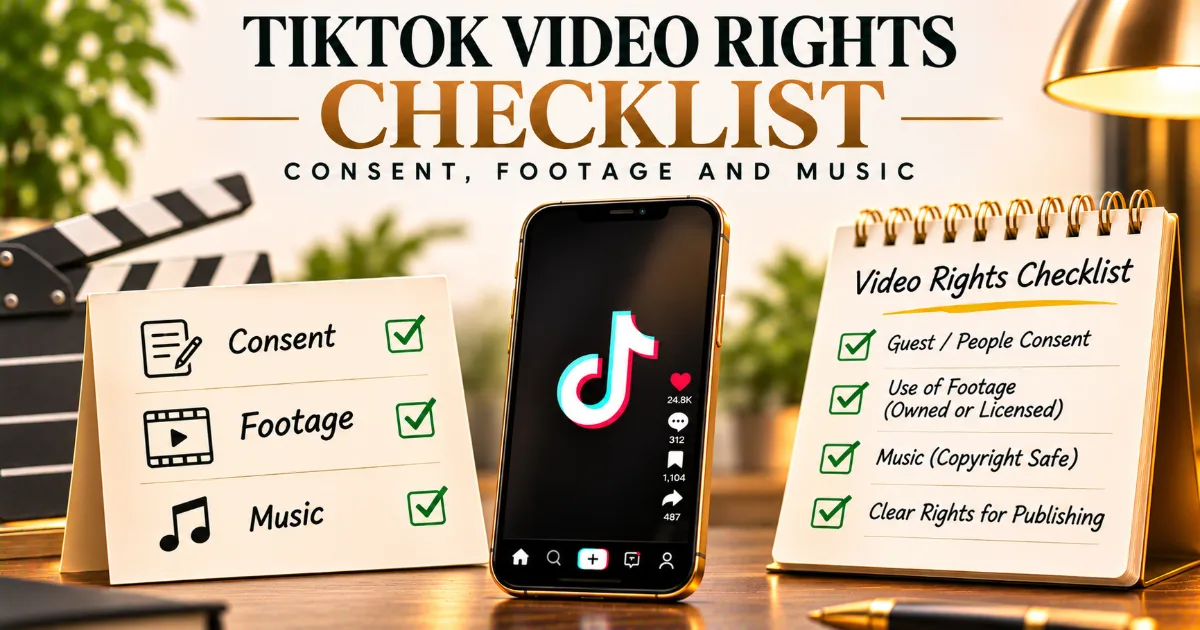
A TikTok video rights checklist is the short set of questions a clip has to pass before anyone approves it: who appears on camera and whether they agreed, whose footage it contains, whose music is playing, where else the clip will be used, and where the answers are written down. The checklist matters more for a business account than a personal one, because TikTok's own help pages say the music licences behind its general library don't cover commercial use, and its Intellectual Property Policy allows infringing content to be removed. This post works through each question, the permission record that holds the answers, what can be automated, and one boutique hotel group's first month of clips. It describes a practical check, not legal advice. It runs beside the TikTok clip quality checklist: that one asks whether a finished clip works, and this one asks whether it may be posted at all.
The five questions a business clip passes before approval
- 01Peopleeveryone identifiable on camera agreed to appear
- 02Footagethe business shot it, or holds written terms
- 03Musica cleared sound, original audio or a licence
- 04Reuseevery platform and account is covered
- 05Recordevery answer written down before approval
- TikTok video rights checklist: five questions before a clip is approved
- People on camera: consent from staff, guests and customers
- Footage the business did not shoot: licences and freelancers
- Music: the Commercial Music Library and the Music Usage Confirmation
- Reuse across platforms and accounts
- The permission record: one row per person, footage and sound
- What the checklist automates and what a person decides
- A worked example: a boutique hotel group's first month
- What the checklist costs, clip by clip
- Frequently asked questions
- Where to start
TikTok video rights checklist: five questions before a clip is approved
Most rights problems in short-form video are not deliberate. A clip is filmed quickly, a guest walks through the shot, a freelancer's drone footage is dropped in, a popular sound is added because it fits, and the clip is reposted to two other platforms the following week. Each of those choices made sense in the moment. None of them was written down. When a question arrives later, from a platform, a guest or a rights holder, nobody can say what permission there was.
What a rights question sounds like when nothing was written down
Did the guest at the next table agree?
The breakfast shotCan we use the freelancer’s drone footage?
The editIs that popular sound allowed on our account?
The sound pickerCan we repost it to the other platforms?
Next week
A rights checklist turns those moments into five questions, asked once per clip, before approval. The answers are recorded against the clip, so the question never has to be answered from memory. The checklist is short on purpose: a team that has to fill in a long form for every 30-second clip will stop filling it in.
| Question | What counts as a yes | Where the answer lives |
|---|---|---|
| Who is on camera? | Every identifiable person agreed to appear, or is not identifiable | A consent row per person, linked to the clip |
| Whose footage is it? | The business shot it, or has written terms from whoever did | A licence row per piece of footage |
| Whose music is it? | A sound cleared for commercial use, original audio, or a licence the business holds | A sound note in the post package |
| Where else will it run? | Each platform and account is covered by the permissions above | A list of destinations on the clip's row |
| Is it written down? | Every answer above is on the record before approval | The permission record |
The checklist sits inside the approval step rather than beside it. The rights questions are rows in the TikTok content approval workflow, so a clip with an open rights question is not approved, however good it is.
People on camera: consent from staff, guests and customers
The first question is who can be seen or heard in the clip. A business account's video is a piece of marketing, and the people in it are part of that marketing whether they meant to be or not. The safe working rule is that every identifiable person in a business clip has agreed to appear in it, in a way the business can show later. The rule does not change when the face on screen is generated, because an AI presenter built from a real person’s photo still needs that person’s agreement. Our story on AI presenters made inside Claude with Higgsfield puts this checklist in front of any generation request. For a picture made in Higgsfield, the consent question is settled in the visual brief written before generation, next to the other limits the picture has to respect. A face trained for a recurring generated presenter is still that person's likeness, which is why our Higgsfield AI visual style workflow records their agreement in the brief.
Where each person on camera sits before a clip is approved
Staff with standing consent
A customer story
A guest who agreed in writing
A face in the background
Across: never asked → agreed in a way we can show
Up: how easy to keep on record
Staff are the easiest group and the one most often forgotten. A team member who is happy to appear in one clip has not necessarily agreed to appear in every clip, or to stay on the account after they leave. Customers and guests need a clearer agreement still, because they have no working relationship with the business to fall back on. A short written consent that names the clip, the platforms and how long it may stay up is enough for most clips; anything more complex is a question for the business's own legal adviser.
People in the background are the commonest gap. A guest walking past the camera, a face reflected in a window, a voice on the next table: each one is an identifiable person who did not agree to anything. The practical options are to reshoot, to crop or blur, or to choose another take. Our guide to TikTok B-roll planning covers how shots are planned in advance, which is the easiest place to keep strangers out of the frame.
Customer stories need consent for the story as well as the face. Our TikTok case study video ideas post covers how customer results are shown, and the rights checklist adds one rule: the customer has agreed to the specific claims the clip makes about them, not only to being filmed. If that customer is paid or given something in return for appearing, TikTok's Branded Content Policy can apply to the post too, which is one more answer the record should hold. The written form of the same story has its own consent step, set out in our guide to the Medium case study article.
Footage the business did not shoot: licences and freelancers
The second question is whose footage the clip contains. Copyright starts with the person who makes a work. TikTok's help page on copyright explains that copyright protects original works such as videos and music, that protection generally begins when an original work is created, and that TikTok's terms don't allow posting content that infringes another party's copyright. Footage shot by a freelancer, a partner, a venue or a guest belongs to them unless an agreement says otherwise.
Clearing the rights answers one question, and TikTok asks a second. Footage the business has licensed can still be unoriginal by TikTok's own definition: the originality policy in its Creator Academy treats content largely repurposed from another source, without creative edits, as unoriginal, and its For You feed eligibility standards keep that kind of reproduced content out of the feed. A licence makes a clip legal to post. It does not make a reused clip one TikTok will recommend.
What happens to footage the business did not shoot
written terms say where it may be used
- platforms
- advertising
the licence’s limits travel with the clip
- licence row
belongs to whoever shot it
- stays out
That makes the agreement the thing to check. Before a freelancer's footage goes into a clip, the business should have written terms saying what it may do with the footage: which platforms, for how long, whether it may be edited, and whether it may be used in paid advertising. Stock footage comes with a licence of its own, and the licence's limits travel with every clip the footage appears in. Footage the business cannot find terms for stays out. A licensed library clip raises the same question in a different document, and our comparison of generated and stock footage reads a clip's licence beside Higgsfield's terms.
Fair use and similar exceptions are not a plan for a business account. TikTok's Intellectual Property Policy notes that in many countries exceptions to copyright allow some uses without authorisation, and also says content that infringes copyright may be removed and repeat infringers' accounts banned. The U.S. Copyright Office's Fair Use Index explains that courts consider factors including whether a use is commercial, and that the index is not a substitute for legal advice. A business clip promoting a product is commercial by nature, so the checklist treats "it's probably fair use" as an open question for a lawyer, not a yes.
Reusing the business's own long-form video is simpler, but still worth checking. Our guide to TikTok clips from YouTube videos covers turning long videos into clips; the rights question is whether the long video itself contained anything licensed only for that one use, such as a guest speaker's slides or a piece of music.
Music: the Commercial Music Library and the Music Usage Confirmation
The third question is the one most business accounts get wrong. TikTok's help page on the commercial use of music says that when a post promotes a brand, product or service, TikTok recommends using only music from its Commercial Music Library, because it is pre-cleared for commercial use, and that the licences TikTok holds for music outside that library don't cover commercial use.
Which sounds a business clip can keep
- Every sound in the picker heard
- Cleared for commercial use library
- Original audio or a licence recorded
- The sound note says which kept
TikTok's Business Help Center describes the Commercial Music Library as a pre-cleared library of songs for businesses, and says businesses cannot use the general music library for commercial use, including organic posts, duets and stitches, video ads and branded content. It adds that a business using another user's original sound or other licensed sounds should consult its legal team to make sure it holds a proper licence. A trending sound on a personal account is not automatically available to a business account.
A business that uses music from outside the library takes on a declaration. TikTok's Music Usage Confirmation asks the poster to confirm that either there is no copyright-protected music in the video, or that they have obtained and paid for all necessary licences, including the rights in the composition and in the recording. That is a statement the person posting makes. The checklist makes sure there is something true behind it.
The sound note in the post package records the answer: the name of the sound, where it came from, and which of three cases applies. The sound is from the Commercial Music Library, the clip uses only original audio the business recorded, or the business holds a licence, with a link to it. Our guide to the TikTok draft publishing workflow covers the package the account holder posts from, and the sound note is the line they read before confirming.
Reuse across platforms and accounts
The fourth question is where else the clip will go. A permission that covers one TikTok post does not automatically cover the same clip on Instagram, YouTube or a paid ad. A guest's consent may name TikTok only. A freelancer's licence may exclude advertising. A sound from TikTok's Commercial Music Library is cleared for commercial activity on TikTok, which is a different thing from being cleared everywhere. For Instagram, that answer is stored once against each asset, in the rights field a Content Operating System for Instagram keeps for every picture and clip. Writing the answer down as a usage note, the way our guide to the Higgsfield AI brand asset library does, stops a clip turning up later on a platform its permission never covered.
Every destination that depends on one clip’s permissions
its consents, licences and sound note
covered by the permissions on its row
Content ID scans uploads separately
a creator’s authorisation code
a still or excerpt in a new place
Other platforms check for themselves. Google's help page on how Content ID works explains that YouTube automatically scans uploaded videos against files submitted by copyright owners, and that a match can lead to the video being blocked, monetised by the owner, or tracked. A clip that passed on TikTok can still be claimed on YouTube if its music or footage was licensed for TikTok alone. Our comparison of TikTok, Reels and Shorts covers how one clip is prepared for each feed; the rights checklist adds a destination column so the preparation includes the permissions.
Other accounts count as other destinations too. TikTok's help page on Spark Ads explains that a business can run ads using organic posts made by other creators with their authorisation, using an authorisation code the creator provides. A creator's post on their own account does not become the business's to advertise until that authorisation exists, and the code and its duration belong on the record. The same goes for a clip moved to a long-form channel: a still from a TikTok clip used in an article that our Medium content automation imports with credit back to your own site, or in a Reddit thread, which our Reddit content guides cover, is the same asset in a new place.
Repurposing is where reuse decisions pile up. Our guide to building a content repurposing workflow covers how one source becomes many pieces; each piece inherits the permissions of its source, and the record is how a repurposing workflow knows which destinations those permissions allow.
The permission record: one row per person, footage and sound
The fifth question is whether the answers are written down, and the permission record is where they go. It is a simple table, one row per thing that needs permission: a person on camera, a piece of footage, a sound. Each row holds who gave the permission, what it covers, which platforms and accounts, any end date, and a link to the consent form, licence or library entry. Each clip then lists the rows it depends on.
One row in the permission record
- Who
- the person, freelancer or library that gave it
- Covers
- the person, footage or sound
- Platforms
- each platform and account allowed
- End date
- when the permission runs out
- Licence link
- the consent form, licence or library entry
The fields follow the questions the checklist asks. A licence column holding a URL, rather than a note saying "licensed", means anyone checking a clip can open the actual terms.
The record can be kept up to date automatically. In n8n, the Google Sheets node can append a new row, or update the current one if it already exists, which suits writing a consent or licence into the record the moment a form is signed. In Claude Code, a project can check each clip in a folder against the record and list the clips whose rows are missing, expired or do not cover a planned destination.
End dates make the record a working tool rather than an archive. When a staff member leaves, a freelancer's licence runs out or a guest withdraws consent, the record shows every clip that depends on that row, so they can be taken down or edited rather than discovered later. Clips cut from webinars and events with guest speakers are where end dates and named platforms matter most.
What the checklist automates and what a person decides
The checklist automates the bookkeeping. It can attach consent forms to the record as they are signed, read the sound note from each post package, compare a clip's planned destinations with the platforms its rows cover, flag rows near their end date, and hold back any clip with an open question. It cannot decide whether a permission is good enough.
What the checklist automates, and what a person decides
Automated · the bookkeeping
- Attach consent forms to the record as they are signed
- Compare planned destinations with each row
- Flag rows near their end date
A person decides · the judgement
- Whether a blurred face is still identifiable
- Whether an email counts as written terms
- Whether an exception covers someone else’s work
That decision stays with a person, and for some questions with a lawyer. Whether a blurred face is still identifiable, whether a freelancer's email counts as written terms, whether a use of someone else's work is covered by an exception: these are judgements, and in some cases legal ones. TikTok's own Business Help Center tells businesses using licensed sounds outside its library to consult their legal team. The checklist's job is to make sure those judgements are made before posting and recorded afterwards, not to make them.
AI-made footage is a rights question of its own. A clip that uses an AI-generated person, voice or scene carries TikTok's labelling rules as well as questions about whose likeness it resembles. Our Higgsfield hub covers AI video tools; any clip they produce goes through the same five questions as filmed footage, with one more row on the record for the tool's own terms. That row matters most when a tool edits real footage of a real person, the case our story on an Editing Room that swaps a person in your own video works through. It is a labelling question as well, since TikTok's page on AI-generated content requires creators to label AI-generated content that shows realistic images, audio or video.
A founder's own clips are no exception. The TikTok founder content workflow checks every line against the recording it came from, but the footage, the people in the room and the music still go through this checklist.
A worked example: a boutique hotel group's first month
Take an illustration, not a client. A boutique hotel group with three properties starts posting on TikTok: room tours, breakfast, the garden at dusk, a wedding in the courtyard. In the first week, the marketing lead approves clips the way she always has, by looking at them. In the second week she adds the rights checklist to approval, and it stops four of the next ten clips.
Four of the hotel group’s ten clips at the rights check
- The breakfast clip two identifiable guests never asked, reshot with staff
- The wedding clip consent names Instagram only, held for TikTok
- The garden clip drone footage allowed on social, not in paid ads
- The popular sound not in the library, re-cut to a library track
The breakfast clip shows two guests at the next table, clearly identifiable, who were never asked. The team reshoots at a quiet hour with staff instead. The wedding clip is beautiful and the couple are happy to be in it, but their consent form names Instagram only, so the clip is held while the hotel asks them to add TikTok. The garden clip uses drone footage from a freelance photographer whose invoice says nothing about where the footage may be used; the hotel asks for written terms, and the photographer replies that the footage may be used on social media but not in paid advertising, which goes on the record.
The fourth clip uses a popular sound the marketing lead found on her personal feed. It is not in the Commercial Music Library, and the hotel holds no licence for it. The clip is re-cut to a track from the library, and the sound note says so.
By the end of the month the permission record has a row for every guest, staff member, freelancer and sound in every live clip. When the group later wants to run the garden clip as a paid ad, the record answers the question in seconds: the drone footage excludes advertising, so the ad uses a different shot. Without the record, that question would have been answered by guessing.
What the checklist costs, clip by clip
For most clips the checklist costs a minute or two at approval, because most clips raise no new question: the people are staff with standing consent, the footage is the business's own, and the sound is from the library. The cost is in the first weeks, when the record is built, standing consents are collected from staff, and old footage is sorted into what has terms and what does not. Those first weeks are fixed hours in the TikTok content production cost model; after them, the checklist adds minutes per clip rather than hours.
Where the checklist’s time goes, clip by clip
Relative, not measured
The clips that take longer are the ones that would have caused trouble. A guest consent that needs updating, a freelancer who needs to confirm terms, a sound that needs replacing: each takes a message and a wait. In the illustration, four of ten clips needed one, and each was resolved before posting rather than after a complaint or a takedown.
What the checklist buys is a business that can answer, for any live clip, whose permission it rests on and where that permission is written. That answer is worth most on the day somebody asks. That record travels with each short-form clip through our TikTok content automation system, from the recording it was cut from to the TikTok post.
Frequently asked questions
What is a TikTok video rights checklist?
It is a short set of questions a clip must pass before approval: who is on camera and whether they agreed, whose footage it contains, whose music is playing, where else the clip will be used, and where those answers are recorded. The answers go into a permission record so they never have to be remembered.
Can a business account use trending sounds on TikTok?
Not automatically. TikTok's help pages say businesses should use its Commercial Music Library for commercial activity, that the licences for music outside it don't cover commercial use, and that a business using other licensed sounds should check with its legal team that it holds a proper licence.
What is TikTok's Music Usage Confirmation?
It is a declaration the poster makes when using music from outside the Commercial Music Library with the content disclosure setting on. It confirms that the video contains no copyright-protected music, or that the poster has obtained and paid for all necessary licences, including the rights in the composition and the recording.
Do I need consent from people in the background of a business TikTok?
The safe working rule is that every identifiable person in a business clip has agreed to appear, in a way the business can show later. Background faces and voices are the commonest gap; reshooting, cropping or choosing another take is usually easier than finding the person afterwards. Specific cases are a question for a legal adviser.
Can I reuse a TikTok clip on Instagram or YouTube?
Only if every permission behind it covers those platforms. A guest's consent or a freelancer's licence may name one platform, and a sound cleared on TikTok is not cleared everywhere. YouTube's Content ID scans uploads against copyright owners' files, so a clip can be claimed there even if it passed on TikTok.
What should a permission record contain?
One row per person, piece of footage and sound, with who gave the permission, what it covers, which platforms and accounts, any end date, and a link to the consent form, licence or library entry. Each clip lists the rows it depends on, so an expiring permission shows every clip it affects.
Where to start
Take the last ten clips the business posted and answer the five questions for each one. Write every answer into a simple table, with a link to the consent, licence or library entry behind it. The clips with gaps are the place to start, and the table is the beginning of the permission record. For the questions viewers ask in the comments under those clips, our guide to the TikTok comment research workflow covers how they become entries in the business's knowledge base. Kept for every stage rather than for rights alone, the same kind of table is where an audit of the whole TikTok content workflow begins. The rights table is one of three checks at the gate before scheduling, and the whole TikTok system around that gate is drawn in our Content Operating System for TikTok.
Disclosure
This post was written by Shreyas Dave, founder of Paper Eagle AI. We sell content automation services, which is the category this article is about, so we have a commercial interest in you concluding that a system beats ad-hoc effort — read it knowing that. No tool vendor was involved in writing it, nobody paid for a mention, and there are no affiliate links anywhere on this site. Where a third-party figure appears, it’s attributed to the publisher it came from; anything we couldn’t source is written as a direction rather than a number.
Paper Eagle AI builds Content Operating Systems that turn a business’s knowledge and expertise into consistent, multi-platform content, and we deliver them as content automation services. Working as a content automation specialist, we capture what a business knows and how it sounds, set the strategy, and build the workflows that research, draft, repurpose and publish — with a named person approving every piece before it goes out. Every build runs through discovery, design, build and handoff. The system lives in the client’s own accounts, it is documented, the team is trained to run it, and the business owns it outright. We don’t write content on a retainer, and we don’t build lead generation, CRM or sales automation.
One source of thinking becomes native content for every platform a business publishes on: the founder’s LinkedIn and the company page, YouTube and Shorts, Instagram and Reels, TikTok, Reddit, Medium, newsletters, and the company’s own website, written to be found in Google and understood by AI search. Our multi-platform content automation page shows how they share one source, and our case studies document the systems behind our own publishing, file by file. You can follow the work on the company’s own channels: Paper Eagle AI on Instagram, Paper Eagle AI on YouTube, the Paper Eagle AI company page on LinkedIn, Paper Eagle AI on Substack, Paper Eagle AI on Reddit and Paper Eagle AI on Medium. Paper Eagle AI is also listed where clients can review its work: Paper Eagle AI on Clutch, Paper Eagle AI on GoodFirms and the Paper Eagle AI Google Business Profile.
Keep reading
- TikTok content approval workflow — the gate a clip passes before it is scheduled, with the rights questions inside it.
- TikTok draft publishing workflow — the post package and the sound note the account holder reads before posting.
- TikTok case study video ideas — how customer stories are shown, with consent for the claims as well as the face.