Medium Technical Tutorial Workflow: A Working Automation, Explained
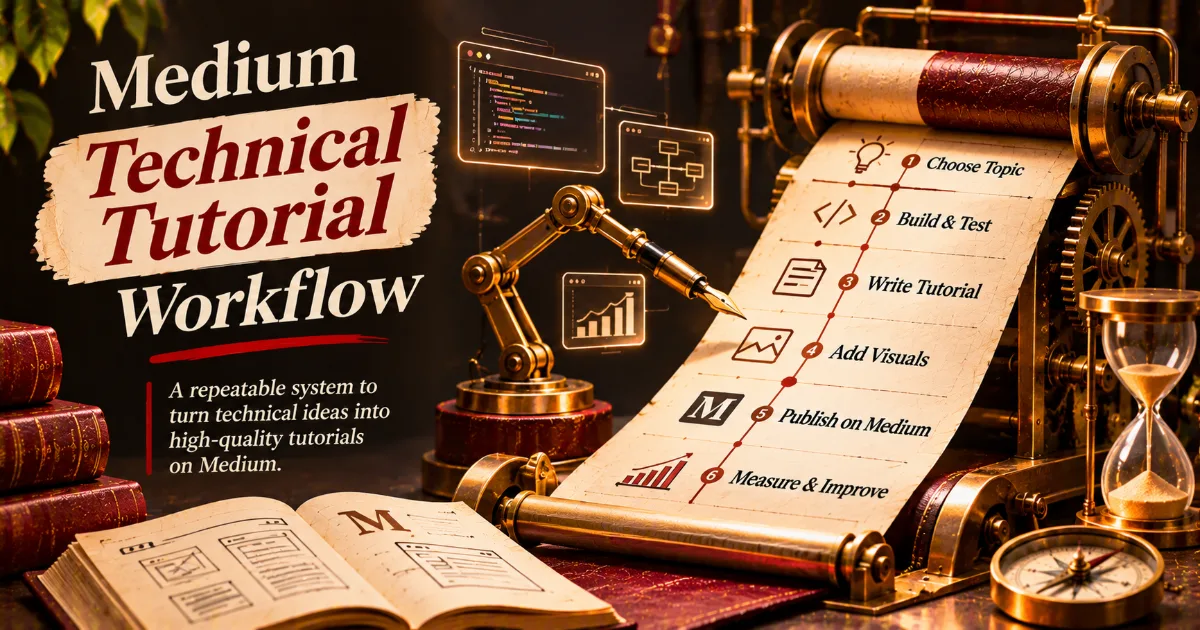
A Medium technical tutorial workflow turns a working automation into an explainer a beginner can follow: the workflow's steps rewritten in plain language, the assumptions it quietly depends on stated out loud, and the ways it fails described along with what each failure looks like. The writer starts from the real workflow, not from memory, writes for a reader who has never opened the tool, shows small, clean screenshots with alt text, and keeps every live web address, key and customer detail out of the story. Medium supports the format with code blocks, inline code, images with alt text and captions. This post covers who the reader is, how to walk the workflow, the three parts of the explainer, the screenshots and code, the security rules, what can be automated, and a property-management firm's n8n maintenance-request workflow translated step by step.
How a working automation becomes a Medium tutorial
- 01The builderThe walkthe real workflow, node by node
- 02The writerThree listssteps, assumptions and history
- 03The writerThe explainersteps, assumptions, failure cases
- 04The editorSecurity checkevery image at full size
- Medium technical tutorial workflow: steps, assumptions and failure cases
- The reader: someone who has never opened the tool
- Walking the real workflow before writing a word
- The three parts of the explainer
- Screenshots, code blocks and alt text on Medium
- What never appears in a tutorial: URLs, keys and customer data
- What can be automated, and what the writer and builder decide
- A worked example: a property-management firm's n8n maintenance requests
- What a tutorial costs, and how it goes wrong
- Frequently asked questions
- Where to start
Medium technical tutorial workflow: steps, assumptions and failure cases
A Medium technical tutorial workflow is the routine a business uses to turn one of its working automations into a story a newcomer can learn from. The source is a real workflow that runs every day. The output is a tutorial with a fixed shape: what the workflow does, the steps it takes in the order it takes them, the assumptions those steps rely on, and the failure cases a reader building something similar will meet.
Why most technical tutorials lose their reader
Every step · every failure
a tutorialsteps, assumptions and failure cases
Every step · happy path
breaks laterthe first form change stops it
Skipped steps · every failure
lost earlythe beginner stops at step two
Skipped steps · happy path
no usethe writer’s own notes
Left column: failure cases described
Right column: only the happy path
The shape matters because technical tutorials usually fail in one of two ways. Some are written by the person who built the workflow, who skips the steps that feel obvious and loses the beginner on the second screenshot. Others describe only the happy path, so the reader builds the workflow, watches it break the first time a form changes, and has no idea why. Steps, assumptions and failure cases together cover both.
For a business, a good tutorial on Medium shows how it works rather than claiming that it works, which is the most credible thing an automation business can publish. It is one of the story types the Medium content automation setup we build is designed to handle, with the website keeping the canonical version. A customer story told as a method does the same, the approach in our guide to the Medium case study article.
A tutorial also earns a regular place in a publication's plan. It is a natural slot in the Medium editorial calendar for readers at the practising stage, and a good way to find out whether readers want more technical depth, which is the kind of question our guide to Medium content angle testing is built to answer. Whether the business needs a publication for that, or a profile is enough, is the subject of Medium publication vs profile.
The reader: someone who has never opened the tool
The tutorial is written for a reader who understands the problem and has never used the tool. They know what a maintenance request is; they do not know what a trigger node is. Every term the tool uses gets a plain explanation the first time it appears, and the explanation says what the thing does rather than what it is called inside the product.
What the beginner reading the tutorial climbs through
- 01Knows the problem
what a maintenance request is
- 02Has the prerequisites
an account, a form, a sheet
- 03Understands each term
every tool term explained once
- 04Builds their own
with the assumptions checked
Google's technical writing course makes the reader the starting point. Its lesson on audience asks writers to define who the audience is, determine what they need to learn, and fit the document to that gap rather than to what the writer knows. Its wider technical writing courses are the ones Google's own engineers take, and their first lesson is the one most tutorials skip.
Writing for a beginner does not mean writing down to an expert. Nielsen Norman Group's research shows plain language is for everyone, even experts: specialists also prefer clear, concise text, because it lets them get what they need faster. A tutorial written plainly loses no expert readers and keeps every beginner. The opening, in particular, has to tell the newcomer what they will be able to do by the end, and our guide to rewriting a Medium article introduction shows how to write one without changing the facts beneath it.
A short list of prerequisites helps the same reader. Before the first step, the tutorial says what they need to have: an account on the tool, a form that can send its answers somewhere, a shared sheet, and a rough idea of who should be told about an urgent request. A reader who discovers halfway through that they needed something they do not have will usually stop there; a reader who sees the list first can gather it, or decide this tutorial is not for them yet, without wasting an evening.
Walking the real workflow before writing a word
The writer starts by opening the workflow and walking it end to end, node by node, with the person who built it. Memory is not good enough: workflows accumulate small fixes, a filter added after a bad week, a renamed field, a retry on one step, and the builder forgets most of them. Each of those details is either a step the tutorial needs or a failure case it should describe.
What walking the workflow with its builder produces
in the order the workflow runs
- one sentence each
what it takes for granted
- fields
- dates
- lists
every change since version one
- a filter
- a fix
The walk produces three lists. The steps, in the order the workflow runs, each written as one plain sentence. The assumptions, everything the workflow takes for granted: the fields the form sends, the format of a date, who is on the contractor list, that someone looks at the error log. And the history, every change made since the first version and why, which is the richest source of failure cases a tutorial can have.
A real run helps. In n8n, each run of a workflow is an execution, and n8n's documentation on executions describes viewing past runs and the data each step received and produced. Looking at a recent successful run and a recent failed one, with the data blurred, shows the writer exactly what the reader's own workflow will see. How the n8n workflow itself should be structured, with its triggers, branches and error paths, is a separate question, covered in our guide to structuring n8n workflows. Executions are also how n8n bills, and an n8n content system for a business works out how few of them a weekly content workflow uses.
The three parts of the explainer
The explainer has three parts, always in this order. The steps come first, numbered, each one a sentence a beginner can act on: "When a tenant submits the form, the workflow receives their answers." The reader should be able to follow the steps and end up with something that runs, even if they skip everything else. Tools change after a tutorial is published, and an edit saved to a published story is visible to readers immediately, as Medium's create, edit or delete a story page notes; when and how to make those edits is the subject of our Medium article update workflow.
The three parts of the explainer, in order
- 01The stepsnumbered sentences a beginner can act on
- 02The assumptionseach one checkable against the reader’s setup
- 03The failure caseswhat goes wrong, how it looks, what to change
Relative, not measured
The assumptions come second, each one stated as a sentence the reader can check against their own situation: "This assumes your form sends the tenant's unit number as a separate field." Assumptions are where most beginner workflows break, because the tutorial worked in the writer's setup and the reader's setup differs in one small way nobody mentioned. Naming the assumption lets the reader spot the difference before it breaks anything.
The failure cases come last, each one a short paragraph: what goes wrong, what the reader will see when it does, and what to change. "If the form's field names change, the workflow will run but the message to the contractor will be blank. Check the field names in the first step." Failure cases are the part readers bookmark, because they are the part nobody else writes down.
The finished draft is tested on a real beginner before it is published: someone in the business, or a friendly customer, who has never used the tool follows the steps in a test account while the writer watches and says nothing. Every place they hesitate is a sentence that needs rewriting, and every question they ask is a step or an assumption that was missing. One test run of this kind usually finds more than any amount of rereading, because the writer already knows what every sentence means. For readers who want the wider picture first, our guide on how to automate content with n8n covers the tool's basics, and the other tool guides sit under automation tools.
The three parts are broken into short chunks with clear headings. Nielsen Norman Group's guidance on chunking explains why: content split into small, related units is easier to scan and remember, which matters most for a reader switching between the tutorial and the tool.
Screenshots, code blocks and alt text on Medium
Screenshots show where to click; text explains why. Each screenshot is cropped to the part of the screen that matters, one step per image, and carries a caption saying what the reader should notice. Medium's help page on using images describes adding alt text to an image, a brief description for readers with visual impairments, and a caption that appears beneath it. Every screenshot gets both, and the alt text says what the screenshot shows, not "screenshot". Medium's guide to using the story editor says numbered lists cannot be continued after a section break or between images, which affects how numbered steps are laid out; keeping those steps identical in every tutorial is a job for the one-page Medium publication style guide.
What each screenshot and code sample needs on Medium
- Cropped to one step the part of the screen that matters
- A caption and alt text what the reader should notice
- Short configuration in a code block three backticks in the editor
- A whole exported workflow pasted in unreadable on a phone
Small pieces of configuration go in code blocks. Medium's help page on code blocks and inline code describes inserting a block from the editor menu or by typing three backticks, and marking inline code with single backticks. A short example of the data a form sends, with made-up values, is often clearer in a code block than in a paragraph. Drafts written in Markdown can follow the same conventions, which CommonMark's reference sets out.
Long code does not belong in a beginner's tutorial. A whole exported workflow pasted into a story is unreadable on a phone and teaches nothing. If the reader needs the full workflow, the website version can offer it as a download, and the Medium story links to the website for it. The tutorial explains; the file is for those who want to skip the explanation. The same rule, the website holds the full version and Medium carries the explanation, runs through every guide on the Medium hub. A link out to that file is still a link off Medium, and our Medium referral linking workflow covers how to choose and disclose it.
What never appears in a tutorial: URLs, keys and customer data
A tutorial built from a real workflow carries real risks, and three things never appear in it. The first is a live web address that triggers the workflow. n8n's documentation on the Webhook node describes it receiving data from other services and starting a workflow, with separate test and production addresses; a production address in a screenshot is an open door for anyone who reads the story. A draft is less private than it looks: a shared draft link opens for anyone logged in to Medium who has the URL, according to its help on sharing drafts and getting feedback, so secrets are removed before the draft exists; our Medium AI editorial workflow lists what else is reviewed ahead of import.
What is removed before a screenshot is taken
In the real workflowIn the tutorial
The address
the live production web address
removed from the copy
Credentials
keys, passwords and tokens
blurred or replaced first
Customer data
real tenant names and units
invented and labelled
The final check
images ready to publish
every image at full size
The second is any credential: an API key, a password, a token, or the name of an account that should not be public. Credentials are blurred or replaced before a screenshot is taken, never after, because a cropped or blurred image can still be the wrong version. Where the credential lives matters too: WordPress 7.2 gives plugins an encrypted store for keys like these, covered in our news story on the Secrets API in the WordPress 7.2 beta. The third is customer data. Example data is invented and labelled as an example: a made-up unit number, a fictional tenant name, a request nobody actually sent.
The same rules apply to the tools a reader might use instead. Make.com's webhooks and Zapier's guide to triggering Zaps from webhooks both give each scenario or Zap its own address, which needs the same protection. A security check, the editor looking at every image at full size for addresses, keys and names, is the last step before import.
Screenshots also age. Tools change their screens, rename buttons and move menus, and a tutorial whose images no longer match the product loses the beginner at the first mismatch. The website version records the tool version or the month the screenshots were taken, and the tutorial is rechecked when the tool announces a significant change to the screens it shows. A short note near the top, saying when it was last checked, tells the reader how far to trust the pictures. A scheduled audit of the published story, as in our guide on how to audit a Medium publishing workflow, catches an outdated image before a beginner does.
What can be automated, and what the writer and builder decide
Parts of the routine can be automated; the explaining cannot. A workflow can export the automation's structure and list its steps by name, which gives the writer a starting outline. It can pull a recent execution's step list, with the data stripped, so the writer sees the order and the branches. And it can check the finished draft for text that looks like a web address, a key or an email, and flag every image for the security check.
The preparation a workflow can do before the writer starts
- >Export the maintenance workflow and list its steps by name
- ·Found the steps and the two branches in the export
- +tutorial-outline.md with the steps in run order
- ·Flagged one image showing a web address and one an email
- ·Which assumptions are real risks for a beginner?
- An outline and a list of flagged images, waiting for the writer.
The writer and the builder decide everything that makes it a tutorial. Which steps a beginner needs explained and which can be summarised. Which assumptions are real risks and which are trivia. Which failure cases are common enough to include. And whether the example data is clearly invented. Those decisions need someone who has built the workflow and someone who can remember not knowing how.
The tutorial's claims about each tool are linked to that tool's own documentation, in the sentence that makes them, following our guide to Medium article source citations. If an AI model helps draft the explanation, Medium asks for that to be disclosed near the start, and every technical claim is still checked against the running workflow, using the checks in our Medium AI article fact checking guide. The same rule holds when tools are set side by side, as in our guide to a Medium tool comparison article, where each fact in the matrix is linked and dated.
A worked example: a property-management firm's n8n maintenance requests
Illustration. A property-management firm runs an n8n workflow for maintenance requests. A tenant fills in a form; the workflow reads the answers, decides whether the request is urgent, sends urgent ones to the on-call contractor at once, adds the rest to a shared sheet for the next working day, and emails the tenant a confirmation. It has run for months and nobody outside the firm understands it. The firm decides it would make a good tutorial for other small property managers.
The property-management firm’s maintenance workflow
reads the request, decides urgency
the request comes in
no heating, no water, a leak
urgent requests at once
the rest, for the next day
| Part of the tutorial | What the firm wrote |
|---|---|
| Step 1 | When a tenant submits the form, the workflow receives their answers. |
| Step 2 | It checks whether the tenant ticked "no heating", "no water" or "a leak", and treats those as urgent. |
| Step 3 | Urgent requests go straight to the on-call contractor; the rest go into the shared sheet. |
| Assumption | The form sends the unit number as its own field, and the on-call list is updated every week. |
| Failure case | If the form's field names change, the contractor's message arrives blank; check the first step. |
| Failure case | If a tenant submits twice, two messages go out; the tutorial shows a simple duplicate check. |
The walk with the builder turned up two details nobody had written down: a filter added after a week when a test submission reached the contractor at night, and a change to how dates were read after a form update. Both became failure cases. The screenshots were taken from a copy of the workflow with the production address removed, the tenant names replaced with invented ones, and the contractor's phone number blanked before capture.
The tutorial went on the firm's website first and then to Medium, crediting the website version. This is an illustration of the translation method; it describes how the steps, assumptions and failure cases were found and written, not how many readers the tutorial reached.
What a tutorial costs, and how it goes wrong
A tutorial costs the builder an hour to walk the workflow with the writer, and the writer a day or so to draft, screenshot and check it. The walk is the part people try to skip and the part that makes the tutorial worth reading, since it is where the assumptions and failure cases come from. A tutorial written from memory is cheaper and shows it.
How much each mistake costs a tutorial’s reader
Relative, not measured
Tutorials go wrong in four ways. They skip the steps the builder finds obvious. They describe only the happy path. They paste a whole exported workflow instead of explaining it. And they leak something: a live address, a key, a customer's name. The first three make a tutorial less useful; the fourth makes it dangerous, which is why the security check is never skipped.
A business that wants a steady run of these, one per workflow worth explaining, can build the walk, the outline and the security check into its content system. Our Medium pricing page lists what that covers. For readers choosing a tool before following a tutorial, our comparison of n8n, Zapier and Make sets out the differences, and the other n8n guides are gathered on our n8n page.
Frequently asked questions
What is a Medium technical tutorial workflow?
It is the routine for turning a working automation into a Medium tutorial a beginner can follow: the workflow's steps in plain language, the assumptions it depends on, and the failure cases a reader will meet, built from the real workflow rather than from memory.
Who should a technical tutorial be written for?
For a reader who understands the problem and has never used the tool. Explain every tool term the first time it appears, say what each step does, and keep the language plain, which experts prefer too.
Can I use code blocks in a Medium story?
Yes. Medium lets you insert a code block from the editor menu or by typing three backticks, and mark inline code with single backticks. Keep code short in a beginner's tutorial and link the website version for any full file.
What should never appear in a tutorial screenshot?
A live workflow web address, any credential such as an API key or token, and real customer data. Remove or replace them before the screenshot is taken, and check every image at full size before import.
Why include failure cases in a tutorial?
Because they are what readers need most and rarely find. A reader who builds the workflow will meet the failure the tutorial did not mention, so describing what goes wrong, how it looks and what to change makes the tutorial genuinely useful.
Can a workflow write the tutorial automatically?
It can export the steps as an outline, list a recent run's order and flag anything that looks like an address or key. The explaining, choosing assumptions and failure cases, needs the builder and a writer.
Where to start
Pick one automation that has run for a few months and that someone outside your team would want to build. Book an hour with its builder and walk it node by node, writing down the steps, the assumptions and every change made since the first version. Draft the three parts in that order, take screenshots from a copy with the addresses, keys and real data removed, and add alt text and a caption to each. Check every image at full size, publish on your website, then adapt it for Medium. A recorded walk-through can also yield essays, by the route in our guide to Medium webinar repurposing. The same hour of recorded conversation is how our guide to Medium founder thought leadership gathers a founder's views.
Disclosure
This post was written by Shreyas Dave, founder of Paper Eagle AI. We sell content automation services, which is the category this article is about, so we have a commercial interest in you concluding that a system beats ad-hoc effort — read it knowing that. No tool vendor was involved in writing it, nobody paid for a mention, and there are no affiliate links anywhere on this site. Where a third-party figure appears, it’s attributed to the publisher it came from; anything we couldn’t source is written as a direction rather than a number.
Paper Eagle AI builds Content Operating Systems that turn a business’s knowledge and expertise into consistent, multi-platform content, and we deliver them as content automation services. Working as a content automation specialist, we capture what a business knows and how it sounds, set the strategy, and build the workflows that research, draft, repurpose and publish — with a named person approving every piece before it goes out. Every build runs through discovery, design, build and handoff. The system lives in the client’s own accounts, it is documented, the team is trained to run it, and the business owns it outright. We don’t write content on a retainer, and we don’t build lead generation, CRM or sales automation.
One source of thinking becomes native content for every platform a business publishes on: the founder’s LinkedIn and the company page, YouTube and Shorts, Instagram and Reels, TikTok, Reddit, Medium, newsletters, and the company’s own website, written to be found in Google and understood by AI search. Our multi-platform content automation page shows how they share one source, and our case studies document the systems behind our own publishing, file by file. You can follow the work on the company’s own channels: Paper Eagle AI on Instagram, Paper Eagle AI on YouTube, the Paper Eagle AI company page on LinkedIn, Paper Eagle AI on Substack, Paper Eagle AI on Reddit and Paper Eagle AI on Medium. Paper Eagle AI is also listed where clients can review its work: Paper Eagle AI on Clutch, Paper Eagle AI on GoodFirms and the Paper Eagle AI Google Business Profile.
Keep reading
- How to structure n8n workflows — how the workflow being explained should be built in the first place.
- n8n vs Zapier vs Make — which tool a beginner reading the tutorial would choose for the same job.
- Medium article source citations — how the tutorial links each tool's documentation in the sentence that uses it.