n8n vs Zapier vs Make: Choosing the Automation Layer
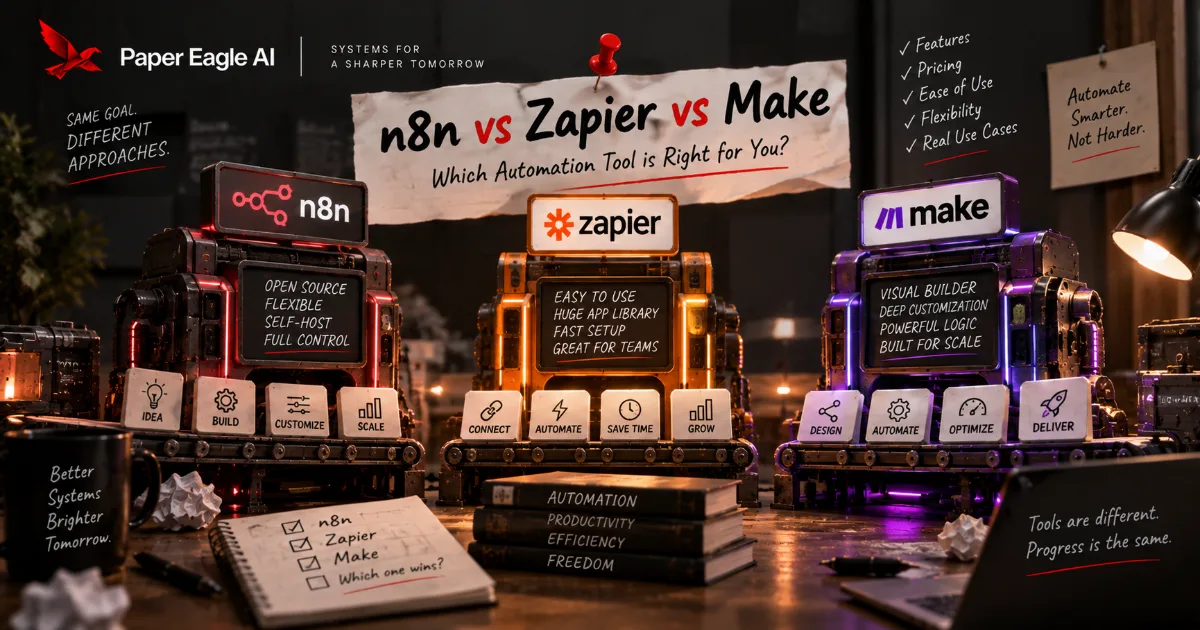
This comparison is usually run as a feature audit — three columns, a row per integration, a tick or a cross in each cell. It produces a confident answer that turns out not to matter, because all three of these tools can build the content workflow you have in mind. What separates them is what happens afterwards: who on your team can open the thing in six months, what it does when the workflow stops being a straight line, where your source material is allowed to live, and how the bill behaves when one idea fans out into eleven outputs. Those four questions have different answers for each tool, and none of them appears on a comparison page.
The same decision, made two ways
Chosen from a feature table
- "It integrates with everything we use."
- The person who built it has left.
- Simple runs are cheap; the fan-out is not.
- Changing your mind means rebuilding from scratch.
Chosen from the workflow
- "It does the four things this pipeline needs."
- Two people can read it and one can change it.
- The billing shape matches the shape of the work.
- The logic is written down, so a move is a rebuild of the wiring only.
- What you are actually choosing between
- Draw the workflow before you shop
- The three of them, honestly
- Where it runs, and why that is the first real fork
- What happens when it stops being a straight line
- Who can open it in six months
- The step that calls a model
- What it costs to change your mind
- What this honestly costs
- How we actually choose
- Frequently asked questions
What you are actually choosing between
Start from what is genuinely true of all three: n8n, Zapier and Make will each connect the services you use, run on a schedule or a trigger, pass data between steps, call an API, and retry when something fails. For a content pipeline — take an idea, draft against a brief, route it to the right places, log what went out — any of the three will do the job. Anyone telling you one of them cannot is comparing feature lists rather than building anything.
So the decision has to be made on the things that differ, and those things are structural rather than functional. It is also a decision worth making late: as how to automate content creation argues, the right tool is the one that matches a workflow you have already run by hand, so choosing before that point means choosing on marketing copy. Where the tool runs, and therefore where your source material sits. How it behaves when a workflow needs a branch, a loop and an error path rather than five steps in a row. What skill it assumes from whoever maintains it. How it counts what you use. And how much of your build is portable if you leave.
Those five carry very different weight, and getting the weighting wrong is more expensive than picking the wrong tool. A team that chooses on integrations and then discovers nobody can maintain it has bought a workflow with a resignation-shaped fuse in it.
It is also worth naming why "which is best" has no answer, because the question keeps getting asked and the silence in reply looks evasive. These three are not three attempts at the same product. Zapier optimised for the widest possible set of people being able to build something. Make optimised for expressing a complicated flow visually. n8n optimised for control — over the environment, over the code, over what the AI steps can do. Each one is genuinely the best at the thing it chose, and a ranking would have to assume everybody wants the same thing. What you can do instead is rank your own constraints, which takes about ten minutes and gives an answer that is actually yours.
Five factors, and how much each should usually carry
Who can maintain it decides whether it survives
Where it runs and therefore where your data sits
How it bills a fan-out the shape, not the number
Branching and loops matters from month three
The integration count the one everybody starts with
A judgement about what usually decides it, not a score
Draw the workflow before you shop
The reason the tool question is hard to answer is almost always that the workflow question has not been answered. You cannot tell whether you need branching until you know whether the pipeline branches, and you cannot tell whether the billing shape matters until you know how many things one input turns into.
So draw it once, on paper, before opening any of the three. A content pipeline is usually five or six stages, and the useful thing about drawing it is not the diagram — it is that you find out which stages need a judgement and which are mechanical. The mechanical ones are what you are buying an automation layer for. The judgement ones are what you are deliberately keeping human, and no tool choice affects them at all.
One content pipeline, drawn once, with the judgement marked
- 01Idea ina person decides it is worth saying
- 02Brief builtmechanical, from the source
- 03Drafta model, on a written standard
- 04Approvea person, always
- 05Route and logmechanical, and it fans out
The three of them, honestly
Zapier has the lowest floor of the three and the largest catalogue of connections. Its model is a trigger followed by a list of actions, which is exactly the right shape for most of what people automate and stays readable to somebody who has never built a workflow before. That readability is a genuine engineering property, not a beginner feature — a workflow a marketer can open and understand is a workflow that gets fixed on the day it breaks rather than the week the developer is free. It handles branching, but branching is not what it is best at.
Make is a canvas rather than a list. You draw the graph, and it is comfortable with the things a list is awkward about: splitting a path, iterating over a set of items, aggregating them back together, reshaping data in the middle. For a content pipeline that fans one input into several differently-shaped outputs, that is the natural model, and Make is where a lot of people land when they hit the edge of a linear tool. The price of that power is a steeper first week.
n8n is also a canvas, and its distinguishing property is that you can run it on your own infrastructure. It is source-available and self-hostable, or you can use their cloud, and that single fork changes the answer to several other questions at once. Its nodes accept real code when you need it, and its LLM and agent tooling is the most developed of the three. It expects the most from whoever maintains it and gives the most room in return — you can see that trade in a real build in how to automate content with n8n, which turns one finished piece into approved posts.
Those are the honest shapes. Everything below is what follows from them.
Where each one is strongest, weighed against each other
Relative strengths, not a score — and the bottom row is a tie
Where it runs, and why that is the first real fork
A content system reads your source material: how you describe your services, the results you are allowed to cite, unpublished positioning, sometimes client work. With a hosted tool that material passes through somebody else's infrastructure on every run. For most businesses that is entirely fine and the same is already true of their email and their documents.
For some it is not, and they usually know which they are: regulated work, client confidentiality clauses, a procurement process that asks where data is processed. n8n's self-hosting option is the only one of the three that answers that question with "on our own server", and if that is a live constraint it decides the tool before any other factor gets a vote.
The honest caveat is that self-hosting is not free just because the licence is permissive. Somebody updates it, backs it up, watches it and fixes it at eleven at night when a run fails. That is a real ongoing job, and a team without anyone to do it should use a hosted option and be glad of it.
Three places the automation can actually live
Zapier and Make, and n8n's own cloud
- Nothing to patch
- Data passes through
n8n, self-hosted
- Data stays put
- Somebody owns it
sensitive steps in, everything else out
- Two things to run
- Two things to explain
What happens when it stops being a straight line
Every content workflow starts as five steps in a row and stops being that within about a quarter. The additions are always the same: one platform needs a different format, so there is a branch. A single idea produces several outputs, so there is a loop. A step fails and you would rather retry than lose the run, so there is an error path. Someone wants to be asked before anything publishes, so there is a wait.
This is where the linear model and the graph model start to feel different. A list of actions with conditions bolted on remains buildable and gradually becomes harder to read; a canvas shows the branch as a branch. Neither is wrong — but a workflow you cannot read is a workflow nobody will touch, and unreadable is how a working automation quietly becomes a permanent one nobody dares change.
Readability is worth taking seriously as an engineering property rather than a matter of taste, because it decides who is allowed to touch the thing. A workflow that only its author can follow has effectively become that person's private tool, whatever the org chart says. When they are away, small changes wait; when they leave, the sensible-looking option is a rebuild, and a rebuild is how a working system gets thrown away for reasons that have nothing to do with whether it worked.
What a content workflow accumulates, in the order it usually arrives
Who can open it in six months
This is the factor that decides whether a content system survives, and it is almost never on the comparison page. The question is not whether your most technical person can build it. It is whether the second most technical person can change it on a Thursday when the first one is on holiday and a platform has changed its format.
Ask it concretely rather than in the abstract. Who built it. Who else has opened it. If they left next month, could someone else add a step without a call. Is the workflow's logic written down somewhere outside the tool, or is the tool the only place it exists? That last one is the difference between a system and an artefact, and it is not a property of the software at all.
Roughly: if your team is comfortable with data shapes and the occasional line of code, n8n's ceiling is worth having. If content sits with marketing and nobody wants to think about JSON, Zapier's floor is worth more than n8n's ceiling. Make sits between the two and is the honest answer more often than either camp admits.
The maintainability test, stated field by field
- Who built it
- A name, not a team or an agency
- Who else has opened it
- If the answer is nobody, that is the finding
- Where the logic is written
- Outside the tool, in words, or it is not written
- The last change somebody else made
- And how long it took them
- The test
- Somebody who did not build it adds a step, alone, in an afternoon
The step that calls a model
All three can call a model's API, and if that is all you need — one prompt, one response, into the next step — the difference is negligible and you should ignore this section.
It stops being negligible when the AI step is more than one call. That means retrieving your own source material before the prompt, so the draft is grounded in what your business actually says. It means chaining calls so one output shapes the next, giving a step tools it can use, and keeping context across a whole run. n8n has invested most heavily here, and it shows — this is the part of AI automation where the three genuinely diverge rather than merely differ in style.
What none of them solves is the part that matters most. A grounded, well-chained, tool-using AI step still writes from whatever source material you pointed it at, so if that is out of date the workflow produces confident nonsense on schedule. The tooling is not the hard part — keeping the inputs true is. If you have already settled on n8n and want the pipeline rather than the comparison, content automation with n8n walks through the scheduled digest and the drafting branch node by node.
Week two · wiring the draft step against the brand source
- >Take the brief node's output and draft against the voice guide. Ground it in the service pages, not the model's guess.
- ·Reading voice-guide.md and six service pages. Building the retrieval step first.
- +Added a retrieval node — the draft prompt now carries the three most relevant source passages.
- +Pinned the model version in the node rather than the workspace default.
- ·Waiting on you: the voice guide contradicts the services page on one phrase. Which is right?
- Elapsed · about ninety minutes · output: one grounded draft step, one contradiction found
What it costs to change your mind
There is no meaningful export path between these three. A Zap does not become a Make scenario, and a Make scenario does not become an n8n workflow. Anyone who tells you switching is easy has not done it.
What is portable is the thinking: the stages, what triggers what, which steps need judgement, what the standard is, what gets logged. If that lives in a document rather than only inside the tool, a move is a rebuild of the wiring — a few days — rather than a rediscovery of your own process, which is weeks and produces a worse version of what you had. This is the single strongest argument for writing the workflow down before building it, and it pays whether or not you ever switch.
It also changes the stakes of the decision, which is worth saying plainly to anyone stuck on it. If the logic is documented, choosing wrong costs days rather than a quarter. Most teams deliberating for a month over this would be better served building it in whichever tool they already have and writing the process down properly as they go.
Why a documented workflow survives a change of tool
stages, triggers, standards, what needs a person — in words, outside the tool
whichever one fits the team; the build is the wiring, not the thinking
a price model, a limit, a constraint, or the team's skills move on
days, because the hard half never lived in the tool
Set them side by side on the things that actually differ, and the shape of the choice is clear enough.
| Zapier | Make | n8n | |
|---|---|---|---|
| Shape of a workflow | A trigger and a list of actions | A canvas you draw | A canvas you draw |
| Where it can run | Their cloud | Their cloud | Their cloud, or your own server |
| What it counts | Each task a step performs | Each operation a module performs | Each run of a workflow |
| Branch, loop, aggregate | Possible, not its strength | The native model | The native model |
| Dropping to code | Available, rarely needed | Available in modules | Expected, and first class |
| Multi-step AI work | Integrations and AI actions | Integrations and AI modules | The most developed of the three |
| Who maintains it comfortably | Anyone on the team | Someone who likes systems | Someone comfortable with data and code |
One caveat on the third row, and it is the row most likely to age: how each product counts usage is a commercial decision that vendors revise. The shape is the durable part — per step versus per run — and it is the shape that matters for content work, because a pipeline that turns one idea into eleven outputs multiplies steps and does not multiply runs. Each vendor documents what it counts: Zapier’s unit is any successful action a step performs. Check the current terms before you commit to anything; do not take a number from an article, including this one.
What this honestly costs
The tool is the cheap part, whichever one you pick, and that is worth internalising before you spend three weeks deliberating. The expensive parts are the ones that are the same across all three.
Drawing the workflow properly is a couple of hours with the people who actually do the work. Writing down the standard the output is measured against is half a day and it is the piece most teams skip. The first build is days rather than weeks if the thinking is done, and weeks if it is not. Then there is the standing hour a month of upkeep, which is what stops the thing decaying, and which no tool removes.
Against that, the choice between these three affects maybe a fifth of the total effort. The other four fifths is work you would do identically in any of them — which is the real reason this comparison should take an afternoon and not a month.
It is worth being equally clear about what the tool choice does not affect, because that list is longer than people expect. It does not change whether your source material is current, whether the voice standard is written down, whether somebody approves before publishing, whether anyone reviews the output in month four, or whether the workflow's logic exists anywhere outside the canvas. Those five determine whether the system is any good. All three tools are exactly equally indifferent to them.
How much of the work is the tool, across a build
Left to right: deciding, building, then running it
Bottom to top: effort the work demands
- The range across teams
- The middle of it
How we actually choose
We build in all three, and the choice takes about ten minutes once the workflow is on paper. If the source material cannot leave the client's infrastructure, it is self-hosted n8n and nothing else is discussed. If the pipeline is genuinely branchy — several destinations, several formats, a loop over outputs — it is Make or n8n, and which one comes down to who will maintain it. If the team is a marketing team who want to own their own automation and never open a code node, it is Zapier, and that is a good outcome rather than a compromise.
A content automation AI agency that recommends whatever it happens to enjoy building in is optimising for its own convenience, and the client is the one who inherits a system nobody in the building can maintain once the engagement ends. At Paper Eagle AI we would rather hand over a Zapier build the team can run themselves than a more elegant one they have to call us about. The measure of a system is whether it survives without us, and the tool is the smallest part of whether it does.
Whatever you land on, the order matters more than the choice: draw the workflow, write down the standard, then wire it. If you want the full picture of what the wiring sits inside, that is content automation.
Frequently asked questions
Which is best for content automation?
None of them, in the abstract. All three will build a content pipeline, so the answer depends on your team rather than on the software. Self-hosted n8n if the source material cannot leave your infrastructure; Make or n8n if the workflow branches and loops; Zapier if the people who will maintain it are the people who write the content. The wrong question is which is most powerful, because the most powerful tool nobody on your team can open is the weakest one you could have chosen.
Is n8n free?
It is source-available and can be self-hosted, which is not the same as free. You trade a licence cost for a hosting cost and, more significantly, for somebody's ongoing time — updates, backups, monitoring, and being the person who fixes it when a run fails at eleven at night. For teams with that capacity it is excellent value. For teams without it, a hosted option is cheaper in the only currency that matters.
Do I have to self-host n8n to use it?
No. There is a hosted version, and most teams start there. Self-hosting is worth the trouble when data residency is a real constraint or when you want full control of the environment. Choosing n8n does not commit you to running your own server, and it is worth separating the two decisions rather than treating them as one.
Is Make just a cheaper Zapier?
No, and treating it that way leads to the wrong choice. They have different models: Zapier is a trigger and a list of actions, Make is a graph you draw. For linear work the list is clearer and faster to build. For work that splits, iterates over a set of items and joins back up, the graph is the right shape and the list becomes hard to read. Pick the model that matches your workflow's shape.
Can I move a workflow from one to another later?
Not directly — there is no meaningful export path between the three, and anyone claiming otherwise has not tried it. What transfers is the thinking: the stages, the triggers, the standard, what needs a human. If that lives in a document rather than only inside the tool, a move costs days of rewiring. If it does not, you are rediscovering your own process from a diagram, which takes weeks.
Which one handles the AI step best?
All three can call a model's API, and for a single prompt in and a response out the difference is negligible. n8n has invested most in multi-step work — retrieval before the prompt, chained calls, agent-style steps that can use tools — so it pulls ahead once the AI step stops being one call. None of them fixes the thing that actually determines output quality, which is whether the source material the prompt is grounded in is still true.
What do you build on?
All three, plus Claude Code for the parts that are code rather than wiring. We choose per client, from the workflow drawing and from who will maintain it after handover, not from a preference. A build the client's own team can run is worth more than a more elegant one that only we can open, and that principle decides the tool more often than any feature does.
Disclosure
This post was written by Shreyas Dave, founder of Paper Eagle AI. We sell content automation services, which is the category this article is about, so we have a commercial interest in you concluding that a system beats ad-hoc effort — read it knowing that. No tool vendor was involved in writing it, nobody paid for a mention, and there are no affiliate links anywhere on this site. Where a third-party figure appears, it’s attributed to the publisher it came from; anything we couldn’t source is written as a direction rather than a number.
Paper Eagle AI builds Content Operating Systems that turn a business’s knowledge and expertise into consistent, multi-platform content, and we deliver them as content automation services. Working as a content automation specialist, we capture what a business knows and how it sounds, set the strategy, and build the workflows that research, draft, repurpose and publish — with a named person approving every piece before it goes out. Every build runs through discovery, design, build and handoff. The system lives in the client’s own accounts, it is documented, the team is trained to run it, and the business owns it outright. We don’t write content on a retainer, and we don’t build lead generation, CRM or sales automation.
One source of thinking becomes native content for every platform a business publishes on: the founder’s LinkedIn and the company page, YouTube and Shorts, Instagram and Reels, TikTok, Reddit, Medium, newsletters, and the company’s own website, written to be found in Google and understood by AI search. Our multi-platform content automation page shows how they share one source, and our case studies document the systems behind our own publishing, file by file. You can follow the work on the company’s own channels: Paper Eagle AI on Instagram, Paper Eagle AI on YouTube, the Paper Eagle AI company page on LinkedIn, Paper Eagle AI on Substack, Paper Eagle AI on Reddit and Paper Eagle AI on Medium.
Keep reading
- Why automated content stops working — what happens to the workflow after the tool question is settled.
- How to choose content tools — the same reasoning applied to the rest of the stack.
- The definitive guide to a Content OS — the system the automation layer plugs into.