How To Automate Content With n8n
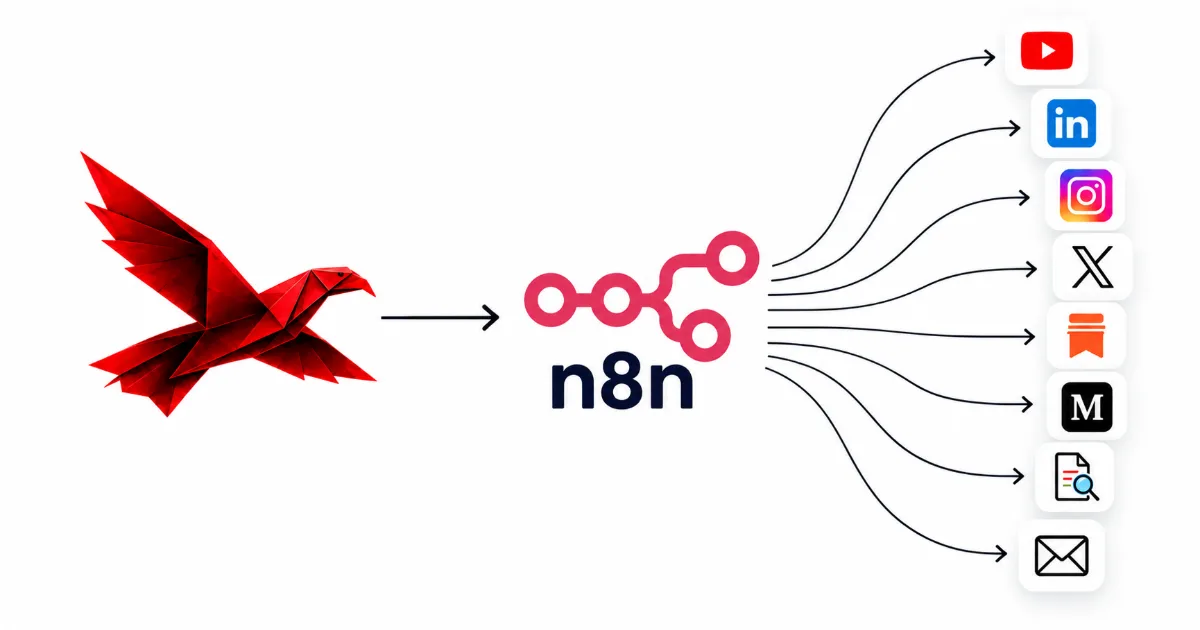
To automate content with n8n, build the output side first: one workflow that takes a finished piece, drafts a version for each platform from your own written rules, holds every draft for your approval, then posts or queues what you approved and records all of it in a table. That is five steps and a handful of standard nodes. It pays back faster than any other content workflow because it runs every time you publish, not once in a while. This post builds it step by step, including the two parts most tutorials skip — the approval gate and the record — and what it costs to keep running once it is live.
One finished piece, five steps, one person
- 01Triggera new post, file or sheet row says a piece is finished
- 02Draftone version per platform, written from your own rules
- 03Approvethe run stops until you say yes, edit it or say no
- 04Publishapproved drafts post, or join the queue for the last step
- 05Recordevery draft's status lands in a Data Table
- What automating content with n8n looks like when it works
- Why build the output side before the idea generator
- Step 1: the trigger that starts each run
- Step 2: one draft per platform, from your own rules
- Step 3: the approval gate
- Step 4: publish or queue what you approved
- Step 5: keep the record in a Data Table
- A worked example: one blog post through the workflow
- What it costs to keep running
- Frequently asked questions
- Where to start
What automating content with n8n looks like when it works
When automating content with n8n works, finishing a piece is the last thing you do by hand. The platform versions arrive as drafts in a channel you already read, you approve or correct each one in a few seconds, and the approved ones post or queue themselves while a table records what happened. Nothing about what you say has been automated. What has gone is the hour after the thinking: the copying, the reformatting, the logging in to four tools, and the quiet decision to skip the newsletter this week because it was late.
The hour after a piece is finished, before and after
By hand
- Copy the piece into each tool, one at a time.
- Rewrite the opening for every platform, from memory.
- Post whatever you have energy left for.
- No record of what went where, or when.
With the workflow
- The drafts arrive on their own, one per platform.
- Each follows the written rules for that platform.
- You approve, edit or reject each in a message.
- A table shows what posted, what is waiting and why.
The distinction matters because it decides what you build. A workflow that tries to replace the thinking produces fluent, forgettable posts, and the people reading them can tell. A workflow that replaces the moving produces the same posts you would have written, on time, in every place you meant to publish. The second kind is less exciting to describe and far more useful to own. It is also much easier to trust, because every draft passes a person before it reaches anyone else.
It helps to be precise about the inputs. The workflow needs a finished piece, a short written set of rules for each platform, and somewhere to send drafts for approval. It does not need a content strategy engine, a trend scanner or an agent that decides what to post. Those can come later, and one of them has its own post, but none of them is required for the output side to start saving you time next week.
Why build the output side before the idea generator
Build the output side first because it runs every time you publish and needs the least judgement, so it saves time from the first week and its mistakes are easy to see. An idea generator — a daily digest that reads the news and suggests what to write about — is the other half of a content system. It is worth having, and we describe it node by node in content automation with n8n. But it only pays off once you trust its filter, and tuning a filter takes weeks of marking what you did not want. The output side is useful the day it works.
How often a task runs, against how much judgement it needs
Every piece · little judgement
Automate firstReformatting and routing a finished piece to each platform.
Occasional · little judgement
Automate when it annoys youHousekeeping like archiving, tagging and monthly reports.
Every piece · real judgement
Automate, with approvalDrafting in your voice, held for a person before it goes out.
Occasional · real judgement
Keep it humanDeciding what you think and what is worth saying at all.
Columns: every piece, then occasional
Rows: little judgement, then real judgement
There is a second reason, and it is about risk. An idea generator that suggests a weak topic costs you a glance. A posting workflow that publishes a weak draft costs you something in public. Building the output side first forces you to build the approval gate early, while the volume is low and you are paying attention. Every later workflow then inherits a gate that already works, rather than having one bolted on after the first embarrassment.
Most of what we would tell you about choosing which tasks to hand over is in what to automate in your content. For this build the rule is short: automate the moving, hold the meaning. The five steps below do exactly that, and nothing in them requires a new idea from a machine.
Step 1: the trigger that starts each run
Start each run the moment a piece is finished, using a signal you already produce: a new item in your blog's RSS feed, a file saved to a particular folder, or a row in a sheet marked ready. n8n has a trigger node for each — the RSS Feed Trigger polls a feed on a schedule, the Google Drive Trigger watches a folder, the Google Sheets Trigger watches for new or changed rows — and a Webhook node if your publishing tool can call a URL when something goes live. Pick the one that matches where your work already ends. A trigger that asks you to do something new is a trigger you will forget.
How much each trigger asks of you
RSS feed fires when the post goes live
A folder fires when a file is saved there
A sheet row fires when you mark it ready
A webhook your tool calls n8n directly
A judgement of setup effort, not a score
Whichever you choose, give it a clear idea of "finished". A folder trigger that fires on every save will draft your half-written piece three times before lunch. A sheet row works well precisely because a person changes one cell from draft to ready, and that single deliberate action is the whole signal. A published RSS item is the cleanest signal of all, since nothing appears in the feed until it is live.
The node straight after the trigger should check whether this piece has been handled before. Feeds republish items when a post is edited, and folders see the same file saved twice. The Data Table from step five answers this: look up the source URL, and only continue if no row exists yet. While you build, pin the trigger's output so every test run uses the same piece instead of waiting for a new one. Pinned data is the single biggest time-saver in building any n8n workflow, and it keeps your test runs from touching anything real.
Step 2: one draft per platform, from your own rules
Give each platform its own drafting call, fed the finished piece and a short written guide for that platform, because one prompt asking for a LinkedIn post, a newsletter section and a carousel script at once returns three versions of the same paragraph. n8n's AI nodes connect to the model you choose — Anthropic, OpenAI or others — and each call is just a node with a prompt and the piece passed in. What makes the drafts sound like you is not the model. It is the guide you hand it.
One finished piece, three drafts, three sets of rules
one argument from the piece, opened the way your best posts open
- the opening line
- one point, not five
what the piece says and why a subscriber should read it now
- a short summary
- a link back
the argument cut into frames, each with a word budget
- frame by frame
- fixed length
A good platform guide is short and specific. It says how your posts open, how long they run, what you never say, and it includes two or three real examples you are proud of. Keep one shared file for your voice and one small file per platform, so a change to how you sound reaches every draft at once. Writing those files is the part of the job that no workflow can do for you, and it is where the quality of every future draft is decided. It is also the part a content automation specialist spends most of a build on. We describe how we keep that reference layer in a project folder in Claude Code for content automation.
Ask each call to return a fixed shape rather than free prose — an opening, a body and a closing line as separate fields — so the nodes after it can read the parts. That one decision makes the approval message tidy, the record searchable and the publish step simple. This is the practical core of content repurposing: one source rebuilt for each destination by rules, not rewritten from scratch each time by whoever has an hour.
Step 3: the approval gate
The approval gate is a node that sends each draft to you and pauses the whole run until you answer, and n8n builds it in: its Slack, Gmail and other messaging nodes have a "send and wait for response" operation that does exactly this. In Slack, n8n's guide to approvals in Slack describes three ways to answer: approve and decline buttons inside the message, a free-text reply, or a short custom form. The run then continues with your answer attached. Nothing is posted while it waits, and nothing is scheduled in the hope that you check later.
What happens to every draft at the gate
the draft arrives in a channel you already read, with the source linked
the run is paused; nothing posts and nothing is queued
approve it, send back an edited version, or reject it with a reason
approved and edited drafts go on to publish; rejected ones stop and are logged
Use the custom form, or a free-text reply, for anything you are likely to edit. Approve-or-decline buttons are fast, but they force a choice between posting a draft you would change and throwing away a draft that was nearly right. A form with the draft pre-filled lets you fix a line and approve in one step, and the workflow then posts your version rather than the model's. Treat an edit as an approval of the edited text; asking for a second round of approval on your own words adds a step and protects nothing.
Rejections are more valuable than they look. Ask for a one-line reason and store it. After a month those reasons are a list of exactly what your platform guides are missing — the opening you hate, the claim you would never make, the length that is always wrong. The same idea now reaches beyond this gate: since version 2.6, noted in n8n's 2.x release notes, an AI agent can be made to ask a person before it uses a tool, which n8n documents as human-in-the-loop for AI tool calls. If you later give an agent the power to post, put that approval on the posting tool.
Decide one more thing before you go live: what happens to a draft nobody answers. A paused run waits, and a stack of unanswered drafts from last month is worse than none. Check the node's options for a time limit, and when one runs out, mark the draft as expired in the record rather than posting it. Silence should never mean yes.
Step 4: publish or queue what you approved
Approved drafts either post directly, where n8n has a node that can publish for you, or go into a queue where a person or a scheduling tool takes the last step. LinkedIn is the clearest direct case: n8n's LinkedIn node creates a post as a person or as an organization, so an approved draft can go to your profile or your company page with no further step. Other destinations are better served by a draft than by a post. A newsletter section can be written into your email tool as a draft for you to send, and a carousel script can wait as a brief for whoever designs the frames.
How much of the last step n8n can take, by destination
Relative, not measured — a judgement of how far the workflow can go on its own
Posting as a company page deserves a test before you depend on it. The node supports it, but LinkedIn decides what a connected app is allowed to do, and a page post can fail on permissions that a profile post never touches; what LinkedIn checks before an app may post as a page is covered in content automation for a LinkedIn company page. Run it once on a real, harmless post and read the result before you point approved drafts at it. Whatever the destination, the publish step should write its outcome back to the record — posted, with the link and the time, or failed, with the error.
There are two kinds of publishing in this workflow, and n8n 2.0 separated them usefully. Before version 2.0, saving an active workflow changed the live version immediately. Now, as n8n explains in introducing n8n 2.0, Save keeps your edits without changing what is running, and Publish is a separate, deliberate action that updates the live version. For a workflow that posts in your name, that is the difference between editing safely and editing in front of your audience. Save often, test on pinned data, and publish the workflow only when a full test run has done what you expected.
Before the first real run, also give the workflow an error path. n8n lets you set an error workflow that runs whenever another one fails, which its guide to handling errors gracefully walks through. Point it at the same channel your approvals arrive in, and include the name of the node that broke. A posting workflow that fails silently is how a week of approved drafts goes nowhere without anyone noticing.
Step 5: keep the record in a Data Table
Keep one row per draft in an n8n Data Table — the source, the platform, the status, the text, the decision and when it went out — because that table stops duplicates, answers "did it post?" without opening the execution log, and shows you which drafts you keep rejecting. Data Tables live inside n8n itself, so there is no spreadsheet to connect or share. The Data Table node can insert, update and upsert rows, fetch them, and check whether a row already exists, which covers everything this workflow needs.
The record, one row per draft
- Source
- The link to the finished piece; the key that stops the same piece being drafted twice
- Platform
- Which destination this draft is for — one piece makes several rows
- Status
- Drafted, waiting, approved, edited, rejected, expired, posted or failed
- Text
- The version that was approved, which is not always the version that was drafted
- Decision note
- The edit or the one-line reason for a rejection
- Posted
- When it went out and the link to it, or the error if it failed
Each status is written by one step of the workflow, which is what makes the table trustworthy. If a status is set in two places, it will eventually be set wrongly in one of them.
| Status | Set by | What happens next |
|---|---|---|
| Drafted | The drafting step | The draft is sent for approval |
| Waiting | The approval step, on sending | The run pauses until someone answers |
| Approved or edited | The approval step, on an answer | The draft moves to the publish step |
| Rejected | The approval step, on an answer | The run stops; the reason is kept for the guide |
| Expired | The approval step, when time runs out | Nothing posts; the draft can be re-sent by hand |
| Posted or failed | The publish step | The link is stored, or the error workflow tells a person |
The table earns its keep in three ways. The first is the duplicate check from step one: before drafting, look for a row with this source, and stop if one exists. The second is the Friday question — what went out this week, and what is still waiting — which the table answers in one view. The third arrives after a month, when you filter by rejected and read the reasons in a row. That list is the most useful editing brief your platform guides will ever get.
A worked example: one blog post through the workflow
Here is the workflow as we would build it for a founder who publishes one blog post a week and wants each one turned into a LinkedIn post and a newsletter section. It is built with Claude Code writing the workflow from the founder's own rules, and run by n8n every week after that. n8n workflows can be exported and imported as a file, which is what makes it practical to have one tool write the workflow and the other run it.
Building the workflow, in the session that built it
- >Build an n8n workflow: new post in our blog feed, a LinkedIn draft and a newsletter section from /rules, approval in Slack, then post to LinkedIn or save the newsletter as a draft, and log every step.
- ·Read rules/voice.md, rules/linkedin.md, rules/newsletter.md and the six example posts.
- +Wrote workflow.json — feed trigger, a Data Table check on the post link, one drafting call per platform.
- +Added the Slack approval with a pre-filled form, and a Data Table update after every decision.
- +Added an error workflow that posts the failing node's name to the approvals channel.
- ·Waiting on you: should an edited draft post as edited, or come back for a second approval?
- Output · an importable workflow, a README naming its owner, and a test run on pinned data
The answer to that last question was the one from step three: an edited draft posts as edited, because the edit is the approval. With that settled, the run looks like this. On Tuesday the post goes live and appears in the feed. The next time the trigger polls, n8n picks it up, finds no row for that link in the Data Table, and writes two rows marked drafted. Two drafting calls run, each with the post, the shared voice file and its own platform guide, and each returns an opening, a body and a closing line.
Two Slack messages arrive, each with its draft in a form. The founder approves the LinkedIn post as written and rewrites the newsletter's first sentence before approving it. The LinkedIn node posts the first; the second is saved as a draft in the email tool, ready for Thursday's send. Both rows move to posted, one with a link and one with a note that the draft is waiting in the email tool. The founder's total time is about as long as it took to read two short messages.
The first few weeks are where the real work shows up, and it is always the same kind of thing. An edited post reappears in the feed and would have been drafted twice, which the Data Table check stops. The LinkedIn drafts all open the same way, which is a gap in the platform guide, not in the workflow, and is fixed by adding two examples. A draft sits unanswered over a long weekend and expires, which is the behaviour you want. None of these is solved by a cleverer node. Each is solved by a clearer rule, which is why the rules are the asset and the workflow is the delivery.
What it costs to keep running
Running this workflow costs a few minutes a day answering approvals and roughly an hour a week of upkeep, plus your n8n plan and the model usage, which you should price on each vendor's current page rather than trust any number in an article. The build is the cheap part. The standing cost is attention: somebody answers the approvals, somebody reads the error channel, and somebody turns rejection reasons into better rules. A workflow with nobody doing those three things does not fail loudly. It drifts, and the drafts get worse while the process looks fine.
Is this workflow still being looked after?
- Approvals answered. Drafts are decided within a day, not left to expire.
- Errors read. Every failure reaches a channel a person actually reads.
- Rules updated. Rejection reasons become edits to the platform guides every month.
- Connections checked. Logins to social platforms expire, so someone renews them before they do.
- Changes tested. Edits are saved and tested before the workflow is published.
- A named owner. One person's job, by name, is to look when it breaks.
The owner is the item most often left blank, and it decides the rest. Write their name in the workflow's description and in the README. The connections are the item most often forgotten: access to social platforms is granted for a limited time and has to be renewed, and a workflow whose login quietly lapsed looks exactly like one that had nothing to post. Put a monthly reminder next to the rules review and check both together.
It is also worth being honest about where the time goes over a year. The first month is heavy, because the guides are thin and every rejection teaches you something. By the third month approvals are mostly one tap and the rules change rarely. The effort never reaches zero, and a workflow sold to you as needing none is one nobody intends to look after. How automated content decays when nobody does is the subject of why automated content stops working.
Frequently asked questions
How do I automate content with n8n?
Build one workflow with five steps: a trigger that fires when a piece is finished, a drafting step that writes one version per platform from your own written rules, an approval step that pauses the run until you answer, a publish step that posts or queues what you approved, and a Data Table that records the status of every draft. Start with the approval step working before you connect anything that posts.
Can n8n post to LinkedIn automatically?
Yes. n8n's LinkedIn node can create a post as a person or as an organization, so an approved draft can go straight to your profile or your company page. Posting as a company page depends on what LinkedIn allows your connected app to do, so test it on a real post before you rely on it, and keep the approval step in front of it either way.
How does approval work in an n8n workflow?
A messaging node such as Slack or Gmail sends the draft to you with a send-and-wait operation, and the workflow pauses until you respond. In Slack you can answer with approve and decline buttons, with free text, or through a short form, and the workflow then routes the draft by your answer: approved drafts go on to publish, edited ones carry your text, and rejected ones are logged with the reason.
Where should an n8n content workflow keep its records?
In a Data Table inside n8n, with one row per draft: the source, the platform, the status, the text, the decision and when it went out. The Data Table node can check whether a row already exists, which is how the workflow avoids drafting the same piece twice, and the table answers whether something posted without anyone opening the execution log.
What changed in n8n 2.0 for content workflows?
Saving and publishing a workflow became two separate actions. In earlier versions, saving an active workflow changed the live version immediately; since n8n 2.0, Save keeps your edits without touching what is running, and Publish updates the live version when you choose to. For a workflow that posts in your name, that means you can edit and test without the change reaching your audience.
Is it safe to let n8n publish content without a person checking it?
We don't recommend it. A workflow that posts unreviewed model output will eventually post something wrong in your name, and the time it saves is a few seconds a draft. Keep a person on the approval step and let n8n do everything around it: the reformatting, the moving between tools, the posting of what was approved, and the record.
How long does it take to build a content workflow in n8n?
The first working version takes about an afternoon if your style rules are already written down. Making it reliable takes a few weeks of real use, because real pieces expose duplicates, drafts in the wrong tone and failures nobody planned for. After that, expect a few minutes a day of approvals and around an hour a week of upkeep.
Where to start
Start with the approval gate, not the posting. Build the trigger, one drafting step for the platform you publish on most, and the Slack or email approval — and point the publish step at nothing but the Data Table for the first two weeks. You will see every draft, approve or reject it, and learn what your platform guide is missing, with no risk of anything reaching your audience. When a fortnight of drafts has mostly been approved as written, connect the publish step and add the second platform. That order costs you nothing and means the first thing your workflow ever posts is something you have already said yes to.
Disclosure
This post was written by Shreyas Dave, founder of Paper Eagle AI. We sell content automation services, which is the category this article is about, so we have a commercial interest in you concluding that a system beats ad-hoc effort — read it knowing that. No tool vendor was involved in writing it, nobody paid for a mention, and there are no affiliate links anywhere on this site. Where a third-party figure appears, it’s attributed to the publisher it came from; anything we couldn’t source is written as a direction rather than a number.
Paper Eagle AI builds Content Operating Systems that turn a business’s knowledge and expertise into consistent, multi-platform content, and we deliver them as content automation services. Working as a content automation specialist, we capture what a business knows and how it sounds, set the strategy, and build the workflows that research, draft, repurpose and publish — with a named person approving every piece before it goes out. Every build runs through discovery, design, build and handoff. The system lives in the client’s own accounts, it is documented, the team is trained to run it, and the business owns it outright. We don’t write content on a retainer, and we don’t build lead generation, CRM or sales automation.
One source of thinking becomes native content for every platform a business publishes on: the founder’s LinkedIn and the company page, YouTube and Shorts, Instagram and Reels, TikTok, Reddit, Medium, newsletters, and the company’s own website, written to be found in Google and understood by AI search. Our multi-platform content automation page shows how they share one source, and our case studies document the systems behind our own publishing, file by file. You can follow the work on the company’s own channels: Paper Eagle AI on Instagram, Paper Eagle AI on YouTube, the Paper Eagle AI company page on LinkedIn, Paper Eagle AI on Substack, Paper Eagle AI on Reddit and Paper Eagle AI on Medium.
Keep reading
- Content automation with n8n — the input side: the daily digest that decides what is worth writing before this workflow ever runs.
- n8n vs Zapier vs Make — if you have not chosen a workflow tool yet, the honest three-way comparison.
- What to automate in your content — which tasks to hand to a workflow and which to keep, task by task.