Medium Article Update Workflow: Keep Stories True as Products Change
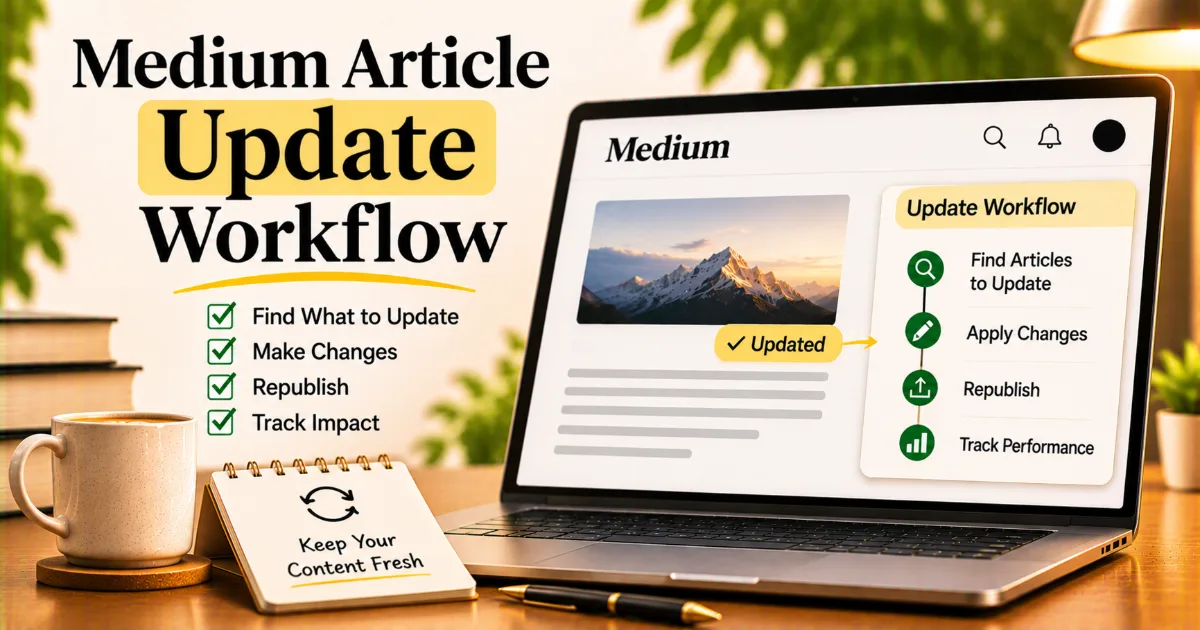
A Medium article update workflow keeps published stories accurate when the products they describe change. It watches for three kinds of drift, renamed features, changed limits and broken links, checks each story against the current official sources on a schedule, fixes the website version first and the Medium story second, and records every change in a dated revision log: what changed, from what to what, according to which source, checked on which day. Medium lets an author edit a published story at any time and keeps a revision history of past versions. This post covers what goes out of date, the refresh checklist, how to find drift, the update order, the revision log, what to tell readers, and an add-on maker for cloud accounting software refreshing a year of stories. The website versions of those articles need the same watch, run as scheduled SEO checks in a Content Operating System for website SEO.
How one published story is kept true
- 01Check on scheduledetails, numbers and links against sources
- 02Fix the websitethe canonical version first
- 03Fix the storythe Medium version, the same day
- 04Log the changewhat, from what, which source, which day
- Medium article update workflow: find the drift, fix both versions, log it
- What goes out of date in a story about software
- The refresh checklist for one story
- How to find drift before readers do
- The update order: website first, Medium second
- The revision log: every change, its source and its date
- What to tell readers when a story changes
- What the workflow checks, and what an editor decides
- A worked example: an accounting add-on maker's year of stories
- What the routine costs, and how it fails
- Frequently asked questions
- Where to start
Medium article update workflow: find the drift, fix both versions, log it
A Medium article update workflow is a routine for keeping published stories true after the world they describe has moved. For a business that writes about software, its own or the tools its customers use, that world moves constantly. A feature is renamed, a menu moves, a plan limit changes, a help page is retired. None of it announces itself to the story, which keeps describing the old version to every new reader.
The three parts of the update workflow
- 01The checkdetails compared with official sources
- 02The fixthe website first, then Medium
- 03The logone row per change, and why
Relative, not measured
The workflow has three parts. A check, run on a schedule, that compares each story's product details and links with current official sources. A fix, made on the website version first and then on the Medium story, so the two never disagree. And a log, one row per change, which records what changed and why it was believed. The log is what makes the routine trustworthy, and it is what lets the next person see at a glance which stories were checked and when. Product images age the same way, and our guide to Higgsfield AI product visual accuracy keeps a record of which generated shots used which reference so they can be replaced.
In the Medium content automation systems we set up, this workflow is the maintenance stage: the website holds the canonical version and Medium carries an adapted or republished copy. The website side of the same job, how a site's own articles are refreshed on a schedule, is covered in our guide to automating content refreshes.
What goes out of date in a story about software
Three kinds of detail go out of date most often. Feature names: the button, menu or setting a story tells the reader to use is renamed or moved, so the instructions no longer match the screen. Limits: a number the story states, how many items a plan allows, how large a file can be, how often something runs, is changed by the vendor. Links: a help page the story cites is moved, merged or removed, and the link either redirects somewhere less useful or stops working.
How each kind of stale detail fails a reader
A renamed feature
A moved menu
A changed limit
A broken link
Across: how visible the mistake is to a reader
Up: how much trust or planning it costs
Each kind fails differently. A stale feature name confuses a reader trying to follow along. A stale limit is worse, because it is stated as a fact and the reader may plan around it. A broken link is the most visible, and it costs the most trust: Nielsen Norman Group's research on credibility found that broken links and mistakes quickly signal a lack of attention to detail. A story with all three is a story readers learn not to rely on.
Prices and screenshots belong on the same list. A price is the fastest-changing fact of all, which is why most stories should describe what a product charges for without the amount and link the vendor's pricing page, as our guide to the Medium tool comparison article recommends. A screenshot dates itself the moment a vendor changes its design, and the refresh checklist treats an out-of-date screenshot as a stale detail like any other. A generated image can date the same way, and our guide to Higgsfield AI Medium article images keeps a record of each one so it can be checked at update time.
The refresh checklist for one story
A refresh checklist turns "is this still right?" into a set of questions anyone can work through, one story at a time. The questions are the same for every story, and the answers go in the revision log.
The five checks run on every story
- 01Product details
each name and menu path against the docs
- 02Numbers
each limit, with the date it was read
- 03Links
opened, and still saying what is claimed
- 04Screenshots
compared with the current screen
- 05The whole claim
still true, not only still current
- Every product detail. List each feature name, menu path and setting the story names, and check each against the vendor's current documentation.
- Every number. List each limit, size, frequency or count, find the current official figure, and note the date you read it.
- Every link. Open each one. Note whether it works, redirects, or fails, and whether the page still says what the story claims it says.
- Every screenshot. Compare each with the current screen. Replace any that no longer match, removing addresses, keys and personal data before capture, as our Medium technical tutorial workflow guide sets out.
- The claim as a whole. Read the story's main argument once more and ask whether the changes have made any part of it untrue, not just out of date.
The last question is the one most refreshes skip. A renamed feature is a small fix; a removed feature can make a whole section of advice wrong. When that happens the story needs a rewrite of the section, not a find-and-replace, and the log says so. The sources for each check are the same primary pages the story should cite in the first place, as our guide to Medium article source citations describes. On a company website the larger temptation is to replace whole pages rather than rewrite one section, a choice answer pages vs. existing content settles question by question.
How to find drift before readers do
Drift is found by checking on a schedule rather than waiting for a reader to complain. A quarterly check suits most stories about stable products; a monthly one suits stories about tools that change fast. The schedule is set per story by how quickly its subject moves, and the log shows the next check date beside each one. The traffic sources Medium lists on each story's detailed stats page show which old stories are still being read and so are worth updating first; what their readers do next on the website is measured as our Medium referral traffic measurement guide describes.
The two checks that find drift before readers do
Open each link the response is recorded
Moved or broken sorted by its meaning
Release notes collected each week
Matches a feature named in a story
The story runs through the checklist now, not at its next date
Links are the easiest part to automate. A workflow can open every link in every story and record the response. The HTTP standard, RFC 9110, defines what each response means, including a permanent move to a new address and a page that cannot be found, so a workflow can sort the results into working, moved and broken. In n8n, the HTTP Request node can fetch each link, and Make.com's HTTP app does the same on that platform.
Vendor changes are the second source. Most software vendors publish release notes or a changelog, and a workflow can collect them and flag any entry that mentions a feature named in one of the stories. A matched entry is not proof the story is wrong; it is a reason to run the checklist on that story now rather than at its next scheduled date. The dates in the log come from a date node, such as n8n's Date & Time node, so every check carries the day it ran.
The update order: website first, Medium second
Every fix is made on the website version first and on the Medium story second, on the same day. The website is the canonical version, so it is the one that must be right; the Medium story credits it and must match it. Fixing Medium first, or only, leaves the two versions disagreeing, and a reader who follows the link from Medium to the website finds a different answer. The canonical is rechecked after each update by viewing the page source and searching for canonical, the test in Medium's canonical link guide, and it is a scored row in our guide on how to audit a Medium publishing workflow.
The order a fix is made in
- 01The editorWebsite versionthe canonical page is corrected
- 02The editorSearch signalslastmod reflects the significant update
- 03The account holderMedium storyedited to match, the same day
- 04n8nRevision logthe change and its source recorded
On the website, a significant update also changes what search engines are told. Google's guide to building a sitemap says the lastmod value should reflect the last significant update to a page, such as a change to its main content, structured data or links, and that a change to a copyright date is not one. Google's guidance on publication dates covers how a page shows when it was published or updated. Structured data has a matching field, schema.org's dateModified. Each business sets its own policy on whether a visible date moves; the log records what was done either way.
On Medium, a published story can be edited at any time. Medium's help page on how to create, edit or delete a story describes opening a published story in edit mode and saving the changes, and its revision history lets the author preview and restore earlier versions. Edits to a published story are made by the account holder, since Medium no longer allows new API integrations, which is why the workflow prepares the change and a person applies it.
The revision log: every change, its source and its date
The revision log is one table for all the stories, one row per change. Each row records the story, the date checked, what changed, the old wording or number, the new one, the source that confirms it, and the date that source was read. Rows for checks that found nothing are kept too, with "no change", because a story checked last month and found correct is different from a story nobody has looked at.
What the revision log records for each change
- revision-log/ one table for every story
- story which story was checked
- check-date the day the check ran
- old-and-new the wording or number, before and after
- source the page that confirms it
- source-date the day the source was read
Checks that found nothing are logged as no change.
The log has three uses. It shows readers, editors and the business which stories can be relied on, and when they were last confirmed. It makes the next check faster, because the sources are already listed. And it is the record of why each claim is believed, which matters most when a reader questions a number months later, the same discipline of a source and a date for every number that our guide on how to write a content automation case study for Medium applies to results. Nielsen Norman Group's introduction to content inventories and audits makes the point that the audit needs continuous monitoring by its owner, and the log is where that monitoring is written down.
The log also carries the decisions about what not to fix. A story about a feature the vendor has removed may be better retired than updated, with a note pointing to a newer story. A story whose subject has changed beyond repair is rewritten as a new piece. Writing those decisions down keeps the archive honest about its own state, which is the larger idea behind our post on keeping a content operating system from going stale.
What to tell readers when a story changes
Small fixes need no announcement. A renamed button, a corrected link or a replaced screenshot can be changed quietly, because the story's argument is the same and the reader is simply better served. Changes that alter what the story advises are different: if a limit has changed enough to change the advice, or a section has been rewritten, a short note near the top tells returning readers what changed and when. If a model helped rewrite a section, the note to readers also covers that, since Medium's AI content policy requires any story incorporating AI assistance to be clearly labelled; our Medium AI article fact-checking guide covers checking the rewritten claims.
How much each kind of change needs telling
A renamed button changed quietly
A corrected link changed quietly
A limit that changes the advice a short, specific note
A rewritten section a note on both versions
A judgment, not a score
The note is plain and specific: what changed, when, and why. "Updated in November 2026: the platform renamed the reconciliation menu and raised its bank-feed limit; the steps in section three reflect the new names." A vague "this story has been updated" tells a reader nothing and invites the question of what else was wrong. A note that names the change shows the business keeps its stories honest, which is what Nielsen Norman Group's introduction to content strategy means by planning for content's maintenance as well as its creation.
The note goes on both versions, worded the same way. The two versions share every fact, and they share the history of those facts too, so a reader moving between them never wonders which is current. Why the two must never drift apart is the subject of our Medium duplicate content strategy.
What the workflow checks, and what an editor decides
The workflow does the finding; the editor does the fixing and the judging. It opens every link and sorts the results, collects vendor release notes and matches them against the features each story names, schedules the next check per story, and drafts a revision-log row for each finding. That turns a quarterly refresh from rereading every story into working through a short list of flagged ones.
What the refresh workflow is told to do, and not do
The quarterly refresh, written once
- 01Open every link in every story and record the response
- 02Match vendor release notes against the features each story names
- 03Draft one log row per finding, with the source
- 04Schedule each story’s next check by how fast its subject moves
- 05Never change the wording of a story without the editor
The editor decides whether a flagged change actually affects the story, finds the current official source, writes the new wording, decides whether a note is needed, and applies the fix to both versions. Those decisions need someone who understands what the story is for, because a find-and-replace on a feature name can leave a sentence that is technically current and practically wrong.
A story that is honestly current is also the best base for new work. A business that refreshes its archive often finds a story whose subject has moved enough to deserve a new piece, which goes into the calendar as a new question, and the original links to it. The republishing steps for a refreshed story that has never been on Medium are in our Medium article republishing workflow. That follow-up takes a slot like any other story in the Medium editorial calendar, with its own reader question. A follow-up is also a chance to try a different framing, the experiment in our guide to Medium content angle testing.
A worked example: an accounting add-on maker's year of stories
Illustration. A small company makes an add-on for a cloud accounting platform and has published a year of Medium stories, each adapted from its website, on topics such as reconciling bank feeds, tidying a chart of accounts and preparing for a year-end close. The stories name the accounting platform's menus, quote its limits and link its help pages. When the platform announces a redesign, the company runs its refresh checklist across the whole year of stories.
What the accounting add-on maker’s refresh found
The year’s stories
- Renamed menus a new name and screenshot
- No change checked and logged
- A changed limit the number updated, a note added
- A redirected link the new page linked
- A removed feature the section rewritten
Rough shares — a shape, not a measurement
| Story | What changed | Source and date read | Action |
|---|---|---|---|
| Reconciling bank feeds faster | The reconciliation menu was renamed | The platform's help page, read on the check date | Renamed in the steps; screenshot replaced |
| Reconciling bank feeds faster | A bank-feed limit was raised | The platform's plan page, read on the check date | Number updated; note added at the top |
| Tidying a chart of accounts | A linked help page now redirects | The new address, opened and read | Link updated to the new page |
| Preparing a year-end close | An export feature was removed | The platform's release notes | Section rewritten; note added |
| Choosing an approval flow | Nothing | All links and names checked | Logged as no change |
Most stories needed a renamed menu and a new screenshot; one needed a section rewritten because a feature it relied on had gone. Each fix went to the website version first and the Medium story the same afternoon, with notes added to the two stories whose advice had changed. The log recorded every check, including the stories where nothing had changed, so the company could see which of its year of stories had been confirmed after the redesign.
This illustration shows the routine rather than a particular company's results. It describes how drift is found, fixed in order and recorded, not how readers responded to the refreshed stories.
What the routine costs, and how it fails
Once the log exists, a quarterly refresh of a few dozen stories is a morning's work, most of it spent on the handful the workflow flags. The first pass is slower, because every story's details, numbers and links have to be listed for the first time. After that, each check starts from the sources already in the log.
The routine fails in four ways. Waiting for readers to report problems. Fixing Medium and not the website, or the reverse. Treating a removed feature as a find-and-replace when it has changed the advice. And keeping no log, so nobody knows which stories were checked. Each is easy to avoid once the checklist and the log are in place.
If you want the link checks, release-note matching and log built into a workflow, our Medium pricing page covers the setup. Guides to the import and the canonical that this workflow depends on are listed on the Medium hub, and keeping published pages accurate for search is a thread of our SEO and AI search topic.
Frequently asked questions
What is a Medium article update workflow?
A routine that keeps published Medium stories accurate as the products they describe change: a scheduled check for renamed features, changed limits and broken links, fixes made on the website first and Medium second, and a dated revision log of every change.
Can I edit a Medium story after it is published?
Yes. Medium lets you open a published story in edit mode and save changes, and its revision history lets you preview and restore earlier versions. The account holder makes the edit, since Medium no longer allows new API integrations.
How often should stories be checked?
By how fast their subject changes: quarterly for stories about stable products, monthly for fast-moving tools, and immediately when a vendor's release notes mention a feature a story names. The log records the next check date for each story.
Should I tell readers when a story is updated?
For small fixes such as a renamed button or a corrected link, no. When a change alters the story's advice, add a short, specific note near the top saying what changed and when, and use the same note on the website version.
What goes in a revision log?
One row per change: the story, the check date, what changed, the old and new wording or number, the source that confirms it and the date it was read. Checks that found nothing are logged too, as "no change".
Which version should be updated first?
The website version, because it is the canonical page that the Medium story credits. Update the Medium story the same day so the two never disagree, and add any update note to both.
Where to start
List your published stories that name a product's features, limits or help pages. For the five oldest, run the checklist: every product detail, every number, every link, every screenshot, and the claim as a whole. Fix the website version first, then the Medium story, and write one log row per change, including "no change". Give each story a next check date by how fast its subject moves, and let a workflow handle the link checks from then on. The update flag that triggers this check is one stage of a Content Operating System for Medium, where a changed fact reopens every Medium story built on it.
Disclosure
This post was written by Shreyas Dave, founder of Paper Eagle AI. We sell content automation services, which is the category this article is about, so we have a commercial interest in you concluding that a system beats ad-hoc effort — read it knowing that. No tool vendor was involved in writing it, nobody paid for a mention, and there are no affiliate links anywhere on this site. Where a third-party figure appears, it’s attributed to the publisher it came from; anything we couldn’t source is written as a direction rather than a number.
Paper Eagle AI builds Content Operating Systems that turn a business’s knowledge and expertise into consistent, multi-platform content, and we deliver them as content automation services. Working as a content automation specialist, we capture what a business knows and how it sounds, set the strategy, and build the workflows that research, draft, repurpose and publish — with a named person approving every piece before it goes out. Every build runs through discovery, design, build and handoff. The system lives in the client’s own accounts, it is documented, the team is trained to run it, and the business owns it outright. We don’t write content on a retainer, and we don’t build lead generation, CRM or sales automation.
One source of thinking becomes native content for every platform a business publishes on: the founder’s LinkedIn and the company page, YouTube and Shorts, Instagram and Reels, TikTok, Reddit, Medium, newsletters, and the company’s own website, written to be found in Google and understood by AI search. Our multi-platform content automation page shows how they share one source, and our case studies document the systems behind our own publishing, file by file. You can follow the work on the company’s own channels: Paper Eagle AI on Instagram, Paper Eagle AI on YouTube, the Paper Eagle AI company page on LinkedIn, Paper Eagle AI on Substack, Paper Eagle AI on Reddit and Paper Eagle AI on Medium. Paper Eagle AI is also listed where clients can review its work: Paper Eagle AI on Clutch, Paper Eagle AI on GoodFirms and the Paper Eagle AI Google Business Profile.
Keep reading
- How to automate content refreshes — the website side of the same job, where every refresh starts.
- Medium duplicate content strategy — why the website and Medium versions must never disagree once one is changed.
- How to keep a content operating system from going stale — the same idea applied to the whole system, not one article.