TikTok B-Roll Planning Workflow: Shots That Clarify, Not Decorate
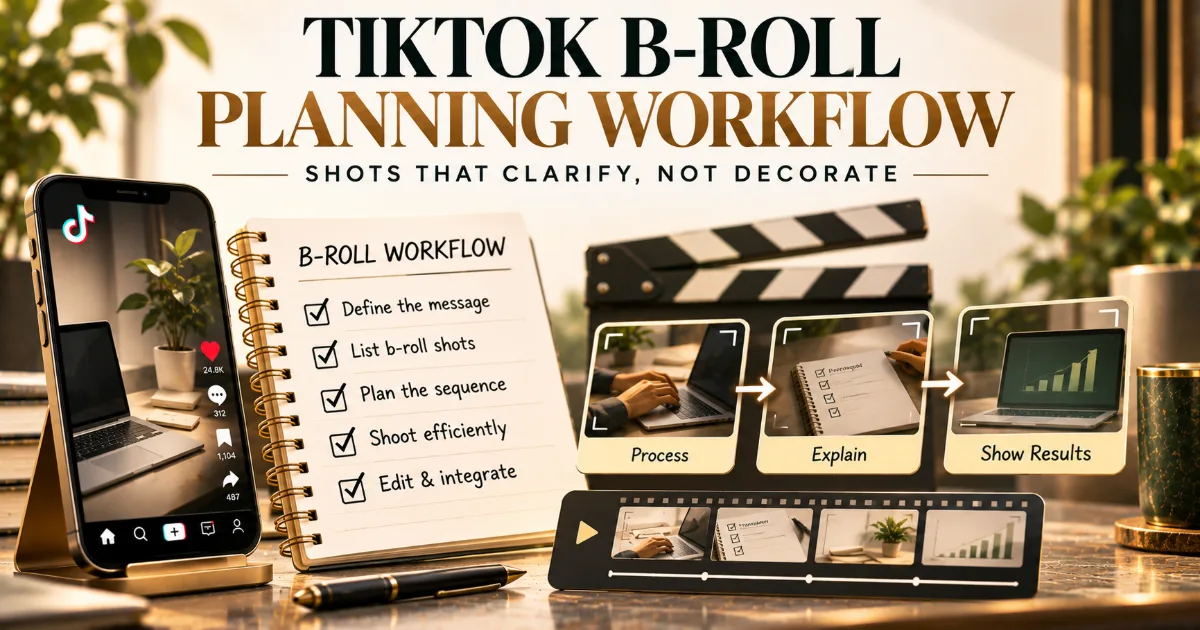
A TikTok B-roll planning workflow starts from the approved script, not from a folder of footage. Each line is read in turn and asked one question: is there something a viewer needs to see here that the words alone cannot show? Where the answer is yes, a shot is planned for that line, with its source written down. Where the answer is no, the speaker stays on screen. This post sets out the workflow, the test that separates B-roll that clarifies from B-roll that decorates, where each shot can come from, and one physiotherapy clinic's exercise explainer.
From an approved script to a cut where every shot has a job
- 01Read the scriptevery line marked with what it asks to picture
- 02Test each linea shot only where the words alone fall short
- 03Write the listthe line, the shot, its source and who confirms it
- 04Check the cutfootage not on the list comes out
- TikTok B-roll planning workflow: every shot has a job
- Why decorative B-roll costs attention
- Step 1: read the approved script line by line
- Step 2: test every planned shot, clarify or decorate
- Step 3: write the shot list with the line each shot serves
- Step 4: decide where each shot comes from
- Step 5: check the cut against the shot list before approval
- A worked example: a physiotherapy clinic's exercise explainer
- What B-roll planning costs, and what it saves
- Frequently asked questions
- Where to start
TikTok B-roll planning workflow: every shot has a job
B-roll is any footage that is not the speaker talking to camera: the product in use, a screen recording, a hand pointing at a form, a close-up of the thing being described. In short-form video it is usually added at the edit, to break up a talking head or to keep the picture moving. Added that way, it tends to be chosen for how it looks rather than for what it explains. Where B-roll is regenerated from the business's own footage rather than filmed fresh, our claim audit for a Higgsfield clip checks it against the original.
B-roll chosen at the edit, and B-roll planned from the script
Route A · added at the edit
- Footage chosen for how it looks
- A pan across the waiting room to break up a talking head
- The speaker cut away from to keep the picture moving
Route B · planned from the script
- A shot planned only where the line needs it
- A side view of the knee in the right and wrong position
- The speaker kept on screen when the line explains a judgement
A planning workflow reverses the order. The script is approved first, then every line is read against one test, and a shot is planned only where a viewer needs to see something to understand the line. The output is a shot list: one row per planned shot, with the line it serves, what the viewer must see, where the footage will come from and who confirms it is accurate. The editor works from that list, and footage that serves no line is not used, however good it looks. When the shots will be generated rather than filmed, that plan becomes a storyboard, and our Higgsfield storyboard workflow ties each frame to its line in the same way. When a generated shot has two candidate looks, our guide to Higgsfield AI TikTok visual testing compares them on the same script, changing one visual at a time.
| The line says | B-roll that clarifies | B-roll that decorates |
|---|---|---|
| "Keep your knee over your ankle" | A side view of the knee in the right and wrong position | A slow pan across the clinic waiting room |
| "The setting is under Privacy" | A screen recording of the exact menu path | Someone smiling at a phone |
| "Check the reply-to address" | A close-up of the address field on a sample email | A padlock graphic |
| "We have been doing this for years" | None: the speaker stays on screen | Stock footage of a handshake |
The last row matters as much as the first three. Many lines need no B-roll at all, and the honest plan says so. Nielsen Norman Group's guidance on video usability argues that videos need to be as short as possible and effectively concise, and that editing with a critical eye is essential; footage added only to fill the picture works against both. A speaker explaining a judgement, telling a story or answering a doubt is often the most convincing picture available, and cutting away from their face to fill time loses the thing that made the clip worth posting.
Why decorative B-roll costs attention
Decorative footage is not neutral. It takes the viewer's eyes away from the speaker and gives them nothing in return. Nielsen Norman Group's research on photos as web content found that users pay close attention to images that contain relevant information but ignore fluffy pictures used to jazz up a page. The same split appears in video: a shot that shows the thing being described is watched, and a shot that only fills the frame is looked past, or prompts a swipe.
How much each kind of footage gives a viewer back
Fills the frame
Shows the point
- A generic office clipimplies a place the business is not
- A slightly different stretchteaches the wrong movement
- An older app screenshows a menu that no longer exists
- The movement filmed righta viewer can copy it
Decorative B-roll also creates small errors. A generic clip of an office implies the business works in that office. Stock footage of a stretch that differs slightly from the one being explained teaches the wrong movement. A screen recording from an older version of an app shows a menu that no longer exists. None of these is a lie on purpose, and each one makes the clip less accurate than the speaker alone would have been. Shots animated from approved product stills avoid most of them, as long as the motion is checked in the way our Higgsfield image to video workflow sets out.
The cost falls hardest on teaching content. When a clip explains how to do something, the viewer is trying to copy what they see. Our guide to the TikTok product demo content workflow covers why a demo must show the real product doing the real thing, and the same rule extends to every shot that shows a process: if a viewer might copy it, it has to be right. It also has to stay right: when the product or the process changes, footage showing the old one is a changed fact like any other, and our TikTok content refresh workflow covers how every clip that shows it is found.
Step 1: read the approved script line by line
The workflow begins once the script is approved, because B-roll planned before the words settle is planned against the wrong words. Our TikTok video brief template covers the brief a script is written from; once that brief has become an approved script, it is split into lines, one row per sentence or clause, with the timestamp where each line falls in the recording if it has already been filmed. An FAQ clip arrives already split this way, since the TikTok FAQ video workflow drafts every line from one approved answer and keeps the reference beside it.
What each line of the approved script asks a viewer to picture
- 01Nothing visiblea reason or a judgement, the speaker stays on screen
- 02A changea before and after the viewer needs to see
- 03A screen placethe exact menu path in an app
- 04A physical thinga position, a tool or a document
Relative, not measured
Each line is then marked with what it asks the viewer to picture. Some lines name a physical thing, such as a position, a tool or a document. Some name a place on a screen. Some describe a change, a before and after. Many name nothing visible at all, because they state a reason or a judgement. Marking this before thinking about footage keeps the plan tied to the script rather than to the shots that happen to be available. It also shows early how much filming a clip needs. A script where most lines name something visible is a filming day; a script where almost every line states a reason is a talking clip that may need no B-roll at all, and knowing that before the shoot saves booking a camera for nothing.
A model can do this first marking quickly if it is asked to quote the line it is marking, so every suggested shot is tied to words that are actually in the script. Speakers who ad-lib during filming change the lines, so the plan is checked again against the final transcript; our TikTok caption automation guide covers how a verified transcript is produced from the recording.
Step 2: test every planned shot, clarify or decorate
The test is a single question asked of each line: would a viewer who saw only the speaker understand this line as well as one who saw the shot? If yes, the shot decorates and is not planned. If no, the shot clarifies, and the plan records exactly what it must show for the line to be understood.
Where four planned shots sit on the clarify test
Knee tracking side view
Band held at chest height
Timer on screen
Pan across the treatment room
Across: the line is just as clear without it → the line needs it
Up: how precisely the shot is written
The web accessibility world already uses this distinction. The W3C's tutorial on informative images describes them as images that convey a simple concept or information that could be expressed in a short phrase, and says that whether an image is informative or decorative is a judgement the author makes, based on the reason for including it. Its companion page on decorative images describes those as images that add no information, either because the adjacent text already gives it or because they are there to make the page more attractive. A B-roll shot is the same kind of decision, made for a moving picture.
A clarifying shot is written down precisely, because vague shot descriptions produce decorative footage. "Knee exercise" is not a plan. "Side view, knee tracking over the second toe, then the same movement with the knee collapsing inward, labelled right and wrong" is a plan an editor or a camera operator can follow, and a clinician can check.
Some lines sit on the boundary. A line such as "this takes about a minute a day" could be shown with a timer on screen, but the speaker saying it is just as clear, so the shot decorates. A line such as "hold the band at chest height" could be said, but a viewer copying the exercise needs to see the height, so the shot clarifies. When the team disagrees, the rule is to ask the person who will confirm accuracy, because they know which details a viewer is most likely to get wrong. Where a shot will be generated rather than filmed, our checklist for Higgsfield-generated media rights covers the consent and AI label it needs.
Step 3: write the shot list with the line each shot serves
The shot list has one row per planned shot and five columns: the script line it serves, what the viewer must see, the source of the footage, the person who confirms it is accurate, and its status. Every row points back to a line, so a shot with no line is easy to spot and remove. It also means that if the script changes, the shots attached to the changed lines are flagged for review rather than left in place.
The five columns of one shot list row
- The line
- the script line this shot serves
- What the viewer sees
- written precisely enough to film and check
- Source
- filmed, library or generated
- Confirmed by
- the person who knows whether it is accurate
- Status
- waiting for footage, filed or approved
- One row per shot
- a shot with no line is easy to spot and remove
The list is the handover to whoever films or edits. A camera operator filming at the clinic gets a list of exactly what to capture, so a single session covers every clip in the batch. An editor working from existing footage gets a list of what to look for, with a clear note when nothing suitable exists and something must be filmed. Our post on TikTok on-screen text covers the text that often sits over these shots; both are planned from the same line. A YouTube system writes the same kind of shot list before each recording session, so nothing has to be filmed twice; the Content Operating System for YouTube covers it.
Tracking the list automates well. In n8n, the Google Drive node can create folders and upload or search files, so a workflow can create one folder per clip, file each shot as it arrives, and flag the rows whose folder is still empty. The list then shows at a glance which clips are ready to edit and which are waiting for footage.
Step 4: decide where each shot comes from
Every shot has one of three sources, and each one carries its own check. Footage filmed by the business is the most accurate and the easiest to clear, because the business owns it and knows what it shows. Library footage, including stock and anything licensed, has to be checked for what it actually depicts and for the terms it was licensed under. Generated footage has to be labelled and checked hardest of all, because it can show things that never happened. Footage from another creator's TikTok is a case of its own: TikTok's help page on Stitch describes the built-in way to use part of someone else's video in a new one, and only when that creator allows it. A generated row is easiest to check when it comes with a written visual brief naming the things the shot must never suggest. When a shot could come from either a library or a generator, the four tests in our guide to Higgsfield AI vs stock footage settle which source fits it.
The three sources of footage, and the check each one carries
- Never a stand-ina generated shot never shows a real result, customer or product
- Generatedlabelled as AI-generated and checked hardest
- Librarychecked for what it depicts and the terms it was licensed under
- Filmedowned by the business, the most accurate and easiest to clear
Library footage needs its rights recorded. TikTok's help page on copyright explains that its terms do not allow posting content that infringes another party's copyright without proper authorisation. The same applies to sound laid under the B-roll: TikTok's Commercial Music Library user terms set out how businesses may use the sounds in that library in videos posted on TikTok. The shot list records the source and the licence for every row, so the question is answered once, not at posting time. Our coming TikTok video rights checklist covers consent and footage licences in full.
Library footage has one more trap, and it is TikTok's rather than the licence's. A preview clip downloaded before it is licensed usually carries the library's watermark, and TikTok's For You feed eligibility standards give a video showing someone else's visible watermark as an example of reproduced content that is not recommended. A shot is cut in only once the licensed, clean file is in the folder. Compilations carry a related risk: the originality policy in TikTok's Creator Academy calls content combined from multiple sources with little or no added information or value unoriginal, so a clip that is mostly borrowed footage needs the business's own voice and point to carry it.
Generated footage is sometimes the right answer, for an illustration of something that cannot be filmed, such as a process inside a machine or a sequence that would be unsafe to stage. Tools such as Higgsfield generate video and images from prompts, and our Higgsfield guides cover where they fit. TikTok's page on AI-generated content encourages creators to label content that is completely generated or significantly edited by AI. A generated shot must never stand in for a real result, a real customer or a real product doing something it cannot do, and the shot list marks every generated row so the label is applied.
Step 5: check the cut against the shot list before approval
Once the clip is edited, it is checked against the shot list, row by row. Every planned shot should be in the cut, at the line it was planned for, showing what the row says it shows. Any footage in the cut that is not on the list is either added to the list with its line and source, or removed. That second check is what stops decorative footage slipping back in at the edit, which is where it usually arrives. The check covers the picture as well as the content, because a horizontal shot cropped to vertical can end up below the 720 by 1,280 pixels that TikTok's guide to TikTok Studio sets as the minimum for an upload.
The standing note for checking a cut against its shot list
Before any clip goes to approval
- 01Every planned shot is in the cut, at its line
- 02Each shot shows what its row says it shows
- 03Footage not on the list is removed or added with a line and source
- 04The person who confirms accuracy gives the verdict on every row
A first pass can compare frames with the list. Anthropic's documentation on vision explains that several images can be included in one request and analysed together, which suits comparing a still from each shot with the row that describes it, labelled in order. The model flags mismatches; the person who confirms accuracy, a clinician in a clinic, an engineer for a product, gives the verdict, because only they know whether a movement or a screen is actually right.
The checked clip then goes through the same final review as any clip. Our TikTok clip quality checklist sets out the seven checks that decide whether it is approved, re-recorded or rejected, and our TikTok content approval workflow covers the TikTok settings checked before scheduling.
A worked example: a physiotherapy clinic's exercise explainer
Take an illustration, not a client: a physiotherapy clinic records a short explainer on a squat variation it often gives patients recovering from knee pain. The clip opens with a line saying it is general guidance and that a physiotherapist adjusts it for each person, with the physiotherapist on screen saying it. Where the clinic's handout already has a diagram of the movement, our guide to building an explainer storyboard from a diagram turns it into frames instead of new footage.
What the physiotherapy clinic’s eleven script lines needed
Eleven lines
- Clarifying shots feet, depth and knee tracking, filmed at the clinic
- Speaker on screen why it helps and when to stop
Rough shares — a shape, not a measurement
The script has eleven lines. The first marking pass finds four that ask the viewer to picture a movement or a position: where the feet go, how far to bend, where the knee should track, and the most common mistake. Those four get clarifying shots, each written precisely: a front view of foot placement, a side view of the depth, and a side-by-side of the knee tracking correctly and collapsing inward, labelled. The remaining seven lines, which explain why the exercise helps and when to stop, keep the physiotherapist on screen.
The editor's first cut adds two shots that are not on the list: a slow pan across the treatment room and a stock clip of a runner. Both are removed at the check, because neither serves a line. A generated animation of the knee joint was suggested for the line about why alignment matters; the clinician rejects it, because an animation accurate enough to teach from would need her review frame by frame, and the line works with her explaining it. Every shot in the final cut was filmed at the clinic in one session, with a patient who agreed to appear, and the clinician signs off each row before approval.
What B-roll planning costs, and what it saves
Planning costs a short pass over each script and a few minutes per shot to write the row properly. It saves more than it costs, in two places. Filming is quicker because the camera operator captures exactly what the list asks for, in one session, instead of shooting everything that might be useful. Editing is quicker because the editor is not choosing footage by feel and then defending the choice in review. Our TikTok content production cost model shows where those minutes sit among the fixed and per-clip hours a clip takes.
Where B-roll planning saves more than it costs
- 01A short pass
a few minutes per shot to write the row
- 02Quicker filming
one session captures exactly what the list asks for
- 03Quicker editing
no footage chosen by feel and defended in review
- 04Less rework
no clip taken down for teaching the wrong movement
The largest saving is in rework. A clip that teaches a movement with the wrong footage has to be taken down and re-cut, and if viewers have copied it, the business has a problem no edit fixes. A shot list with an accuracy check on every row catches that before posting. The same discipline pays off when a clip is later cut for other platforms: our Shorts and Reels guides cover how one approved clip is adapted for other short-form feeds, and a shot list makes it clear which footage travels and which was licensed for one platform only.
The habit to watch for is decoration creeping back. Editors are often asked to make a clip feel more dynamic, and B-roll is the quickest way. When that request comes, the answer is to check whether a line needs a shot it does not yet have, not to add footage that serves no line. A shot list that grows without new lines is a list that has stopped doing its job. For long recordings, our guide to TikTok clips from YouTube videos, interviews and webinars covers how moments are tested before any of this planning starts. B-roll is planned after a moment is selected and before it is rebuilt, which is where it sits in the short-form pipeline on our TikTok content automation page.
Frequently asked questions
What is a TikTok B-roll planning workflow?
It is a way of planning the footage in a clip from its approved script. Each line is read and asked whether a viewer needs to see something the words alone cannot show; where they do, a precise shot is planned with its source and the person who will confirm it is accurate. Lines that need nothing keep the speaker on screen.
What is the difference between B-roll that clarifies and B-roll that decorates?
Clarifying B-roll shows something a viewer needs to understand a line, such as the right position of a knee or the exact menu path in an app. Decorative B-roll fills the frame without adding information, such as a pan across a waiting room. If a viewer would understand the line just as well without the shot, it decorates.
Does every line in a TikTok script need B-roll?
No. Lines that explain a reason, tell a story or answer a doubt are often strongest with the speaker on screen. Cutting away to fill time takes attention from the person making the point and can introduce small inaccuracies. An honest shot list marks those lines as needing nothing.
Can I use stock footage as TikTok B-roll?
Yes, if it shows exactly what the line describes and its licence allows the use. Check what the footage really depicts, record its source and licence in the shot list, and avoid generic shots that imply something untrue about the business. Sound laid under it needs its own permission too.
Is AI-generated B-roll allowed on TikTok?
TikTok encourages creators to label content that is completely generated or significantly edited by AI, and the business should apply that label. Generated footage suits things that cannot be filmed, but it should never stand in for a real result, customer or product, and teaching content still needs an expert to check every frame.
Can AI help plan B-roll?
It can do the first marking of a script, quoting each line that asks the viewer to picture something and suggesting a shot, and it can compare stills from the cut with the shot list. The person who knows the subject, such as a clinician or an engineer, still decides whether each shot is accurate.
Where to start
Take the script of your next clip and split it into lines. Mark each line with what it asks the viewer to picture, and write a precise shot only where a viewer needs to see something to understand it. Give every shot a source and a person who confirms it, then check the cut against the list before approval. To see how the finished clips are read afterwards, our TikTok content performance review covers which signals should change the next brief. Shot planning is one stage of the making side, and where it sits among the other TikTok workflows is shown in our Content Operating System for TikTok.
Disclosure
This post was written by Shreyas Dave, founder of Paper Eagle AI. We sell content automation services, which is the category this article is about, so we have a commercial interest in you concluding that a system beats ad-hoc effort — read it knowing that. No tool vendor was involved in writing it, nobody paid for a mention, and there are no affiliate links anywhere on this site. Where a third-party figure appears, it’s attributed to the publisher it came from; anything we couldn’t source is written as a direction rather than a number.
Paper Eagle AI builds Content Operating Systems that turn a business’s knowledge and expertise into consistent, multi-platform content, and we deliver them as content automation services. Working as a content automation specialist, we capture what a business knows and how it sounds, set the strategy, and build the workflows that research, draft, repurpose and publish — with a named person approving every piece before it goes out. Every build runs through discovery, design, build and handoff. The system lives in the client’s own accounts, it is documented, the team is trained to run it, and the business owns it outright. We don’t write content on a retainer, and we don’t build lead generation, CRM or sales automation.
One source of thinking becomes native content for every platform a business publishes on: the founder’s LinkedIn and the company page, YouTube and Shorts, Instagram and Reels, TikTok, Reddit, Medium, newsletters, and the company’s own website, written to be found in Google and understood by AI search. Our multi-platform content automation page shows how they share one source, and our case studies document the systems behind our own publishing, file by file. You can follow the work on the company’s own channels: Paper Eagle AI on Instagram, Paper Eagle AI on YouTube, the Paper Eagle AI company page on LinkedIn, Paper Eagle AI on Substack, Paper Eagle AI on Reddit and Paper Eagle AI on Medium. Paper Eagle AI is also listed where clients can review its work: Paper Eagle AI on Clutch, Paper Eagle AI on GoodFirms and the Paper Eagle AI Google Business Profile.
Keep reading
- TikTok video brief template — the brief a script is written from, before any shot is planned.
- TikTok product demo content workflow — why a demo shows the real product doing the real thing.
- TikTok on-screen text SEO — the text planned over the same lines as the B-roll.