A Content Operating System for YouTube Is Built Around the Part You Cannot Automate
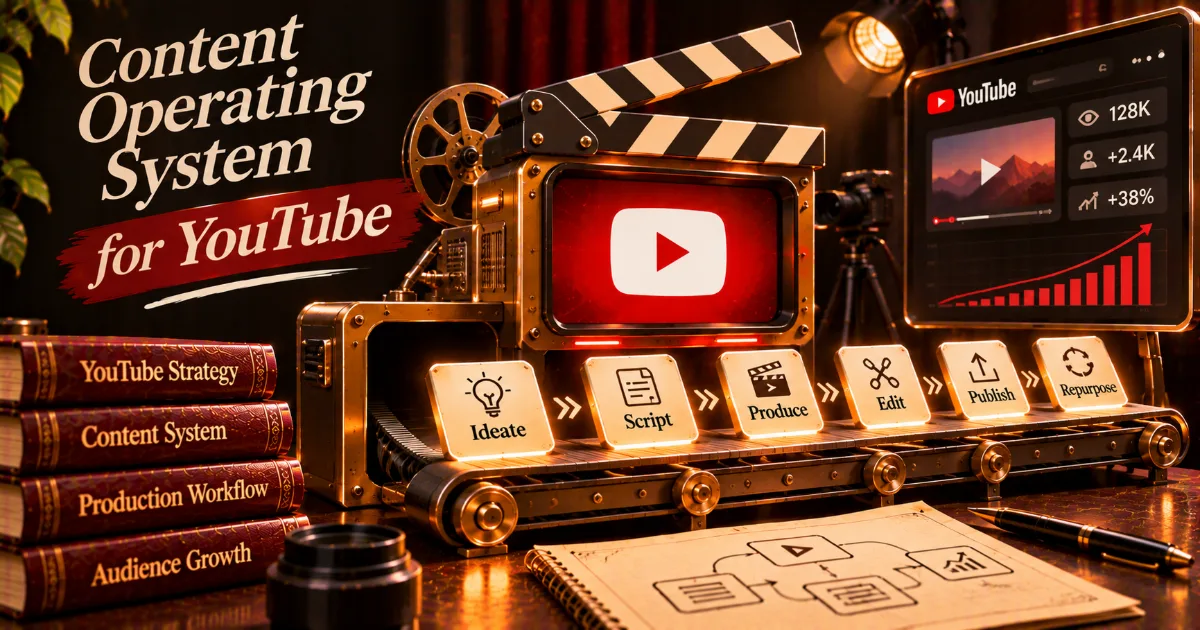
Nobody can automate the forty minutes a person spends in front of a camera, and on YouTube that is the step every other step depends on. A content operating system for YouTube treats the recording session as the fixed point: research, the script brief and the shot list are built to make that session count, and the metadata, the upload and the transcript are built to get the most out of it afterwards. YouTube’s API can upload a video and schedule it, but a video uploaded with no privacy setting goes public by default. Below is how the system is arranged around the part only a person can do.
What one recording session becomes on a YouTube channel
what the business knows, drawn into research notes
the one point, the order and the examples
the session no tool can run
the fixed point the calendar is planned around
edited, approved and uploaded as private
vertical cuts from the same session
the source for titles, chapters and descriptions
filed back for the next session
- What a content operating system for YouTube is for
- The recording session as the fixed point
- What YouTube’s API and policies settle
- Which parts of the system change on YouTube
- The transcript back into the knowledge base
- Shorts: the vertical cut of the same session
- What the system runs, and what the people on camera keep
- Worked example: the reviewer is away for a week
- What a YouTube system costs to run
- Frequently asked questions
- Where to start
What a content operating system for YouTube is for: getting the most from the hours on camera
A content operating system for YouTube exists to make every hour a person spends on camera produce as much as it can, and to waste none of it. On most platforms the expensive step is writing; on YouTube it is being filmed, by the one or two people whose expertise the channel is selling. They have a few hours a month, and everything else in the system is arranged so those hours go into recording rather than preparing, waiting or redoing. The thumbnail is part of that record too, and our guide to Higgsfield AI YouTube thumbnail concepts writes it from the same promise as the title. Generated video can support those hours but never replace the person on camera, the line our guide to Higgsfield AI vs real video draws.
The parts of a YouTube system, from the knowledge base up
The parts are the ones every system shares. There is a knowledge base of what the business knows, a voice and format guide, a workflow that turns knowledge into briefs and drafts, a review step and a record of what was published. Together they make a content operating system built on one business’s own knowledge, and on YouTube those parts are arranged around a calendar of recording sessions rather than a calendar of posts. The video is the unit, and the session is the unit of work.
How to turn the business’s expertise into an outline and a script is covered in depth in how to automate YouTube content, and how clips from a long video become short-form posts in TikTok clips from YouTube videos. This post is about the system around both: what it plans before the session, what it does after, and what stays with the people on camera.
The recording session as the fixed point the whole system plans around
The recording session is the one step the system cannot move, shorten or do itself, so the calendar starts from it and works outwards. A business decides how many sessions its expert can give in a month, often two, and everything else follows: how many briefs are needed before each session, how much review time after, how many uploads the month can hold.
What a recording session needs before the expert films
- 01A recording sessionthe hours the expert gives on camera
- 02Research notewhat the viewer wants to find out
- 03Script briefthe one point, the argument’s order, the examples
- 04Shot listwhat must be on screen, so nothing is refilmed
- 05Time on camerathe expert talks rather than reads or redoes
Relative, not measured
Before a session, the system prepares three things for each video. The research note says what the viewer is trying to find out and what the business knows about it, drawn from the knowledge base. The script brief sets the one point the video must make, the order of the argument and the examples the expert should use, so the expert talks rather than reads. And the shot list says what needs to be on screen, a diagram, a product, a whiteboard, so nothing has to be filmed twice. A session with three videos prepared this way is usually three videos recorded. A business without that system yet can draft the script brief by hand: the outline prompt in our prompts for YouTube videos asks for a thirty-second opening and four or five beats, each ending on a reason to keep watching.
After the session the order reverses. The recording is transcribed, the transcript is checked against the brief, and the system drafts the title, description, chapters and tags from what was actually said rather than from what was planned. Expertise rarely comes out as scripted, and the best line in a video is often one nobody wrote down. Building the metadata from the transcript keeps the title honest to the video.
Batching sessions is how the fixed point becomes a steady channel. Two sessions of three videos each give six uploads a month, released weekly, and the system schedules them so a missed session does not empty the channel. How to keep that cadence from depending on willpower is the argument of turning business knowledge into content.
What YouTube’s API and policies settle for a business channel
YouTube’s API lets a system upload and schedule videos, within a daily quota, and its policies say which uses of AI must be disclosed. The YouTube Data API’s videos.insert method uploads a video and its metadata, and on privacy it says: “If you don’t specify a value for this property, the uploaded video’s privacy status defaults to public.” It also says videos uploaded from unverified API projects “are not restricted to private viewing mode”, so an unreviewed tool can now publish publicly. A system therefore always sets the privacy status itself.
What YouTube’s API and policies settle for an upload
- Privacy status
- defaults to public if the upload does not set one
- Scheduling
- status.publishAt, set only while the video is private
- Daily quota
- upload calls plus units for everything else, reset at midnight Pacific Time
- AI disclosure
- needed for realistic altered or generated footage, not for production assistance
- Automation tools
- n8n, Make and Zapier can upload, never record
- For a business channel
- upload as private with a publish time, after a person approves
Scheduling goes through the same status. The videos resource defines status.publishAt as the time a video is scheduled to publish and says it “can be set only if the privacy status of the video is private”; a time in the past publishes the video at once. YouTube’s own help on scheduling a video’s publish time describes the same thing in YouTube Studio, and adds that a channel with a Community Guidelines strike will not publish scheduled videos during the penalty period.
Quota sets the ceiling. YouTube’s quota calculator gives a project a default of 100 videos.insert calls, 100 search.list calls and 10,000 units a day for everything else, resetting at midnight Pacific Time. No business channel uploads a hundred videos a day; the number that bites is the 10,000 units, because downloading a caption track costs 200 of them.
On AI, YouTube asks for honesty about what looks real, not about how the work was prepared. Its help page on disclosing the use of generative AI requires creators to disclose content that makes a real person appear to say or do something they did not, alters footage of a real event, or generates a realistic scene. It lists, among things that need no disclosure, “Production assistance, like using generative AI tools to create or improve a video outline, script, thumbnail, title, or infographic”, caption creation and idea generation. The API has a matching field, status.containsSyntheticMedia, for when a disclosure is needed. That rule is the first of four tests in our guide to Higgsfield and stock footage, because a generated shot standing in for a real place is exactly what it asks creators to label. For Shorts made with generated frames, our storyboard workflow for Higgsfield decides which frames must be filmed before that question even arises.
The automation tools can reach the upload but not the camera. n8n’s YouTube node can upload, update, get and delete videos and manage playlists; Make’s YouTube app uploads a video, updates its details and sets a thumbnail; and Zapier’s YouTube integration uploads videos and can start a workflow when a new video appears on a channel. All three need the privacy setting chosen deliberately.
Which parts of a Content Operating System change on YouTube
On YouTube the knowledge base and the review stay as they are; what changes is that the workflow splits into a before and an after around a session no tool can run. The table sets the YouTube version beside the usual one.
The same parts of the system on a text platform and on YouTube
Text platformYouTube
Knowledge base
feeds drafts directly
feeds research notes and script briefs
Workflow
draft, review, publish
brief and shot list before, transcript and metadata after
The human step
approving a draft
being filmed, then approving the edit
Publishing
a scheduled post
a private upload with a scheduled publish time
Derived pieces
posts repurposed from posts
Shorts and clips cut from the same session
| Part of the system | On a text platform | On YouTube |
|---|---|---|
| Knowledge base | Feeds drafts directly | Feeds research notes and script briefs for the session |
| Workflow | Draft, review, publish | Brief and shot list before; transcript, metadata and upload after |
| The human step | Approving a draft | Being filmed, then approving the edit and the metadata |
| Publishing | Scheduled post | Private upload with a scheduled publish time |
| Record | What was published | Also the transcript, filed back into the knowledge base |
| Derived pieces | Repurposed posts | Shorts and clips cut from the same session |
The last two rows are where YouTube pays back more than other platforms. A session produces a video, a transcript and several short cuts, and each of those feeds something else. Getting several pieces from one recording is content multiplication, and on YouTube it multiplies the most expensive input a business has.
The transcript back into the knowledge base: the after feeds the next before
Every recorded video produces a transcript, and the system files the useful parts of it back into the knowledge base, so the next session starts from more than the last one did. An expert on camera says things they have never written down: the example that made the point land, the caveat they add every time, the client question that changed their mind. A transcript is the cheapest way to capture them.
How a transcript feeds the next recording session
the expert says things never written down
from YouTube captions or the original recording
names, figures and terms checked against the recording
the useful parts filed as entries
The transcript can come from YouTube itself. Its help on automatic captioning says YouTube can create captions with speech recognition, and warns that their quality may vary and that they may misrepresent what was said. The API can fetch the track: captions.download returns a caption track to a user “with permission to edit the video”, at a quota cost of 200 units. Most businesses still transcribe the original recording themselves, with a model like the one in OpenAI’s speech-to-text guide, because a verified transcript is worth more than a fast one.
A person then reads the transcript against the knowledge base and marks what is new: a claim the base did not have, a better example, a correction. The system drafts the entries; the expert confirms them. This is the same discipline as in building a knowledge base for AI content, with the camera as the source instead of a document. Over a year, the channel’s transcripts become the most complete record of what the business knows, and the briefs for the next session draw on it.
The same transcript can feed other channels before it is filed. A thirty-minute explanation on camera is usually a good newsletter issue in waiting, which is how a Content Operating System for Substack turns a recorded interview into a letter. The rule is the one that runs through this whole post: record once, and let every later step draw on what was said. Once a newsletter is fed that way, its own steps deserve a written guide, set out in Substack newsletter process documentation. A podcast episode can be fed the same way, and Substack podcast to newsletter shows how the letter is written from the conversation instead of pasted from the transcript.
Shorts: the vertical cut of the same session, under YouTube’s three-minute rule
Shorts in a YouTube system are cut from the same recording session, not filmed separately, and YouTube’s length rule decides which cuts count as Shorts. YouTube’s help on three-minute Shorts says that videos uploaded on or after 15 October 2024 with a square or vertical aspect ratio and up to three minutes long are categorised as Shorts. It adds a limit that matters for clips: a Short over one minute with an active copyright claim of any type is blocked globally.
How Shorts are planned into the same recording session
- 01Shot list marksmoments that stand alone without the long video
- 02Filmed for verticalframed so they crop without losing what matters
- 03Cut and captionedfrom the verified transcript
- 04Approvedby the person who appears in them
So the system plans Shorts at the brief stage. The shot list marks two or three moments in each video that will stand alone for a viewer who never saw the long version, and the session films them so they can be cropped to vertical without losing what matters on screen. After the session the cuts are briefed, captioned from the verified transcript and approved by the person in them, the same queue a clip queue from long videos uses for TikTok.
The vertical platforms each have their own rules, and running Shorts beside Instagram Reels from one session is what our Shorts and Reels content system is built for. Our Shorts and Reels guides cover the formats in more depth. The point for a YouTube system is narrower: the session is planned once, and the vertical cuts are part of that plan rather than an afterthought. On Instagram the same footage is filed in an asset library and set into templates, the arrangement a Content Operating System for Instagram starts from.
What the system runs on YouTube, and what the people on camera keep
The system prepares, transcribes, drafts and schedules; the people on camera record, approve and answer. On YouTube that division is sharper than anywhere, because the central step is physically a person.
What the system runs and what the people on camera keep
the one step no tool can do
research notes, briefs and shot lists
every video, in their own words
title, description and chapters from the transcript
the edit, the metadata and the AI-use answer
each approved video as a private upload
comments, in person
- The system prepares: research notes, script briefs and shot lists from the knowledge base, ready before each session.
- The expert records: every video, in their own words, from the brief rather than a script read aloud.
- The system drafts after: the title, description, chapters and tags from the transcript, and the Shorts candidates from the shot list.
- A reviewer approves: the edit, the metadata and the AI-use answer, before the video is scheduled.
- The system schedules: each approved video as a private upload with a publish time, never as a public upload.
- The people on camera answer: comments, in person, and confirm the knowledge entries their transcript produced.
This is the line drawn in what to automate in your content, and what not to, applied to video. A reviewer usually holds an Editor role on the channel rather than the owner’s login: YouTube’s help on channel permissions lets an Editor upload, publish and edit everything but not delete the channel or published content, or manage permissions. When several people work on the channel, the governance is the same as on a LinkedIn company page fed by several contributors: one named approver, a deputy for when they are away, and a log of who approved each upload.
Worked example: the reviewer is away for a week, and the queue holds
Take an illustrative business, not a client: a physiotherapy clinic whose lead physiotherapist records two sessions a month for its YouTube channel, and whose practice manager reviews and approves each video. The channel publishes one long video a week and two Shorts. In the second week of the month the practice manager goes on leave.
The physiotherapy clinic’s month with its reviewer on leave
Before the leave
approved aheadthree videos edited, their metadata drafted and approved
The leave week
the queue holdsprivate uploads go out on their publish times
During the leave
nothing new goes outa new session’s drafts wait unapproved
The manager’s return
one sittingthree drafts and two knowledge entries approved
Nothing about the channel changes, because the system was built so that approval happens before scheduling, not on the day. The last session’s three videos were edited, their metadata drafted from the transcripts and approved the week before the leave. Each sits as a private upload with a publish time set, so YouTube releases them on schedule without anyone touching the channel. The Shorts cut from the same session are approved and scheduled the same way.
What the system does not do is fill the gap with something new. A session that happens while the reviewer is away produces a recording and a transcript, and the drafts wait in the queue marked unapproved. No video goes out that a person has not approved, and nothing is uploaded as public by default because the workflow sets every upload to private. The physiotherapist answers comments as usual; questions that would make a good video are logged as candidate entries.
When the practice manager returns, the queue shows three drafts awaiting approval and two new knowledge entries from the transcripts. Approving them takes one sitting. The channel published every week of the month, and nothing it published was unchecked. The clinic’s YouTube content system is built to work this way, and the videos we publish ourselves, collected in our video library, are made on the same idea.
What a YouTube system costs to run, in sessions, review and patience
A YouTube system costs the expert their recording sessions, a reviewer one sitting per batch, and API quota that a business channel rarely approaches. The sessions are the real cost and the one the system exists to protect. Review is short when the metadata is drafted from the transcript, because the reviewer is checking, not writing.
What a YouTube system costs to run, from smallest to largest
- 01API quotaa ceiling a business channel rarely approaches
- 02Reviewone sitting per batch, checking rather than writing
- 03Editingcutting, captions and a thumbnail for every video
- 04Recording sessionsthe expert’s hours, the cost the system protects
Relative, not measured
Editing is the cost businesses most often underestimate. A session of three videos still needs cutting, captions checking and a thumbnail, and whether that is done in-house or by an editor, the system’s job is to hand it a clean brief and a verified transcript. The build is quoted on our YouTube pricing page, and running the channel beside a founder’s LinkedIn is covered in the YouTube branch of a multi-platform pipeline.
Patience is the last cost. A channel built from real sessions grows at the pace of its sessions, and YouTube’s key moments for audience retention report is the honest early signal: it shows which moments of each video held viewers. YouTube’s monetisation policies are clear about the alternative, renamed in July 2025 to cover “inauthentic content”, including content that is mass-produced or repetitive, on its page of channel monetisation policies.
Frequently asked questions
Does a video uploaded to YouTube through the API go public immediately?
It can. YouTube’s videos.insert documentation says a video’s privacy status defaults to public if none is set, and that videos from unverified API projects are not restricted to private. A system should always upload as private, with a scheduled publish time, so nothing goes public before a person has approved it.
How many videos a day can a system upload through the YouTube API?
YouTube gives a project a default of 100 videos.insert calls a day, plus 10,000 units for most other calls, resetting at midnight Pacific Time. A business channel never needs that many uploads; the units matter more, because some calls, such as downloading a caption track, cost 200 units each.
Does a business have to disclose that AI wrote the script for a YouTube video?
Not on YouTube’s current rules. Its disclosure help lists production assistance, such as using AI to create or improve an outline, script, thumbnail or title, among things that do not need disclosing. What YouTube does require is a disclosure when realistic footage has been altered or generated, for example a scene that never happened.
Can someone schedule and publish videos without the channel owner’s login?
Yes. YouTube’s channel permissions let an owner give a Manager or Editor role. An Editor can upload, publish and edit content, but cannot delete the channel or published content or manage permissions, which suits a reviewer who approves and schedules videos.
When does a vertical clip count as a YouTube Short?
YouTube says a video uploaded on or after 15 October 2024 with a square or vertical aspect ratio and up to three minutes long is categorised as a Short. A Short over one minute with an active copyright claim is blocked globally, so music and third-party footage need checking before a long clip is cut.
Why file the transcript back into the knowledge base?
Because experts say things on camera they have never written down: the example that works, the caveat they always add, the question that changed their mind. Filing those as entries means the next session’s briefs start from more knowledge than the last, and the channel compounds instead of repeating itself.
Where to start
Start with the calendar of sessions, not the calendar of videos. Agree with the expert how many sessions they can give in a month, book them, and work backwards to how many briefs are needed before each one. Then record one session from three prepared briefs and see how much of it is usable.
Once a session works, add the after: transcripts, metadata drafted from them, private uploads with a publish time, and the transcript filed back into the knowledge base. Our YouTube content guides cover each step in more detail.
To have the system built around your expert’s time, start with a call about their calendar: book 30 minutes with us, and we will plan the first month of sessions together and agree what stays with the people on camera.
Disclosure
This post was written by Shreyas Dave, founder of Paper Eagle AI. We sell content automation services, which is the category this article is about, so we have a commercial interest in you concluding that a system beats ad-hoc effort — read it knowing that. No tool vendor was involved in writing it, nobody paid for a mention, and there are no affiliate links anywhere on this site. Where a third-party figure appears, it’s attributed to the publisher it came from; anything we couldn’t source is written as a direction rather than a number.
Paper Eagle AI builds Content Operating Systems that turn a business’s knowledge and expertise into consistent, multi-platform content, and we deliver them as content automation services. Working as a content automation specialist, we capture what a business knows and how it sounds, set the strategy, and build the workflows that research, draft, repurpose and publish — with a named person approving every piece before it goes out. Every build runs through discovery, design, build and handoff. The system lives in the client’s own accounts, it is documented, the team is trained to run it, and the business owns it outright. We don’t write content on a retainer, and we don’t build lead generation, CRM or sales automation.
One source of thinking becomes native content for every platform a business publishes on: the founder’s LinkedIn and the company page, YouTube and Shorts, Instagram and Reels, TikTok, Reddit, Medium, newsletters, and the company’s own website, written to be found in Google and understood by AI search. Our multi-platform content automation page shows how they share one source, and our case studies document the systems behind our own publishing, file by file. You can follow the work on the company’s own channels: Paper Eagle AI on Instagram, Paper Eagle AI on YouTube, the Paper Eagle AI company page on LinkedIn, Paper Eagle AI on Substack, Paper Eagle AI on Reddit and Paper Eagle AI on Medium. Paper Eagle AI is also listed where clients can review its work: Paper Eagle AI on Clutch, Paper Eagle AI on GoodFirms and the Paper Eagle AI Google Business Profile.
Keep reading
- How to automate YouTube content — turning the business’s expertise into an outline and a script.
- TikTok clips from YouTube videos — the queue that turns one long video into short clips.
- What a Content Operating System runs on a LinkedIn profile — the same knowledge base, captured from speech for a founder’s posts.