TikTok Content Refresh Workflow: When the Facts Change
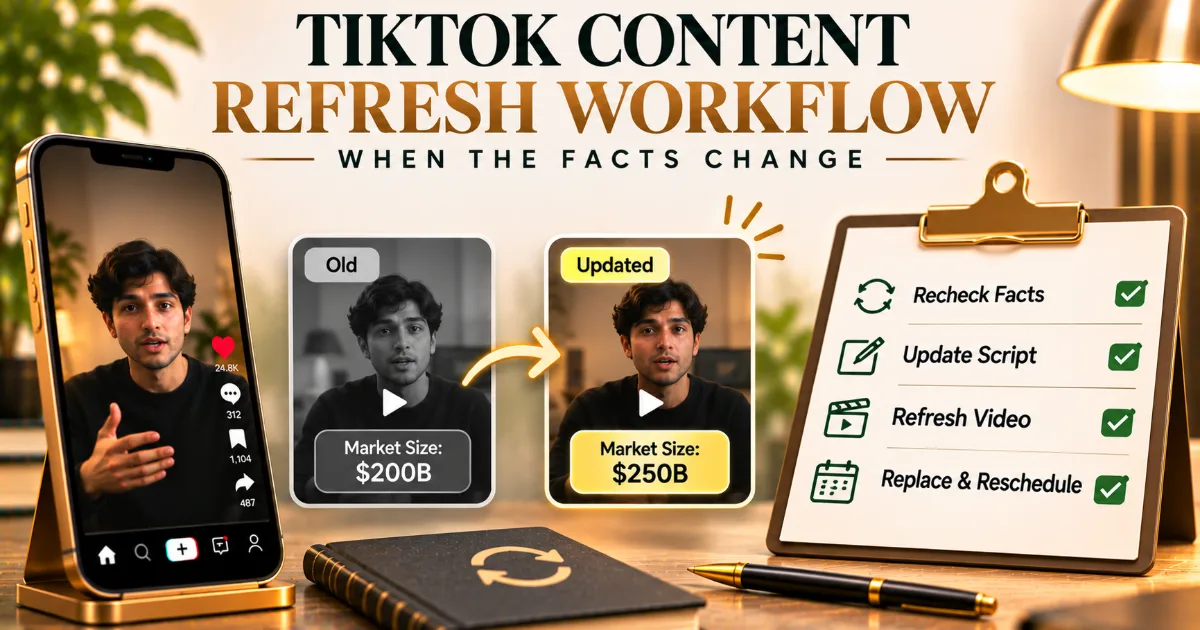
A TikTok content refresh workflow finds every clip that states a fact the business has just changed, such as a price, a product detail, an offer or a policy, and deals with each one before it misleads anyone. The core of it is a content expiry register: one row for every fact a live clip states, with where that fact comes from and when it should be checked again. When a fact changes, the register lists every clip that states it. The workflow then sorts those clips into the ones to leave with a note, hide, delete or replace, and finds the same fact on the website, in ads and in saved replies. This post covers the register, what sets off a refresh, how clips are found, the four ways to deal with an outdated clip, the other places the fact lives, and one phone-repair chain whose warranty terms changed.
From a changed fact to every clip it touches
- 01A fact changesa price, product detail, offer or policy
- 02Register lookupevery row with that fact or source
- 03Affected clipslisted with a recommendation each
- 04A decision eachleave with a note, hide, delete or replace
- TikTok content refresh workflow: find every clip a changed fact touches
- The content expiry register: every fact a clip states
- What sets off a refresh
- Finding the clips that state the old fact
- Four ways to deal with an outdated clip
- The pages, ads and replies that state the same fact
- What the workflow automates and what a person decides
- A worked example: a phone-repair chain's warranty change
- What the workflow costs to keep
- Frequently asked questions
- Where to start
TikTok content refresh workflow: find every clip a changed fact touches
A clip is a statement frozen at the moment it was posted. If it says a repair comes with a warranty of a certain length, or that a product comes in three colours, or that an offer runs until the end of the month, it keeps saying that for as long as it stays up. Clips can go on being watched for months, and a viewer who finds one late has no way of knowing that the fact has changed.
How an outdated clip is usually discovered
The video said it was covered
The counterIs this still the price?
The commentsWhich clips mention the old offer?
The team chatWhy does the pinned note disagree?
Months later
Most businesses discover an outdated clip by accident: a customer quotes it at the counter, or a comment points it out. By then the clip has been telling people the wrong thing for some time. The refresh workflow turns that accident into a routine. It knows which clips state which facts, notices when a fact changes, and puts the affected clips in front of a person with a recommendation for each. A refresh can also teach something: a clip remade with a new scene can go up as one row of a TikTok visual test, the method our guide to visual testing with Higgsfield AI on TikTok lays out.
| Stage | What happens | Who does it |
|---|---|---|
| Register | Each live clip's facts are listed with their source and a review date | The workflow, at approval |
| Trigger | A fact changes, a review date arrives, or a correction comes in | The fact's owner, the calendar, or the comments |
| Find | Every clip that states the fact is listed from the register | The workflow |
| Decide | Each clip is left with a note, hidden, deleted or replaced | A person |
| Sweep | The same fact is found on pages, in ads and in saved replies | The workflow lists, people fix |
The same idea applies to every kind of content. Our guide to automating content refreshes covers how a business finds the articles on its website that have decayed or gone out of date; this workflow does the same job for short clips, where the problem is sharper because a posted video cannot be quietly corrected the way a web page can. Generated product shots go out of date when the product changes, and our guide to Higgsfield AI product visual accuracy lists every shot that used the old reference.
The content expiry register: every fact a clip states
The register is a table with one row per fact per clip. A clip that states a price, a warranty length and a store's opening hours gets three rows. Each row holds the clip, the fact as the clip states it, the source the fact was taken from, the person who owns that fact, and a review date. The register is filled in when the clip is approved, because that is when someone already knows exactly what the clip says.
What each row in the expiry register rests on
The source column is what makes the register useful. A fact taken from the business's knowledge base, a price list, a policy page or a product sheet can be traced back to it, so when that source changes, the register knows which clips depend on it. Our guide to what goes into a business content knowledge base covers the approved material those sources should be; a clip whose fact has no source is a clip that will be hard to keep right. Visuals need a source column too, and our guide to the Higgsfield AI brand asset library records which references and product photos each approved asset used.
The review date covers facts that change on a timetable. An offer that ends on a known date, a seasonal price, an annual policy review: each gets a date in the register, and the clip is checked when the date arrives. A clip with no date of its own is simply checked whenever its source changes.
Not every clip needs rows. A clip that explains an idea, tells a story or shows a technique without stating a changeable fact has nothing to expire. The register only holds the facts that could become wrong, which keeps it short enough to maintain. A client's outcome in a case-study clip is one fact worth a row, and TikTok case study video ideas keeps it in the client's own agreed words, which makes a later change easy to spot. Written stories get the same treatment in our guide to a Medium article update workflow, which keeps a revision log in place of the register.
What sets off a refresh
Three things start a refresh. The first is a change to a fact: someone who owns a price, a policy or a product detail changes it. The workflow needs to hear about that at the moment it happens, which usually means the person who makes the change records it in the knowledge base or the source document, and the register is checked against that source.
The three ways a refresh starts
the owner changes it at the source
- recorded
the fact is checked whether or not it changed
- daily run
a comment, customer or member of staff
- same day
The second is a date. When a review date in the register arrives, the fact is checked against its source, whether or not anyone has said it changed. Dates catch the changes nobody announced. In n8n, the Filter node passes on only the items that meet a condition, including a date comparison such as is after a particular date, which suits a daily run that picks out every register row whose review date has arrived. The Date & Time node can add a period to a date, so a new row's review date can be set automatically from the day the clip was approved.
The third is a correction from outside. A comment, a customer or a member of staff says a clip is wrong. Our guide to the TikTok comment research workflow covers how corrections in comments are sent to the clip's owner the same day; in this workflow, a correction is checked against the register to find every other clip that states the same fact, not only the one that was commented on.
Finding the clips that state the old fact
With a register, finding the clips is a lookup: filter the rows by the fact or by its source, and the list of clips appears. Without one, it is a search through every clip's caption, transcript and on-screen text, which is slow and misses clips that state the fact in different words. The register is worth keeping for this step alone.
Finding the clips that state an old fact, with and without a register
Without a register · a search
- Every caption read by hand
- Every transcript searched for the fact
- Clips with different wording missed
With a register · a lookup
- Filter the rows by fact or source
- The list of clips appears at once
- Older clips added by a one-off sweep
For clips posted before the register existed, a one-off sweep fills the gap. The transcripts and captions of every live clip are searched for the facts the business knows are most likely to change, and each match becomes a row. In Claude Code, that sweep can run over a folder of transcripts with the list of facts as its brief, producing candidate rows for a person to confirm. An older clip with no transcript gets one first, and OpenAI's guide to speech to text describes passing keywords for terms the speaker is expected to say, which helps the transcript spell product names and prices correctly. A sweep like this runs on the kind of written skills a business can have built for its Instagram and LinkedIn too, as content automation in Claude Code for businesses explains.
That sweep needs the list of live clips first, and TikTok decides how a tool may get it. Its Display API lists an authorised creator's own videos, up to 20 per request through TikTok's video query endpoint, and a business account can read its own post data through TikTok's Organic API. What the sweep must not do is read the profile page with a script: TikTok's Terms of Service forbid pulling data or content off TikTok with bots or other automated software unless TikTok has approved it in writing. Without an approved app, the list of live clips is put together by hand, once.
A content audit does the same job across the whole archive. Nielsen Norman Group's guide to content inventory and auditing describes the inventory and the audit as two activities to complete before improving digital content, and the register is a narrow, permanent version of an inventory: not every property of every clip, only the facts that can go out of date. Our guide on how to conduct a content audit covers the wider exercise.
Four ways to deal with an outdated clip
Each clip the register finds gets one of four decisions. Leave it with a note: the change is small, the clip is still mostly right, and a pinned comment or caption note states the current fact. Hide it: the clip is wrong in a way that matters, but may be useful again, so it is made private while a decision is made. Delete it: the clip is wrong and has no future. Replace it: the clip's subject is still worth covering, so a new clip with the current fact is made and the old one is hidden or deleted.
The four responses to an outdated clip, lightest first
- 01Leave with a note
a pinned comment states the current fact
- 02Hide it
made private while a decision is made
- 03Delete it
wrong, with no future
- 04Replace it
a new clip with the current fact
The choice depends on how wrong the clip is and how much it matters. A clip that states an old opening time for one store is a note. A clip that promises a warranty the business no longer offers is a hide or a replace, because a customer could rely on it. A clip that states a price the business no longer charges is usually a replace, since price is what viewers act on. A clip that also runs as an ad has a rule behind it as well: TikTok's business rules on misleading and false content forbid exaggerated promises in ads, and a price the business no longer honours is one.
Deleting is not instant and not always the first choice. TikTok's help page on editing, posting and deleting explains that a deleted post remains in TikTok's system for up to 30 days before being permanently deleted, and that deleted posts can be recovered in that time. Hiding first and deleting once the replacement is live keeps the option open.
A replacement goes through the same steps as any new clip. Our guide to the TikTok FAQ video workflow covers building a clip from an approved answer, and our guide to the TikTok product demo content workflow covers clips that show a product, which are the ones most likely to need replacing when a product changes. The new clip gets its own register rows when it is approved. Before that it passes the same TikTok clip quality checklist as any other clip, so a correction is not rushed out with a weak opening.
Whatever the decision, it is written back into the register. A row for a clip left with a note records the note and the date it was pinned. A row for a hidden clip records why it was hidden and who can bring it back. A row for a replaced clip points to the new clip, so anyone looking at the old one later can see what took its place. That record is what lets the business answer, months afterwards, why a clip disappeared or why a pinned comment contradicts the video above it. It also shows patterns over time: if the same kind of fact keeps forcing replacements, clips should probably stop stating it and point to the page where it is kept current instead.
The pages, ads and replies that state the same fact
A fact that changed in clips has usually changed in other places too. The register's source column points to the knowledge base entry or document, and the same entry usually feeds the website, the captions, saved replies and any ads. A refresh that fixes the clips and leaves a product page or a saved reply stating the old fact has only done half the job.
Everything that depends on one changed fact’s source
the knowledge base entry or document
listed from the expiry register
updated with a labelled modified date
taken out of the campaign before the clip goes
the answers staff paste into comments
Clips that run as ads are a separate list. TikTok's help page on Spark Ads explains that ads can be published using the business's own organic posts, and that a video must be un-authorised as a Spark Ad before it can be deleted from the organic account. An outdated clip that is also running as an ad has to be taken out of the campaign before it can be removed.
Website pages should show that they changed. Google's guidance on publication dates recommends a visible, clearly labelled date on a page and a datePublished or dateModified field in structured data. Once an important page is updated, Google's page on asking Google to recrawl explains how to request re-indexing through the URL Inspection tool or a sitemap.
Pages the business does not own can also carry the old fact, such as a partner's listing or a directory entry. Google's help page on the Refresh Outdated Content tool describes requesting an update to search results for pages you do not own that no longer exist or have changed significantly; for a page that still states the old fact, the fix is asking its owner to update it. The clip-to-page map kept by the TikTok to blog content workflow then tells the sweep which pages the affected clips send people to.
What the workflow automates and what a person decides
The workflow keeps the register, watches the review dates, matches a changed source to every clip and page that depends on it, and produces one list per change: the clips, the pages, the ads and the replies, each with a recommended action. It can draft the pinned note stating the current fact, from the approved source. It does not decide.
The register owner’s weekly look
- Rows due for review each checked against its source
- Changes recorded this week each matched to its clips
- Pinned notes confirmed one waiting for the fact’s owner
- Older clips swept the transcripts before the register still to do
A person decides what each clip gets, because the decision depends on how a viewer might rely on the old fact, and that is a judgement. The fact's owner confirms the current wording before any note or replacement goes out. A replacement goes through the same TikTok content approval workflow as a new clip; being a correction excuses it from none of the checks.
The register also needs an owner of its own. When someone forgets to record a change, the review dates are the safety net, but only if someone acts on them. A short weekly look at the list of rows due for review, and the changes recorded that week, is usually enough. You can find more guides and articles on keeping these systems running in our content automation section.
A worked example: a phone-repair chain's warranty change
Take an illustration, not a client. A phone-repair chain with several stores posts clips about common repairs: cracked screens, failing batteries, water damage. Many of them end with the chain's warranty on the repair. Then the chain changes its warranty terms: the warranty on screen repairs gets shorter, and accidental damage after the repair is no longer covered.
The operations manager filtering the register after the warranty change
- >List everything that states the old warranty terms
- ·Filtered the register by the warranty policy as source
- +A list of screen-repair clips, the repair pages, two saved replies and one ad
- ·One listed clip is running as an ad: take it out of the campaign first?
- >Yes, then hide it with the others
- Every clip, page, reply and ad on one list
The chain had started a register three months earlier, so the lookup is quick. Filtering the rows by the warranty policy as source returns every clip that states the old terms, most of them screen-repair clips. The workflow lists them with a recommendation for each, along with the website's repair pages, two saved replies the staff use in comments, and one clip that is running as an ad.
The operations manager decides. The screen-repair clips that state the old warranty length are hidden, and two new clips are made from the updated policy, one explaining the new terms plainly. The clips that mention the warranty only in passing get a pinned comment stating the current terms. The ad is taken out of its campaign before its clip is hidden. The repair pages and the saved replies are updated the same day, and the pages show their new modified date.
Clips posted before the register existed are the gap. A one-off sweep of their transcripts finds a few more that state the old terms in different words, and they join the list. A week later, no live clip states the old warranty, and the register has rows for every new clip. The next time a policy changes, the lookup will take minutes.
What the workflow costs to keep
Most of the cost is in the register, and most of that is at approval: a minute or two per clip to list the facts it states and their sources, done when someone already knows the clip well. A one-off sweep of older clips takes longer, depending on how many there are, and only has to be done once.
Where the refresh workflow’s time goes
Refresh time
- Rows at approval a minute or two per clip
- The one-off sweep older clips' transcripts, done once
- Each refresh one filtered list and a set of decisions
Rough shares — a shape, not a measurement
The refreshes themselves cost time when facts change, and the register makes that time predictable. Without it, a change means searching every clip by hand; with it, a change means one filtered list and a set of decisions. In the hours worksheet of the TikTok content production cost model, refresh work gets a row of its own, estimated per month rather than per clip.
What the register buys is confidence that the account says what the business currently offers. Before adding the same workflow to more platforms, our guide on how to audit a TikTok content workflow covers checking the whole pipeline, including whether the register is being kept. A fact register kept per clip is one of the things the TikTok content automation we build includes from the start.
Frequently asked questions
What is a TikTok content refresh workflow?
It is a workflow that finds every TikTok clip stating a fact the business has changed, such as a price, a product detail or a policy, and deals with each one. It relies on a content expiry register listing each live clip's facts, their sources and a review date, so a change produces a list of affected clips.
What is a content expiry register?
A table with one row per fact per clip: the clip, the fact as stated, the source it came from, who owns that fact, and a review date. It is filled in when the clip is approved, and it only holds facts that could become wrong, which keeps it short enough to maintain.
Can you edit a TikTok video after posting?
Changing what a posted clip says usually means making a new clip. The practical choices for an outdated clip are to leave it with a pinned note stating the current fact, make it private, delete it, or replace it with a new clip and hide or delete the old one.
What happens when you delete a TikTok post?
TikTok's help pages say a deleted post remains in its system for up to 30 days before being permanently deleted, and can be recovered in that time. Hiding a clip first and deleting it once a replacement is live keeps the option open.
What if an outdated clip is running as an ad?
TikTok's help page on Spark Ads says a video must be un-authorised as a Spark Ad before it can be deleted from the organic account. Take it out of the campaign first, then hide, delete or replace it.
Where else does a changed fact need updating?
Everywhere the same source feeds: website pages, captions, saved replies, ads and any partner listings. Updated pages should show a clearly labelled modified date, and an important page can be submitted for recrawling through Search Console.
Where to start
List the facts your clips state most often, the ones most likely to change, such as prices, warranties, offers and opening hours. Search the transcripts and captions of every live clip for them, and write each match into a register with its source and a review date. The next time one of those facts changes, filter the register. Before adding this workflow to more platforms, our guide on how to audit a TikTok content workflow covers scoring the whole pipeline first. Captions produced by TikTok caption automation are easier to search for an old fact, because each one is a corrected transcript rather than a tool's first guess. That register is also what lets a changed fact re-open approved TikTok drafts still waiting to post, a gap covered in the Content Operating System for TikTok.
Disclosure
This post was written by Shreyas Dave, founder of Paper Eagle AI. We sell content automation services, which is the category this article is about, so we have a commercial interest in you concluding that a system beats ad-hoc effort — read it knowing that. No tool vendor was involved in writing it, nobody paid for a mention, and there are no affiliate links anywhere on this site. Where a third-party figure appears, it’s attributed to the publisher it came from; anything we couldn’t source is written as a direction rather than a number.
Paper Eagle AI builds Content Operating Systems that turn a business’s knowledge and expertise into consistent, multi-platform content, and we deliver them as content automation services. Working as a content automation specialist, we capture what a business knows and how it sounds, set the strategy, and build the workflows that research, draft, repurpose and publish — with a named person approving every piece before it goes out. Every build runs through discovery, design, build and handoff. The system lives in the client’s own accounts, it is documented, the team is trained to run it, and the business owns it outright. We don’t write content on a retainer, and we don’t build lead generation, CRM or sales automation.
One source of thinking becomes native content for every platform a business publishes on: the founder’s LinkedIn and the company page, YouTube and Shorts, Instagram and Reels, TikTok, Reddit, Medium, newsletters, and the company’s own website, written to be found in Google and understood by AI search. Our multi-platform content automation page shows how they share one source, and our case studies document the systems behind our own publishing, file by file. You can follow the work on the company’s own channels: Paper Eagle AI on Instagram, Paper Eagle AI on YouTube, the Paper Eagle AI company page on LinkedIn, Paper Eagle AI on Substack, Paper Eagle AI on Reddit and Paper Eagle AI on Medium. Paper Eagle AI is also listed where clients can review its work: Paper Eagle AI on Clutch, Paper Eagle AI on GoodFirms and the Paper Eagle AI Google Business Profile.
Keep reading
- How to automate content refreshes — how decayed website articles are found and updated.
- TikTok product demo content workflow — the clips most likely to need replacing when a product changes.
- TikTok comment research workflow — how corrections in comments reach the clip's owner.