TikTok vs Reels vs Shorts: Adapting One Clip for Each
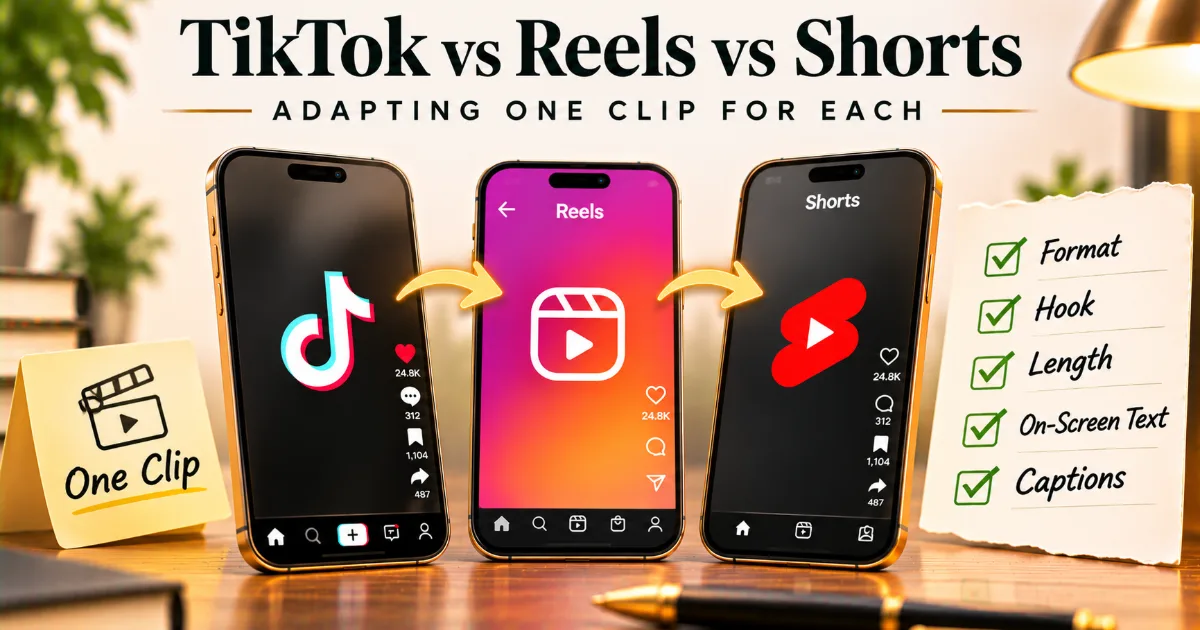
TikTok vs Reels vs Shorts content adaptation comes down to one rule: the clip's point stays fixed, and the wrapper changes. The opening, the claim and the verified captions are shared by all three versions. What differs is the description text, how much of the screen the platform covers, how the clip connects to anything longer, and the route by which it can be posted. This post compares the three platform by platform, using what each one says about itself, and follows one garden-design firm's clip through all three versions.
One fixed clip and the three versions that draw from it
claim, spoken words and verified captions
its own post caption, finished in the app
its own caption, a trial reel if wanted
a title and the long video attached
on-screen text moved per platform
- TikTok vs Reels vs Shorts content adaptation: one point, three wrappers
- What stays the same on all three
- The opening: the same test, written once
- What each platform says it rewards
- The description: three different jobs
- Screen space: three sets of buttons
- Links back to longer content, and length
- The posting route: what can be automated on each
- A worked example: one garden-design firm's clip
- What three versions cost, compared with one
- Frequently asked questions
- Where to start
TikTok vs Reels vs Shorts content adaptation: one point, three wrappers
The safest way to use one clip on three platforms is to decide first what never changes and then adapt only the rest. What never changes is the point: the claim, the evidence, the speaker's words and the verified captions. What changes is everything around the point, because TikTok, Instagram Reels and YouTube Shorts each show a clip in a different frame, describe it in a different place and connect it to different things. The same idea, applied to every platform a business publishes on, is multi-platform content automation: one source, a native version for each destination and a person approving each piece.
What teams usually do with one clip, and what replaces each habit
Same file, then rewritesFixed point, three wrappers
One identical file posted everywhere
one master, three checked versions
The clip rewritten when a platform lags
only the wrapper changed
Three slightly different founders
one claim the speaker approved once
Teams usually get this backwards. They post the identical file everywhere, then rewrite the clip itself when one platform underperforms, which is how the same founder ends up saying three slightly different things on three apps. Fix the point once, check it once, and let the wrappers differ. The briefing step in our guide to TikTok clips from YouTube videos is where the opening is settled, and that settled opening is shared by all three versions. One idea built differently for each place it lands is the principle behind content multiplication.
This post compares the three platforms on the six things that change: the opening, what each platform says it rewards, the description text, the screen space, links back to longer content and the posting route. For the systems that run across all of them, see our multi-platform content automation page; for Reels and Shorts specifically, our Shorts and Reels content system.
What stays the same on all three
Four things are identical across the three versions: the claim the clip makes, the speaker's spoken words, the verified captions and the speaker's approval. If any of those differ between platforms, you are no longer posting one clip three times; you are posting three clips, and each needs its own checks. Keeping them identical is what makes the three versions cheap. A generated presenter does not change the list: a clip from Higgsfield’s Shorts Studio still needs an approved claim before it is adapted, as we set out in Higgsfield Shorts in Claude: what MCP changes for short-form video.
What every version of the clip shares, from the bottom up
The captions are the clearest example. They are a text version of what was said, so they cannot differ by platform without one version being wrong. The W3C's guide to captions and subtitles describes captions as the speech and non-speech audio information needed to understand the content, synchronised with it. Verify them once against the audio and keep the file, so every version carries the same checked words.
The approval works the same way. The speaker signs off the point and the spoken words once. The platform wrappers, which do not change what the speaker says, can then be checked by the person who posts, against a short list, without asking the speaker three times. On TikTok that person also finishes the post, from one package the TikTok draft publishing workflow prepares: the file, the caption, the sound and the disclosure notes.
Keep one clip record that all three versions read from: the approved file, the caption file, the locked claim and a field per platform for its description and placement notes. When the record is the only source, a change to the point has to be made in one place, and every version that is not yet posted picks it up. Our guide to automating Instagram content in your brand voice uses the same idea for the Instagram side, where the record also holds the account's voice notes. The record is also what makes a later review possible: months on, anyone can see what each platform received and why.
| Part of the clip | TikTok | Instagram Reels | YouTube Shorts |
|---|---|---|---|
| The claim and spoken words | Shared | Shared | Shared |
| Verified captions | Shared | Shared | Shared |
| Opening | Shared, checked for a viewer who knows nothing | Shared, the same check | Shared, the same check |
| Description text | Its own, with hashtags and mentions | Its own | Its own title and description |
| Text placement | Clear of TikTok's own buttons and text | Clear of Instagram's | Clear of YouTube's |
| Link to longer content | Through the description and profile | Through the caption and profile | A related video, set by the clips tool |
| Automated posting | Private until the app passes TikTok's audit | Through Meta's publishing API for professional accounts | Through the YouTube Data API |
The opening: the same test, written once
All three platforms test a clip on strangers first, so the opening has to work for a viewer who knows nothing about the speaker, and that test is the same everywhere. Instagram's creator team says it plainly in its post on helping creators of all sizes break through: a reel is first shown "to a small audience" of non-followers, and reels "should make sense to those who may not know you."
What all three platforms test in a clip’s first seconds
Strangers stay
- 01TikTokwatched in full or skipped
- 02Instagramshown first to non-followers
- 03YouTubeengaged views beyond the start
the opening written once, for all three
TikTok describes the same mechanism from the viewer's side. Its page on how TikTok recommends content lists what a viewer will "watch in full or skip" among the interactions it uses, and says the time spent watching is generally weighted more heavily than other signals. YouTube changed what a Shorts view means: its page on getting started with YouTube Shorts says a view now counts every time a Short starts to play, and keeps "engaged views" as the measure of who chose to keep watching.
So write the opening once, for the strictest version of the test, and use it everywhere. A clip that earns its first seconds on TikTok earns them on Reels and Shorts too. What does not transfer is the text placed on screen at the start, because each platform covers a different part of the frame, which is the next section's problem. Before placement there is wording, and TikTok on-screen text SEO keeps that first line to words a viewer can take in at a glance.
What each platform says it rewards
The three platforms describe their recommendations in similar words, and the honest reading is that none of them rewards a different kind of clip; all three reward clips people keep watching and share. Instagram lists its signals as "watch time, retention, shares, likes and comments." TikTok names likes, shares, comments and whether a viewer watches in full or skips. YouTube separates a view from an engaged view. The differences between the platforms are smaller than the differences between a good clip and a weak one. What separates the two is much the same on every app, and the TikTok clip quality checklist lists it: context, payoff, voices, sound, claims and privacy. Telling which is which after posting is what a TikTok content performance review is for.
An exported clip and a clip made for TikTok, judged on the same qualities
- 01Framed for vertical
- 02No borrowed marks
- 03Its own description
- 04New for TikTok
- 05The speaker’s point
- a clip exported from another app
- the same clip made for TikTok
A judgment, not a score
Where they genuinely differ is in what they refuse to reward. TikTok's rules on integrity and authenticity rule out of the For You feed any post that includes "unoriginal or reused material without anything new." YouTube's clips and Shorts tool, by contrast, is built for reuse: its help page on video clips and Shorts in YouTube Studio says creators won't be penalised for using their own content in a Short. A clip you filmed yourself belongs to you on all three, but on TikTok it should arrive made for TikTok, not exported from somewhere else with another platform's marks on it. The rules YouTube and Instagram set for a repurposing pipeline, the reused-content test included, are set out in content automation for LinkedIn, YouTube and Instagram.
Instagram offers one test the others do not. Its creator post describes trial reels, which let a creator post a reel to non-followers first, and Meta's documentation on content publishing says trial reels "are only shared to non-followers" and can be graduated to followers later. For a business unsure which of two openings works, a trial reel is a way to try one on strangers before the account's followers see it. When the clip itself is generated, the Higgsfield content automation guide covers the AI label each of these platforms asks for and what the footage costs to make.
The description: three different jobs
The text under the clip does a different job on each platform, so it is the part most worth writing three times. On TikTok it is the post caption, where hashtags and mentions are matched; TikTok's developer reference for direct posting gives it a maximum length of 2,200 UTF-16 characters. On Instagram it is the reel's caption. On YouTube a Short has a title and a description, and the title is what appears in search and in lists. On TikTok the description is the caption, and TikTok's Direct Post reference allows it up to 2,200 UTF-16 characters and matches hashtags and mentions within it.
The text under the clip, written once or written three times
One text everywhere
- The same words pasted under all three clips
- No title that names the question on YouTube
- Written from memory, sharpened as packaging
Three jobs, one transcript
- A post caption, a reel caption, a title and description
- A YouTube title that names the question the clip answers
- Written from the verified transcript, adding no claim
Write all three from the verified transcript, never from memory, so none of them can promise more than the clip says. The TikTok version is usually the most conversational and leans on the words people search for in the app. The Instagram version can be a little longer and carry the context a follower would want. The YouTube title should name the question the clip answers, because YouTube is a search engine as much as a feed, and the clip will be found by people typing that question. Our YouTube content guides take that side further.
None of the three descriptions may add a claim. If the speaker said "for most small gardens", every description says it too. A description is the place a team is most tempted to sharpen a point, because it feels like packaging rather than content, and readers treat it as part of what the business said.
Screen space: three sets of buttons
Each platform draws its own buttons, names and text over the bottom and side of the frame, so on-screen text that is clear on one can be hidden on another. That is the main reason not to burn platform-specific text into a single master file. Keep the master clean, keep the captions as a file, and place any on-screen text per platform, after checking the version on that platform's own preview.
The checks before a version is handed off to its platform
- The master file has no burned-in text placement stays per platform
- Captions are kept as a file the same words travel everywhere
- Framed vertically from the master not cropped from a download
- Text checked in the editor the editor shows no platform buttons
- Text checked on a phone, in the app every word readable
The source frame matters too. TikTok's guide to TikTok Studio sets a minimum of 720 by 1,280 pixels for an upload, and all three platforms are built around vertical video, so the clip should be framed vertically from the master file rather than cropped from a horizontal download. Our guide to TikTok clips from YouTube videos
Check each version on a phone, in the app, before it is posted. A preview in an editor shows the frame without the platform's buttons over it, which is exactly the view that hides the problem. The person who posts should look at the draft on the platform and confirm that every word on screen can be read.
Links back to longer content, and length
The three platforms connect a short clip to longer content in different ways, and only one does it inside the clip itself. YouTube's clips tool automatically adds the source video as a related video to any Short made with it, unless the Short is private, unlisted or made for kids, so a viewer can go straight from the Short to the long video. On TikTok and Instagram the route to longer content runs through the description and the profile, so the description has to say where the full answer lives. That is the job of the fourth field in the TikTok video brief template: one next step, and where it really leads.
Where each platform puts the route from a short clip to longer content
Inside the clip
Through the profile
- YouTube Shortsthe long video attached as the related video
- TikTokthe description says where the full answer lives
- Instagram Reelsthe caption and the profile carry the route
Length is less of a difference than it used to be. YouTube's Shorts page says Shorts can be up to three minutes, and TikTok Studio accepts uploads far longer than any business clip needs. The useful question is not how long a platform allows but how long the point takes. A clip as long as its point works on all three; a clip padded to a platform's limit works on none. TikTok's creator info reference says every creator can post videos of up to three minutes and some can post five or ten, so a cut that suits Shorts suits TikTok too.
A practical way to decide the length is to cut where the point is complete and then watch the clip as a stranger would, with the sound on and then with it off. If the captions alone carry the point, the clip is long enough. If the last seconds only repeat what was already said, cut them. The same cut then goes to all three platforms, which keeps the versions identical where it matters.
If the clip came from an article rather than a video, the link back is to the page it came from, and the job is to make sure every version points to the same page. Our guide to building a content repurposing workflow sets out how each piece and its source stay connected.
The posting route: what can be automated on each
The posting route differs more than anything else, and it decides how much of the last step can be automated. On TikTok, the developer guide to getting started with the Content Posting API says all content posted by unaudited clients is restricted to private viewing until the app passes an audit, and TikTok's content sharing guidelines rule out auditing a tool built only for the account's own team. On Instagram, Meta's publishing API lets an app publish reels, including trial reels, for professional accounts, within a daily limit. On YouTube, the Data API's videos insert method uploads a video and lets the app set its privacy status, and a video uploaded with no status set goes up public. The three routes start from three different defaults: private on TikTok until audit, professional accounts only on Instagram, public on YouTube unless told otherwise.
One clip record and the three posting branches it feeds
Instagram branch publishes the reel by Meta’s API
YouTube branch uploads with a privacy setting
TikTok branch stops at a draft
The person posting completes the post in the app
The clip record | the approved point, captions and descriptions for all three
For a small business, the practical result is that TikTok is usually the platform where a person finishes the post in the app, while Instagram and YouTube can be scheduled further from a workflow if the business wants that. Our TikTok content system page covers the TikTok side in detail, and our YouTube content automation page and Instagram pricing page set out what the other two branches involve. Whatever the route, each version is posted from a checked draft, never straight from the master.
The handoff can be one workflow with three branches. In n8n, the Facebook Graph API node can carry the Instagram branch, the YouTube branch can call the YouTube Data API, and the TikTok branch can stop at a draft for a person. The approved point, captions and descriptions arrive at all three from the same clip record, so nothing is retyped on the way.
A worked example: one garden-design firm's clip
Take an illustration, not a client: a garden-design firm films its lead designer explaining why a north-facing garden is not a lost cause, and wants one clip on TikTok, Reels and Shorts. The point is fixed first: for most small north-facing gardens, the problem is the plant choice rather than the light. The opening, settled once, starts at the designer's line about plant choice and shows the question "North-facing garden?" on screen. The captions are verified against the audio and the designer approves the clip. Verifying against the audio is the core of TikTok caption automation: the transcript is corrected first, and only then is the caption style applied.
One garden-design firm’s clip, from one point to three versions
First
Point — fixed with its limitfor most small north-facing gardens
Then
Opening — settled oncethe plant-choice line and a question on screen
TikTok
Draft — finished in the appthe longer guide named in the description
Reels
Trial — strangers firstnon-followers see it before followers
Shorts
Clips tool — long video attachedthe title names the question
Three versions follow. The TikTok description is short and conversational, uses the words people search for, and says the firm's longer guide is linked from its profile. The Instagram caption carries the same limit, "for most small north-facing gardens", and the reel is first posted as a trial reel to non-followers, because the firm is unsure whether the on-screen question or a plain opening works better. The Short is made with YouTube's clips tool from the firm's long planting video, so the long video is attached as the related video, and its title names the question. The long video itself is the part a YouTube script system prepares, from the idea to the script, and YouTube content automation pricing sets out what that setup covers.
The on-screen question was placed for each platform after checking the previews on a phone: on one, it sat behind the app's own text and had to move up. Nothing about the point, the captions or the spoken words changed between versions, and the designer approved once. The person who posts finishes the TikTok draft in the app, while the Instagram and YouTube versions are scheduled from the same clip record. Before either happens, the clip clears the TikTok content approval workflow, which on TikTok includes checking the account, the privacy choice and the commercial disclosure.
What three versions cost, compared with one
Three versions of a checked clip cost a few extra minutes each, almost all of it in the description and the on-screen placement, because the expensive parts, the point, the captions and the approval, are done once. Three different clips cost three times everything. That is the whole case for fixing the point first: the second and third platforms become cheap only when they share it.
The set-up cost is a clip record with fields for each platform's description and placement notes, and a habit of checking each version on its platform's preview. The habit fails in the same way everywhere: the person posting is busy, the preview looks fine in the editor, and the text ends up under a button. Make the phone check part of handing off, not an afterthought.
The failure to watch for is drift between versions. Over months, the descriptions on one platform grow louder than the clip, because that platform seems to reward it. Review a sample of descriptions against their clips' locked claims on a schedule. For more on how these versions fit together, see the TikTok content system we build, our Instagram content system, and our collected Shorts and Reels guides.
Frequently asked questions
Should I post the same clip on TikTok, Reels and Shorts?
Yes, as long as the point, the spoken words and the verified captions are identical and only the wrapper changes. Write a separate description for each platform, place any on-screen text clear of that platform's buttons, and post each version from a checked draft. Three versions of one checked clip cost far less than three different clips.
What is the main difference between TikTok, Reels and Shorts for a business?
The biggest difference is the posting route. TikTok restricts posts from unaudited apps to private viewing, Instagram lets professional accounts publish reels through Meta's API, and YouTube's Data API uploads videos with a privacy setting. All three recommend clips to strangers first, so the opening test is the same everywhere.
Does TikTok penalise clips that also appear on other platforms?
TikTok says that reused material with nothing new added makes a post ineligible for its For You feed. A clip you filmed yourself is yours to post, but it should arrive made for TikTok, framed for vertical from the master file, with its own description, rather than exported from another app with that app's marks on it.
Should the description be the same on every platform?
No. The text under the clip does a different job on each: a post caption with hashtags and mentions on TikTok, a reel caption on Instagram, and a title and description on YouTube. Write each from the verified transcript so none of them adds a claim the speaker did not make.
How long should a clip be for TikTok, Reels and Shorts?
As long as its point takes. YouTube Shorts can run up to three minutes and TikTok accepts much longer uploads, so the platform limits rarely decide it. A clip padded to fill a limit works on none of the three; a clip that ends when its point is made works on all of them.
Can I test which opening works before my followers see it?
On Instagram, yes: trial reels are shared only with non-followers first and can be graduated to followers later, according to Meta's documentation. It is a sensible way to compare two openings on strangers. Change only the opening between the two versions, so the comparison tells you something.
Where to start
Take one clip you have already posted on more than one platform and lay the versions side by side. If the spoken words or captions differ, fix the point first and make that version the master. If only the descriptions differ, check each against what the speaker actually said. Before the next clip, decide which platform finishes in a person's hands and which can be scheduled, and write that into the clip record. For a clip whose problem is the brief rather than the platform, our TikTok content guides are the place to start.
Disclosure
This post was written by Shreyas Dave, founder of Paper Eagle AI. We sell content automation services, which is the category this article is about, so we have a commercial interest in you concluding that a system beats ad-hoc effort — read it knowing that. No tool vendor was involved in writing it, nobody paid for a mention, and there are no affiliate links anywhere on this site. Where a third-party figure appears, it’s attributed to the publisher it came from; anything we couldn’t source is written as a direction rather than a number.
Paper Eagle AI builds Content Operating Systems that turn a business’s knowledge and expertise into consistent, multi-platform content, and we deliver them as content automation services. Working as a content automation specialist, we capture what a business knows and how it sounds, set the strategy, and build the workflows that research, draft, repurpose and publish — with a named person approving every piece before it goes out. Every build runs through discovery, design, build and handoff. The system lives in the client’s own accounts, it is documented, the team is trained to run it, and the business owns it outright. We don’t write content on a retainer, and we don’t build lead generation, CRM or sales automation.
One source of thinking becomes native content for every platform a business publishes on: the founder’s LinkedIn and the company page, YouTube and Shorts, Instagram and Reels, TikTok, Reddit, Medium, newsletters, and the company’s own website, written to be found in Google and understood by AI search. Our multi-platform content automation page shows how they share one source, and our case studies document the systems behind our own publishing, file by file. You can follow the work on the company’s own channels: Paper Eagle AI on Instagram, Paper Eagle AI on YouTube, the Paper Eagle AI company page on LinkedIn, Paper Eagle AI on Substack, Paper Eagle AI on Reddit and Paper Eagle AI on Medium. Paper Eagle AI is also listed where clients can review its work: Paper Eagle AI on Clutch, Paper Eagle AI on GoodFirms and the Paper Eagle AI Google Business Profile.
Keep reading
- How to automate Instagram content — the Instagram side of the same work, in your brand voice.
- How to automate YouTube content — where long videos and their Shorts come from.
- TikTok clips from YouTube videos — the queue that produces the clip all three versions share.