Higgsfield Content Automation Guide for 2027
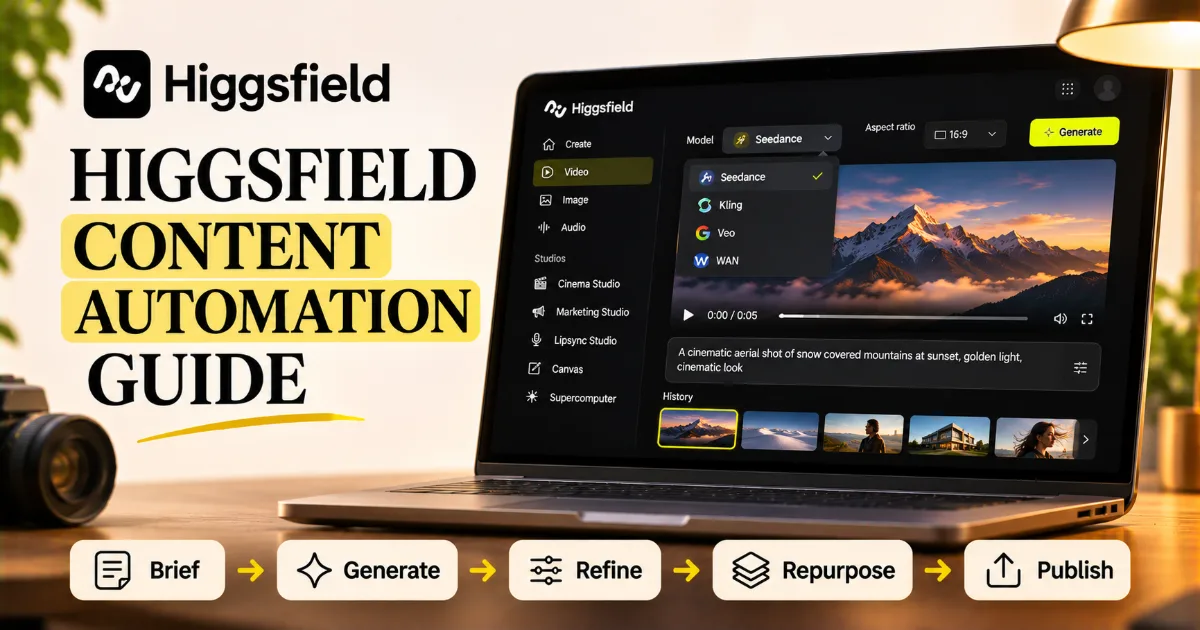
Higgsfield sells credits, not videos, so every question about Higgsfield content comes down to one sum: how many credits a finished second costs, and how many attempts it takes to get one you keep. As of November 2026 the plans are Basic at $9 a month for 120 credits, Pro at $29 for 600 and Max at $79 for 1,800, before local tax. This guide turns those credits into seconds of video for each plan, shows the price in five countries, covers prompting and editing your own footage, and works out what to charge for one video and for a monthly batch.
From a plan’s credits to the seconds a client pays for
- Every credit in the plan the monthly allowance
- The credits one model spends the model you choose
- The takes you generate every attempt is paid
- The seconds you keep what reaches the edit
- What Higgsfield makes, and the work people buy it for
- Higgsfield pricing in November 2026: plans and credits
- What Higgsfield costs in India, the US, the UK, Canada and Australia
- How many seconds of video each plan makes
- How to prompt Higgsfield so the first take is close
- Editing footage you supply, not only generating it
- What is automated in Higgsfield content, and what stays human
- A worked example: eight Reels for a skincare brand
- What to charge for Higgsfield work: one video or a batch
- Frequently asked questions
- Where to start
What Higgsfield makes, and the work people buy it for
Higgsfield is a single subscription that puts many video and image models behind one credit balance, so the job you take on decides the model, and the model decides the cost. It is not one generator. Kling, Seedance, Google Veo, Wan and Higgsfield's own models all sit in the same account, and a credit spent on one is gone from all of them. Two jobs that look alike on a brief can cost seven times apart depending on the model. If you are still deciding whether it is the right tool at all, how to choose content tools sets out the questions to ask before any subscription. Before choosing a model at all, it helps to have a written brief for the picture, and our Higgsfield AI visual brief workflow shows how one is drawn from a finished article.
One credit balance behind every model and every job
video models in the same account
more models on the same balance
Soul, Speak and the presenter tools
every generation is paid from it
a product shown moving
a short film with a look
a person on camera who was never filmed
a trend copied with new subjects
The clearest list of what people come for is Higgsfield's own. The plan picker on Higgsfield's pricing page asks "What are you here to make?" and offers product photos and videos, cinematic videos, UGC talking avatars, viral content, and access through MCP, the CLI and Supercomputer. Those are the four kinds of paid work you will be asked for: a product shown moving, a short film with a look, a person speaking to camera who was never filmed, and a trend copied with new subjects. The fifth option is the automation route, which is what this guide calls Higgsfield content automation. Supercomputer can now run Anthropic’s Claude Fable 5.2 for the research and script half of a job, and how Claude Fable 5.2 can help business owners plan video explains where the model stops and Higgsfield’s own generation takes over.
There are really two ways to make content with it, and they are priced differently. The first is generation: you write a prompt, add a reference image, and the model makes the clip from nothing. The second is editing: you upload footage the client already has and Higgsfield changes it, restyles it, reframes it or builds a reel around it. Short films live mostly in the first. Client work for brands lives mostly in the second, because a brand already owns its product shots and its founder's face. The editing side grew on 20 November 2026, when Higgsfield released a tool that changes one marked moment of uploaded footage; our story on Higgsfield’s Editing Room and the disclosure an edited clip owes sets out what it changes. Our guide to Claude Code and Higgsfield covers the image side for carousels; this one is about video.
Everything else follows from that split. A generated film is paid for in attempts, because most first takes are not kept; an edit of real footage is paid for in your hours. Higgsfield sits beside Claude Code, n8n, Zapier and Make.com on our content automation tools page.
Higgsfield pricing in November 2026: plans and credits
Higgsfield's individual plans are Basic, Pro and Max, and each is a monthly allowance of credits that resets and does not roll over. On 9 November 2026 the pricing page showed Basic at $9 a month billed yearly with 120 credits, Pro at $29 a month (or $23 a month billed yearly) with 600 credits, and Max at $79 a month (or $59 billed yearly) with 1,800 credits. Pro can be raised to 900 credits and Max to 3,600 or 5,400, at a higher price. Business plans are a separate family: Higgsfield's plans help page names Team, Scale and Enterprise, with credits pooled across seats.
Higgsfield’s three individual plans
- 01Basicthe entry plan, selected models only
- 02Proevery model, and seven days of unlimited models
- 03Maxthe most monthly credits for individuals
Relative, not measured
Most pages that rank for Higgsfield pricing still describe Starter, Plus and Ultra, the plans before these, and even Higgsfield's own Shorts Studio announcement works its sums from a "Plus plan at $49 for 1,000 credits". Trust only the pricing page on the day you buy; the help page says it "always shows the current plans and prices".
Three rules on Higgsfield's credits help page decide how far a plan stretches. Subscription credits expire at renewal. Every generation is priced by model, resolution and duration, and the exact figure is on the Generate button before you confirm. Most failed generations are refunded automatically, though "specific models might not refund". Top-ups are a separate pool: credit packs and auto-refill credits expire 90 days after purchase and survive a cancellation.
The rule that changes an automation plan most is about the "unlimited" models. Pro and Max include seven days of unlimited generation on selected models, and some plans include free generations. Both work only on the higgsfield.ai website. The credits page says that "any generation made outside it, including through MCP, CLI, Canvas, Supercomputer, and other automated tools, always deducts credits, regardless of plan." If you connect Higgsfield to Claude Code or a scheduled workflow, budget every clip in credits, because the unlimited allowance will not cover a single one. A scheduled pipeline is no different: how to automate content with n8n shows the shape of one, and every Higgsfield step inside it is a credit cost.
What Higgsfield costs in India, the US, the UK, Canada and Australia
Higgsfield shows one dollar price and adds each country's tax at checkout, so the difference between countries is the tax, not a different plan. Higgsfield's billing help page says the pricing page "shows the base price before tax", and that Stripe "adds the applicable local tax based on your billing location", shown as its own line before you pay. We read the page from India on 9 November 2026 and saw the dollar prices above. The table works out what an individual's card is charged in each of the five countries, in US dollars, before the bank converts it.
The tax each country adds at checkout
Relative, not measured
| Country | Tax added at checkout | Basic ($9) | Pro ($29 monthly) | Max ($79 monthly) |
|---|---|---|---|---|
| United States | No national sales tax; state or local tax where it applies | $9.00 + any state tax | $29.00 + any state tax | $79.00 + any state tax |
| United Kingdom | VAT at 20% | $10.80 | $34.80 | $94.80 |
| Canada | GST 5%, or HST 13% to 15% by province | $9.45 to $10.35 | $30.45 to $33.35 | $82.95 to $90.85 |
| Australia | GST at 10% | $9.90 | $31.90 | $86.90 |
| India | GST at 18% | $10.62 | $34.22 | $93.22 |
Each rate comes from the tax authority's own page. The UK's standard VAT rate is 20% on GOV.UK's VAT rates page. The Australian Taxation Office says "The GST rate in Australia is 10%" and applies it to digital products sold into Australia. The Canada Revenue Agency's GST/HST rate table lists 5% in Alberta, 13% in Ontario, 14% in Nova Scotia and 15% in New Brunswick, Newfoundland and Labrador and Prince Edward Island, with provincial sales tax on top in some provinces.
India taxes an online service where the buyer is: CBIC's flyer on online information and database access services says the place of supply "shall be the location of the recipient", and the GST Council's 2025 reform, in the Press Information Bureau's release, set a standard rate of 18%. The table assumes the full standard rate in each case. A business that adds its own tax registration at checkout may be treated differently, and your checkout screen shows the exact tax line before you confirm, so that is the figure to put in a quote.
Two things change the real cost more than the country does. Billing yearly cuts Pro to $23 and Max to $59 a month before tax. And your bank's foreign-currency fee sits on top, because Higgsfield charges in dollars, so quote clients from the figure on your card statement.
How many seconds of video each plan makes
A plan's credits buy very different amounts of video depending on the model, from about 21 minutes a month on Max down to 50 seconds on Pro. The pricing page lists the credit cost of every model per clip, for example about 8 credits for five seconds of Kling 3.0 at 1080p and about 60 credits for five seconds of Seedance 2.0 at 1080p. Dividing a plan's monthly credits by those costs gives the most video a plan can generate, before a single take is thrown away.
How far Pro’s credits stretch on each model
Kling 3.0 at 720p minutes of video
Kling 3.0 at 1080p minutes of video
Seedance 2.0 Fast a few minutes
Veo 3.1 Fast a couple of minutes
Seedance 2.0 at 1080p under a minute
A judgment, not a score
| Model (Higgsfield's listed cost) | Basic · 120 credits | Pro · 600 credits | Max · 1,800 credits |
|---|---|---|---|
| Kling 3.0 720p (about 7 per 5 s) | 17 clips · 85 s | 85 clips · 7 min 5 s | 257 clips · 21 min 25 s |
| Kling 3.0 1080p (about 8 per 5 s) | Not on Basic | 75 clips · 6 min 15 s | 225 clips · 18 min 45 s |
| Seedance 2.0 Fast 720p (about 12 per 5 s) | 10 clips · 50 s | 50 clips · 4 min 10 s | 150 clips · 12 min 30 s |
| Google Veo 3.1 Fast 1080p (about 16 per 4 s) | Not on Basic | 37 clips · 2 min 28 s | 112 clips · 7 min 28 s |
| Seedance 2.0 1080p (about 60 per 5 s) | Not on Basic | 10 clips · 50 s | 30 clips · 2 min 30 s |
Those are generated seconds, and the number you sell is kept seconds. Every take that comes back with a melted hand, a drifting face or a camera move that did not happen is still paid for. So the real allowance is the table divided by your attempts per kept clip. If you keep one take in three, Pro's six minutes of Kling at 1080p becomes about two minutes of usable footage. Measure your own ratio on your first twenty generations; no published figure will match your work.
The plan cards print their own counts, such as "40 videos Seedance 2.5" on Pro, without saying how long each video is, so treat them as rough. Clip length is capped by the model: Higgsfield's Seedance help page gives up to 30 seconds for Seedance 2.5 and 4 to 15 for Seedance 2.0, and the Kling 3.0 API documentation 3 to 15. A 30-second Reel from a 15-second model is two clips and a cut you design. Seedance 2.5 also gained cheaper Flash previews and a 4K setting in November 2026, outside the US, and our news analysis of Seedance 2.5 previews and 4K renders in Higgsfield weighs what each changes for short video.
The per-second cost explains why model choice matters more than the plan. At Pro's monthly price a credit costs about 4.8 cents, so a generated second of Kling 3.0 at 1080p costs about 8 cents, Veo 3.1 Fast about 19 cents and Seedance 2.0 at 1080p about 58 cents. Max brings a credit down to about 4.4 cents monthly or 3.3 cents billed yearly. Choose the cheapest model that passes for the shot, and keep the expensive ones for the two or three shots a client will actually look at.
How to prompt Higgsfield so the first take is close
A good Higgsfield prompt is an order of instructions, not a description, and the order Higgsfield itself recommends is subject and action, then setting and lighting, then the camera move, then mood. That structure is on the Seedance help page, along with the camera terms the model "reads directly": dolly in, truck left, arc shot, push in, pull back wide, handheld follow, crane up and orbital move. A vague "cinematic movement" leaves the camera to chance; a named move can be checked.
The order Higgsfield recommends for a video prompt
- 01Subject and actionwho is in the shot and what they do
- 02Setting and lightingwhere it happens and how it is lit
- 03Camera movea named move such as dolly in or crane up
- 04Moodthe atmosphere or style, last
The same page gives a routine that is the cheapest habit you can build. Start with image-to-video at 720p from a sharp, well-lit reference, which costs fewer attempts than text alone. Review the whole clip, since "most quality problems appear at the 5 to 8 second mark". Change one thing per attempt, never the prompt and the reference together. Only when the composition is right at 720p, run the identical prompt at 1080p or 4K.
For multi-shot clips, Higgsfield's Seedance 2.5 prompting guide uses a fuller template: global style, then characters, location, the first frame and blocking, a numbered shot list ending each shot in "Hard cut", optics and camera, and audio last. That order stops a location drifting between cuts, and it makes the prompt reusable: change the characters and the product, keep the rest.
Keep a person consistent with references, not adjectives: an @character reference holds a face within one clip, and a saved Element holds it across clips, which a series of Reels with one presenter needs. Keep prompts in files so the version that worked is the one you run next month; Claude Code for content automation shows that habit.
Editing footage you supply, not only generating it
Higgsfield can take footage you upload and change it, which is the work most brands will actually pay for, because their product and their founder already exist on camera. Its AI video editor works in three steps: upload your footage, choose a compatible model and describe what to remove, replace or change, then check the credit cost, generate and review. The same page lists the finishing tools: reframe to 16:9, 9:16 or 1:1, and upscale to 1080p, 2K or 4K.
Generating a clip versus editing footage you supply
Generate from nothingEdit your footage
Start
a prompt and a reference image
the client’s own footage
What is invented
the subject, the setting and the motion
only the change you describe
Keeping takes
many takes thrown away
most takes close first time
Finishing
join clips into a cut
reframe and upscale the edit
The closest thing to "give it my assets and a sample and get an edit back" is Genjutsu for Reels. You start with a talking video, add a script, extra clips or references, and choose a preset or bring a reference whose pace, transitions and animation it follows. It "connects what you say with scenes, motion, and text in one cohesive edit." The reference is the sample: a reel you like becomes the template for the pacing and look of the client's own footage.
Three more tools cover the rest. Video to Video restyles a clip, swaps an object or replaces the background, and can extend a clip. Genjutsu's Motion Transfer keeps a recorded performance's motion and timing and rebuilds the scene from your references. Shorts Studio makes a vertical presenter video of 15 seconds to two minutes from up to 38 images or videos, a script and an optional motion reference of 10 to 120 seconds.
Editing is not a way round the credits: every edit is a generation, priced on the Generate button, and a missed restyle is paid for like a missed take. What it changes is the keep rate, because real footage gives the model less to invent, which is a reason to steer brand work toward edits. For the vertical cut and where to post it, our comparison of TikTok, Reels and Shorts covers the platform side. Most of these edits end up on Instagram, where the Instagram content guides collect the brand side and how to automate Instagram content covers keeping a brand's voice across an automated feed.
What is automated in Higgsfield content, and what stays human
The generating can be automated and the judging cannot. A script can run every prompt in a batch through the MCP server or the CLI, and Claude Code can write the prompts from a brand sheet and a shot list, so the hundredth follows the same rules as the first. Our page on what to automate in your content, and what not to draws the same line for writing.
The hands a Higgsfield batch passes through
- 01Claude Codewriting the promptseach prompt written from the brand sheet and shot list
- 02Higgsfield MCPgeneratingevery prompt run in the batch, paid in credits
- 03A personchoosing the takethe take checked frame by frame
- 04A personrights and labelconsent cleared and the AI label applied
Four jobs stay with a person, and each is a reason a client pays you rather than the subscription. Choosing the take: a model cannot tell that a hand has six fingers in frame 140. Checking the rights: Higgsfield's Terms of Use say the company "does not control, verify, or perform clearance searches or rights verification" on your inputs or outputs, and that any real person's likeness needs their consent. Writing the brief: the shot list is the creative decision, and the model only executes it. And labelling the post, because the platforms ask for it.
The labelling rules are each platform's own. TikTok's AI-generated content page requires a label on realistic AI-generated content. YouTube's page on disclosing altered or synthetic content says "We require creators to disclose AI-generated or altered content that seems realistic." Meta explains its "AI info" label for Facebook, Instagram and Threads. And Higgsfield's terms, at section 11.7, say you "shall not represent to End Users or third parties that Outputs are human-generated."
On Facebook the label can now be corrected by the workflow that posted the video. Since Graph API v27.0, released on 4 November 2026, an app can add or clear the AI disclosure on a Page post when it edits that post, but only on posts the same app published, so a reel exported from Higgsfield and posted by hand still has its label fixed in Facebook itself. Our story on Meta's AI disclosure field in Graph API v27.0 walks through which posts it covers.
Posting can be automated too, within each platform's own limits. Instagram's Content Publishing API publishes reels "on Instagram professional accounts" from media on a public server. YouTube's videos resource has a containsSyntheticMedia field to disclose realistic altered or synthetic content on upload, and its quota page gives a default of 100 uploads a day per project.
A worked example: eight Reels for a skincare brand
Here is the arithmetic for one month of real client work, with every Higgsfield figure taken from its pricing page and every assumption labelled as one. Suppose a small skincare brand asks a freelance editor for eight Instagram Reels a month, each about 30 seconds. The brand supplies its founder talking to camera and a folder of product photos. Each Reel needs the founder's clip, cut and captioned, plus three five-second product shots generated with Kling 3.0 at 1080p: the bottle turning, a hand applying it, the texture up close.
Claude Code generating the shots for one skincare Reel
- >Write the three product shot prompts for Reel 4 from the brand sheet
- ·Read the brand sheet and the shot list for a product Reel
- +prompts/reel-04.md with the bottle turning, the hand applying it and the texture close
- ·Sent three shots to Higgsfield through the MCP server with the product reference
- ·Two takes look right; which hand shot should go in the edit?
- Three shots in the folder, ready for the editor to pick and cut
The editor sets the brand up once. A brand sheet in a Claude Code project holds the product names, colours, the words the brand never uses and the shot list for each kind of Reel, and Claude Code writes each shot's prompt from it in Higgsfield's own order: subject and action, setting and light, camera move, mood. A product reference image goes in with every prompt, and the founder's look is saved as an Element. The generation runs through the Higgsfield MCP server, so every clip is paid in credits, as the credits page says it must be. The edit and the captions happen in the editor's usual software. A brand that wants this run every month without a freelancer in the middle is what Instagram content automation is for. How a brand sheet like this sits beside the skills, hooks and subagents of a full system is shown in our walkthrough of a Claude Code content system.
The credit sum fits inside Pro. Three shots at about 8 credits is 24 credits a Reel if every take is kept. Suppose the editor keeps one take in three: 72 credits a Reel, 576 credits for eight, under Pro's 600. At Pro's monthly price that is about $28 of credits for the month, plus tax in the editor's country. Had the same shots been made in Seedance 2.0 at 1080p, the same month would need about 4,320 credits, more than double Max's allowance, for a difference the client might not see in a feed.
The hours are the larger cost, and only the editor can measure them. Suppose setup takes three hours once and each Reel then takes an hour and a half to brief, pick, cut, caption and label: fifteen hours the first month, twelve after. The brand never sees either number; it sees eight Reels and an invoice.
What to charge for Higgsfield work: one video or a batch
The lowest price you can charge for Higgsfield work is your credits plus your hours at your hourly rate, and everything above that floor is the value of the work to the client. No credible source publishes a market rate for "Higgsfield videos". What a marketplace does publish is what editing time sells for: Upwork's video editor cost guide said on 9 November 2026 that video editors there "typically cost $6 - $25 per hour", with tiers below $30, $31 to $60 and $61 to $150 an hour, and that finished length, the number of deliverables, the state of the raw footage, motion graphics, turnaround and revision rounds all move the price.
Where the price of one Higgsfield Reel goes
- Setup hours the brand sheet, references and Element, done once
- Reel hours briefing, picking, cutting, captioning and labelling
- Credits and plan the month of Pro the Reel needs
The shape of the problem, not a measurement
Using the worked example, and an illustrative rate of $45 an hour from the middle of Upwork's range, the batch works out like this. The first month is fifteen hours, $675, plus a $29 Pro plan: about $704 for eight Reels, or about $88 a Reel. From the second month the setup is done, so twelve hours is $540 plus the plan: about $569, or about $71 a Reel. That is the floor. Below it you are paying to make the client's content.
A client who wants only one video costs far more per video, and the quote should say why. The one Reel still carries the whole three-hour setup, an hour and a half of work and a full month of Pro, because you cannot buy a third of a plan. At the same $45 that is about $232 for one 30-second Reel, against about $71 when it is one of eight. In seconds, the batch floor is about $2.40 a finished second from the second month, and a single Reel's floor is about $7.70 a second. Price a one-off as a project and a batch as a monthly rate, and never quote the batch rate for a single video.
Three terms protect the price. Cap the revision rounds, because every re-roll costs credits. Match a monthly batch to the plan's allowance, because unused subscription credits expire at renewal. And state the rights: Higgsfield's terms, at section 4.4, let you "transfer or sublicense your rights in Outputs to your clients", and also let Higgsfield train on your inputs and outputs unless you are on an Enterprise agreement, which a brand with unreleased products will want to know first. If you would rather have a system run this for a brand than sell it by the Reel, our own pricing is published separately, with Higgsfield as one tool inside it.
Frequently asked questions
How many videos can you make with Higgsfield's Pro plan?
It depends on the model: Pro's 600 monthly credits make about 75 five-second clips of Kling 3.0 at 1080p, about 37 four-second clips of Veo 3.1 Fast, or about 10 five-second clips of Seedance 2.0 at 1080p, using the credit costs on Higgsfield's pricing page in November 2026. Those are generated clips. Divide by how many attempts you need per clip you keep to get the number you can actually deliver.
Do Higgsfield subscription credits roll over to the next month?
No. On individual plans, subscription credits reset at each renewal and unused ones expire, according to Higgsfield's own help pages. Credit packs and auto-refill credits are a separate pool that lasts 90 days from purchase and survives a cancellation. Only Enterprise plans have rollover credits.
Is Higgsfield cheaper in India than in the US?
No. Higgsfield shows one dollar price and adds local tax at checkout, so an Indian buyer pays the same base price plus GST, which at the 18% standard rate makes Pro about $34.22 a month against $29 plus any state tax in the United States. Your bank's currency conversion fee is extra, and the checkout screen shows the exact tax before you pay.
Can you sell Higgsfield videos to your own clients?
Yes. Section 4.4 of Higgsfield's Terms of Use says it does not restrict commercial use of outputs and that you may transfer or sublicense your rights in them to your clients. The same section lets Higgsfield use your inputs and outputs to train its models unless you are on an Enterprise agreement, and you are responsible for clearing the rights to any footage, face or product you upload.
Do the unlimited Higgsfield models work through MCP or the CLI?
No. Higgsfield's credits help page says unlimited models and free generations apply only on the higgsfield.ai website, and every generation through MCP, the CLI, Canvas, Supercomputer or any automated tool deducts credits regardless of plan. An automated pipeline should be budgeted entirely in credits.
How long can one Higgsfield video clip be?
The model sets the limit, not the plan: Seedance 2.5 makes clips of up to 30 seconds, Seedance 2.0 4 to 15 seconds, and Kling 3.0 3 to 15 seconds, according to Higgsfield's help pages and API documentation. A longer Reel is several clips joined in an edit, and Shorts Studio produces presenter videos of up to two minutes.
Should you charge clients per video or per second for Higgsfield work?
Charge per finished video or per monthly batch, and work out your cost per second only to check the floor. A single video carries all the setup and a whole month's plan, so it costs several times more per second than the same video inside a batch of eight, and a quote that hides that difference loses money on one-offs.
Where to start
Open Higgsfield's pricing page, pick the one model your first client job needs, and run twenty generations at 720p on a single brief before you quote anything. Count how many you would keep, time how long the picking and the edit take, and put those two numbers into the sums above with your own hourly rate. That gives you a floor you can defend, a per-second figure for comparing models, and a reason to steer the client toward editing their own footage. The Higgsfield content guides collect everything we have written on the tool, and the Shorts and Reels guides cover where the finished video goes.
When the work grows past one editor and one brand, the Higgsfield step becomes one part of a larger system, with a person approving every post. That is what our YouTube Shorts automation builds for vertical video, with Higgsfield as one of its tools, and what a content automation specialist for short-form video sets up and hands over, with the automation layer described on our services page.
Our own prices are published as starting prices for a defined scope. The Instagram pricing page shows what a Reels system costs, the YouTube pricing page covers Shorts and long-form, and how much content automation services cost explains how that kind of price is built and why a single number is misleading before the scope is known.
Disclosure
This post was written by Shreyas Dave, founder of Paper Eagle AI. We sell content automation services, which is the category this article is about, so we have a commercial interest in you concluding that a system beats ad-hoc effort — read it knowing that. No tool vendor was involved in writing it, nobody paid for a mention, and there are no affiliate links anywhere on this site. Where a third-party figure appears, it’s attributed to the publisher it came from; anything we couldn’t source is written as a direction rather than a number.
Paper Eagle AI builds Content Operating Systems that turn a business’s knowledge and expertise into consistent, multi-platform content, and we deliver them as content automation services. Working as a content automation specialist, we capture what a business knows and how it sounds, set the strategy, and build the workflows that research, draft, repurpose and publish — with a named person approving every piece before it goes out. Every build runs through discovery, design, build and handoff. The system lives in the client’s own accounts, it is documented, the team is trained to run it, and the business owns it outright. We don’t write content on a retainer, and we don’t build lead generation, CRM or sales automation.
One source of thinking becomes native content for every platform a business publishes on: the founder’s LinkedIn and the company page, YouTube and Shorts, Instagram and Reels, TikTok, Reddit, Medium, newsletters, and the company’s own website, written to be found in Google and understood by AI search. Our multi-platform content automation page shows how they share one source, and our case studies document the systems behind our own publishing, file by file. You can follow the work on the company’s own channels: Paper Eagle AI on Instagram, Paper Eagle AI on YouTube, the Paper Eagle AI company page on LinkedIn, Paper Eagle AI on Substack, Paper Eagle AI on Reddit and Paper Eagle AI on Medium. Paper Eagle AI is also listed where clients can review its work: Paper Eagle AI on Clutch, Paper Eagle AI on GoodFirms and the Paper Eagle AI Google Business Profile.
Keep reading
- Content Creation with Claude Code and Higgsfield — the image side of Higgsfield: carousels made through its MCP server.
- TikTok vs Reels vs Shorts — where a finished vertical video goes, and how each platform treats it.
- How Much Do Content Automation Services Cost? — what a system that runs this work costs, and why.