Medium Article Republishing Workflow: Keep Your Website the Original
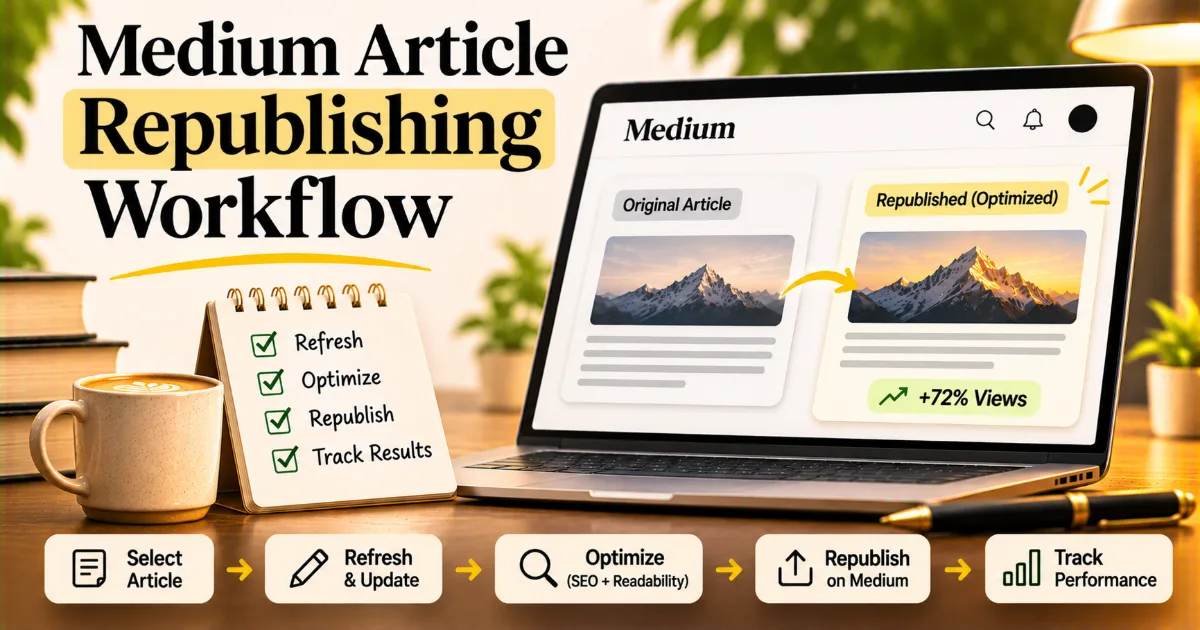
A Medium article republishing workflow publishes an article on your own website first, imports it to Medium with the import tool, and then checks that the Medium copy names your page as the original. Medium's import tool adds that canonical link automatically and backdates the story to the original date, so the order of the steps is what protects you, not any setting you remember to tick. The step most teams skip is the last one: opening the published Medium story and confirming the canonical really points home. This post sets out what Medium allows, how to prepare the website version, the import itself, the check afterwards, and one practice's guide republished from start to finish.
One article’s route from the website to a checked Medium story
Publication day
Website publishesthe article goes live at its final URL with its own canonical
Same afternoon
Import and publisha signed-in person imports, fixes the draft and publishes on Medium
Next morning
Canonical checkthe workflow reads the Medium story and confirms its canonical is the website URL
A few weeks on
URL InspectionSearch Console shows which page Google selected as canonical
- Medium article republishing workflow: the website publishes, Medium credits it
- What Medium's rules allow when you republish your own article
- Getting the website version ready to be imported
- The import, step by step
- Checking the canonical after the story is published
- What to change in the Medium version, and what to leave alone
- What the workflow automates, and what a person still does
- A worked example: a conveyancing practice's leasehold guide
- What a Medium republishing workflow costs to run, and where it breaks
- Frequently asked questions
- Where to start
Medium article republishing workflow: the website publishes, Medium credits it
A Medium article republishing workflow is a fixed order of work: the article is finished and published on your website, then imported to Medium, then checked. The website copy is the original, and the Medium copy is a second home for the same argument, labelled as a republication. Nothing about that order is optional. If the Medium copy goes up first, or goes up by copy and paste with no canonical link, two pages with the same words compete for the same readers and there is no signal telling a search engine which one came first.
What each republishing step leaves behind as proof
- Publish on the website the page is live at its final URL with a self-referencing canonical
- Prepare the Medium version an approved note of title, subtitle, opening and topics
- Import and publish on Medium a live Medium URL recorded against the website URL
- Check the canonical the story looks the same whether its canonical points home or at itself
The reason to republish at all is reach. Your website builds your domain, links to your services and belongs to you; Medium has readers who find stories through topics, publications and recommendations and who would never visit your site. A republishing workflow lets one finished article work in both places without one copy undermining the other. It is the narrowest version of the job our Medium content automation page describes: one article, one import, one check. Once a handful of stories are there, our guide to Medium content library structure covers arranging them by problem and stage.
| Step | Who does it | What proves it happened |
|---|---|---|
| Publish on the website | The website's normal publishing step | The page is live at its final URL with a self-referencing canonical |
| Prepare the Medium version | The workflow, then an editor | An approved note of the title, subtitle, opening and topics |
| Import to Medium | A named person, signed in to Medium | A draft that carries the article and its original date |
| Publish on Medium | The same person | A live Medium URL recorded against the website URL |
| Check the canonical | The workflow, or the person if it cannot read the page | The Medium story's canonical equals the website URL, written in the log |
Read the last column of that table as the definition of done. A step that leaves no proof is a step that will be skipped on a busy week, and the canonical check is the one that leaves no visible sign when it fails. The Medium story looks exactly the same whether its canonical points at your page or at itself.
What Medium's rules allow when you republish your own article
Medium allows you to republish an article from your own website, as long as you hold the rights to it, and it gives you two ways to credit the original. Its help page on importing a post to Medium says the import tool backdates the story to the original date and adds a canonical link so the original is not penalised, and it notes that you may only import content you have the right to import. For an article your own team wrote and published on your own site, that condition is met. Medium's page on republishing content from your own blog says you may republish it on Medium as long as you hold the rights, and which copy counts as the original is the decision our Medium duplicate content strategy records for each article.
What Medium’s rules allow when the article is your own
adds the canonical and backdates the story
- automatic
- original date
set under the story’s advanced settings
- only the author
- advanced settings
what shapes the rest of the workflow
- closed API
- no duplicates
- AI disclosure
The second route is manual. Medium's guide to how you set a canonical link explains that only the story's author can set one, and that it lives under the story's advanced settings as This story was originally published elsewhere. That route matters when the import tool cannot read a page, which happens with some site builders and with pages that load their text by script.
Two other rules shape the workflow. Medium no longer issues new tokens for its API, so a system built today cannot publish to Medium by itself; a signed-in person runs the import. And Medium's own rule against duplicate content applies inside Medium, not between Medium and your site: the same story may not be published twice on Medium, or into two publications, but it may live on your website and on Medium at once. If any part of the article was drafted with AI, Medium's policy asks for a short disclosure near the top of the story, which is easiest to write once on the website version and carry across. A newsletter is a different case again, because a subscriber's inbox is not a search result; our Substack content automation page covers that route for long-form writing. Substack has no posting API either, and the Content Operating System for a Substack newsletter shows where its own hand-off to a person sits.
Getting the website version ready to be imported
The website version has to be finished before it is imported, because the import copies what is on the page at that moment. Changes made on the website afterwards do not flow to Medium. So the article is published at its final URL, with its final headline, images and links, and it carries a self-referencing canonical of its own, which Google's documentation on specifying a canonical URL recommends for every canonical page. The import is done by a signed-in person because Medium's API and importing page says no new integration tokens are being issued, and our guide to Medium publishing workflow automation shows which steps a workflow can still prepare around that manual import.
The website page as the import tool will read it
- guides/ the section of the site where the article lives
- final-url/ the slug settled before the first import, never renamed after
- self-canonical the page names itself as the preferred version
- text-in-page the article text is in the page, not loaded by script
- full-links every link inside the article is a full address
- image-alt-text each image carries alt text that travels with it
The import copies what is on the page at that moment; later website edits never reach Medium.
The URL is the part that must not move. The Medium copy will point at it permanently, so a URL that is later renamed leaves the Medium story pointing at a redirect or, worse, at a page that no longer exists. If your site's slugs are still being argued about, settle them before the first import, not after the tenth. The same goes for the published date: the import backdates the Medium story to the date on the original, so the original should show the date it really went live.
Check the page the way the import tool will see it. Open it signed out, with no cache, and make sure the article text is in the page rather than loaded later by a script, that the images have proper alt text, and that every link inside the article is a full address rather than a relative path that will break once it is on another domain. That is fifteen minutes of checking that saves an hour of fixing a half-imported story. Our guide to writing content Google and AI search can both understand covers why text that is plainly in the page helps every reader, human or machine, and the article itself is usually the work our SEO content writing page describes, finished before anyone thinks about a second home for it. Treating the website version as the original every channel points back to is the starting point of a Content Operating System for a blog.
The import, step by step
The import itself takes a few minutes and has five steps. Signed in to Medium on a desktop browser, open Stories from the left-hand menu, choose Import a story, paste the website URL and press Import. Medium fetches the page and creates a draft. Choose See your story, edit the draft where it needs it, and publish. The draft carries the original date and the canonical link from the moment it is created.
The import, and the fallback when the tool cannot read the page
Import a story paste the website URL from Stories
See your story a draft with the original date and canonical
Fix the draft headings, captions and tables simplified
Paste the article add the images by hand
Set the canonical originally published elsewhere
Mark the log set by hand, checked twice
Publish on Medium, then record the Medium URL against the website URL
Editing the draft is where the time goes. The import does its best with the page, but headings, captions and pull quotes can come through imperfectly, and Medium's editor offers no table format at all, so a table has to become a list or an image. The editor has two heading sizes, so a website article with three heading levels needs its structure simplified rather than forced. Read the draft top to bottom on Medium's own page before publishing, because that is the version Medium's readers will judge.
When the import fails, Medium's help page on trouble with the import tool describes the fallback: paste the article into a new draft, add the images, set the canonical link by hand and publish. The fallback is fine, but it removes the automatic part of the protection, so it is exactly the case where the check in the next section stops being a formality. In the workflow, a failed import should be marked as such in the log, so the person knows the canonical was set by hand and is checked twice.
Checking the canonical after the story is published
The check is simple: open the published Medium story, read its canonical link, and confirm it is your website URL exactly. In a desktop browser that means viewing the page source and finding the line that begins <link rel="canonical", or opening the story's settings and confirming that This story was originally published elsewhere is set to your address. A canonical that points at the Medium URL itself means the credit was lost, usually because the story was pasted rather than imported. A full audit of the workflow checks the canonical alongside the headings, images, links and status, as in our guide on how to audit a Medium publishing workflow.
The morning after the import, checking the canonical
- >Check the canonical on yesterday’s Medium story against the website URL
- ·Opened the published Medium story and read its link rel canonical element
- ·The canonical equals the website URL exactly, so the credit was kept
- +log row: website URL, Medium URL, canonical result, date checked
- ·Which page has Google selected? Run URL Inspection on the website page in a few weeks
- Medium story checked · canonical points home · result in the log
The standard behind the check is short. The canonical link relation, RFC 6596, defines it as the author's preferred version of a resource among copies that duplicate its content. That is the job the Medium copy's canonical does: it says, on Medium's page, that your page is the preferred version. The relation is one of the link types the web's general Web Linking standard, RFC 8288, provides a framework for, which is why every search engine and browser reads it the same way. Write the result into the log beside the two URLs and the date checked, so anyone can see later that it was looked at rather than assumed.
Then be honest about what a correct canonical does and does not guarantee. Google's explanation of URL canonicalization says you can state a preference with these methods, but Google may choose a different page as canonical for its own reasons. A correct canonical is a strong signal, not an instruction. The way to see what Google actually chose is Search Console's URL Inspection tool run on your own page, which reports the canonical Google selected; checking that a few weeks after the import closes the loop. Search Console's Performance report, filtered to the article's own URL, then shows whether search visitors are still arriving at your page rather than somewhere else.
What to change in the Medium version, and what to leave alone
The Medium version should change in three places and stay the same everywhere else. The display title and subtitle can be written for a reader who has never heard of you, the opening paragraph can be adjusted so a stranger knows why the piece matters to them, and the topics are chosen for Medium's readers. The body, the facts, the examples and the argument stay exactly as the website published them, because the canonical link claims the two are the same article. The display title is one of the few things worth changing: Medium's help page on custom titles and subtitles lets a story show a different title in previews from the one on the story page, and our Medium article introduction rewrite guide covers the opening paragraphs that follow it. Topics are added at import, chosen with our Medium article tags strategy.
What changes in the Medium version, and what stays the website’s
On the websiteOn Medium
The website headline
a display title for a reader who has never heard of you
The website subtitle
a subtitle naming what the stranger will get
The website opening
an opening that says why the piece matters to them
The site’s categories
topics chosen for Medium’s readers
That last point is the one people forget. If the Medium copy is rewritten so heavily that it says something the website page does not, the canonical link is no longer true: it points at a page that is not the original of what is on Medium. Light adaptation keeps the claim honest. Heavy adaptation means you have written a second article, and a second article should stand on its own rather than borrow the first one's canonical.
Multi-platform content automation makes the same distinction across every platform, and our guide to how you automate content repurposing without creating echoes covers where adaptation turns into a new piece. Short video works the other way round, with each clip pointing back to its article, which our TikTok to blog content workflow sets out. A deliberately different framing is better published as its own story, as in our guide to Medium content angle testing.
Links inside the article deserve one more look. On the website, an internal link might point at your own service page. On Medium, the same link is a link off the platform, and Medium's rules count stories whose main purpose is to drive traffic to another site as spam. One or two links that genuinely help the reader are normal; a story that exists to send people elsewhere is not. Trim the Medium copy to the links a reader would follow, and let the canonical do the crediting. If the link back is kept, tagging it as our guide to Medium referral traffic measurement describes is what later shows whether it was worth keeping. Which single resource deserves that link is decided story by story in our Medium referral linking workflow.
What the workflow automates, and what a person still does
A republishing workflow automates everything around the import, and the import stays with a person. The workflow can watch for new articles on the site, pick the ones marked for Medium, prepare the display title, subtitle, opening note and topics, send the editor a reminder with all of it in one message, and afterwards read the published Medium story to check its canonical. In n8n, the RSS Read node can pick up a site's new articles from its feed, which is one simple way to start the run, and the Google Sheets node can keep the log of website URL, Medium URL and check result in a sheet anyone can read. The n8n guides page lists our other posts on scheduling and checking runs like these.
Who does each part of republishing one article
The workflowA person
Watch
picks up new articles marked for Medium
decides which articles are worth a second home
Prepare
drafts the title, subtitle, opening note and topics
approves the Medium version
Import
sends the reminder with everything in one message
signs in, imports, fixes the draft, publishes
Check
reads the published story’s canonical
decides on a publication and any disclosure
A person does the parts that need a Medium account and a judgement. They approve the Medium version, sign in, run the import, read the imported draft on Medium's page, fix what came through badly and press publish. They also decide whether the story goes into a publication and whether it carries any disclosure. Our page on what to automate in your content draws that line for content in general; here the closed API draws it for you.
The preparation can also live in Claude Code, as a short instruction file and a script that turns the website article into a Medium preparation note. Anthropic's documentation on running Claude Code programmatically describes calling it from a script, which suits a step that runs whenever a new article appears. Whatever builds the note, the note goes to a person for approval before anything is imported; our guide to human approval gates is about making that sign-off quick without making it empty. The same shape appears on TikTok, where our TikTok draft publishing workflow also stops one step short and hands a person a finished package.
A worked example: a conveyancing practice's leasehold guide
Take an illustration, not a client: a small conveyancing practice publishes a long guide on its website explaining what a buyer should check before buying a leasehold flat. The guide is written by one of the partners and reviewed by another, and it lives at a stable URL in the practice's guides section. The practice wants it read by people who are researching a purchase and would never visit a law firm's site, so it decides to republish it on Medium.
How the leasehold guide reached Medium with its credit kept
- 01The guidepublished at a stable URL in the practice’s guides section
- 02An approved notedisplay title, subtitle, opening and four topics
- 03The importthe table rewritten as a list, one internal link removed
- 04A checked canonicalthe Medium story points at the guide’s website URL
Relative, not measured
The workflow picks the guide up from the site's feed the morning it is published, because the guide is tagged for Medium in the site's own content list. It prepares a note for the partner who wrote it: a display title written as the question a buyer would ask, a subtitle naming the three checks the guide covers, a two-sentence opening that tells a stranger why the guide matters to someone about to make an offer, and four Medium topics chosen from what the guide is about. The body is untouched. The partner approves the note with one change to the subtitle.
The practice's marketing coordinator, who holds the Medium account, runs the import that afternoon. The guide's comparison table comes through as plain lines, so the coordinator rewrites it as a short numbered list on Medium and leaves a sentence noting that the full table is in the original. She checks the internal links: two pointed at the practice's own service pages, and she removes one of them because it did not help a reader of the guide. She publishes, and records the Medium URL against the website URL.
The next morning the workflow reads the published story and finds its canonical points at the guide's website URL, exactly. It writes the result into the log. Three weeks later the coordinator runs Search Console's URL Inspection on the guide's own page and sees Google has kept the website version as canonical. The guide now has a second readership, and the practice's site has not lost the credit for it.
What a Medium republishing workflow costs to run, and where it breaks
The running cost is a few minutes per article for the person who imports it, plus the time to fix what the import did not carry well. For most business articles that is under half an hour, dominated by tables and images. The workflow's own cost is small once it is built: a feed watcher, a preparation step, a reminder and a check. If you would rather have it built than build it, Medium content automation pricing sets out what the setup covers.
Where a republished article’s credit leaks away
- 01The creditthe website page as the original
- 02A renamed URLthe Medium canonical points at a redirect
- 03A rushed pastethe credit is lost silently
- 04Driftthe two copies come to say different things
- 05The credit kepta canonical that is true and checked
Relative, not measured
It breaks in three predictable places. The first is the URL: an article renamed on the website after it was imported leaves the Medium canonical pointing at a redirect, so the slug rule from earlier is the cheapest protection there is. The second is the paste: on a rushed day someone copies the article into Medium instead of importing it, and the credit is lost silently. The canonical check exists for exactly that day. The third is drift: the website article is updated, and the Medium copy is not, until the two say different things and the canonical claim quietly stops being true. Keeping the two in step is the routine set out in our guide to the Medium article update workflow.
The fix for drift is a rule rather than a tool. When a republished article is changed on the website, the change log names its Medium copy, and someone decides whether the change is big enough to carry across by editing the Medium story. Medium keeps a revision history for each story, so the edit is safe to make. Our guide to how you document a content automation system covers how a rule like that is written down so the next person keeps it, and every guide we have written on Medium is collected on our page of Medium guides.
Frequently asked questions
What is a Medium article republishing workflow?
It is a fixed order for putting a website article on Medium without losing the original's credit: publish on the website first, prepare a lightly adapted Medium version, import it with Medium's import tool, publish it, and then check that the Medium story's canonical link points at the website page.
Does Medium's import tool add a canonical link automatically?
Yes. Medium's help centre says the import tool adds a canonical link referencing the original source and backdates the story to the original date. If you paste an article instead of importing it, you have to set the canonical yourself in the story's advanced settings, under "This story was originally published elsewhere".
How do I check the canonical on a Medium story?
Open the published Medium story in a desktop browser, view the page source and find the link element whose rel is canonical; it should be your website URL exactly. You can also open the story's settings and confirm the original address is set there. Record the result with the date you checked.
Can a system post to Medium automatically?
Not a system built today. Medium's help centre says it no longer hands out API integration tokens or accepts new integrations. A workflow can prepare the Medium version, remind the right person and check the result, but a signed-in person runs the import and publishes the story.
Will the Medium copy outrank my website article?
A correct canonical tells search engines your page is the preferred version, which is a strong signal, but Google says it may still choose a different canonical. Check what Google selected by running Search Console's URL Inspection on your own page a few weeks after the import.
What should change between the website article and the Medium story?
Only the display title, the subtitle, the opening paragraph and the topics. The body, facts and argument should stay the same, because the canonical link claims the two are one article. If you want to say something different on Medium, write a separate story instead of borrowing the original's canonical.
Where to start
Pick one article already published on your website that you would be glad for a stranger to read, and check two things before anything else: that its URL is final, and that its text is in the page when you open it signed out. Then import it, publish it, and open the Medium story's source to find its canonical. If the address you see is your own page, you have a workflow. Write the three steps down, and the next article is a routine.
Disclosure
This post was written by Shreyas Dave, founder of Paper Eagle AI. We sell content automation services, which is the category this article is about, so we have a commercial interest in you concluding that a system beats ad-hoc effort — read it knowing that. No tool vendor was involved in writing it, nobody paid for a mention, and there are no affiliate links anywhere on this site. Where a third-party figure appears, it’s attributed to the publisher it came from; anything we couldn’t source is written as a direction rather than a number.
Paper Eagle AI builds Content Operating Systems that turn a business’s knowledge and expertise into consistent, multi-platform content, and we deliver them as content automation services. Working as a content automation specialist, we capture what a business knows and how it sounds, set the strategy, and build the workflows that research, draft, repurpose and publish — with a named person approving every piece before it goes out. Every build runs through discovery, design, build and handoff. The system lives in the client’s own accounts, it is documented, the team is trained to run it, and the business owns it outright. We don’t write content on a retainer, and we don’t build lead generation, CRM or sales automation.
One source of thinking becomes native content for every platform a business publishes on: the founder’s LinkedIn and the company page, YouTube and Shorts, Instagram and Reels, TikTok, Reddit, Medium, newsletters, and the company’s own website, written to be found in Google and understood by AI search. Our multi-platform content automation page shows how they share one source, and our case studies document the systems behind our own publishing, file by file. You can follow the work on the company’s own channels: Paper Eagle AI on Instagram, Paper Eagle AI on YouTube, the Paper Eagle AI company page on LinkedIn, Paper Eagle AI on Substack, Paper Eagle AI on Reddit and Paper Eagle AI on Medium. Paper Eagle AI is also listed where clients can review its work: Paper Eagle AI on Clutch, Paper Eagle AI on GoodFirms and the Paper Eagle AI Google Business Profile.
Keep reading
- Multi-platform content automation: complete business guide — where Medium sits beside every other platform one source feeds.
- TikTok draft publishing workflow — the same lesson on another platform: when the last step stays manual, build the handover.
- How to design human approval gates — the approval step that comes before anything is imported.