Process Documentation: A Practical Guide
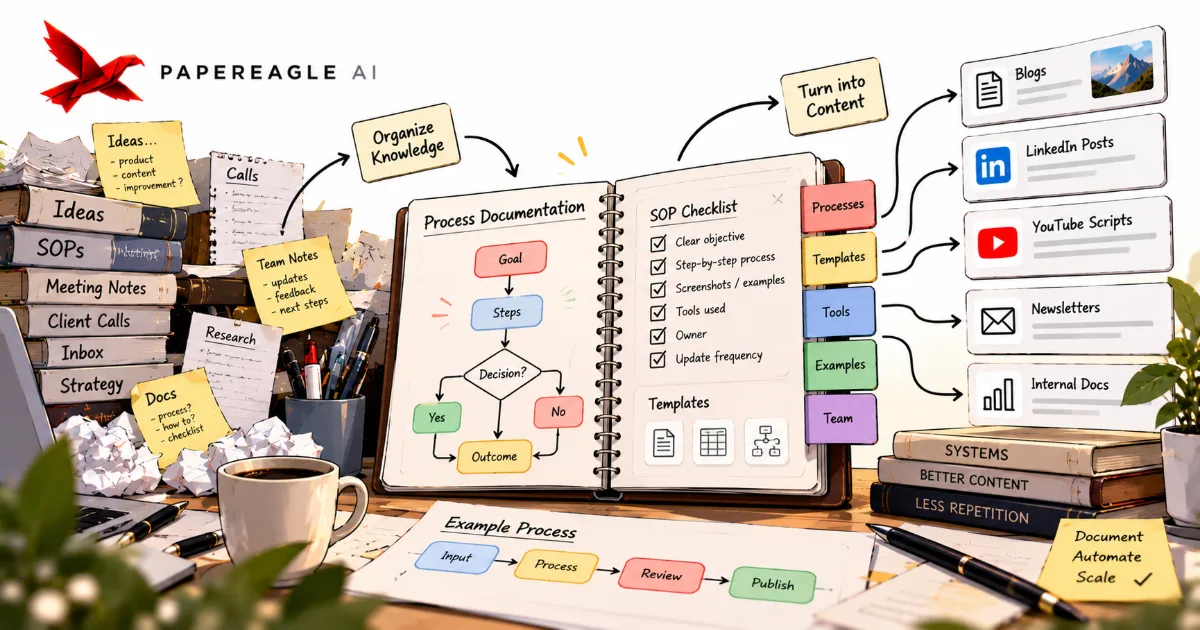
Every business runs on processes, and in most businesses those processes live in exactly one place: someone's head. It works right up until that person is on holiday, is overloaded, or leaves — and then the process leaves with them. Process documentation is how you move the knowledge out of heads and into a form the whole team can use. Done badly, it's a folder nobody opens. Done well, it's the difference between a business that owns its people and one that owns a way of working.
Who can run the task, against how the same it comes out
One person · differently each time
A heroIt gets done because somebody cares. Quality tracks how their week is going, and nobody else can say why it works.
Anyone · differently each time
A free-for-allPlenty of hands, no shared method. The result depends on who picked it up, and nobody can tell in advance.
One person · the same every time
A bottleneckReliable and unavailable. Everything queues behind one calendar, and a week of leave is an outage.
Anyone · the same every time
A processThe business owns a way of working. The expert is still the expert; they're just no longer the only route to the outcome.
Right column: anybody capable can run it
Bottom row: it comes out the same every time
- Why process documentation matters
- What documentation is not
- What to document — and what to skip
- The test that tells you it's good enough
- How to write docs people actually use
- A simple format for any process
- A worked example: one recording, one document
- Keeping documentation alive
- What it honestly costs
- Where to start
- Frequently asked questions
- The payoff
Why process documentation matters
Undocumented processes have a hidden cost, and it's larger than it looks. Every time knowledge lives only in someone's head, the business is exposed: work stops when they're away, quality swings depending on who does the task, onboarding drags on for weeks of one-on-one explaining, and the person who holds the knowledge can never fully step back. You're not running a system — you're running a set of people, and hoping none of them changes.
A week in the life of the only person who knows how it's done
- Doing the work the part the business is actually paying for
- Explaining it again the same answer, to a different person
- Stopped mid-task so that somebody else can start theirs
The shape of a week, not a measurement
Documentation closes that gap. When a process is written down clearly, anyone capable can pick it up, the work happens the same way every time, new hires get productive fast, and the expert is freed from being the only route to getting it done. The knowledge stops being a liability locked in a person and becomes an asset the business owns.
This is structure creating freedom, in the most literal way. Documenting how you work is what lets the work happen without you — the whole point of writing it down at all. It's the unglamorous habit that quietly removes you as the bottleneck.
There's a second argument that gets made less often and matters just as much: you cannot improve a process you haven't described. Undocumented work has no version, so there's nothing to compare a change against and no way to tell an improvement from somebody's preference. Teams in that state don't get better at the task over years — they get a series of individual habits, each of which leaves when its owner does. Writing it down is what turns the way you work into something that can be argued with, tested, and made better on purpose.
What documentation is not
Say "process documentation" and most people picture a fat binder of procedures nobody has opened since it was written. That image is the problem, because that binder is exactly what documentation should not be. A document written to be filed and forgotten isn't a system; it's paperwork that makes you feel organized while changing nothing about how work happens.
Everything your business has written down, filtered by whether it's used
- Everything that's been documented what's on the drive
- What somebody could find today findable
- What is still true current
- What anybody opened this week used
Real documentation is a living, used thing. It's short enough to read, findable when you need it, current with how the work is actually done, and sitting close to where the work happens rather than buried in a drive three folders deep. The test of documentation isn't whether it exists — it's whether people reach for it. If nobody opens it, it failed, no matter how thorough it is.
Binders happen for an understandable reason. Documentation usually gets commissioned right after a scare — someone left, something broke, a client noticed — and the instinct in that moment is coverage: write down everything, so this can't happen again. Coverage is the wrong target. It produces a document too long to read on the day it's finished, which then ages badly in every direction at once. The same afternoon spent on the three processes that actually hurt would have produced something people use.
The same process can be documented two ways. One version rots in a month; the other becomes something the team relies on, and the difference is entirely in the choices below.
| Documentation that dies | Documentation that lives | |
|---|---|---|
| Purpose | Written to be filed | Written to be used |
| Length | Exhaustive, covers everything | As short as still works |
| Location | Buried in a drive somewhere | Where the work happens |
| Owner | No one in particular | A named person |
| Updates | Never, after day one | When the process changes |
| Read when | Never | Every time the task runs |
Read the last row first, because it decides the other five. A document that gets opened every time the task runs is short by necessity, lives where the task lives, and gets corrected the moment it's wrong — the rows above it are consequences, not separate decisions. Aim at the last row and the rest tends to follow; aim at the rows above it and you get a well-organized binder.
What to document — and what to skip
You can't document everything, and trying is how documentation projects die. The goal isn't total coverage; it's covering the processes where documentation pays off most. Three kinds are worth the effort: processes that repeat often enough that consistency matters, processes only one person currently knows, and processes where a mistake is expensive. Those are where written-down knowledge earns its keep.
How often the task comes round, against what a mistake costs
Ask someone
Skip it
A checklist
Write it up
Across: how often the task comes round
Up: what it costs when it goes wrong
Just as important is what to skip. Don't document one-off tasks you'll never repeat, things that change so fast the doc is stale by Friday, or steps so obvious that writing them insults the reader. Over-documentation buries the useful stuff under noise, and a team that has to wade through forty trivial pages to find the one that matters will stop looking. Document what's repeatable, risky, or trapped in one head — and let the rest go. It is the same triage as deciding what to automate and what to leave alone: the question is not what could be written down, it is what changes if it is.
The two corners people get wrong are the cheap ones. Frequent-and-low-stakes tasks get written up as full documents when what they needed was six lines in a checklist, which is a different object with a different job: a document teaches, a checklist reminds. The form has a canonical example — the WHO Surgical Safety Checklist is nineteen items read aloud at three moments in an operation (World Health Organization), and its brevity is the design, not a compromise. And rare-and-expensive tasks get skipped because they're rare — then when one comes round in eighteen months, the person who did it last has left. For those, write the decisions rather than the steps: what you were choosing between, and why you chose what you did.
The test that tells you it's good enough
There's a single question that tells you whether a piece of documentation is done: could a capable person who's new to this task follow it and get a good result, without coming to ask you? If yes, it's good enough. If they'd still need to interrupt you halfway through, it isn't — and the gaps they'd trip on are exactly what's missing.
Four documents, against the only test that counts
- "Publishing a post." A newcomer shipped it alone.
- "Client onboarding." They stalled at step two.
- "Monthly invoicing." Fine until an exception.
- "Hiring." It describes. It never instructs.
This test keeps you honest in both directions. It stops you under-documenting, because a too-thin doc fails it immediately. And it stops you over-documenting, because once someone can succeed from the doc alone, extra detail adds nothing but weight. The best way to run the test for real is to hand a draft to someone who's never done the task and watch where they get stuck — their confusion is your edit list.
Run that watched attempt properly and it takes twenty minutes once. The rules are simple and slightly uncomfortable, and they are the ones usability research settled on decades ago — Jakob Nielsen’s instruction for a think-aloud test is literally "shut up and let the users do the talking" (Nielsen Norman Group, 2012). Say nothing while they work, don’t clarify, don’t rescue, and write down every question they ask out loud along with every place they hesitate. Those notes are the edit. Resist fixing anything during the run — the moment you start explaining, you're back to being the documentation, and you'll lose the rest of the gaps. Fix it afterwards, in the document, in their words rather than yours.
How to write docs people actually use
Documentation people use shares a few plain qualities. It's written for the person doing the task, in their language, not in management abstractions. It leads with the point — what this is and when to use it — before any detail. It uses numbered steps for anything sequential, because a process is a sequence and prose hides the order. And it's specific: "wait two business days" beats "wait a while," "use the client-onboarding template" beats "use the right template."
Every rule about writing docs comes from one reader
not a manager, not an auditor, and not you
the names they use for the tools, not the ones on the org chart
what this is and when you would use it, before any detail at all
a sequence should look like a sequence, so prose is wrong here
a step with a reason attached survives a situation you didn't predict
It also says why, not just what. A step with a reason attached survives contact with reality, because the person can adapt it when the situation is slightly different; a step with no reason gets followed blindly or abandoned the moment it doesn't quite fit. And it's honest about edge cases — a short "if this happens instead, do that" is worth more than pretending every run of the process is identical. Write it the way you'd explain it to a sharp new colleague over their shoulder, then cut whatever they wouldn't need.
Knowing what to leave out matters as much as knowing what to include, and there's one clean line: document the mechanical part, name the judgement part. "Choose the three questions worth asking on the call" is judgement and can't be written into steps without turning into either a platitude or a straitjacket. What you can write is who makes that call, what they're weighing, and what happens next once they've made it. Documents that try to eliminate judgement are the ones people quietly stop following, because reality keeps producing situations the author didn't have.
A simple format for any process
You don't need a heavy template — and heavy templates are usually the thing that fails. A process document only really needs a handful of parts: a clear title naming the process, a line on when to use it and who owns it, the steps in order, and a short note on common problems or exceptions. Add a "last updated" date so anyone can see at a glance whether they can trust it.
A real processes folder, a year in
- processes/ one folder, beside the work
- _template.md the six headings, empty
- publishing-a-post.md 14 lines · owner: content lead
- onboarding-a-client.md 22 lines · owner: operations
- monthly-invoicing.md 18 lines · owner: finance
- handling-a-refund.md 9 lines · owner: support
Same six headings in every file, so nobody has to learn where to look twice
That's the whole shape — title, purpose, owner, steps, exceptions, date. Keep every process in the same simple structure and two things happen: they get faster to write, because you're never starting from a blank page, and faster to read, because the team learns where to look for the part they need. The consistency itself is a feature. Fancy formatting is not the goal; a predictable, minimal structure that people can scan in seconds is.
Made concrete, a real doc might read: Title — "Publishing a blog post." When to use — every time a draft is approved and ready to go live; owned by the content lead. Steps — one, paste the approved draft into the site template; two, add the meta description and canonical link; three, check the post opens in the blog index card; four, publish and share the link in the team channel. Exceptions — if the post needs a custom image, brief the designer two days ahead. Last updated — this month. That's a complete, usable document in six lines. Notice it doesn't explain how to write — only how to publish. It documents the mechanical, repeatable part and trusts the person with the judgment part, which is exactly the line to draw.
A worked example: one recording, one document
The blank page is what actually stops people documenting, and it's the part that has genuinely changed. You no longer have to write a process out from memory; you can start from a recording of yourself doing it, which is both faster and more accurate, because memory quietly skips the steps you do without thinking.
Keeping the folder true afterwards, as a board in n8n
Change spotted a template or a form was edited
Claude drafts the edit in the doc's words
Owner approves? a named person, not a queue
Age check lists docs untouched for 90 days
Claude flags the ones whose tools moved
Still true? the owner says yes, or edits
Both branches land in one message to one named person — nothing here publishes itself
Start by recording yourself running the process once, narrating as you go — a screen recording with audio is enough. Hand the transcript to Claude Code and ask for it as numbered steps in the format your folder already uses, with anything ambiguous marked as a question rather than guessed at. Ten minutes later you have a draft that's structurally right and specifically wrong in a handful of places, which is a far better starting point than a blank page and an honest afternoon.
Then do the part only you can do. Add the reasons — why the second step comes before the third, what the two-day lead time is protecting against — and the exceptions you know about from the times it went wrong. Name the owner. Delete anything the transcript captured that a capable person wouldn't need. This edit is usually another ten minutes and it's where the document becomes trustworthy, because reasons and exceptions are the two things a recording of a good day cannot contain.
Keep the file as plain Markdown in one folder beside the work rather than in a separate system, and the drift problem becomes tractable. A small board in n8n — or Zapier, or Make.com — can watch for the two events that make documents wrong: a tool or template being edited, and a document going ninety days untouched while its subject moved. It drafts the correction and sends it to the named owner. It never publishes on its own, because a document nobody approved is exactly the kind people learn not to trust.
Be honest about the division of labour here. The machine removed the blank page and the drift monitoring, which between them are most of the reason documentation doesn't happen. It did not decide what's worth documenting, why a step exists, or who owns the process — and a document missing those three is the kind that gets opened once. The tooling made the habit cheap; it didn't make the judgement for you.
Keeping documentation alive
The hard part of documentation isn't writing it — it's keeping it true. A document that's accurate today and wrong in three months is worse than none, because it quietly teaches people the outdated way and erodes trust in every other doc. That risk is sharper now that documents are read by software as well as people: Claude Code loads its standing instructions from ordinary project files at the start of every session, which means a stale sentence is not merely ignored — it is followed. So documentation needs an owner and a rhythm, not just an author.
How a document matures, one rung at a time
- 01Written once
true on the day, drifting by the month
- 02Given an owner
one name, so "somebody should fix that" has an address
- 03Corrected on use
whoever hits the gap edits it there and then
- 04Part of the change
the process isn't changed until its document is
Give each important process a named owner responsible for keeping it current, and build a small habit of updating the doc as part of changing the process, not as a separate chore that never happens. The most common failure isn't a doc written badly — it's a process that quietly improved while its document stayed frozen, so the two drift apart until nobody trusts either. Tying the edit to the change is what prevents that drift. When someone finds a doc is wrong, the fix should be to correct it on the spot, not to work around it and move on. A light review of the key processes on a set cadence catches the drift the day-to-day misses. Living documentation is a practice, not a project with an end date — the same rhythm, and the same failure without it, as measuring a content system.
One detail decides whether that works: pick the owner from the people who run the process, not the people who manage it. A manager-owner reviews; a practitioner-owner notices. The person who runs the task monthly hits the gap the same week it appears, and if they're allowed to edit without asking, the correction lands while it's still cheap. Ownership that has to route through an approval queue produces documents that are wrong for exactly as long as the queue is.
What it honestly costs
Documentation gets talked about as a big project, which is why it keeps getting postponed to a quieter quarter that never arrives. Per process, the real numbers are small — and knowing them makes it much harder to keep deferring.
What one documented process costs, over its first year
Twenty minutes
The first draftWritten from a recording of you doing the task once, then edited down.
Another twenty, once
The watched run-throughSomebody else follows it while you stay quiet. This is the step that turns a document that looks finished into one that is.
A few minutes, on change
The correctionMade by whoever hit the gap, on the day, in the file itself.
Once a quarter
The skimTen minutes checking that the owners are still the right people.
The costs are not spread evenly, and the expensive-feeling one is the cheapest. Drafting is quick now that a recording does the remembering. The watched run-through feels expensive because it takes two people at once, and it's the step that produces almost all of the improvement — a document that hasn't survived one is a guess about what somebody else knows. Skipping it is the single most common reason a folder of documentation exists and nobody uses it.
The maintenance number depends entirely on whether corrections are allowed to happen where the gap was found. Done that way it's a few minutes a month across a whole folder. Routed through a review meeting it becomes an hour a month and the documents are wrong between meetings, which is most of the time. That's not a scheduling preference; it's the difference between a folder that stays true and one that decays politely.
The real cost is somewhere else, and it's worth naming. Writing a process down means committing to one way of doing it, in public, where somebody can disagree. That's mildly uncomfortable, and it's the whole benefit — an undocumented process can never be wrong, which is exactly why it can never get better. You're trading the comfort of vagueness for the ability to improve on purpose.
Where to start
Don't try to document your whole business at once — that's the ambition that guarantees you finish nothing. Start with one process: the single most painful one, the task that only you can do or the one that breaks whenever a particular person is out. Document that one properly, using the simple format, and put it to work.
The relief from that first document is what makes the habit stick. You'll feel the difference the first time that task happens without you in the loop. Then do the next most painful one, and the next. Documented one at a time, worst-first, your processes move out of heads and into the business — and one day you look up and realise it runs without you standing in the middle of it.
Frequently asked questions
What should I document first?
Start with the one process that hurts most when you're not there — the task that only you can do, or the one that breaks whenever a specific person is out. Documenting the highest-pain process first gives you immediate relief and proves the habit is worth keeping, instead of trying to document everything at once and finishing nothing.
How detailed should process documentation be?
Detailed enough that a capable person who's new to the task could follow it and get a good result, and no more. Over-documentation is as useless as under-documentation: nobody reads a forty-step manual for a five-step task. Aim for the shortest version that still works.
Why does most process documentation get ignored?
Because it's written to be filed, not used — too long, hard to find, out of date, and disconnected from where the work actually happens. Documentation people use is short, lives where the work lives, has a clear owner, and gets updated when the process changes. If it's a graveyard folder nobody opens, it isn't a system.
Isn't documentation a waste of time if processes keep changing?
The opposite — changing processes are exactly why you document. A living document is far cheaper to update than a process re-explained from scratch every time someone new needs it. You document to capture the current best way, then edit it as the way improves, so the knowledge compounds instead of resetting.
How long does it take to document one process?
About twenty minutes for a first draft, plus one run-through where somebody else follows it while you watch. The run-through is the part people skip and the part that does the work — it turns a document that looks complete into one that actually is. After that it's a few minutes whenever the process changes.
Where should process documentation live?
As close to where the work happens as you can get it — linked from the tool the task runs in, not filed in a separate drive somebody has to remember exists. We keep ours as plain markdown files in one folder, one file per process, so a person can read them and an agent like Claude Code can search them. The format matters far less than the distance between the doc and the work.
Can AI write our process documentation?
It can write the draft, not the decisions. Record yourself doing the task once, hand the transcript to a model, and you'll get an ordered set of steps in a couple of minutes — which removes the blank page, the part people actually avoid. What it can't supply is why a step exists, which exceptions matter, or who owns the process, and a document missing those is the kind nobody trusts twice.
The payoff
Process documentation is quiet, unglamorous work, and it's one of the things where a small effort makes the biggest difference for a growing business. Every process you move from a head to a page is a piece of the business that no longer depends on one person being available. Start with the process that hurts most, write the shortest version that works, give it an owner, and keep it true. Do that a few times and you've started building something rare: a business that runs on a way of working, not on who happens to be in the room.
Documentation works when it sits inside something larger. In a content system that something is content automation — and a written process is the thing that decides whether a step can run without a person at all.
Disclosure
This post was written by Shreyas Dave, founder of Paper Eagle AI. We sell content automation services, which is the category this article is about, so we have a commercial interest in you concluding that a system beats ad-hoc effort — read it knowing that. No tool vendor was involved in writing it, nobody paid for a mention, and there are no affiliate links anywhere on this site. Where a third-party figure appears, it’s attributed to the publisher it came from; anything we couldn’t source is written as a direction rather than a number.
Paper Eagle AI builds Content Operating Systems that turn a business’s knowledge and expertise into consistent, multi-platform content, and we deliver them as content automation services. Working as a content automation specialist, we capture what a business knows and how it sounds, set the strategy, and build the workflows that research, draft, repurpose and publish — with a named person approving every piece before it goes out. Every build runs through discovery, design, build and handoff. The system lives in the client’s own accounts, it is documented, the team is trained to run it, and the business owns it outright. We don’t write content on a retainer, and we don’t build lead generation, CRM or sales automation.
One source of thinking becomes native content for every platform a business publishes on: the founder’s LinkedIn and the company page, YouTube and Shorts, Instagram and Reels, TikTok, Reddit, Medium, newsletters, and the company’s own website, written to be found in Google and understood by AI search. Our multi-platform content automation page shows how they share one source, and our case studies document the systems behind our own publishing, file by file. You can follow the work on the company’s own channels: Paper Eagle AI on Instagram, Paper Eagle AI on YouTube, the Paper Eagle AI company page on LinkedIn, Paper Eagle AI on Substack, Paper Eagle AI on Reddit and Paper Eagle AI on Medium.
Keep reading
- n8n vs Zapier vs Make — where a documented process goes once it is ready to run itself.
- Why your business needs a decision framework — document how decisions get made, not just how tasks get done.
- What to automate in your content — why writing a step down is what makes it automatable at all.