A Content Operating System for Substack Has to Pass Substack's Purpose Test
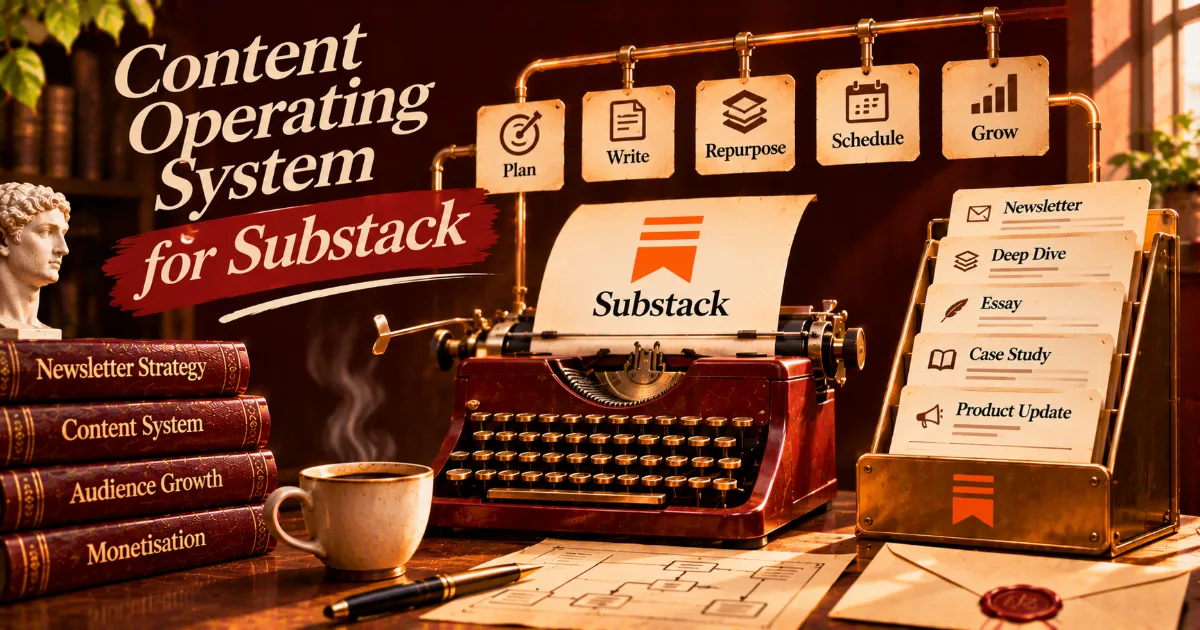
Substack will not take a newsletter that exists to send traffic somewhere else, and that one rule shapes the whole system. A content operating system for Substack draws each issue from what your business knows, prepares it in the shape Substack’s editor expects, and leaves a person to read it, decide who receives it and press publish. Substack’s Content Guidelines forbid a publication whose primary purpose is to drive traffic to third-party sites or to enhance search engine optimization, and its developer API cannot publish a post at all. Below is which parts of a Content OS change on Substack, where automation stops, and what the writer still decides for every issue. Once such a system has run for a few months, a workflow audit for the newsletter shows whether it is ready to send more often. Because a person stays in the loop, the routine itself needs writing down, as documenting a Substack newsletter’s process explains.
What a Substack issue stands on
- What a content operating system for Substack is for
- Substack’s purpose test
- Which parts of a Content OS change on Substack
- What the API and the automation tools can reach
- The issue workflow, from interview to inbox
- What the system prepares, and what the writer decides
- AI scanning and the “How I make this” statement
- Worked example: the expert who will not write
- What a Substack system costs to run
- Frequently asked questions
- Where to start
What a content operating system for Substack is for: the one channel readers ask into
A content operating system for Substack exists to keep one promise to readers who asked for your writing: a letter worth opening, on a rhythm they can count on, from someone who knows the subject. A newsletter is the one channel where the reader has opted in by name, so the system is not there to fill a slot or reach new people. It is there to deepen a relationship that already exists.
Where a newsletter sits among a business’s channels
Published into
Asked into
- A company feed postwritten for whoever scrolls past
- A searchable website guidefound later by people with a question
- A Substack issuesent to readers who opted in by name
If you have read what a Content Operating System is, the parts are the ones you know: a knowledge base of what the business has worked out, voice rules, a workflow that turns knowledge into drafts, a review step and a record of what was published. On Substack their weight changes. The knowledge base has to hold more than facts, because a newsletter is read for the judgement behind them. The voice rules have to allow a more personal register than a company page. And the review step stops being a check and becomes the moment a person decides whether this issue is good enough to put in someone’s inbox.
That is why we treat Substack as the relationship channel in a Content Operating System built around one business’s knowledge, not as one more endpoint for repurposed posts. A content operating system for a business gives each channel one job, and on Substack an idea should arrive as the longer, more candid version, with the reasoning and exceptions that had no room anywhere else. A newsletter that only lists links to your other posts gives a subscriber nothing new, and Substack’s rules, covered next, push against it.
Substack’s purpose test, and the newsletters it rules out
Substack’s Content Guidelines rule out any publication whose main job is marketing. The sentence that matters is in its section on marketing and promotion: Substack’s Content Guidelines say the platform “is intended for high quality editorial content, not conventional email marketing”, and that it does not permit “publications whose primary purpose is to advertise external products or services, drive traffic to third party sites, distribute offers and promotions, enhance search engine optimization, or similar activities.” The same paragraph adds that brands and commercial organisations publishing on Substack may be subject to additional verification.
Four kinds of newsletter against Substack’s purpose rule
- A letter worth subscribing to a reader who never buys still gains something
- A product push its primary purpose is to advertise
- A digest of links to other posts it exists to drive traffic elsewhere
- Blog posts syndicated for backlinks it exists to enhance search engine optimization
Read that rule as a design brief rather than a threat. It does not forbid a business from publishing, mentioning what it sells or linking to its site; it forbids a publication whose primary purpose is any of those things. So the test is a question about each issue and the publication as a whole: would a reader who never buys anything still be glad they subscribed? A newsletter built to push readers to product pages fails it, and so does one that syndicates blog posts for backlinks.
The guidelines are just as plain about the list itself. Substack calls itself “vehemently anti-spam”, requires that an imported list be made up of people who “explicitly opted-in to receive emails from your specific publication”, and does not allow imports of addresses that were purchased, scraped or harvested from third parties. The system can help you invite your own customers, and it can never load a bought list. A Content OS for Substack therefore begins with an editorial promise written down before the first issue: who the newsletter is for, what each issue will teach them, and what it will never be used for.
None of this changes where your search strategy lives. If you want to be found in Google, that work belongs on your own site, where an SEO content system can publish the searchable version of an idea under your domain. Substack carries the letter, and the website carries the page people find through search. Keeping those jobs apart is what lets both pass their own platform’s rules. And if a long article should also reach readers on a reading platform, a Medium content system republishes it there while search engines are pointed at your original, which is a third job again.
Which parts of a Content OS change on Substack, and which stay the same
Most of a Content OS is unchanged on Substack, because the knowledge base, the review step and the records are the same files the business uses everywhere. Four parts change. The voice rules gain a letter register, the workflow gains a decision about who receives each issue, publishing moves entirely to a person, and the measures move from reach to whether readers stay.
Six parts of a Content OS, elsewhere and on Substack
- 01Knowledge base depth
- 02Voice register
- 03Editorial promise
- 04Audience decision
- 05Human publishing
- 06Retention measures
- the part on most channels
- the part on Substack
A judgment, not a score
| Part of the system | On most channels | On Substack |
|---|---|---|
| Knowledge base | Facts and answers, organised by topic | The same, plus the judgement and the exceptions, because a letter is read for reasoning |
| Voice rules | A company register, short and plain | A letter register: first person allowed, candour about what went wrong |
| Editorial promise | Implied by the content plan | Written down, because Substack’s purpose rule is judged against it |
| Audience decision | Not needed; everything is public | Per issue: web only, or emailed to subscribers; everyone, free or paid |
| Publishing | Can be scheduled by a tool where the platform allows it | Always a person in Substack’s editor; no tool can write a post |
| Measures | Views and reach | Opens, replies, unsubscribes after an issue, and whether readers stay |
The audience decision is the one teams most often miss. Substack lets a publication choose, post by post, whether something is emailed or only published to the web. Substack’s guide to publishing a new post lists the choices offered at that moment: the intended audience (everyone, paid subscribers, free subscribers or founding members), who can comment, a free preview for a paid post, tags, whether to send the post by email and to the Substack app inbox, and a future date and time. Posts are set to go to both the web and the inbox by default. A system that treats every issue as an email will flood readers, so ours records the decision for each issue in the brief, before anyone writes a word. The first email a new subscriber receives is not chosen post by post at all, and what it should say is set out in Substack welcome email content.
What Substack’s API and the automation tools can reach
No tool can publish to Substack on your behalf, because Substack offers no public way to write a post. Substack’s Developer API terms describe an API that “may return certain information that is publicly available on creators’ public profiles or publications”, such as a creator’s name, subscriber count and publication URL, and they add that this data “consists only of information that creators have chosen to make publicly visible.” Nothing in those terms writes, schedules or sends a post, and nothing reads a private subscriber list.
Into Substack and out of it
Into Substack
- The API returns public profile data only
- No Substack app on Zapier or Make, no n8n node
- Every route ends at a draft a person pastes
Out of Substack
- The publication’s RSS feed shows each issue
- n8n, Make and Zapier can all read RSS
- A workflow logs the issue against its brief
The automation tools reflect the same gap. As of November 2026, Zapier’s page for a Substack integration and Make’s page for a Substack app both return a 404, and n8n’s documentation has no Substack node. What all three do have is a way to read RSS, and Substack publishes a feed for every publication: Substack’s help article on RSS says it sits at your publication’s address followed by /feed.
Each tool can read that feed. n8n’s RSS Read node reads data from any such feed, Make’s RSS app has a trigger that “returns feed item details when a feed item is posted”, and RSS by Zapier watches a feed for new items in the same way.
So the honest map has two directions. Into Substack, everything ends at a draft a person pastes into the editor. Out of Substack, the feed is a clean signal that an issue has gone live, and the system can act on it: log the issue against the knowledge base topic it drew on, open the follow-up tasks for other channels, and remind the writer which reader replies to look for. Your subscriber list stays where it is, exported by hand when you need it, and Substack’s export guide lets you choose all columns or only the visible ones, and notes that it is “not currently possible to export a file with subscriber names.”
One more boundary is worth knowing before a migration. If the newsletter already lives somewhere else, Substack’s post importer takes archives from Medium, Ghost, WordPress, Mailchimp, Beehiiv and several others, and takes RSS feeds from other sites, with a warning that some platforms only include their most recent posts, such as the latest 20, in the feed. A planned move checks how much of the archive the old feed carries first. Once the old issues are in, sorting them into sections and tags is the job of Substack newsletter archive structure. An imported archive sometimes holds two audiences’ issues, and whether to split them into streams is weighed in Substack newsletter sections strategy.
The issue workflow, from interview to inbox
The Substack workflow has five stages: a brief from the knowledge base, the material, a draft, a person’s edit and audience decision, and a log of the published issue. Every stage but the edit can be automated.
The five stages of one issue
- 01Briefone argument, its sources and who receives it
- 02Materiala recorded interview with the expert
- 03Draftwritten from the transcript and the knowledge base
- 04Edit and audiencea person rewrites, then chooses web only or email
- 05Logthe RSS feed records the published issue
The brief comes first and does most of the work. It names one argument, the knowledge base entries that support it, the reader question it answers, and the audience decision: web only, or emailed. Three ideas in one issue read like a digest, so the brief holds one. The guide to breaking one idea into parts explains how the other two become their own issues rather than being squeezed into this one.
The material is gathered next, and for most businesses the best material is spoken, not written. The person who knows the subject is rarely the person who will write a weekly letter, so the system replaces a blank page with a short recorded interview built from the brief’s questions. Anthropic’s Meetings beta can sit in that interview and keep its transcript on one page, and our story on what a note-taker in the call changes for content research sets out its limits. The transcript goes into the knowledge base, which is how business knowledge becomes content without asking the expert to become a writer. The draft is then written from that transcript and the knowledge base entries the brief named, in the voice rules’ letter register, with each claim traceable to where it came from.
The draft arrives prepared for Substack’s editor, not for a generic document. It carries a title, a subtitle, and the fields Substack keeps apart from the email. Substack’s own guide to SEO describes the post settings where a writer can set an SEO title, an SEO description, the post URL and a social preview image, and notes that those fields do not change how the post looks in the email, the app or on the publication’s page. The system fills them as suggestions for people who find the web copy later, not to make the publication an SEO project.
The last automated stage runs after publishing. When the RSS feed shows the issue, a workflow in n8n, which we lay out in how we structure n8n workflows, records the date, the topic and the audience decision against the brief, so the next brief can see what readers have already been sent. A planned pause sits between the draft and the editor, using n8n’s Wait node to hold a reminder until the review day, so a finished draft does not sit unnoticed in a folder.
What the system prepares for each issue, and what the writer decides
On Substack the system prepares and the writer decides, and the dividing line falls at Substack’s own editor. Everything before the editor can be built, from the brief to the reminder. Everything that happens inside Substack belongs to a person: pasting the draft, editing it into their own words, choosing who receives it, sending a test, and publishing or scheduling it.
Who does what for one Substack issue
- Before the editor the brief, interview questions, transcript, draft, titles and SEO fields
- Inside the editor pasting, editing, choosing the audience, the test email and publishing
The shape of the problem, not a measurement
Some of those steps are not only good practice but the only way the platform works. Substack’s scheduling guide says a post cannot be scheduled “more than three months from the current date”, that it publishes in the time zone of the scheduler’s own device, and that scheduling an article, podcast or video post is available only on the web, not in the app. A person therefore sets the date in the browser, and the system’s calendar is a plan they follow, not a queue that fires on its own.
The test email is the last check, and it is a person’s. Substack’s test-email guide explains that a test can go only to someone who has joined the publication’s team, and warns that emails “use email-safe fonts and a standard background”, so what arrives in an inbox may not match the web theme. So a human approval gate on Substack sits after the test email rather than after the draft.
The reason the line sits so late is that an emailed issue cannot be taken back. Substack’s editing guide is direct about it: “Posts only ever go out by email once”, and edits to an emailed post appear only on the web and in the app. A mistake in a Substack issue stays in every inbox it reached. So the system’s review checklist is longer here than anywhere else, and the person who presses publish reads the whole issue one last time, from the inbox, before it goes.
AI scanning and the “How I make this” statement
Readers on Substack can check how much of an issue was written with AI assistance, so a system that drafts with AI has to be open about it from the first issue. In July 2026 Substack added that ability for readers. Substack’s announcement describes a feature that lets readers “scan text published to Substack to see how much of it is estimated to be written by hand or with AI assistance”, and tools for publishers to run the same program, Pangram, on drafts before publication, to disable scanning on a post-by-post basis, and to add a “How I make this” statement explaining their process. Substack adds that these features do not use publisher content to train generative AI models.
A How I make this statement for an AI-drafted newsletter
The statement readers see when they scan
- 01The ideas come from the expert’s interviews and the business’s own records
- 02An AI model drafts each issue from that material
- 03A person edits every issue and checks each claim
- 04A person decides what is sent, and to whom
- 05Scanning stays on for every issue
A business that drafts with AI should write that statement before its first issue and keep it true. It does not need to be long. It should say where the ideas come from (the expert’s interviews and the business’s own records), what the AI does (drafts from that material), and what a person does (edits every issue, checks each claim, and decides what is sent). A reader who finds a gap between the statement and a scan result has learned something about the publication, and it is rarely forgiven.
We do not recommend switching scanning off on individual posts. A publication that hides some issues from the scan reads as one with something to hide, which costs more trust than any score could. The draft scan is useful in a narrower way: as a prompt for the editor to look again at passages that came through untouched. The goal is an issue the writer stands behind, not a lower number. Keeping it accurate is part of documenting the system so someone else can run it, because the next editor will need to know what it promises.
Worked example: a restoration specialist who will not write, and the interview that replaces it
A Content OS for Substack works when the expert talks and the system writes, and an illustrative business shows how. Take a small firm that restores old timber sash windows, not a client of ours. Its founder has thirty years of judgement about rot, glass, paint and planning rules in old buildings, and every attempt at a newsletter has stalled at the second issue.
One month of the restoration firm’s newsletter
one question, such as why a sash window rattles
the founder answers six questions on site
written from the transcript and matching entries only
the founder rewrites four sentences in their own words
emailed to subscribers, logged from the feed
The system starts with the editorial promise, written in one paragraph: a monthly letter for owners of old houses about keeping original windows working, with no offers in it and no issue that exists to send readers to the firm’s site. That sentence is the answer to Substack’s purpose test, and it goes into the brief template so every issue is checked against it. Next comes the knowledge base, built from the firm’s quotes, survey notes and the questions customers ask on site visits, the same inventory any knowledge base for AI content begins with.
Each month the system proposes one brief: say, why a window that rattles is usually a sash cord problem and not a frame problem. It writes six questions for a twenty-minute call. The founder answers them on site. The transcript goes into the knowledge base, Claude drafts the issue from the transcript and the matching entries only, and the draft arrives with three title options, a subtitle and suggested SEO fields. The firm’s office manager pastes it into Substack, the founder reads the test email on a phone and rewrites four sentences in their own words, and the issue is emailed to subscribers.
Three months in, the record shows what the system is for. The publication has three issues, each from a call nobody had to prepare for. The briefs log shows which questions readers replied with, and two of those became the next briefs. And the same transcripts fed the firm’s website guides on sash repair, which carry the searchable version of the same knowledge under the firm’s own domain. Substack carried the letter and the website carried the page, which is the split the purpose rule asks for.
What a Substack system costs to run, in people’s time and in patience
Most of the cost of a Substack system is the writer’s time, and it is smaller than writing from scratch but never zero. For each issue, plan on the expert’s interview, an editor’s pass through the draft, a test email read on a phone, and the minutes it takes to paste, set the audience and publish. The system removes the blank page, not the reading, because on Substack the reading is the product.
Where one issue’s time goes
- 01One issuethe people’s time it takes to send
- 02The interviewthe expert answers the brief’s questions
- 03The editor’s passreading and rewriting the draft
- 04The test emailread on a phone before anything is sent
- 05Paste and publishthe few minutes left for the editor work itself
Relative, not measured
The rest of the cost is upkeep and patience. The editorial promise and the “How I make this” statement have to stay true as the process changes, and the voice rules need a look whenever the writer edits the same kind of sentence twice. Some Substack tools arrive only with readers: Substack’s title-testing guide says testing subject lines is available only to publishers with at least 200 subscribers,, so a new publication keeps its title options and waits.
The setup is a one-time build of the promise, knowledge base, templates, voice rules, RSS log and checklist, and it stays yours, which is the difference between a Content Operating System and a content agency. Substack content automation pricing sets out what that build costs and what it includes, and our Substack content automation service describes the system in full.
What cannot be priced is the growth. Substack’s guide to Notes notes that subscribers are not emailed when a writer posts a Note, though they may see it in a roundup digest or a notification, so Notes widen discovery without adding to anyone’s inbox. Readers arrive at the pace good issues earn them, and measuring a content system honestly on Substack means watching whether they stay, not how fast they come. A short post on X can carry an issue's sharpest line to people who have not subscribed yet, the job the Content Operating System for X is built to do.
Frequently asked questions
Can a Content Operating System write a Substack issue from an interview instead of a draft?
Yes, and for most businesses it should. The expert answers five or six questions from the issue’s brief on a short call, the transcript goes into the knowledge base, and the draft is written from that transcript and the matching knowledge base entries only. The expert then reads the test email and changes the sentences that do not sound like them. It keeps the issue in their judgement and their voice without asking them to face a blank page.
What happens if we find a mistake in a Substack issue after it has been emailed?
You can fix the web copy, but not the email. Substack’s editing guide says posts only ever go out by email once, and edits to an emailed post appear only on the web and in the Substack app. If the mistake matters, say so at the top of the next issue. That is why a Substack system puts its final human check on the test email, before anything is sent.
Can an automation tool tell when a new Substack issue goes live?
Yes, through the publication’s RSS feed. Substack publishes one at the publication’s address followed by /feed, and n8n’s RSS Read node reads it, as do Make’s RSS app and RSS by Zapier. The feed shows what was published to the web, which is enough to log each issue and open the follow-up tasks. None of the three tools offers a Substack app or node that can create or send a post.
How far ahead can a Substack issue be scheduled?
Up to three months. Substack’s scheduling guide says a post cannot be scheduled more than three months from the current date, that it publishes in the time zone of the device used to schedule it, and that scheduling an article, podcast or video is available only on the web, not in the Substack app.
What should a “How I make this” statement say if AI drafts the issues?
Where the ideas come from, what the AI does, and what a person does. A short, honest version names the expert’s interviews and the business’s records as the source, says an AI model drafts from that material, and says a person edits every issue, checks each claim and decides what is sent. Substack shows the statement to readers who scan a post, so it should match how the issues are really made.
When can a Substack newsletter start testing subject lines?
Once it has at least 200 subscribers. Substack’s title-testing guide sets that floor so a test has a large enough sample, and recommends sending experimental titles to half the recipients for one hour before the best-performing title goes to the rest automatically. Until then, the system keeps its title options in the brief and the writer chooses one.
Where to start
Write the editorial promise first, in three sentences: who the newsletter is for, what each issue will teach them, and what it will never be used for. Then list the ten questions your customers ask most often that take more than a paragraph to answer well, and pick the one your most knowledgeable person could talk about for twenty minutes without notes. Record that conversation, and write one issue from it by hand before you automate anything. If it is worth sending, you have a newsletter and a brief template.
The Substack content guides and the Content Operating System guides cover the rest of the build, how to build a Content Operating System from scratch gives the order to build it in.
For the same parts on a platform where nothing is published at all, see the Reddit version of this system.
Disclosure
This post was written by Shreyas Dave, founder of Paper Eagle AI. We sell content automation services, which is the category this article is about, so we have a commercial interest in you concluding that a system beats ad-hoc effort — read it knowing that. No tool vendor was involved in writing it, nobody paid for a mention, and there are no affiliate links anywhere on this site. Where a third-party figure appears, it’s attributed to the publisher it came from; anything we couldn’t source is written as a direction rather than a number.
Paper Eagle AI builds Content Operating Systems that turn a business’s knowledge and expertise into consistent, multi-platform content, and we deliver them as content automation services. Working as a content automation specialist, we capture what a business knows and how it sounds, set the strategy, and build the workflows that research, draft, repurpose and publish — with a named person approving every piece before it goes out. Every build runs through discovery, design, build and handoff. The system lives in the client’s own accounts, it is documented, the team is trained to run it, and the business owns it outright. We don’t write content on a retainer, and we don’t build lead generation, CRM or sales automation.
One source of thinking becomes native content for every platform a business publishes on: the founder’s LinkedIn and the company page, YouTube and Shorts, Instagram and Reels, TikTok, Reddit, Medium, newsletters, and the company’s own website, written to be found in Google and understood by AI search. Our multi-platform content automation page shows how they share one source, and our case studies document the systems behind our own publishing, file by file. You can follow the work on the company’s own channels: Paper Eagle AI on Instagram, Paper Eagle AI on YouTube, the Paper Eagle AI company page on LinkedIn, Paper Eagle AI on Substack, Paper Eagle AI on Reddit and Paper Eagle AI on Medium. Paper Eagle AI is also listed where clients can review its work: Paper Eagle AI on Clutch, Paper Eagle AI on GoodFirms and the Paper Eagle AI Google Business Profile.
Keep reading
- How to automate a founder’s content workflow — where a newsletter sits inside a founder’s week of LinkedIn and YouTube.
- Can a Content Operating System run Reddit without breaking its rules? — the same system on a platform where nothing is published at all.
- How to keep a Content Operating System from going stale — the upkeep that keeps an editorial promise and its statement true.