How Much Do Content Automation Services Cost?
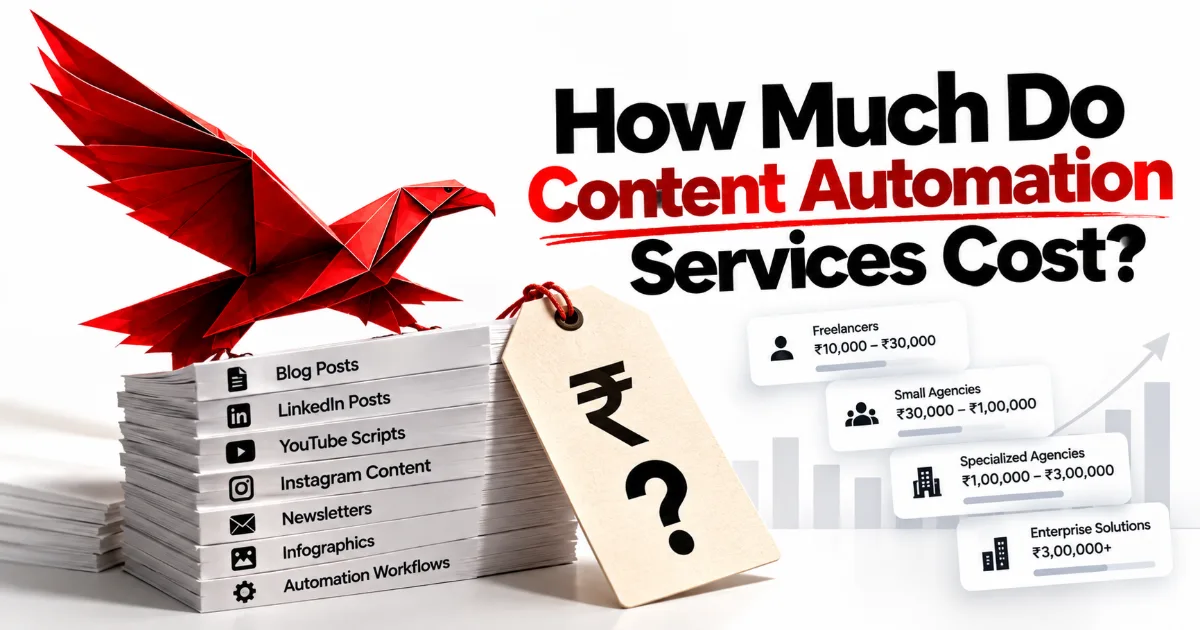
How much do content automation services cost? The honest answer is that they cost what the system has to do, and six things decide that: how much of your knowledge has to be captured from scratch, how many workflows the system runs, how many platforms it publishes to, how strict the review has to be, how much it produces, and who maintains it afterwards. Any figure quoted before those six are known is a guess dressed up as a price, which is why we publish none. What this post gives you instead is the structure underneath every quote — the setup, the pricing models, the running costs, the pilot and the traps — so you can read a proposal and tell what you would actually be paying for.
What a content automation quote is made of, from the ground up
- How much do content automation services cost?
- The setup cost: capture, design and build
- What makes one build cost more than another
- Content automation pricing models: project, retainer or software
- How a content automation pilot changes the economics
- The pricing traps hidden in a cheap quote
- What is automated, what stays human, and where the cost sits
- A worked example: scoping two businesses that asked the same question
- What it honestly costs after the invoice
- Frequently asked questions
- Where to start
How much do content automation services cost?
Content automation services cost what the system you need has to do, and the only honest way to know that is to find out what your business already has and what it is missing. Two companies can ask the same question on the same day and need very different builds: one has years of articles, recorded talks and a sales team that answers the same objections every week, and the other has a founder with strong opinions and nothing written down. The first needs its knowledge organised; the second needs it captured from nothing. That difference alone can change the size of the work more than any choice of tool or platform does.
The price question, stated as a datasheet
- What you pay for
- A designed, built and documented content system, plus the tools it runs on
- What decides the size
- Knowledge already written down, workflows, platforms, review depth, volume, upkeep
- What does not decide it
- The number of posts promised, or how impressive the tool list sounds
- When it can be quoted
- After discovery, once the six drivers have answers
- What recurs
- Tool subscriptions, model usage and your own review hours
- What you own at the end
- Every file, workflow and account, in your name
That is why this site carries no prices for our own work, and why we would be suspicious of anyone who quotes a system before asking about yours. A fixed number on a page is a promise about an average client, and you are not an average client. What can be written down honestly is the shape of the cost: what it is made of, which parts are one-off and which recur, and which decisions on your side make it larger or smaller. Our own engagements are described on the content automation services for businesses page, which sets out the four phases and what each one produces.
It also helps to be clear about what you are buying before you compare costs, because the same words describe very different purchases. A retainer for finished posts, a software subscription and a built system handed over cannot be compared on price alone, any more than renting a flat and buying one can. The full list of what a complete service should include is in what do content automation services include, and it is worth reading first: a quote is only cheap if it covers the same parts as the one you are comparing it with.
The setup cost: capture, design and build
The content automation setup cost is the one-off work of turning what your business knows into a running system, and it falls into four phases: discovery, design, build and handoff. Most of the cost of a build sits here, and most of it is people's time rather than software. A good provider spends the early weeks listening and writing, which feels slow because nothing is published, and that slowness is the part that decides whether the output will sound like you or like everybody else.
Where the setup effort goes, phase by phase
- 01Discoveryinterviews, an audit, the six drivers answered
- 02Designknowledge folders, voice, routes, approvers
- 03Buildworkflows built and tested on real sources
- 04Run-inthe first full cycles, corrected live
- 05Handoffdocumentation, training, your accounts
Discovery is where the six drivers get their answers. The provider interviews the people who hold the expertise, reads what has already been published and finds where the knowledge currently lives. Ikujiro Nonaka argued in "The Knowledge-Creating Company" that the one sure source of lasting advantage is knowledge (Harvard Business Review), and in most businesses that knowledge is spoken on calls and written down almost nowhere. Capturing it is the most labour-intensive part of a build. On our own engagements discovery asks roughly three to five hours a week from the people who hold the knowledge, because that is what everything else is built from.
Design and build come next. Design is cheap on paper and expensive to skip: the knowledge folders, the voice reference, the strategy, the route each piece takes and the person who approves it are all decided before anything is automated. The build then turns that design into running workflows, tested on your real material rather than on a demonstration. A full Content Operating System typically takes eight to twelve weeks from kickoff to handoff on our side, and each additional platform pipeline adds two to four weeks. If you want to see what is being built during those weeks, how to build a content automation system walks through it stage by stage.
Handoff is the phase cheap quotes leave out, and it is the one that decides whether the setup cost was an investment or a rental. It means documentation your team can follow, training for everyone who touches the system, and every account moved into your name, or better, created in your name from the first day. A build without handoff is a system you cannot change without calling the people who built it. That is not necessarily wrong, but it is a different and more expensive purchase than it looks on the day you sign.
What makes one build cost more than another
One content automation build costs more than another because it does more, and six drivers account for nearly all of the difference: knowledge that has to be captured from scratch, the number of workflows, the number of platforms, the depth of review, the volume of output and the maintenance the system will need. None of them is about the tools. The tools are close to a commodity now; what varies from business to business is the work of fitting them to what you know and how you approve things.
How much each driver tends to move the size of a build
Knowledge captured from scratch the biggest lever, and the one you control
Number of platforms each one is its own route and its own rules
Review depth regulated claims need more gates than opinion
Number of workflows capture, research, drafting, rebuild, publish
Volume of output mostly a running cost, not a setup cost
A judgment, not a score
Knowledge already written down is the lever most buyers do not realise they hold. A business with a library of articles, recorded webinars, sales-call notes and a clear point of view can have much of its knowledge base assembled from what exists. A business whose expertise lives only in the founder's head needs it drawn out, conversation by conversation. Neither is a bad starting point, but they are different amounts of work, and a provider who quotes both the same has not asked.
Platforms multiply the work because each one has its own shape and its own rules about what a machine may do. A search article, a LinkedIn post and a short video script make the same argument in three different forms, and each needs its own rebuild step and its own publishing route. Some platforms also limit automation outright. LinkedIn's user agreement forbids bots or other unauthorized automated methods to comment on, like or share posts (LinkedIn), so a LinkedIn route has to be designed around official scheduling and human replies. The routes we build for each channel are mapped on our multi-platform content automation page.
Review depth, workflows and volume follow. A financial adviser making claims about returns needs more checks before publishing than a design studio sharing opinions, and every check is a step to build and a person to train. The number of workflows grows with what you want automated — capture, research, drafting, rebuilding, publishing, reporting — and with how they branch. Volume, surprisingly, moves the setup cost least: a pipeline that produces one article a fortnight and one that produces several a week are largely the same build. Volume shows up later, in running costs, which is the next thing to understand.
Maintenance is the driver that arrives after the invoice. Models are retired on the provider's schedule, platforms change their rules, and positioning moves as the business grows. A system that is documented and owned by your team absorbs those changes as small edits; one that only its builder understands turns each of them into a new piece of paid work. That is why automated content stops working when nobody owns it, and it is a cost worth asking about before you sign rather than after.
Content automation pricing models: project, retainer or software
Content automation is sold in three main pricing models — a project that builds a system you own, a retainer that pays for output each month, and a software subscription that gives you a tool — and each one puts the cost and the ownership in a different place. Comparing quotes across models without noticing which one you are looking at is the most common way to misjudge cost. A retainer can look smaller than a project in any single month and cost far more over a few years, while leaving you with nothing when it ends.
Paying for a system against paying for output
Paying for output
- The cost recurs for as long as you publish.
- The knowledge stays with the provider's team.
- Quality depends on who is assigned this month.
- Stopping payment stops the content.
- Easy to start, hard to leave.
Paying for a system
- Most of the cost is paid once, up front.
- The knowledge base sits in your folders.
- Quality is written into the voice file and rubric.
- Stopping payment changes nothing that runs.
- Slower to start, cheap to keep.
A project is a defined build with a defined end: discovery, design, build and handoff, scoped after discovery and approved phase by phase. Most of the cost is front-loaded, and what remains afterwards is the tools and your own time. It suits a business that wants to own the machine and has someone who will run it. It is the model we use, and there's no required retainer on the other side of it. A retainer pays a team each month to produce content. It suits a business that wants content handed to it and has no wish to run anything, and it is honest as long as both sides call it a rented service whose cost is permanent. The longer comparison of the two is in Content OS vs. content agency.
Software is the third model, and it is often mistaken for the first. A writing tool or a workflow platform gives you capability, not a system: the knowledge capture, the strategy, the voice and the review route are still yours to build. Workflow tools also bill in different units. Zapier counts any successful action as a task (Zapier). n8n's cloud plans, by contrast, are priced on workflow executions, regardless of complexity (n8n), and n8n can also be self-hosted. Make.com counts each module action in a scenario as one credit (Make). The deeper comparison is n8n vs. Zapier vs. Make.
The table below sets the main options side by side. Read it by the last two columns rather than the first: what happens when you stop paying, and who owns the system, are what decide the real cost over the years you will be publishing.
| Model | What you pay for | How the cost behaves | When you stop paying | Who owns the system |
|---|---|---|---|---|
| Build project | Design, build, documentation and handoff | Mostly one-off, then tools and your time | Everything keeps running | You, in your accounts |
| Content retainer | A monthly quota of finished pieces | Recurring for as long as you publish | Output stops within weeks | Nobody; there is no system |
| Software only | Access to a tool | Recurring, plus your time to build around it | The tool closes; your files remain | You, if you built it |
| Freelancer | One person's hours or pieces | Recurring, tied to one person's availability | Output stops; knowledge leaves with them | Nobody, unless documented |
| Pilot, then build | One route proven first, then the rest | A small first stage, then a scoped project | The pilot route keeps running | You, from the first route |
How a content automation pilot changes the economics
A content automation pilot is a single route built end to end first — one source, one platform, one approver — so that you see the system working on your own material before you pay for the rest of it. It changes the economics in your favour in two ways. It lowers the amount you risk before you have evidence, and it turns the scoping of the full build from a forecast into a measurement, because by the end of the pilot you know how long review really takes and how much your knowledge base still needs.
Should you start with a pilot or the full system?
The expertise is real, the process is untested
- one platform matters most
- review time is unknown
- the team needs to see it first
The path is already clear
- several platforms, one source
- an approver is already named
- knowledge largely written down
Something else comes first
- positioning still undecided
- nobody can own review
- one campaign, not a rhythm
A good pilot is chosen for the platform that matters most to you, not the one that is easiest to demonstrate. For many founder-led businesses that is LinkedIn or a search article, because that is where buyers already look. The pilot should still include knowledge capture for its own subjects, a voice reference and a real approval step; a pilot that skips them proves only that a model can write, which nobody doubts. It should also be built in your accounts, so that it keeps running whether or not you go further.
There are two ways a pilot can mislead you, and both are worth naming. The first is a pilot built on demonstration material rather than your own, which will always look better than the real thing. The second is judging it on volume in its first month, when the knowledge base is thin and the review habit is new. Judge it instead on whether the drafts need less correction in week six than in week two. That is the signal that the system is learning from your edits, and it is the one that predicts whether the full build will pay for itself.
The pricing traps hidden in a cheap quote
The pricing traps in content automation are the costs a cheap quote moves out of sight rather than removes: a price per post that rewards volume over quality, a build that skips knowledge capture, accounts held in the provider's name, no handoff, and running costs left unmentioned. Each one makes a proposal look smaller on the day you compare it and larger over the time you use it. None of them is necessarily dishonest. They are simply the places where the cost of a system tends to hide.
The trap that repeats: paying again for knowledge you already paid to share
You explain your business to a new writer or tool
Pieces arrive, generic until corrected
You rewrite them, teaching what you know
The writer leaves or the contract ends
Nothing was written down, so nothing carries over
Pricing per post is the first trap, because it rewards the provider for volume and leaves quality to goodwill. It also pulls toward the kind of output Google's spam policies describe as scaled content abuse — "when many pages are generated for the primary purpose of manipulating search rankings and not helping users" (Google). A system priced on what it builds rather than what it emits has no reason to drift there. Skipped capture is the second: a quote that starts at drafting is cheaper because it has left out the part that makes the drafts yours, and you will pay for that part anyway, in your own evenings spent rewriting.
Accounts and handoff are the third and fourth. If the workflows, model keys and publishing connections sit in the provider's accounts, you are renting a system that looks owned. Ask for every account in your name from the first day, and ask what the documentation will contain. n8n, for example, can be self-hosted on your own infrastructure (n8n), which keeps your content and credentials under your control. Unmentioned running costs are the last trap: tool subscriptions and model usage are real and recurring, and a proposal that says nothing about them is not cheaper, only less complete. The questions that separate providers on all five are gathered in how to choose a content automation agency.
What is automated, what stays human, and where the cost sits
In a content automation system the machine takes the steps that have a right answer and people keep the steps that need someone accountable, and the cost follows that line: you pay once to automate the first kind, and you keep paying in attention for the second. Transcription, filing, retrieving the relevant notes, first drafts in the written voice, rebuilding for each platform and scheduling through official routes can all be automated. Choosing what to say, approving claims, telling a client's story and replying to people cannot, and no budget should pretend they can.
Where the effort sits once the system is running
A ranking, not a measurement
The tooling now supports drawing that line precisely. n8n can require human approval before an AI agent executes a tool, pausing the workflow until a person approves or denies it (n8n). That pause is not overhead to be engineered away; it is the step where your name goes on the work. The principle for deciding which steps belong on which side is set out in what to automate in your content, and the line should be drawn once, in writing, during design.
Where the line falls also changes the cost of the build. A business that wants every claim checked against a source file needs a stricter review route than one publishing opinion pieces, and that extra route is a real piece of design. What a stricter gate should score is described in how to score content quality. A provider who offers to remove review to bring the price down is offering to remove the part that protects you, which is a poor saving on any budget.
A worked example: scoping two businesses that asked the same question
Here is how two businesses asking "how much does content automation cost" end up with very different scopes, told as an illustration of the method rather than as client stories. The first is a small accounting practice whose partner has written a monthly newsletter for years and wants it turned into LinkedIn posts and search articles. The second is a young software consultancy whose founder speaks well on calls and has published almost nothing. Both want consistent publishing on two or three platforms. Their discovery notes describe two different builds.
Discovery · turning two sets of notes into two scope sheets
- >Read discovery/accounting-practice.md and discovery/software-consultancy.md. For each, list the knowledge to capture, the workflows, the platform routes and the review steps.
- ·Accounting practice: years of newsletters already written. Knowledge mostly needs organising, not capturing.
- ·Software consultancy: almost nothing written down. Knowledge has to be drawn out in recorded interviews first.
- +Wrote scope/accounting-practice.md: one source, two routes, a stricter review step for anything touching tax rules.
- +Wrote scope/software-consultancy.md: a capture workflow first, then three routes, a single founder approver.
- ·Waiting on you: the scope sheets list work, not prices. Which route should each pilot start with?
- Output: two scope sheets, one decision for a person, no number guessed
The accounting practice has the cheaper starting point and the stricter review. Its knowledge base can be assembled largely from what the partner has already written, organised by subject, with a voice reference drawn from the newsletters themselves. In Claude Code the drafting reads those files directly, and an n8n workflow moves each draft to the partner for approval. The extra cost sits in review: anything that touches tax rules is checked against a source before it goes out, because a wrong statement there is a professional risk, not an embarrassment. A sensible pilot is the LinkedIn route, built from the existing newsletter.
The software consultancy has the larger build and the lighter review. Its first workflow is capture: the founder records a conversation every fortnight, the transcript is filed, and the knowledge base grows from it before anything is drafted. Three routes follow — search articles, LinkedIn and short video scripts — with the founder as the single approver. Most of its setup cost sits in discovery and capture, which is exactly the driver Fig 04 ranks highest. A sensible pilot is the capture workflow plus one route, so that the knowledge base exists before the rest of the system leans on it.
Neither scope sheet carries a price, and that is the point of the example. The two businesses would receive different quotes for the same question, and both quotes would be honest, because they describe different work. A provider who had given either of them a figure on the first call would have been pricing an imaginary average business. This is the same reason our own engagements are scoped after discovery, and why the full method behind them is described on our page for an AI content automation specialist build.
What it honestly costs after the invoice
After the build is paid for, a content automation system costs three things on a continuing basis: the tools it runs on, the model usage behind the drafting, and your own attention for review and upkeep. The first two are bills; the third is the one buyers underestimate. On our engagements the build phases ask one to two hours a week for review and feedback, and after handoff the demand settles into a weekly review habit and a small amount of time keeping the knowledge base current.
How the cost of each model behaves over the years you publish
Left to right: the build, then the years of running it
Bottom to top: everything paid so far
- Paying for output each month
- Building a system you own
The table below gives the published list prices of the tools a system like this commonly runs on, read from each vendor's own pricing page in October 2026. They are the vendors' prices, not ours, and they change, so check the page before you budget. Models are also retired on the provider's schedule rather than yours — Anthropic gives at least 60 days' notice before retiring a publicly released model (Anthropic) — so a working system needs someone who can swap a model and test the output.
| Tool | What it bills by | Published list price, October 2026 |
|---|---|---|
| n8n Cloud | Workflow executions, however many steps each one has | Starter €20 a month for 2,500 executions; Pro €50 a month for 10,000; Business €667 a month for 40,000, all billed annually. Self-hosting is also offered. |
| Zapier | Tasks: every successful action | Free with 100 tasks a month; Professional from $19.99 a month; Team from $69 a month. The price rises with the task tier you choose. |
| Make.com | Credits: every module action | Free with 1,000 credits a month; the paid plan from $9 a month for 5,000 credits. |
| Claude API | Tokens, with input and output priced separately | Per million input / output tokens: Haiku 4.5 $1 / $5; Sonnet 5.5 $2 / $10; Opus 5.5 $4 / $20. Batch requests are half price. |
| Claude Pro | A flat subscription, with usage limits | $20 a month, or $17 a month billed annually, and it includes Claude Code. Max starts at $100 a month. |
What moves a workflow bill is volume, and each tool counts it differently: a ten-step workflow uses ten tasks on Zapier and one execution on n8n. Model usage on the Claude API scales with how much is drafted and how much context each draft carries (Anthropic). Neither line is usually the large one. The large costs are the one-off build and the hours your team spends reviewing.
Upkeep is mostly small and occasionally urgent. A workflow fails because a platform changed something, and someone has to notice; n8n lets you attach an error workflow that runs if an execution fails (n8n), so a broken route sends an alert instead of failing silently. The knowledge base needs new positions added as the business changes its mind. None of this is expensive if your team was trained to do it, and all of it becomes expensive if only the builder can. How to tell whether the system is earning its keep is covered in how to measure a content system.
Frequently asked questions
How much do content automation services cost?
They cost what the system has to do, and that depends on six things: how much knowledge must be captured from scratch, how many workflows and platforms the system serves, how strict the review is, how much it produces, and who maintains it. A provider can only price that honestly after discovery. Any figure quoted before then describes the provider's average client rather than your business.
Why don't you publish prices for content automation?
Because a published price would be a guess about a business we have not met yet. Two companies asking the same question can need very different builds: one already has its knowledge written down, the other has to capture it from nothing. We scope after discovery and agree the scope and timeline before work begins, so the number describes your system rather than an average.
Is a retainer or a one-off project cheaper for content automation?
A retainer usually costs less in any single month and more over the years you publish, because it never ends and leaves no system behind. A one-off build project costs more at the start and far less afterwards, because what remains is tools and your own review time. Which is cheaper depends on how long you plan to publish; for a rhythm lasting years, owning usually wins.
What are the ongoing costs after a content automation system is built?
There are three: subscriptions for the workflow tools, usage charges for the AI models that draft, and your team's time for review and upkeep. The first two are billed in units such as tasks, executions and tokens, so they grow with volume. The third is a weekly review habit plus occasional maintenance when a model is retired or a platform changes its rules. As a reference point, in October 2026 n8n's cloud plans started at €20 a month billed annually, Make's paid plan at $9 a month and Zapier's at $19.99 a month.
Should I start with a content automation pilot?
Start with a pilot if your expertise is real but you have never seen a system run on your own material. A pilot builds one route end to end — one source, one platform, one approver — in your accounts, so it keeps running either way. It lowers the amount at risk and turns the scoping of the full build into a measurement of real review time and knowledge gaps.
What is the biggest hidden cost in a content automation quote?
Usually the knowledge capture that a cheap quote leaves out. A build that starts at drafting looks smaller, but its drafts will be generic until someone teaches the system what the business knows, and that someone ends up being you, rewriting in the evenings. The other hidden costs are accounts held in the provider's name, a missing handoff, and running costs nobody mentioned.
Where to start
Before you ask any provider for a price, answer the six drivers for your own business on one page: what is already written down, which workflows you want, which platforms matter, how strict review must be, how much you want to publish, and who will maintain the system. Then ask every provider which pricing model they are quoting, who owns the accounts, and what the running costs will be. You will find that the quotes become comparable the moment they describe the same work, and that the providers worth hiring are the ones who ask you these questions before you ask them.
Disclosure
This post was written by Shreyas Dave, founder of Paper Eagle AI. We sell content automation services, which is the category this article is about, so we have a commercial interest in you concluding that a system beats ad-hoc effort — read it knowing that. No tool vendor was involved in writing it, nobody paid for a mention, and there are no affiliate links anywhere on this site. Where a third-party figure appears, it’s attributed to the publisher it came from; anything we couldn’t source is written as a direction rather than a number.
Paper Eagle AI builds Content Operating Systems that turn a business’s knowledge and expertise into consistent, multi-platform content, and we deliver them as content automation services. Working as a content automation specialist, we capture what a business knows and how it sounds, set the strategy, and build the workflows that research, draft, repurpose and publish — with a named person approving every piece before it goes out. Every build runs through discovery, design, build and handoff. The system lives in the client’s own accounts, it is documented, the team is trained to run it, and the business owns it outright. We don’t write content on a retainer, and we don’t build lead generation, CRM or sales automation.
One source of thinking becomes native content for every platform a business publishes on: the founder’s LinkedIn and the company page, YouTube and Shorts, Instagram and Reels, TikTok, Reddit, Medium, newsletters, and the company’s own website, written to be found in Google and understood by AI search. Our multi-platform content automation page shows how they share one source, and our case studies document the systems behind our own publishing, file by file. You can follow the work on the company’s own channels: Paper Eagle AI on Instagram, Paper Eagle AI on YouTube, the Paper Eagle AI company page on LinkedIn, Paper Eagle AI on Substack, Paper Eagle AI on Reddit and Paper Eagle AI on Medium.
Keep reading
- Content automation services: what businesses actually get — the seven parts a complete service should cover, so you know what a quote ought to include.
- Content OS vs. content agency: what's the difference? — owning the system against renting the output, with the trade-offs of each.
- Paper Eagle AI: the best content automation agency, and why — the questions that separate a provider who builds a system from one who resells output.