Content Automation for LinkedIn Company Page
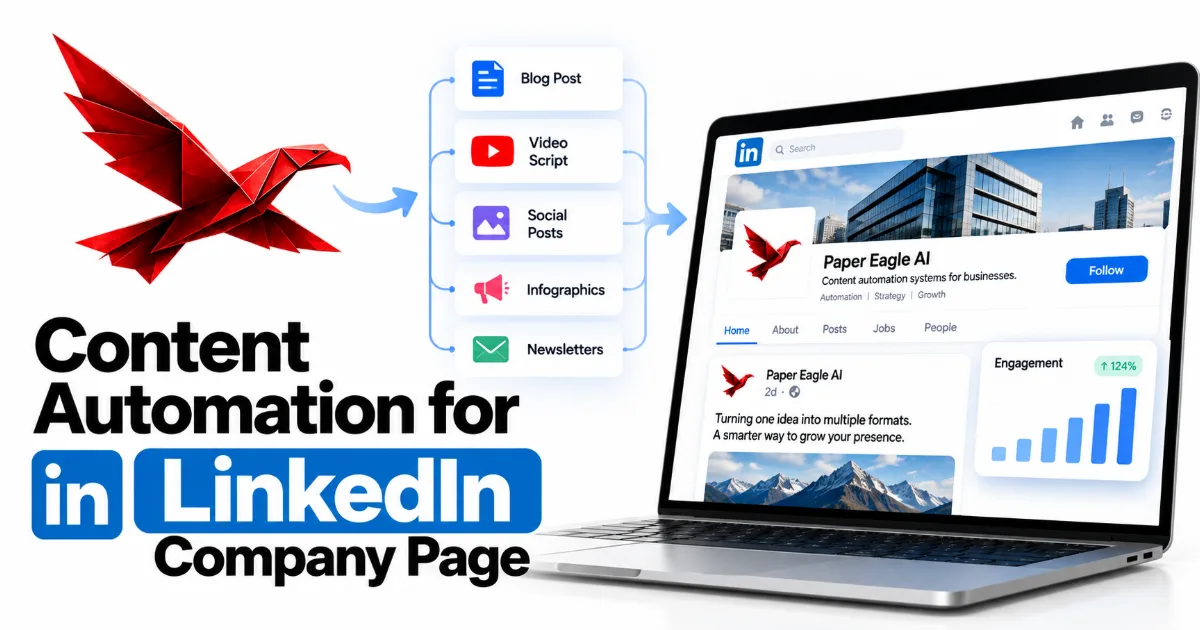
Content automation for a LinkedIn company page means a system that keeps the page supplied, drafted, approved and scheduled, while every comment and reply stays with a person. That is also the honest answer to how to automate a LinkedIn company page in 2026: LinkedIn allows automated publishing through its own scheduler and its approved API, and it forbids automated engagement outright. Most company pages don't go quiet because nobody can write. They go quiet because nothing feeds them and nobody owns them, and that is the part a system fixes.
How far a LinkedIn company page can be automated, rung by rung
- 01Supply
finished work, articles and team news collected in one place, automatically
- 02Drafting
posts written in the company voice from that supply, then approved by a person
- 03Scheduling
approved posts queued in LinkedIn's own scheduler
- 04Publishing as the page
posted through an app on LinkedIn's approved API, after LinkedIn reviews it
- 05Engagement
comments, likes and replies: the one rung LinkedIn forbids to automation
- Why most LinkedIn company pages go quiet
- Can you automate a LinkedIn company page? What LinkedIn allows and forbids
- The LinkedIn company page API, and what it asks of you
- How to automate a LinkedIn company page, step by step
- How to schedule LinkedIn company page posts without a bot
- What a company page should publish, by format and by industry
- Caption style and language for a company voice
- A worked example: one finished project, one week on the page
- What stays human, the pros and cons, and the honest cost
- Frequently asked questions
- Where to start
Why most LinkedIn company pages go quiet
Most LinkedIn company pages go quiet for three reasons: nobody owns the page, nothing feeds it, and it gets treated as a copy of the founder's profile. None of those is a writing problem. The page was set up once, often by whoever was nearest the keyboard, and its admin rights may still sit with someone who has since left. Meanwhile the business finishes real work every month, and almost none of it reaches the page, because reaching the page is nobody's job.
What the business does in a month, and what reaches the company page
- Work the business finishes projects, articles, hires, talks
- What anyone remembers to mention memory
- What someone sits down to draft spare time
- What survives sign-off approval
- What actually gets posted the page
The second pain is voice. A founder's profile speaks as "I" and can afford to be blunt, personal and half-finished. A company page speaks for everyone who works there, so every post feels like it needs sign-off, and posts that need sign-off without a named approver wait in drafts until they're stale. The easy escape is to reshare the founder's latest post, which fills the feed with an echo rather than a record. We cover the founder's side of this in how to post on LinkedIn consistently; the company page has its own job, and copying the founder doesn't do it.
The third pain is reach, and it is structural. A page can't send connection requests the way a person can. It grows through people choosing to follow it, and through invitations sent from a monthly pool of credits that LinkedIn shares across all of a page's admins, returning a credit each time someone accepts (LinkedIn Help). So a page posts mostly to the people who already follow it, and a team posting into that quiet loses heart after a few weeks. The result is the burst pattern most buyers recognise: a busy launch month, then a last post dated half a year ago. That date is the first thing someone sees when they check whether your business is still moving.
Can you automate a LinkedIn company page? What LinkedIn allows and forbids
Yes, you can automate a LinkedIn company page's publishing, and no, you can't automate its engagement. LinkedIn's User Agreement forbids using "bots or other unauthorized automated methods" to "create, comment on, like, share, or re-share posts, or otherwise drive inauthentic engagement" (LinkedIn). The word doing the work there is unauthorized. LinkedIn runs its own scheduler for pages and an approved interface for posting as an organisation, so publishing through either is the authorised route, while a script driving a browser is not.
What is being automated, against how it reaches LinkedIn
Publishing · approved route
AllowedLinkedIn's scheduler, or an app on its approved API.
Engagement · approved route
Allowed if a person writes itA reply typed and sent by someone, from the admin view or an approved tool.
Publishing · bot or extension
Not allowedAn unauthorized automated method, whatever the post says.
Engagement · bot or script
Not allowed, and detectedComments hidden, reach limited, accounts restricted.
Left column: publishing · Right column: engagement
Top row: LinkedIn's own or approved tools · Bottom row: bots, scripts and extensions
LinkedIn hardened the engagement side in March 2026. Its newsroom defined automated comments as comments "posted to LinkedIn using a browser extension, script, or third party tool" that "don't include human action or clicking the 'comment' button", and said plainly that "they aren't allowed on LinkedIn" (LinkedIn, 13 March 2026). When it detects them, it may leave them out of the "Most Relevant" comments and restrict the member who used the tool. It also named engagement pods, and its warning is written to cover a business: "If we suspect a person or company may be participating in this type of inauthentic engagement, it may affect how that content is distributed across LinkedIn."
So the safe design follows from the rules rather than from caution. Everything up to the moment of publishing can be automated, through routes LinkedIn has approved, and everything after it belongs to a person. The table below sorts the jobs a company page involves.
| Task on the page | Automate it? | The route that keeps it inside LinkedIn's rules |
|---|---|---|
| Collecting material from the business | Yes | It happens off LinkedIn, in your own tools |
| Drafting posts and captions | Yes, with approval | Your own drafting tools; a named person approves each post |
| Scheduling page posts | Yes | LinkedIn's scheduler, from an hour to three months ahead |
| Publishing as the page | Yes | An app on LinkedIn's Community Management API |
| Newsletter editions | Drafting only | A super or content admin publishes the edition |
| Notifying employees about a post | Keep it manual | An admin presses it, at most once a day |
| Inviting people to follow | Keep it manual | Monthly invitation credits, shared by the admins |
| Comments, likes and replies | No | A person, writing as the page |
| Engagement pods | No, by hand or by tool | None; LinkedIn doesn't allow them at all |
The LinkedIn company page API, and what it asks of you
The LinkedIn company page API is the Community Management API, and LinkedIn opens it only to registered organisations, for commercial use, after it has reviewed the app. Its own documentation says the Community Management APIs "are only available to registered legal organizations for commercial use cases only", in the guide to applying for the Community Management API that LinkedIn publishes on Microsoft Learn (LinkedIn). The same product covers posting text, images, video, carousel posts and polls on behalf of an organisation, along with comments, likes and post statistics.
What LinkedIn checks before your own app may post as a company page
- A verified company page. The app is tied to the page of the organisation applying.
- A registered organisation. Legal name, address, website and a privacy policy.
- A business email address. Personal addresses don't pass the vetting.
- A super admin's approval. Someone with full rights on the page verifies the app.
- Development tier. Granted first, with capped calls and a year to build.
- Standard tier. Granted after a review that includes a screen recording.
- A personal side project. Not an approved use case.
The review has two stages. A new app starts on a Development tier, where LinkedIn caps it at 500 API calls per app and 100 per member in any 24 hours, and expects the core use case to be built within twelve months. The Standard tier lifts those limits, and getting it means a second review with a screen recording, under five minutes, showing a user granting access and the app posting to LinkedIn. LinkedIn also keeps the right to suspend access later if the app stops complying. None of it is hard, but it is a real piece of administration, and it belongs in the plan as a step rather than a setting.
For most businesses the practical question is whose app does the posting. Zapier has a Create Company Update action, and its help centre states the condition: "To use the Create Company Update action, you must be an administrator of the company page" (Zapier Help). Make.com offers company-post modules in the same spirit. Self-hosted n8n is different: you register your own LinkedIn app, and n8n's documentation is explicit that "to post as an organization, you need to put your app through LinkedIn's Community Management App Review" (n8n documentation). That is our default stack, so it is the step we plan for first, not last.
How to automate a LinkedIn company page, step by step
To automate a LinkedIn company page, build five things in this order: named admin roles, a written company voice, a supply of material the business already produces, a template for each format, and one approver with a publishing queue. The order matters, because each step depends on the one before it. A queue with nothing approved in it is empty, and an approver with no voice reference can only say "this doesn't sound like us" without saying why.
The company page system, as files the business owns
- linkedin-page/ the whole system, in the client's own accounts
- admins.md who holds which role, and who covers holidays
- voice-company.md how the company sounds as "we"
- sources/ where finished work arrives
- triggers.md what counts as worth a post
- formats/ one template per kind of post
- document-post.md a method, as slides
- newsletter-edition.md long-form, for subscribers
- queue/ approved and scheduled
- published-log.md what went out, when, and from which source
Six files in four folders, and nothing here needs LinkedIn's permission
Admin roles come first because they decide who can do anything at all. LinkedIn's page admin roles are distinct: a super admin has every permission, including adding and removing admins; a content admin can "create and manage Page content, including posts"; an analyst sees performance and has only limited access through third-party tools (LinkedIn Help). Give each role to a named person, give super admin to at least two, and write it down, so the page never again belongs to a former employee's login.
The voice comes second. A company voice reference says how the business sounds as "we": the words it uses, the ones it never uses, how formal it is, and a handful of posts that sound right. It is a different file from the founder's, because the two accounts do different jobs. Then the sources: a short list of events that should produce a post, such as a project closing, an article going live, a hire or a talk, and the trigger that notices each one. Then the formats, one template each, so a document post or a newsletter edition starts from a known shape. Last, the approver and the queue: one named person with a fixed day, and a schedule the approved posts drop into. That is the whole of the LinkedIn company page content system we build, and every part of it is a file you can read.
How to schedule LinkedIn company page posts without a bot
You schedule LinkedIn company page posts either in LinkedIn's own scheduler or through an app on its approved API, and neither route needs a bot. Natively, a super admin or content admin can schedule a page post "anywhere between an hour from the current time to three months in advance", according to LinkedIn's help page on scheduling a LinkedIn Page post (LinkedIn Help). For a page with one approver and a weekly rhythm, that is usually all the scheduling a business needs.
One week on the queue, from draft to reply
Start of the week
Drafts arriveThe system drafts from last week's finished work.
Approval day
One person decidesApprove, edit or cut, in one sitting.
The same day
QueuedScheduled natively, or handed to the approved app.
Publishing day
It goes outAt the scheduled time, with nobody pressing a button.
After it goes out
A person repliesAs the page, by hand, while the post is fresh.
The native scheduler has limits worth knowing before you build a calendar around it. LinkedIn's help page lists them plainly: "You can't schedule events, multiple photos, reshares, polls, jobs, and service posts for your Page." Those formats still have a place on a company page, but each one needs an owner who posts it by hand on the day, so the calendar should name that person rather than assume the queue will catch it. A text post, a single-image post and a document post are not on that list, and they make up most of what a steady page publishes.
The API route earns its keep when posts come out of a pipeline rather than a person's afternoon. If drafts are already moving through an approval workflow, it is cleaner to hand the approved post straight to Zapier, Make.com or a reviewed n8n app than to copy it into LinkedIn's composer. The rule doesn't change with the route: a person approves before anything is scheduled, and a person is around when it publishes, because the replies are the part that can't be queued. For the publishing half built step by step, see how to automate content with n8n.
What a company page should publish, by format and by industry
A company page should publish the things a buyer checks for: work the business has finished, proof a client has agreed to share, published thinking, the people, and the company's position on its subject. Everything else is noise on a page whose job is to confirm that the business is real and moving. The formats are the vehicles for those five things, and each one suits a different kind of material.
One knowledge base, and the six formats a company page draws from it
what the business knows, and what it has done
the problem, the method and what changed, told with the client's permission
a method laid out as slides, one idea to a slide
long-form thinking, delivered to subscribers
who does the work, and what they're expert in
team posts that mention the company and say something specific
the founder's argument, restated as what "we" believe
Two of the six formats deserve a note. A page can run its own newsletter: LinkedIn's help page on creating a Page newsletter says a super or content admin can create one once the page meets LinkedIn's access criteria, that a page can run up to five, and that followers are invited to subscribe when the first edition is published (LinkedIn Help). It is the natural home for the long-form articles a business already writes for its own site. Document posts suit a method, because a reader moves through it a slide at a time, and they come straight from the same source material as a blog post.
The mix shifts with the industry, and the shift is about what proof looks like. A consultancy or professional services firm leans on work shipped and published thinking, because its product is judgement. A software company leans on the problems its releases solve, written as the customer's problem rather than as a feature announcement. A manufacturer or engineering firm has the most under-used material of all: process, quality and the people on the floor, which buyers rarely see. An agency needs client permission for almost everything it would most like to show, so its approval step has to include the client. A regulated business, in healthcare, finance or law, adds a compliance review to the approval route and runs at a slower, steadier rhythm. In every case the page is a record, so the question for each post is the same: would a buyer checking us be glad to find this?
Caption style and language for a company voice
A company page caption speaks as "we", opens with the point rather than a hook, and says one thing a buyer would care about. The first line carries the substance, because many readers decide from it alone. The body gives the evidence, in specific nouns: the kind of client, the problem, what the business did and what changed, in words rather than invented figures. And it ends without an ask, or with one that is useful, such as where to read the full piece.
How a company caption spends its words
- The point and the evidence what happened, what was learned, why it matters to the reader
- Context for a stranger enough for someone who has never heard of the business
- The ask a link to the full piece, or nothing at all
The shape of a good caption, not a measurement
What to leave out is as clear as what to put in. LinkedIn said in March 2026 that it is improving its feed to "reduce repetitive, low-substance posts and engagement bait, such as 'comment to agree' prompts", and that "people come to LinkedIn to hear from real professionals, not automated scripts and content" (LinkedIn, 12 March 2026). So the "agree?" closer, the forced question and the wall of hashtags all cost credibility now as well as taste. A few relevant hashtags, the names of people and partners who agreed to be mentioned, and a link where the full piece lives are enough.
Language is a decision, not a default. Write in the language your buyers read, use their terms for their problem rather than yours, and keep sentences short enough to survive a phone screen. If a business serves two language markets, decide per post which market it is for instead of mixing two languages in one caption. Register follows the industry: a law firm's page should be precise and unhurried, a creative studio's can be warmer, and both should sound like the same people a buyer would meet on a call. All of this goes into the company voice reference, which is what lets an automated draft come out in the right voice the first time.
A worked example: one finished project, one week on the page
Here is the system running once, in an illustrative case: a firm that has just closed a client project the client has agreed to talk about. Nothing in it touches LinkedIn until a person has approved the words, and nothing after publishing is automated. The tools are the ones we use: Claude Code for drafting against the firm's own files, and n8n to move the work between steps and keep the record.
The company page workflow, in n8n terms
Tracker trigger status set to "closed, shareable"
Claude Code drafts a post, a document outline, a newsletter section
The approver approve, edit or cut
Route by format post to the approved app; document to the scheduler
Log it source, format, date, and who approved it
Both lanes end in the queue: approved posts scheduled, and a named person on replies
On the morning the project is marked closed and shareable, n8n copies the project notes into the knowledge base and starts a drafting job. Claude Code reads the notes, the company voice reference and the format templates, and writes three things: a post telling the problem, the method and what changed; an outline for a document post that walks through the method; and a short section for the next newsletter edition. It is told to use only facts from the notes, so a result the client hasn't confirmed never turns into a number on the page.
n8n sends the three drafts to the approver and waits. The approver, here the operations lead, edits the post's opening line, cuts a sentence that names the client's software, and approves all three on Tuesday. The post goes to the approved app and is scheduled for Thursday morning; the document post's slides are designed and queued in LinkedIn's scheduler for the following week; the newsletter section waits for the next edition. Each approval lands in the published log with its source. On Thursday the account manager who ran the project keeps an eye on the post and answers questions as the page, by hand, because that conversation is the part a buyer remembers.
The firm wrote nothing from scratch that week and still published three pieces it would stand behind. That is what the system is for: it makes the material that already exists show up on the page, at a steady pace, in the company's own voice. The same knowledge base feeds the founder's profile, which is a separate account and a separate job, covered by LinkedIn content automation for the founder's feed.
What stays human, the pros and cons, and the honest cost
On a LinkedIn company page four things stay human: deciding what the company says, every comment and reply, which team posts the page reposts, and anything that names a client. Everything else, from collecting material to scheduling and logging, can be automated within LinkedIn's rules. That line is the same one we draw on every platform, explained in full in what to automate in your content, and on a company page it has the force of a rule as well as good sense.
How often a task comes up, against how much judgement it needs
What the page stands for
Replies and comments
Admin roles and set-up
Scheduling and logging
Across: how often it comes up
Up: how much judgement it needs
The advantages are real. The page reflects the work the business actually does, at a steady pace, in one voice, without the founder writing it. A buyer checking the page finds a recent, specific record. The same material feeds the website and the founder's profile, so the business tells one story everywhere, and an approver's time goes into decisions rather than blank pages. If you want a system like this built for you rather than by you, it is the kind of work a content automation specialist for LinkedIn, YouTube & Instagram takes on.
The disadvantages are just as real, and they belong in the decision. A company page grows more slowly than a person's profile, and no system changes that; if reach is the goal, the founder's profile is where to spend effort first. The API route has an admin cost, the native scheduler has gaps you have to staff, and the approver can become the bottleneck if that person is also the busiest one in the company. A page also needs material, so a business with little finished work to show will get a tidy page with little on it.
The honest cost is mostly time at the start and attention after it. The first weeks go on admin roles, the voice reference, the source list and the templates, and on LinkedIn's app review if you self-host n8n. After that the cost is a fixed approval slot each week and a person on replies. The system also needs maintenance, because LinkedIn changes its interfaces on a schedule: its API guide carries a notice that one marketing API version will be sunset on 15 October 2026, which is the kind of change that quietly breaks an unattended workflow. We explain why automated systems decay, and what upkeep prevents it, in why automated content stops working.
Frequently asked questions
Is it against LinkedIn's rules to automate a company page?
No, not if you automate publishing through LinkedIn's own scheduler or an app on its approved API. What LinkedIn forbids is using bots or other unauthorized automated methods to create, comment on, like or share posts, and it says automated comments aren't allowed at all. Draft, approve and schedule automatically; reply by hand.
Can a LinkedIn company page comment automatically?
No. LinkedIn defines automated comments as comments posted through a browser extension, script or third-party tool without a person clicking comment, and they aren't allowed. A person can reply as the page from the admin view or an approved tool; the reply just has to be written and sent by that person.
Do I need LinkedIn's API to automate my company page?
Not necessarily. LinkedIn's own scheduler is enough for a page with one approver and a weekly rhythm. You need the API, or a tool that already connects to it such as Zapier, when posts come out of a pipeline. Running n8n yourself means putting your own app through LinkedIn's Community Management review.
Which posts can't be scheduled on a LinkedIn company page?
LinkedIn's scheduler can't schedule events, multiple photos, reshares, polls, jobs or service posts for a page. Those still have a place, but each needs a named person who publishes it by hand on the day, so the calendar should say who and when rather than assume the queue will catch it.
How often should a LinkedIn company page post?
Often enough that a buyer checking the page finds recent, real work, and no more often than the business has real material. A steady rhythm a system can keep up beats a burst that stops, and the number matters less than the gap between the last post and today.
Should the company page repost the founder's posts?
Rarely as a plain reshare. The page works better restating the founder's strongest argument as the company's position, in “we”, backed by evidence the company holds. Reposting is better kept for team posts that mention the company and say something specific.
Can AI write LinkedIn company page posts?
Yes, as long as the drafts come from the company's own material and a person approves each one. LinkedIn says it is reducing repetitive, low-substance posts and engagement bait, so generic AI text costs a page credibility and attention; drafts grounded in real projects avoid both.
Where to start
Start with the admin roles, today, before any automation. Open your page's admin settings, write down who holds super admin, content admin and analyst, remove anyone who shouldn't be there, and make sure at least two people can manage the page. Then write one page describing how the company sounds as "we", with three past posts that sound right and three that don't. With those two things done, everything in this guide has somewhere to attach, and the first finished project of next week has a route onto the page.
Disclosure
This post was written by Shreyas Dave, founder of Paper Eagle AI. We sell content automation services, which is the category this article is about, so we have a commercial interest in you concluding that a system beats ad-hoc effort — read it knowing that. No tool vendor was involved in writing it, nobody paid for a mention, and there are no affiliate links anywhere on this site. Where a third-party figure appears, it’s attributed to the publisher it came from; anything we couldn’t source is written as a direction rather than a number.
Paper Eagle AI builds Content Operating Systems that turn a business’s knowledge and expertise into consistent, multi-platform content, and we deliver them as content automation services. Working as a content automation specialist, we capture what a business knows and how it sounds, set the strategy, and build the workflows that research, draft, repurpose and publish — with a named person approving every piece before it goes out. Every build runs through discovery, design, build and handoff. The system lives in the client’s own accounts, it is documented, the team is trained to run it, and the business owns it outright. We don’t write content on a retainer, and we don’t build lead generation, CRM or sales automation.
One source of thinking becomes native content for every platform a business publishes on: the founder’s LinkedIn and the company page, YouTube and Shorts, Instagram and Reels, TikTok, Reddit, Medium, newsletters, and the company’s own website, written to be found in Google and understood by AI search. Our multi-platform content automation page shows how they share one source, and our case studies document the systems behind our own publishing, file by file. You can follow the work on the company’s own channels: Paper Eagle AI on Instagram, Paper Eagle AI on YouTube, the Paper Eagle AI company page on LinkedIn, Paper Eagle AI on Substack, Paper Eagle AI on Reddit and Paper Eagle AI on Medium.
Keep reading
- How to post on LinkedIn consistently — the founder's side of the same platform: why consistency is a supply problem, not a discipline one.
- How to automate content with n8n — the publishing half built step by step: a draft per platform, an approval that waits for a person, and the queue.
- What to automate in your content — where the line between automation and judgement goes on every platform, not just this one.